Advanced Ruby
approvedby peter-yanase
Enable multi-layered ruby annotation rendering usable for everything from Japanese furigana to layered commentaries.



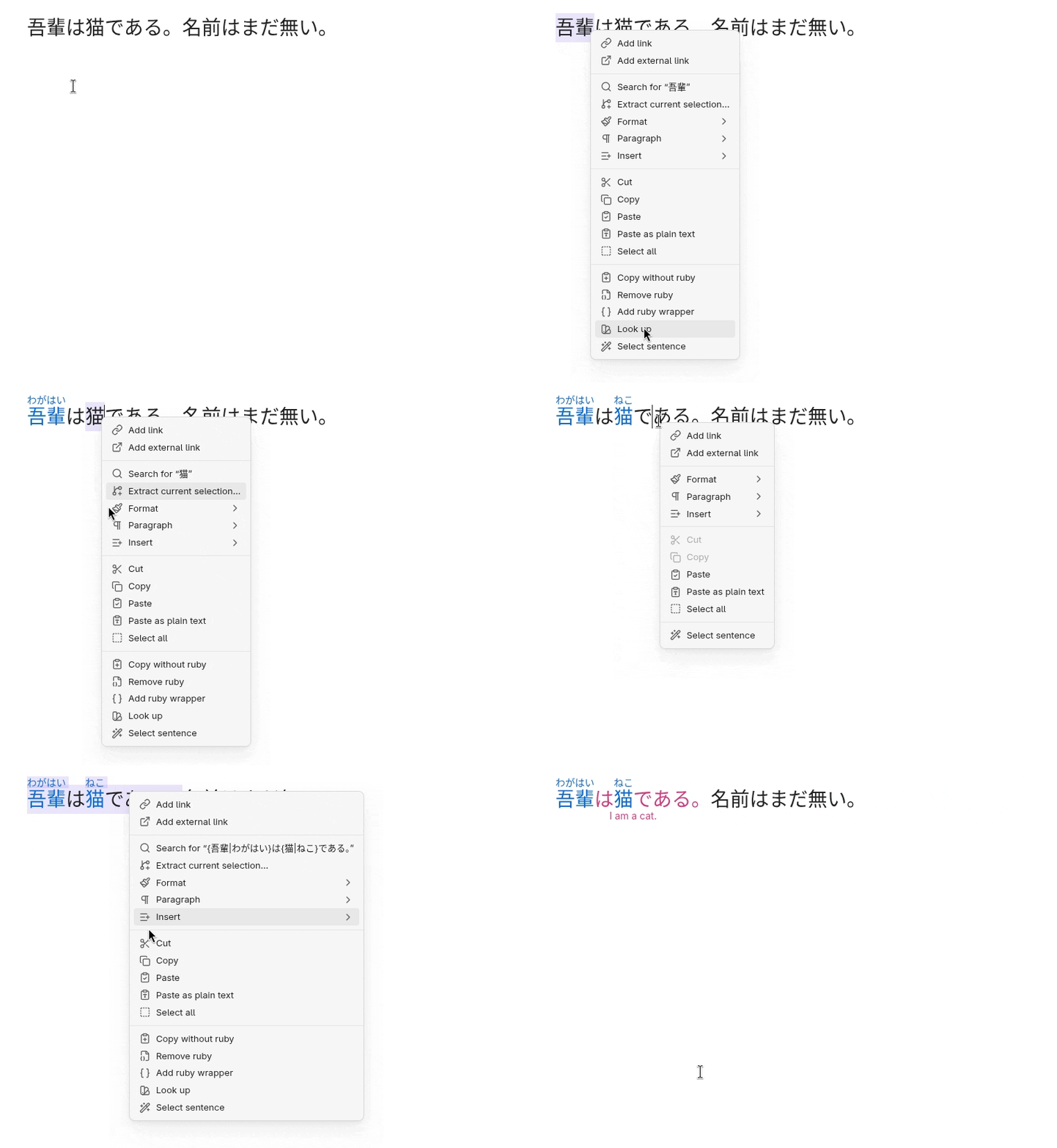
Advanced Ruby enables language-independent ruby annotation rendering and editing on two separate layers.
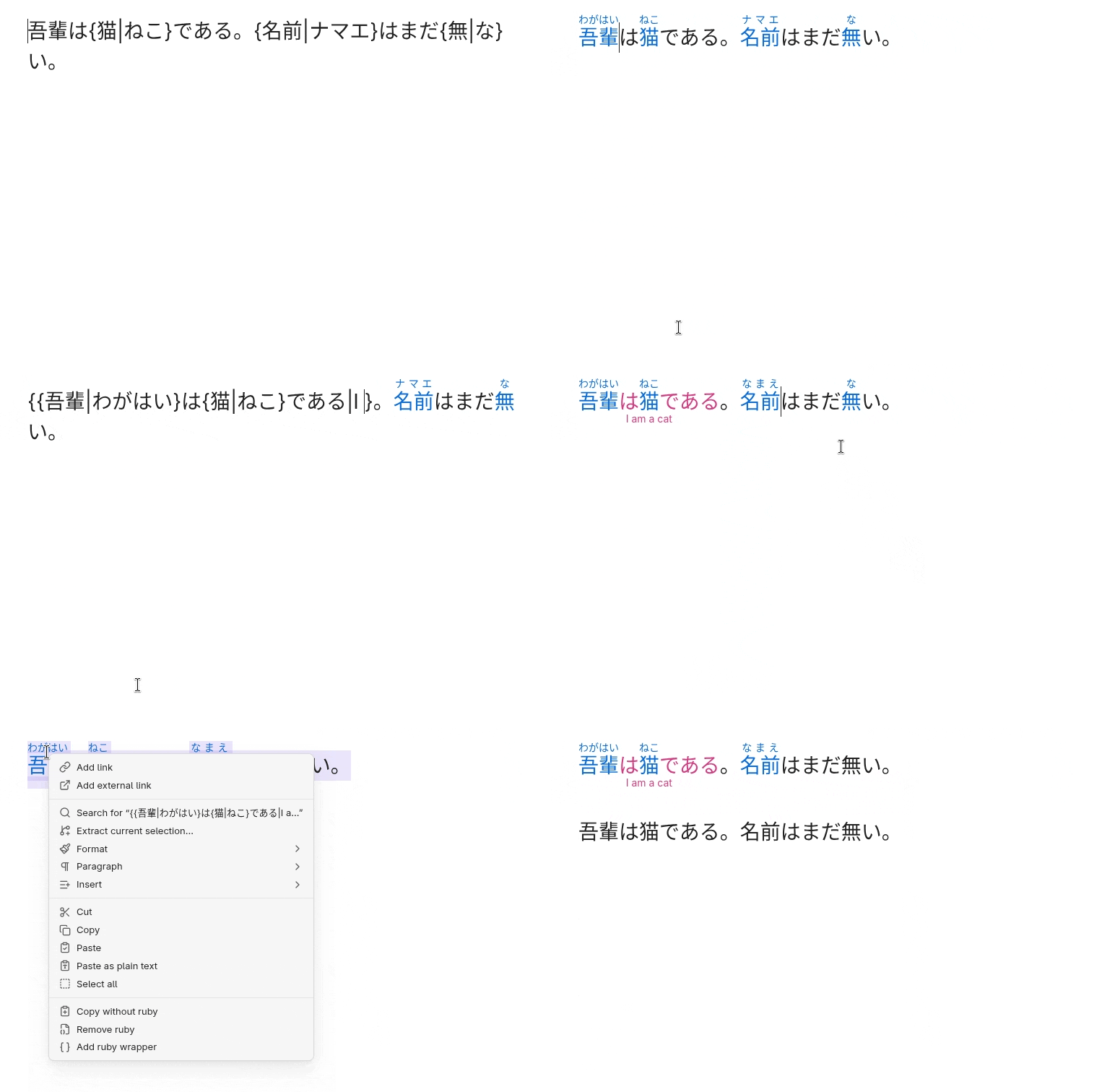
Notable features
Code skipping
The plugin will render ruby in reading and editing mode but show raw markup in source mode. Ruby in code blocks or inline code will not render or transform.
Smart arrow keys

If smart arrow keys are enabled, the cursor will jump over ruby without revealing the raw markup. Press the arrow key in the opposite direction after a jump to edit the skipped text. You can disable smart arrow keys in the settings if you prefer to reveal the raw markup on cursor contact.
Style settings
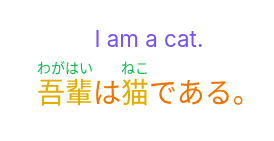
Native style settings lets you customize the rendering to your liking.
Syntax conversion
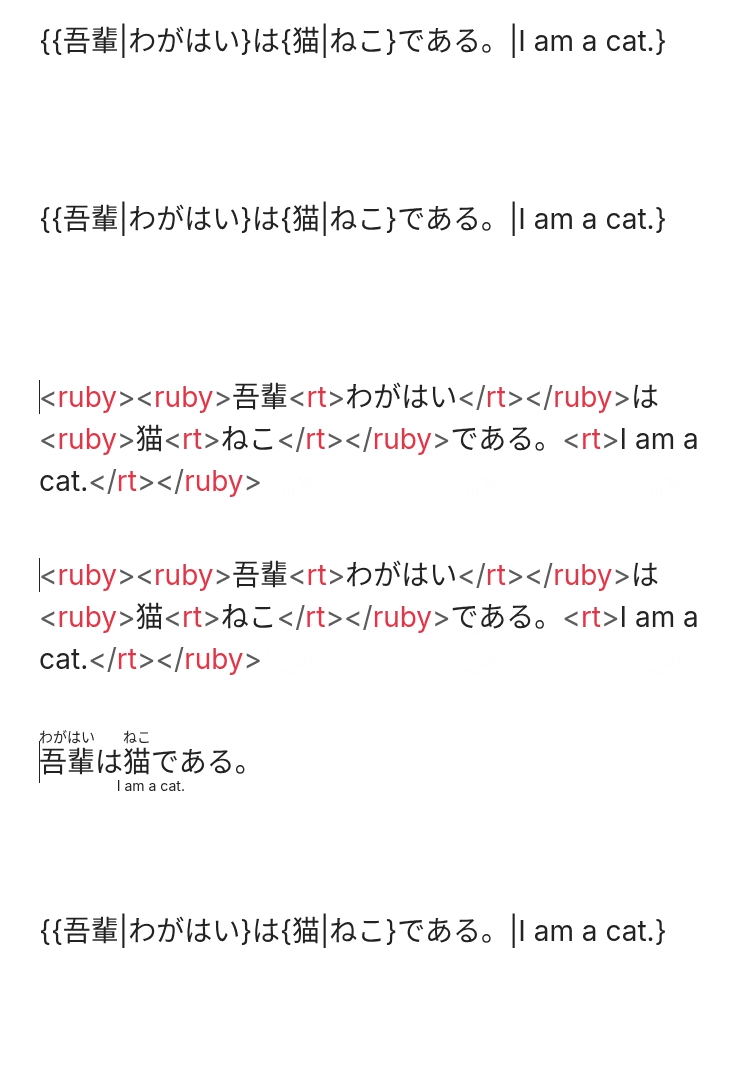
Convert between Markdown and HTML ruby syntaxes.
Advanced Ruby ♥️ JADOU
If you plan on using Advanced Ruby with Japanese text, install JADOU as well to unlock language-specific features.
Installing
Refer to https://obsidian.md/help/community-plugins.
Security
- This plugin does not store or transmit any data and requires no internet connection.
- This plugin has zero dependencies
Licenses & Acknowledgments
Advanced Ruby starting from version 2.0.1 is available under the PolyForm-Perimeter v.1.0.1 license. Advanced Ruby from version 1.0.7 to version 2.0.0 is available under the GPL-3 License. Advanced Ruby up to version 1.0.6 is available under the MIT License. Copyright (c) 2025–2026 Peter Yanase
This project includes code derived from:
- Markdown Furigana Plugin (Obsidian) (https://github.com/steven-kraft/obsidian-markdown-furigana), licensed under the MIT License. Copyright (c) 2021-2023 Steven Kraft.
- Obsidian Furigana (https://github.com/uonr/obsidian-furigana), licensed under the MIT License. Copyright (c) 2021-2026 Koppa.
- Japanese Novel Ruby Plugin for Obsidian (https://github.com/k-quels/japanese-novel-ruby), licensed under the MIT License. Copyright (c) 2024-2025 quels <@k-quels>.
- Mahgen Renderer (https://github.com/MichaelFW-ui/mahgen-renderer), licensed under the MIT License. Copyright (c) 2024-2026 Michael Francis Williams.
- Obsidian Outliner (https://github.com/vslinko/obsidian-outliner), licensed under the MIT License. Copyright (c) 2021-2026 by Viacheslav Slinko.
- Obsidian Sample Plugin (https://github.com/obsidianmd/obsidian-sample-plugin), licensed under the OBSD License. Copyright (c) 2020-2026 by Dynalist Inc.
For plugin developers
Search results and similarity scores are powered by semantic analysis of your plugin's README. If your plugin isn't appearing for searches you'd expect, try updating your README to clearly describe your plugin's purpose, features, and use cases.