AI Cloze Review
approvedby liufree
AI-powered cloze deletion review - generate fill-in-the-blank content and review interactively. - This plugin has not been manually reviewed by Obsidian staff.
AI Cloze Review
AI-powered cloze deletion review for Obsidian. One-click AI analysis generates fill-in-the-blank content, interactive review with click-to-reveal.
Features
- AI Cloze Generation — One-click AI analysis, automatically identifies key content and generates cloze deletions
- Local Semantic Cloze — No AI API? No problem. Built-in heuristic engine identifies key content (bold text, quoted terms, numbers, dates, acronyms, proper nouns, definition subjects, term-frequency analysis) and generates clozes locally
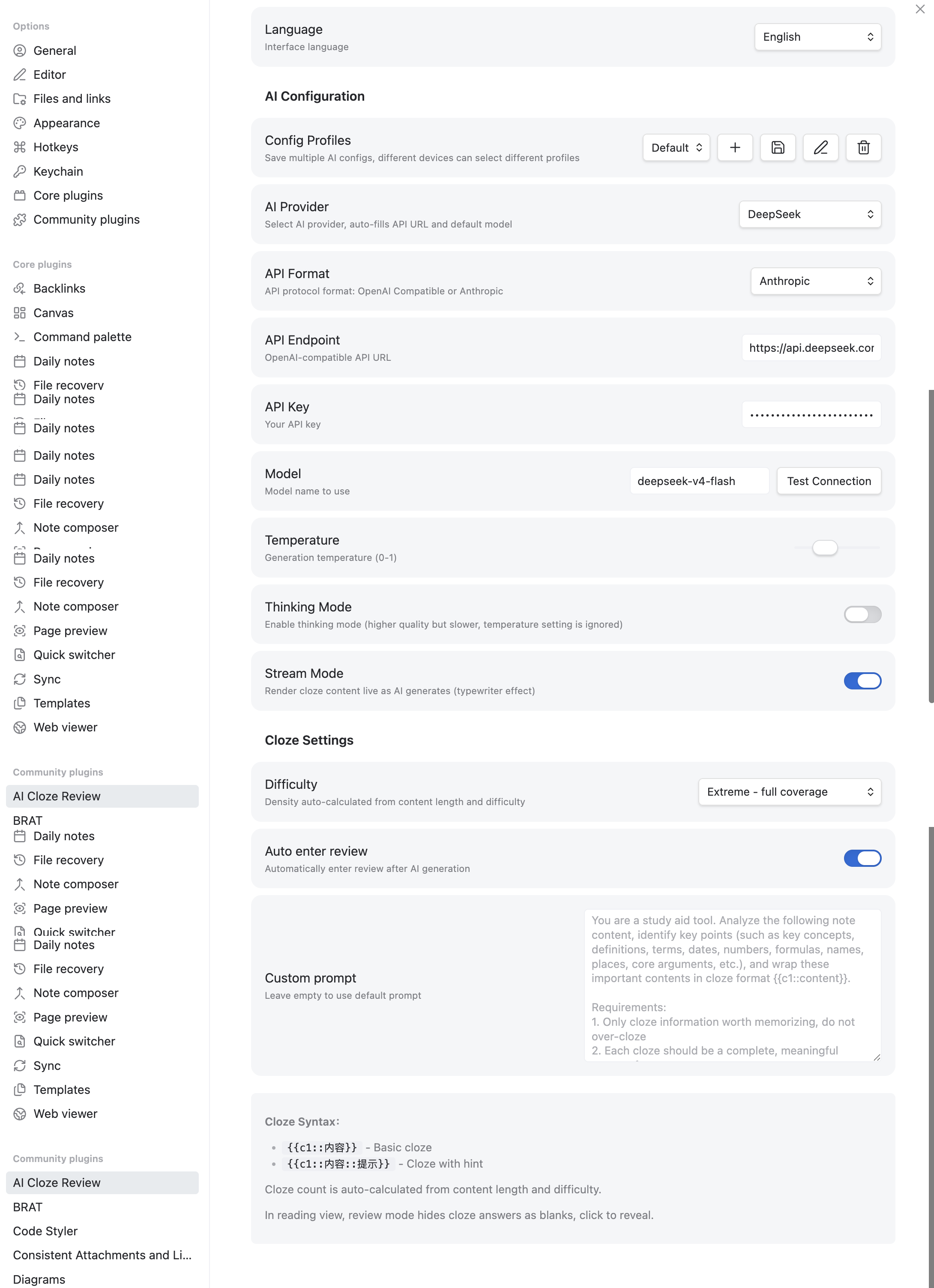
- Dual API Format — Supports both OpenAI-compatible and Anthropic API formats for AI cloze generation
- Stream Rendering — Real-time rendering as AI responds, with a typewriter effect for live cloze generation
- Multi-Profile Config — Save multiple AI/local configurations; different devices can select different profiles. Quick-switch via toolbar
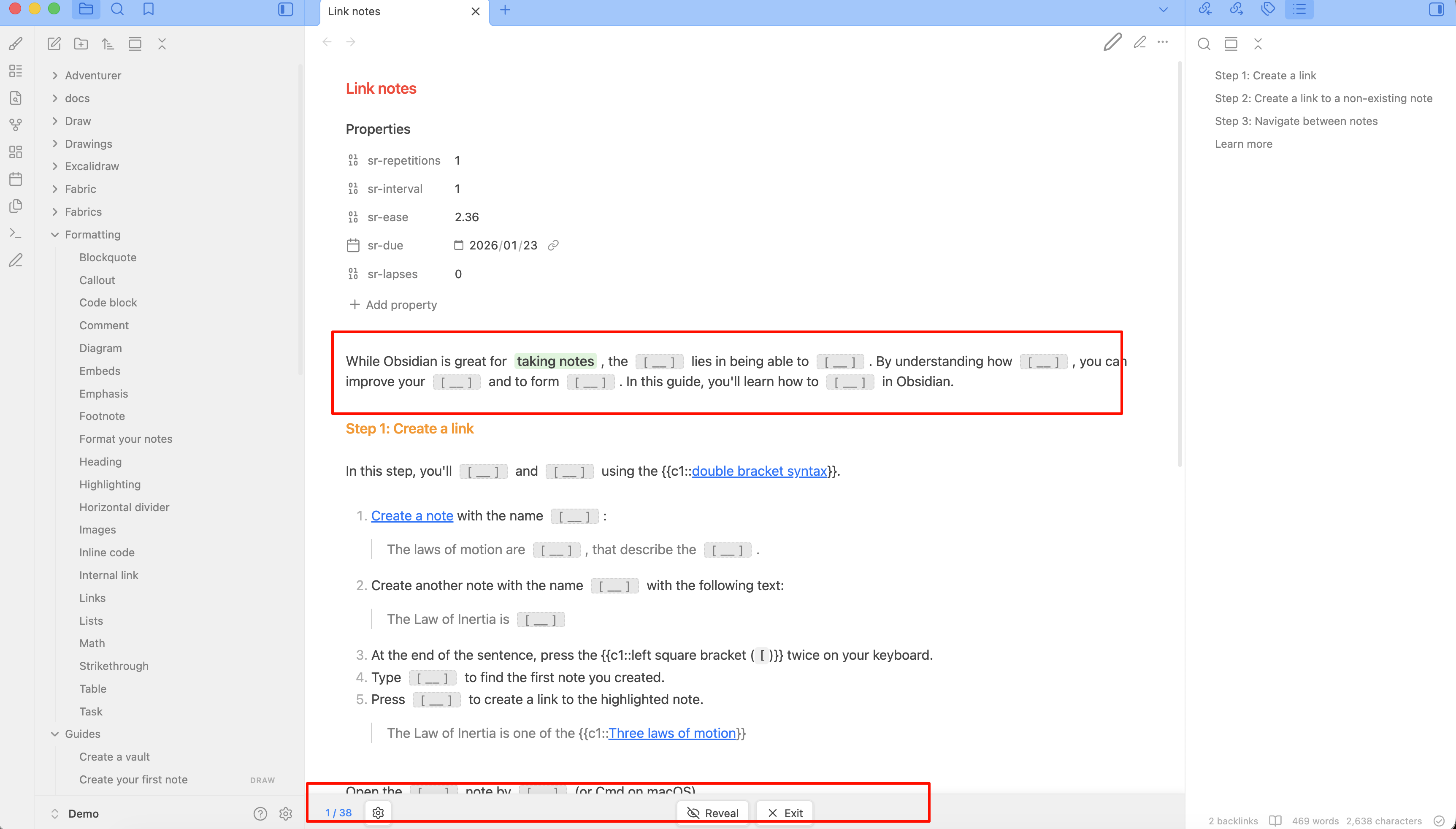
- Instant Review Mode — Hide cloze answers, click to reveal, track progress (revealed/total)
- Preserves Original Notes — All cloze content is cached in memory, your notes remain untouched
- Adaptive Density — Cloze count auto-calculated from note length and difficulty (Easy/Medium/Hard/Extreme)
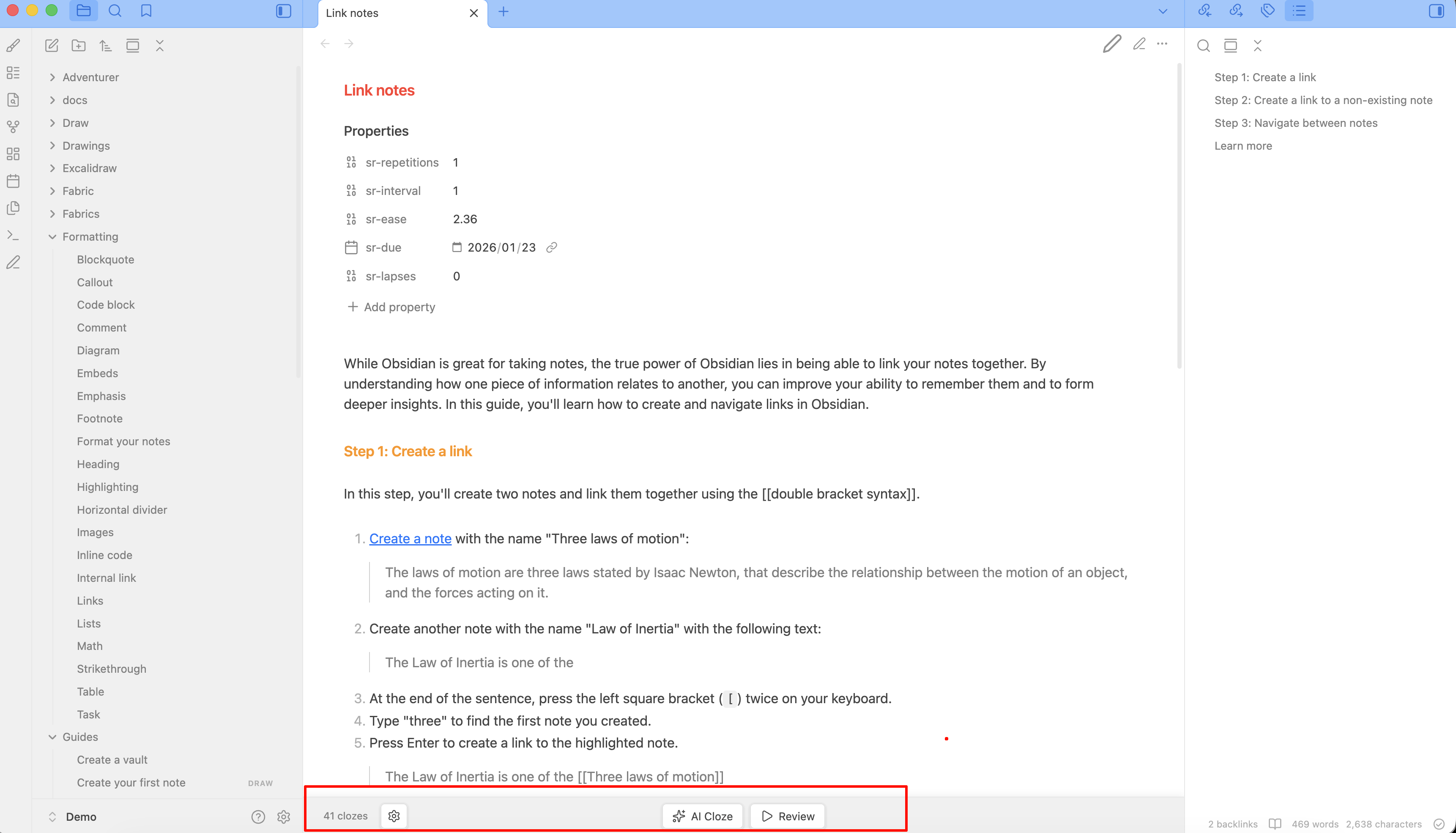
- Bottom Toolbar — Quick actions: AI generate, toggle review, reveal/reset, exit review
- Readable Line Length — Respects Obsidian's readable line length setting
- Mobile Optimized — Compact layout with icon-only buttons on small screens
- Multi-API Support — OpenAI, DeepSeek, Zhipu, Moonshot, Ollama, and any OpenAI-compatible API
- i18n — Auto-detect Chinese/English, with manual override in settings
Usage
- Configure API in settings (endpoint, key, model)
- Click AI Cloze to generate cloze deletions for the current note
- AI automatically enters review mode, hiding answers as blanks
- Click any blank to reveal the answer
- Use Reveal to show all, Reset to hide all again
- Click Exit to restore the original note view
Screenshots
Cloze Syntax
{{c1::key content}}          — Basic cloze
{{c1::answer::hint}}          — Cloze with hint
In review mode, cloze answers are hidden as [ __ ] placeholders. Click to reveal.
Installation
From Obsidian Community Plugins (coming soon)
- Open Settings → Community Plugins
- Browse and install "AI Cloze Review"
- Configure API settings
Manual Installation
- Download
main.js,manifest.json,styles.cssfrom the latest release - Place them in
{your-vault}/.obsidian/plugins/ai-cloze-review/ - Enable the plugin in Settings → Community Plugins
Settings
| Setting | Description | Default |
|---|---|---|
| Language | Interface language (auto/en/zh) | Auto-detect |
| API Endpoint | OpenAI-compatible API URL | https://api.openai.com/v1/chat/completions |
| API Key | Your API key | — |
| Model | Model name | gpt-4o-mini |
| Temperature | Generation temperature (0-1) | 0.3 |
| Difficulty | Cloze density: Easy/Medium/Hard/Extreme | Medium |
| Auto Enter Review | Auto-enter review after AI generation | true |
| Custom Prompt | Custom AI prompt | Default prompt |
Difficulty & Density
Cloze count automatically adapts to your note length:
| Difficulty | Density | 3000 chars example |
|---|---|---|
| Easy | 250 chars/cloze | ~12 clozes |
| Medium | 120 chars/cloze | ~25 clozes |
| Hard | 60 chars/cloze | ~50 clozes |
| Extreme | 30 chars/cloze | ~100 clozes |
Development
npm install
npm run build   # production build
npm run dev     # dev with watch mode
License
MIT
If you find this plugin helpful, please give it a ⭐ on GitHub! Your support and feedback are greatly appreciated. Also welcome to submit Issues and PRs.
Contact

Scan the QR code to connect on WeChat.
For plugin developers
Search results and similarity scores are powered by semantic analysis of your plugin's README. If your plugin isn't appearing for searches you'd expect, try updating your README to clearly describe your plugin's purpose, features, and use cases.