Animated Cursor
approvedby kotaindah55
Simple yet smooth animated cursor.
Animated Cursor - Obsdian Plugin


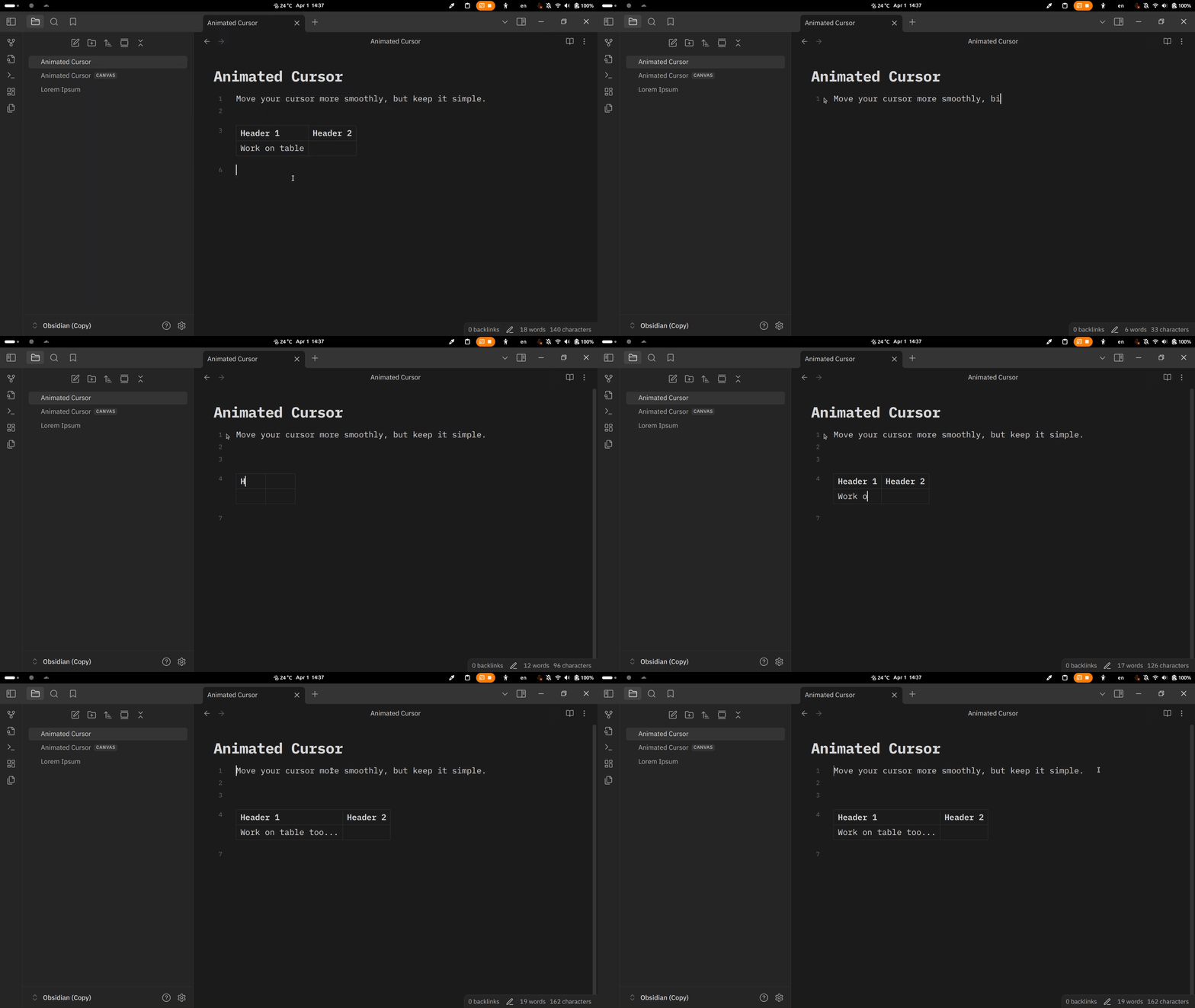
Give your cursor a simple, yet smooth, move animation. Inspired by Microsoft Office and VSCode smooth cursor.
[!WARNING]
Read caveat section below before installing this plugin!
🚀 Features
- Move and blink animation for the cursor.
- Work on both hovering page preview and canvas.
- Support multi-cursor.
- Adjustable cursor speed and blink duration (via Style Settings plugin).
🎨 What makes it different?
- Works as native cursor. This plugin patch existing Obsidian cursor, avoiding any unintended calculations. The same plugin before creates another cursor instance, yet still let Obsidian calculate its own cursor.
- Hardly relies on CodeMirror API. It's the secret of the consistency of the cursor behavior. Thus, it doesn't face any meaningful problems with multi-cursor, canvas, etc.
📦 Installation
- Manual
- Create a folder named
animated-cursorunderYOUR_VAULT_NAME/.obsidian/plugins. - Place
manifest.json,main.js, andstyle.cssfrom the latest release into the folder. - Enable it through the "Community plugin" setting tab.
- Create a folder named
- In-app
- Open settings.
- Choose "Community plugins" setting tab.
- Turn off "Restricted mode" if it was enabled before.
- Click "Browse" at "Community plugins" item.
- Type "Animated Cursor" in the search box.
- Install and enable it.
- Using BRAT.
✍️ Usage
Simply move the cursor by pressing arrow keys, clicking or dragging using your mouse. The cursor will stop blinking while it's moving.
⚙️ Adjustment
Via Style Settings plugin you can:
- adjust the tickness in pixels,
- adjust the color and transparency,
- adjust the cursor speed in miliseconds,
- adjust the blink rate in miliseconds,
- set the blink count in a sequence,
- toggle infinity blinking.
Additionally, in the "Animated Cursor" plugin settings, you have an option to make the cursor move slightly more smoothly:
- If turned on, move transition uses
translateproperty, but the cursor seems to appear blurry. - If turned off, it uses
topandleftproperties, but may have performance impact.
[!Note]
You can disable the blink by adjust the blink count to zero.
⚠️ Caveat
Because this plugin uses DOM to draw the cursor, it could -probably- cost expensive performance due to frequently layout recomputation, especially when you repeatedly move the cursor.
🐞 Known Bugs
- Buggy multi-cursors on the table.
Flicker/jitter effect occurs when the cursor is continously moved by holding the arrow keys.Weird behavior when move the cursor outside the table.
Feel free to let me know if you find any bugs...
©️ Attribution
This plugin includes some of the source codes developed by Marijnh Haverbeke and the others at CodeMirror, with some modifications. All their works are licensed under MIT.
🙏 Acknowledgment
Thanks to:
- VSCode for the smooth cursor concept.
- CodeMirror, Marijnh, and its community.
For plugin developers
Search results and similarity scores are powered by semantic analysis of your plugin's README. If your plugin isn't appearing for searches you'd expect, try updating your README to clearly describe your plugin's purpose, features, and use cases.