by theluckystrike
Show Bases results that descend from a root through a note property.
Bases Descendant Filter
Show the notes beneath a chosen root as a flat Bases table. Choose a parent link property. The view follows that property through intermediate notes, then displays the matching notes from your Bases query. A note can have more than one parent. A link in the body of a note does not create a parent relationship.
Use this view for projects with subprojects, places with smaller places, or another hierarchy stored in note properties. You can keep the intermediate notes outside the displayed query. The plugin reads their cached parent properties to connect the root to the notes you want to see.
Features
Follow a parent property through multiple levels
Add a Descendants view to a base. Choose a root note in the view options. Choose the property that holds parent links. The initial property name is parents. It can contain a single wiki link or a list of wiki links.
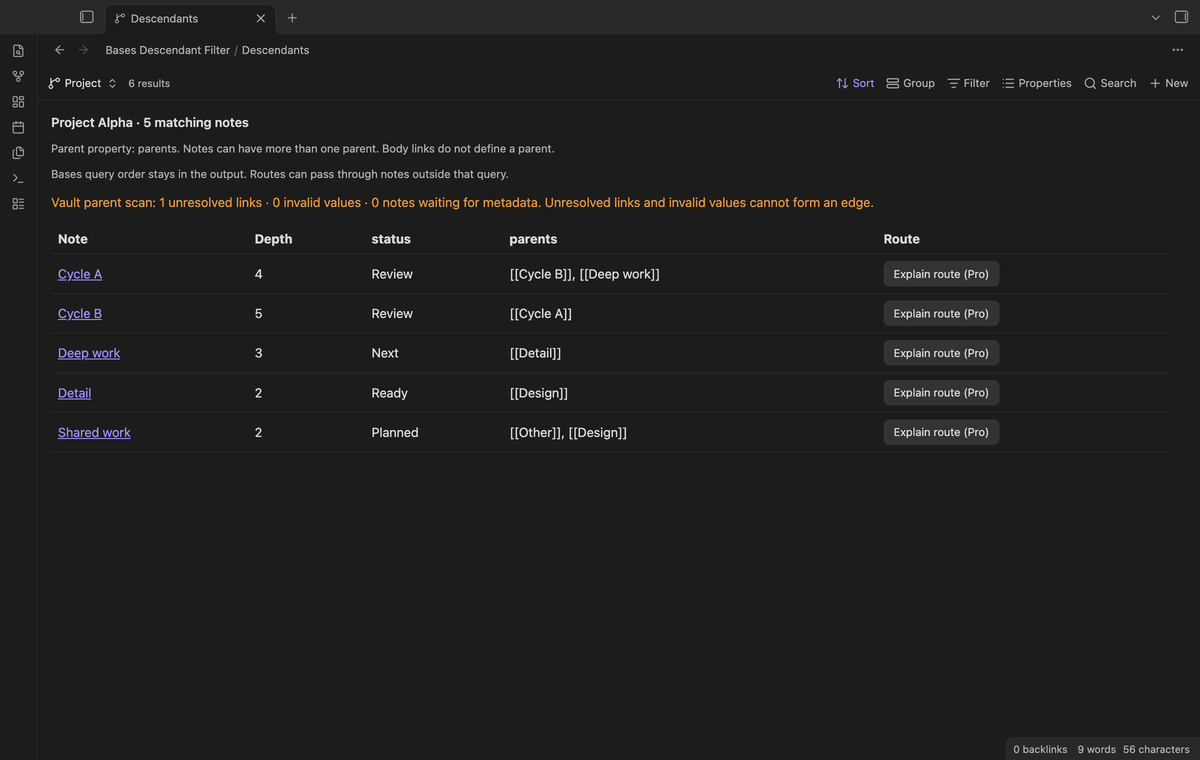
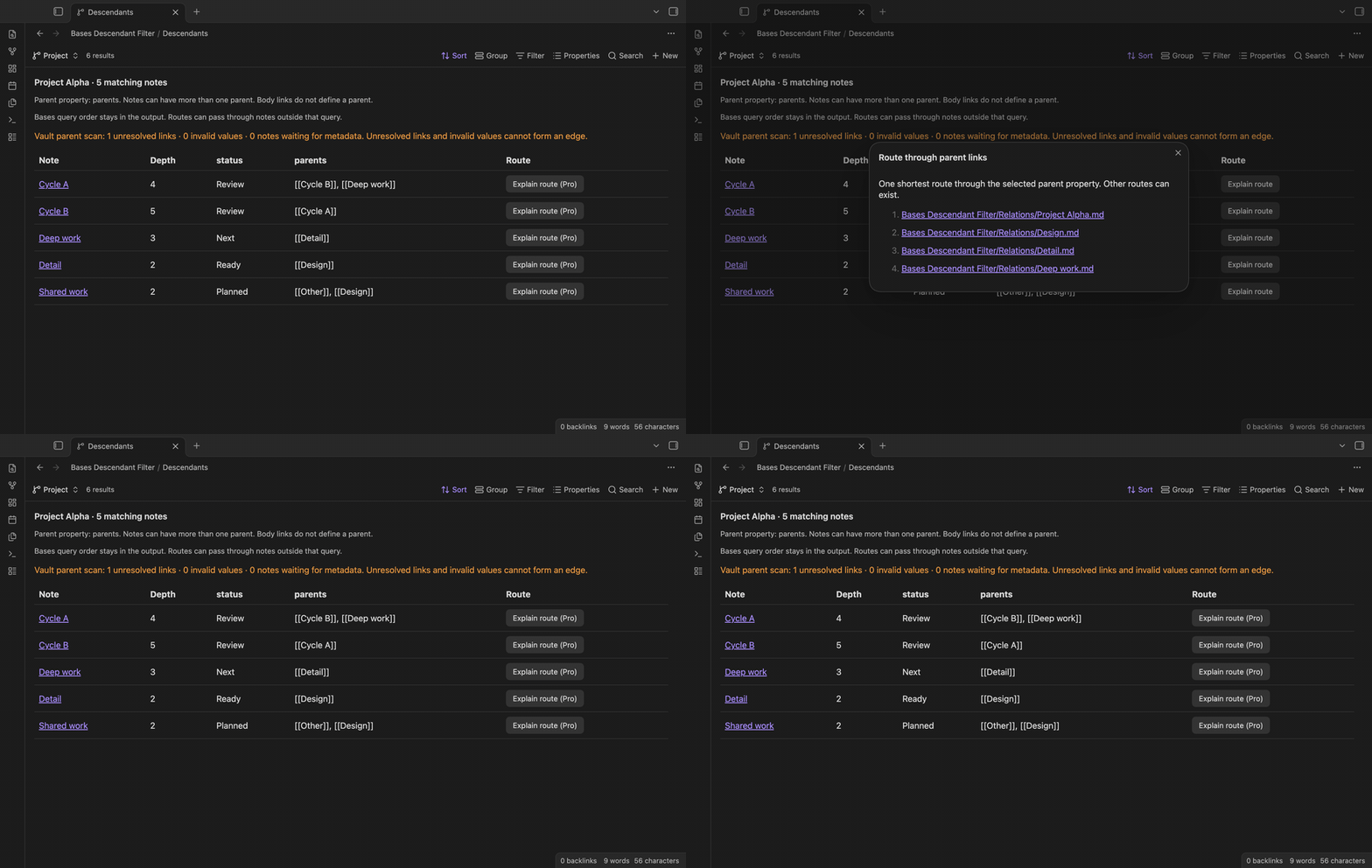
The view follows these links in the parent direction to identify descendants of the root. It handles a note with two parents, including a link in the second list position. A cycle does not repeat a note or cause an endless traversal. The Depth column shows the smallest number of parent edges between the root and the matching note.
Keep the visible Bases query and property columns
Bases still chooses the displayed candidates. Its filters, sort, view limit, and group visibility apply before this view selects descendants. The output keeps the order supplied by the visible query. Use the Properties menu to select the extra columns. The view displays those values as text.
Intermediate notes can remain outside that query. For example, a base can select deliverable notes while a project and a design note connect them to the root. The deliverables appear in the table. The design note supplies a parent edge without appearing as an output row. This avoids adding a body link to a note just to make it match.
Inspect parent-data warnings
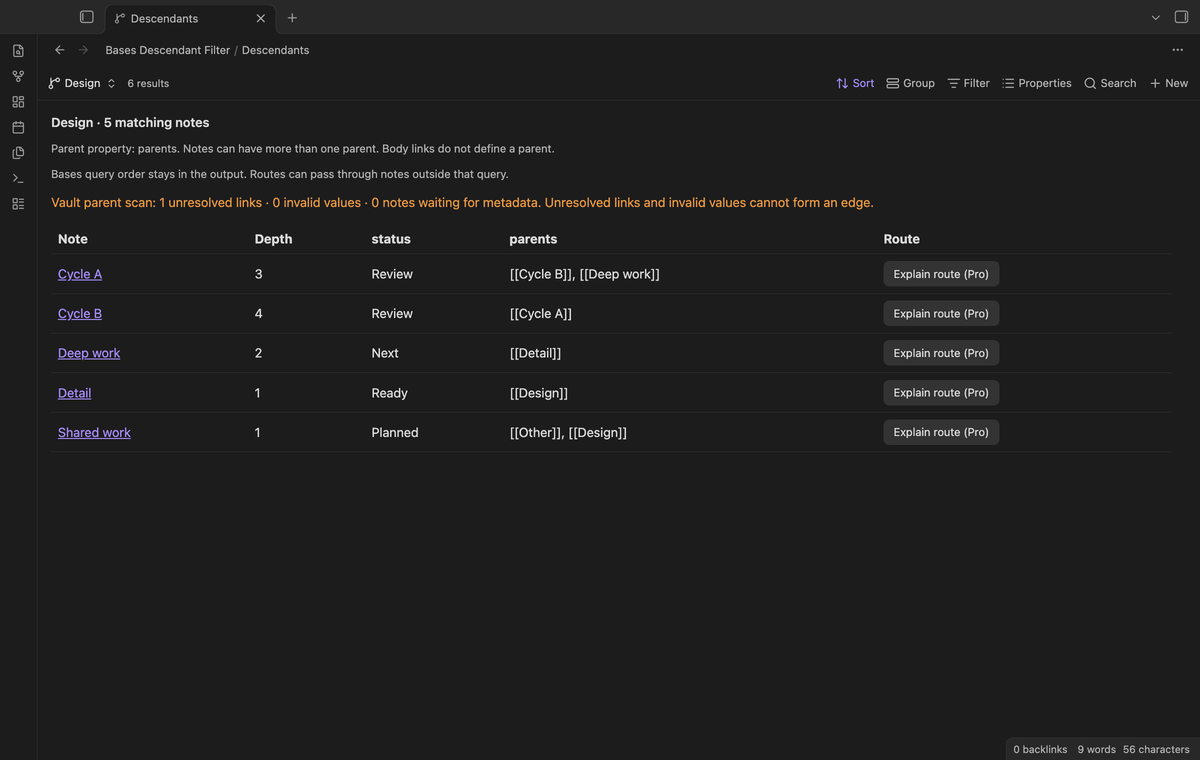
The view counts unresolved parent links, invalid values, and notes that await metadata. An unresolved link cannot form an edge. Plain text without wiki-link syntax is not a parent. A number or an object is also invalid. A missing parent property simply means that the note has no parent edge.
The warning counts describe the vault parent scan, so they can include a note outside the displayed query. Use them to check the chosen property when a result seems incomplete. Obsidian must finish indexing a note before the plugin can read its cached properties. The view refreshes when parent metadata changes, including changes to intermediate notes outside the query.
Explain a shortest route with Pro
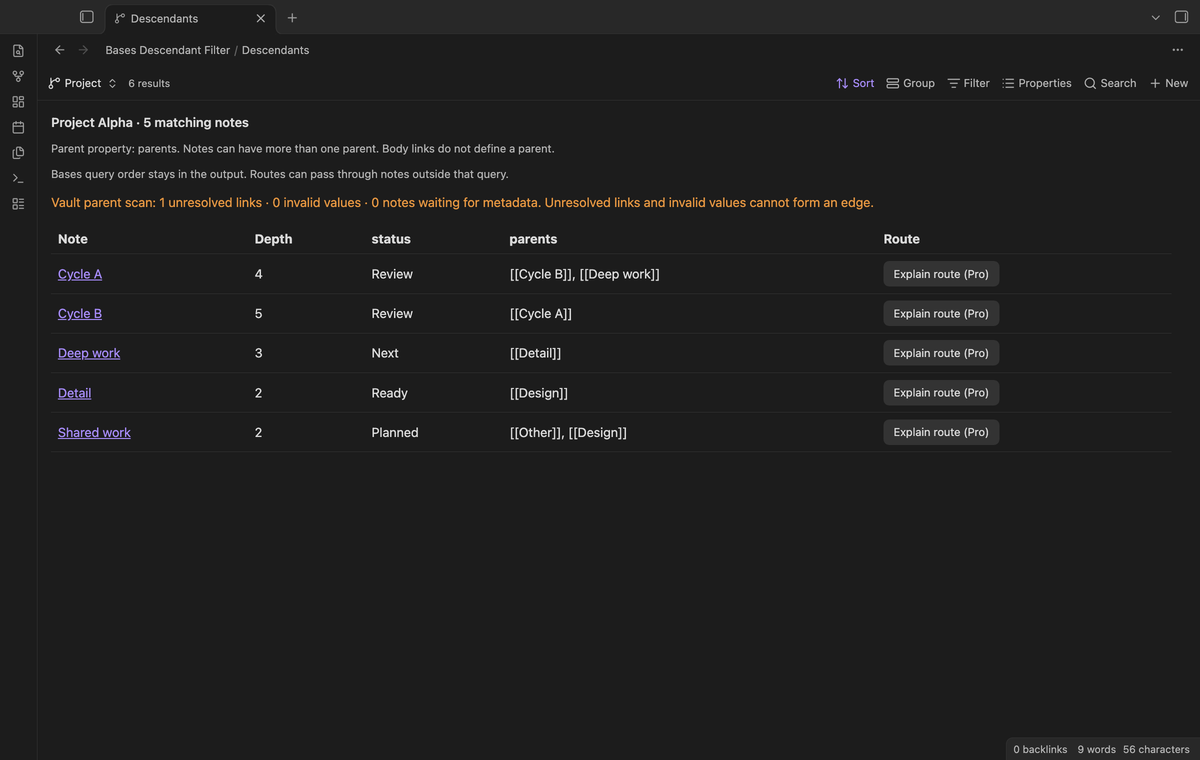
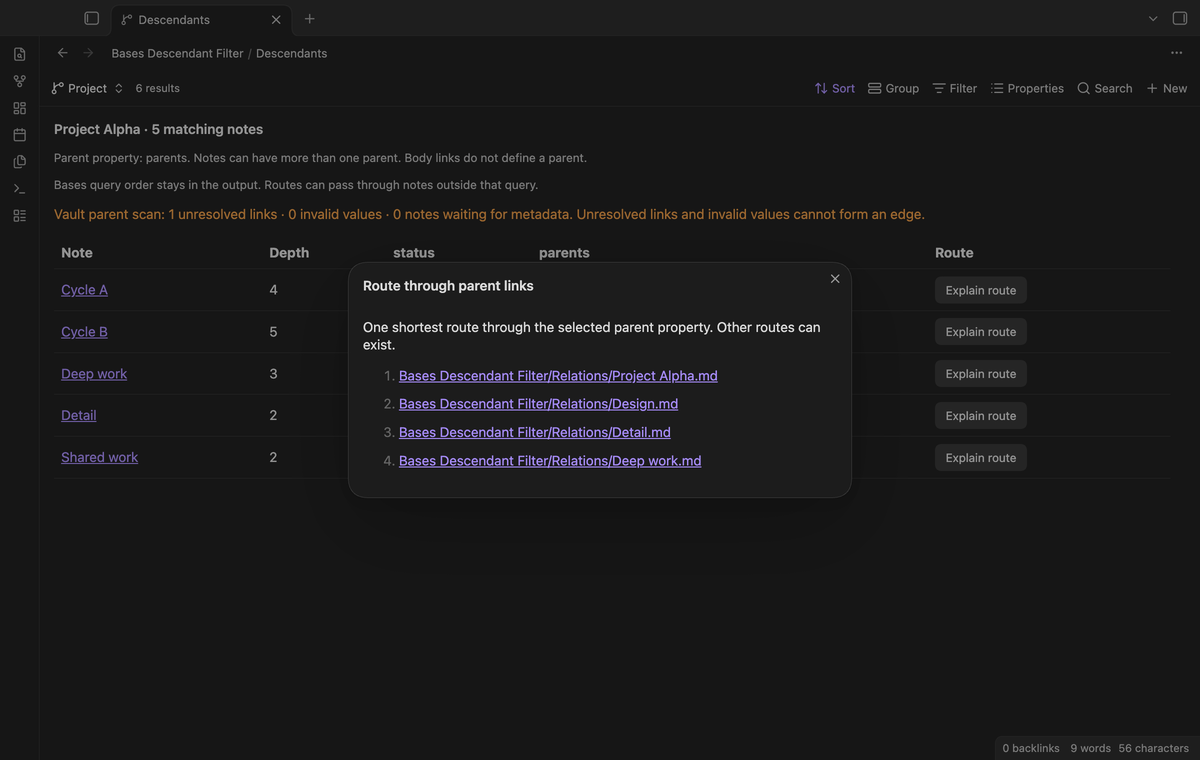
Select Explain route beside a matching note. Pro opens a modal with one shortest route from the root to that note. The route includes intermediate notes that do not appear in the table. Each path is a link to its source note.
Use the explanation to check why a result belongs under a root. Use it when a note has multiple parents or when the graph contains a cycle. More than one shortest route can exist. The modal shows one route, so it does not claim to list the possible alternatives. It captures the route when you open it. Reopen the explanation after you edit a parent link.
Install
Use Obsidian 1.13.4 or a later compatible version. Enable the Bases core plugin. For a manual install, get main.js, manifest.json, and styles.css from the same release. Create a bases-descendant-filter folder in your vault's .obsidian/plugins folder. Put the three files in it. Reload Obsidian. Enable Bases Descendant Filter in Community plugins.
Usage
Create a root note named Project A. Create a note named Design. Give Design a parents property that contains [[Project A]]. Create a note named Detail. Give Detail a parents property that contains [[Design]]. Use quotes around wiki links when you enter them directly in YAML.
Open a base that selects Detail. Add a view with the Descendants layout. Choose Project A as its Root note. Choose parents as its Parent property. Detail should appear with depth 2, even when Design is outside the query. A separate note that only mentions Project A in its body should not appear as a descendant.
To add another parent, change the property to a list. Put one wiki link in each item. The order of that list does not decide whether a note matches. The plugin resolves each link relative to the note that contains it. A heading or block target still refers to the parent note for this calculation.
Settings
Root note, Parent property, and Include the root if it matches the query belong to the current view. The root is excluded by default. Enable the option when you want it in the output, and make sure the Bases query selects it too. If the root moves and the saved selection no longer resolves, choose its new path.
The result table shows 100 notes per page. Use Next notes and Previous notes to inspect a larger result. This page size does not limit graph traversal. The table does not edit properties. Open a source note to change its parent links or other values.
FAQ
Does this change my Base filters?
No. It adds a separate view layout. The original filters and other layouts remain in the base. The plugin does not patch the Bases expression language.
Why is a descendant missing?
Check the query filters and the root selection first. Check the parent property name next. Confirm that intermediate links resolve to Markdown notes. Review the pending-metadata count while Obsidian indexes a vault. A broken link cannot connect two notes.
Does Pro change which notes match?
No. Traversal, multiple parents, cycle handling, depth, and input warnings stay free. Pro adds the route explanation. Free use does not require a GitHub account.
Payment, account and network
The core features are free. Pro features need a GitHub Sponsors sponsorship of theluckystrike: $5 a month or more, or $15 once. A total payment of $15 meets the payment requirement for Pro without further payment. Sign-in and the checks below still apply. Your notes stay readable and editable with or without Pro.
GitHub handles the payment. Sponsor at https://github.com/sponsors/theluckystrike. You need no account for the free features. Pro needs the GitHub account that sponsors.
Until you select "Sign in with GitHub" in the settings, Bases Descendant Filter makes no network requests. Sign in uses the GitHub device flow. Bases Descendant Filter sends its public client ID and the scope read:user to https://github.com/login/device/code and shows you a code. While you enter the code at https://github.com/login/device, it asks https://github.com/login/oauth/access_token every few seconds to check the sign-in status. The scope permits profile reads only. GitHub needs this access to show the sponsorship tier. It grants no repository scope and no write access.
After sign in, Bases Descendant Filter sends one query to https://api.github.com/graphql. It checks if the signed-in account sponsors theluckystrike. It asks for the tier and the total payment to theluckystrike. The plugin reuses a successful check for 7 days. Failed checks can retry after 6 hours. Select Refresh to request an earlier check. It sends no note content, file names or other vault data, and it has no telemetry.
After a successful check, Pro can work offline for up to 14 days. Sign out or a negative sponsorship answer turns Pro off. The plugin stores the GitHub token through the secret storage API of Obsidian. It does not put the token in its saved settings or its local sponsorship data. The local storage of this device keeps your GitHub login, the tier and the time of the last check. Sign out clears the token. You can also revoke the access in your GitHub settings, under Applications.
Support
Use the GitHub repository for source code and support. For a result problem, provide your Obsidian version and a small example of the root and parent properties. Include the expected matching note and the result you see. Remove private content before sharing an example. This plugin uses the MIT license.
For plugin developers
Search results and similarity scores are powered by semantic analysis of your plugin's README. If your plugin isn't appearing for searches you'd expect, try updating your README to clearly describe your plugin's purpose, features, and use cases.