by SigiL
并排对照两篇笔记,按词高亮差异。Two notes side by side, differences marked word by word.



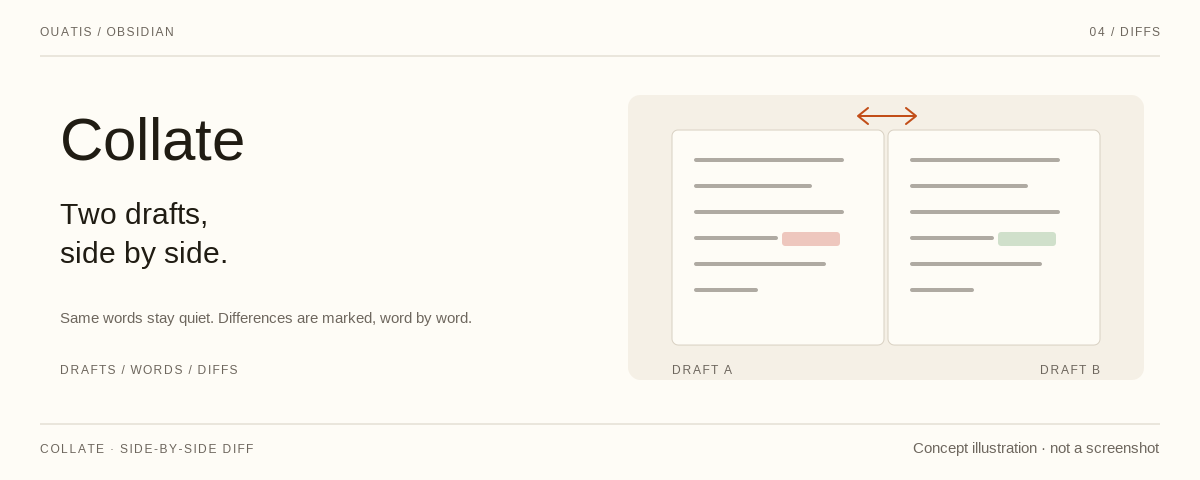
An Obsidian plugin that opens two notes in a native split and marks what differs between them — in both notes, down to the word.
In the merge view of a moved paragraph, the moved-in block carries one decision line — Accept move, Reject move, Handle separately — and the moved-out block links back with a badge.
Chinese text is segmented through Intl.Segmenter, so differences are
highlighted word by word instead of line by line. Both sides read the
unsaved editor buffer first and refresh after a short debounce, identical
text is never colored, and the highlighting itself never writes to the
notes. Both sides of a split currently use the same word-difference color,
meaning "unique to this side" — not a unified add/delete direction.
Collate grew out of Till Friebe's obsidian-file-diff (MIT) and is now maintained by SigiL as part of the ouatis Obsidian family, alongside Desk Lamp, Skill Switchboard and Scriptorium. Quiet panels and thin rules share a visual rhythm with the rest of the family; colors and fonts follow your Obsidian theme. English and Simplified Chinese are available.
[!NOTE] Collate runs on desktop Obsidian (verified on Windows); mobile is not supported.
Install
Available in the Obsidian community plugin store: enable community plugins, then Settings → Community plugins → Browse and search for Collate.
Manual, if you prefer: download main.js, manifest.json and styles.css
from the
releases page, place
them in <vault>/.obsidian/plugins/bigao/, then enable the plugin.
Use
Run a command from the command palette:
| Command | What it does |
|---|---|
Collate: Start side-by-side comparison | Pick a note and open it next to the current one in a left/right split |
Collate: Start top-and-bottom comparison | The same, stacked vertically |
Collate: Close side-by-side comparison | Close the comparison panes Collate created |
Collate: Compare two notes | Full-document diff view |
Collate: Compare and merge | Diff view with per-hunk merge actions |
Collate: Find sync conflicts and merge | Walk through sync-conflict notes and merge them one by one |
The ribbon icon (two columns) starts the side-by-side comparison without
opening the palette. In a Simplified Chinese Obsidian the same commands
read 比稿:…. The
side panel follows the source cursor while you write; the follow toggle
sits in its header. Collate: Close side-by-side comparison only closes
panes that still show the note Collate opened there; panes you have
repurposed are left alone. Blocks that moved between the drafts are paired
into one decision — accept the move, reject it, or split the pair back
into two independent hunks; near-moves (edited en route) say so and keep
the revised wording. Merge actions modify notes — review the
differences and keep backups before confirming.
Notes on scale
The full-diff view is bounded to 4,000 lines and 1,000,000 characters per note, and the diff computation itself to 2,000 edits or 500 ms — oversized inputs show an explicit message instead of a wrong "no differences". The inline split highlighting caps at 4,000 lines per note; past the cap the highlight stays empty, which must not be read as "no differences".
Editor highlighting requires the note to be in editing mode; reading mode is not guaranteed to look the same. Comparison pairs are restored automatically after a reload while both panes stay open. Collate is a desktop plugin; it is not tested on mobile.
Development
npm ci && npm run verify
npm run verify is the whole gate: dependency audit, strict TypeScript,
ESLint, unit tests, production build and bundle smoke tests. AGENTS.md
records the maintenance conventions.
License
MIT, following upstream. Collate is based on
obsidian-file-diff by
Till Friebe; the restoration baseline is the upstream 1.1.2 tag
(d566ded402f72e1508f33b640d6f96d7c32c9a00). The original copyright and
license text are preserved in LICENSE.
For plugin developers
Search results and similarity scores are powered by semantic analysis of your plugin's README. If your plugin isn't appearing for searches you'd expect, try updating your README to clearly describe your plugin's purpose, features, and use cases.