Bunny Publisher
approvedby ericmwalk
Upload images, videos, and files to Bunny.net storage. - This plugin has not been manually reviewed by Obsidian staff.
Bunny Publisher
Bunny Publisher allows you to upload images and other media directly from Obsidian to your Bunny.net Storage Zone or custom CDN hostname (e.g., cdn.myawesomewebite.lol). This plugin simplifies media management by automatically handling upload paths, URL generation, and optional local cleanup seamlessly integrating with your content workflows.
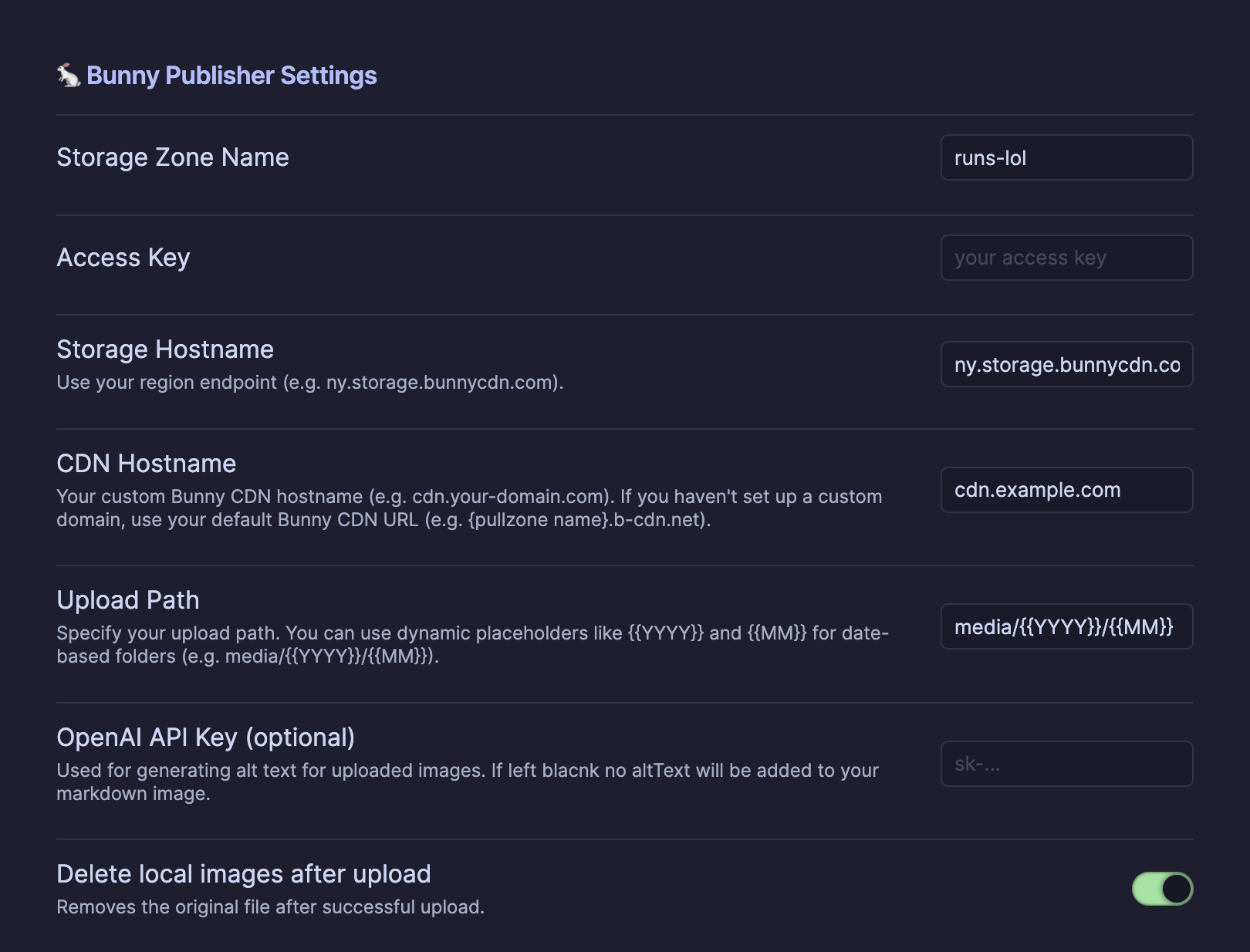
Configuration Screenshot
Features
- Upload images and media files directly to Bunny.net Storage Zones.
- Automatically convert Obsidian-style embeds (
![[image.png]]) into Markdown image links (). - Support dynamic upload paths with date placeholders (e.g.,
media/{{YYYY}}/{{MM}}). - Optionally delete local image files after successful upload.
- Specify a custom CDN hostname for generated URLs.
- Automatically sanitize and preserve filenames for clean, consistent URLs.
- Real-time progress updates during uploads.
- Optionally generate alt-text using OpenAI, Google Gemini, or Perplexity (API key required).
Setup
- Clone or download this repo into your Obsidian
.obsidian/plugins/folder. - Run
npm installandnpm run buildto compile the plugin. - Enable the plugin inside Obsidian.
- Configure your Bunny.net API key, storage zone name, region, CDN hostname, and upload path pattern in the settings panel.
Upload Paths
You can define a dynamic upload structure using placeholders in your settings:
{{YYYY}}– Year of upload (e.g., 2025){{MM}}– Month of upload (e.g., 11)- Example:
media/{{YYYY}}/{{MM}}→media/2025/11/
Usage
- Use the "Upload Images to Bunny.net" command from the Command Palette or assign a hotkey.
- The plugin scans your active note for local image embeds and uploads them.
- After upload, the local embeds are automatically replaced with CDN URLs.
- If enabled, local files are deleted after a successful upload.
Example Workflow
Before upload:
![[running-photo.png]]
After upload:

For plugin developers
Search results and similarity scores are powered by semantic analysis of your plugin's README. If your plugin isn't appearing for searches you'd expect, try updating your README to clearly describe your plugin's purpose, features, and use cases.