Capitaliser
approvedby eoliversec
Cycle text capitalisation (lowercase, Capitalise Each Word, UPPERCASE).
★ 3 stars↓ 681 downloadsUpdated 10mo agoMIT
Capitaliser
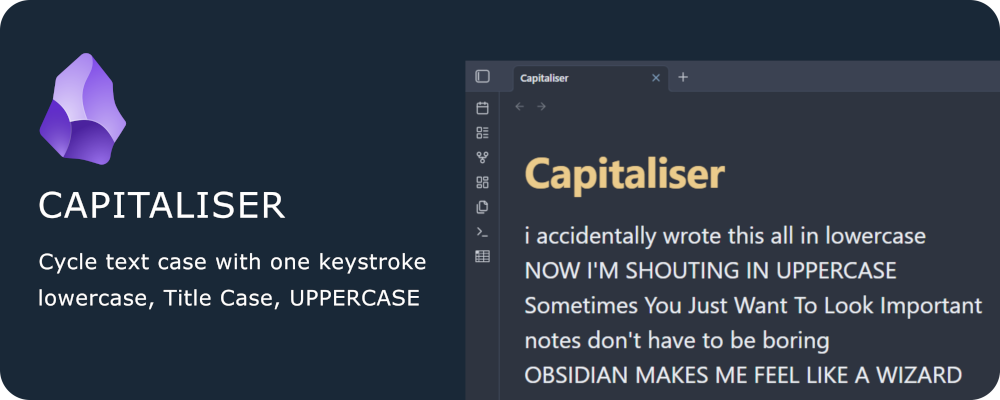
Effortlessly cycle the capitalisation of your text in Obsidian - just like what Shift+F3 does in Microsoft Word.
Instantly switch between lowercase, Capitalise Each Word, and UPPERCASE with a single command and your favourite hotkey.
✨ Features
- Cycle capitalisation: Transform selected text or the current word between lowercase, Capitalise Each Word, and UPPERCASE.
- Smart selection: Works with selections, single words, or entire lines.
- No setup required: Assign any hotkey you like in Obsidian’s settings.
- Fast & lightweight: No dependencies, instant results.
🚀 Getting Started
- Install Capitaliser from the Community Plugins browser in Obsidian.
- Enable the plugin in Obsidian’s settings.
- Assign your favourite hotkey to the “Cycle text capitalisation” command.
💡 Usage
Before using the plugin:
- Go to Settings - Hotkeys
- Search for "Capitaliser: Cycle text capitalisation".
- Assign your preferred hotkey (e.g., Shift+F3 to match Microsoft Word).
To use the plugin:
- Select text, place your cursor in a word, or select an entire line.
- Trigger the command (via hotkey).
- Watch your text cycle through lowercase, Capitalise Each Word, and UPPERCASE.
☕ Support & Contributions

If you find this plugin helpful, consider buying me a coffee to support future development!
For plugin developers
Search results and similarity scores are powered by semantic analysis of your plugin's README. If your plugin isn't appearing for searches you'd expect, try updating your README to clearly describe your plugin's purpose, features, and use cases.