by Kerekes Stefan
Citation-map canvas export for Zotero: pick items, collections or authors and get a drag-and-drop .canvas literature map — papers as nodes, citations as edges, collections as containers, colored by unread / read / annotated.
Citation Atlas
Citation-map canvas export for Zotero inside Obsidian.
Pick Zotero items, a collection, or an author — Citation Atlas writes a
.canvas file into your vault that is a drag-and-drop visual literature map:
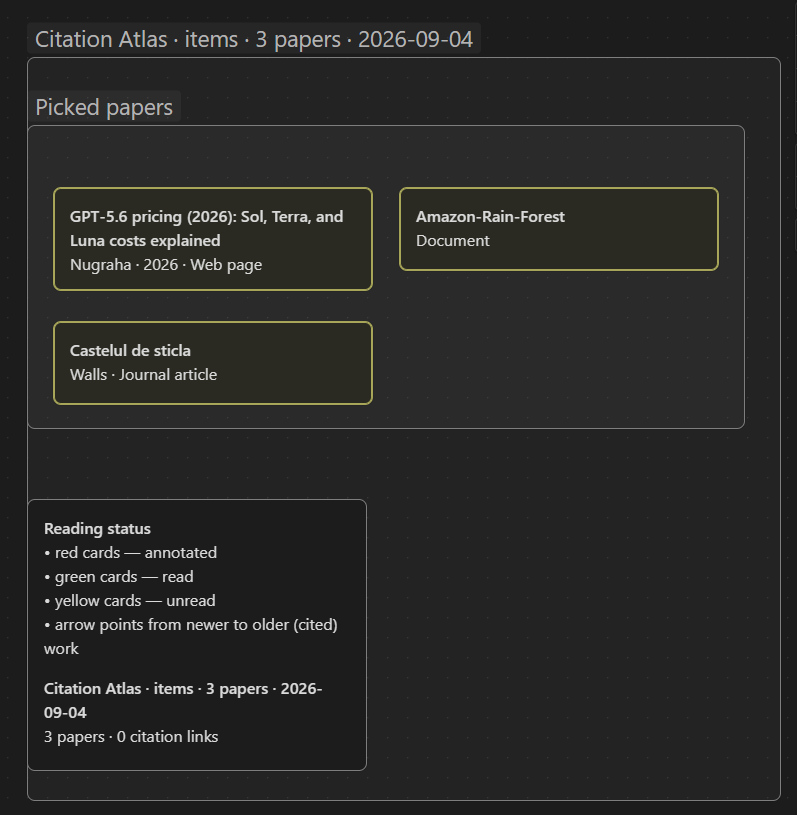
- Papers → text cards. Title, authors and year, arranged chronologically in a grid.
- Citation relationships → edges. Zotero's related-item links (the same
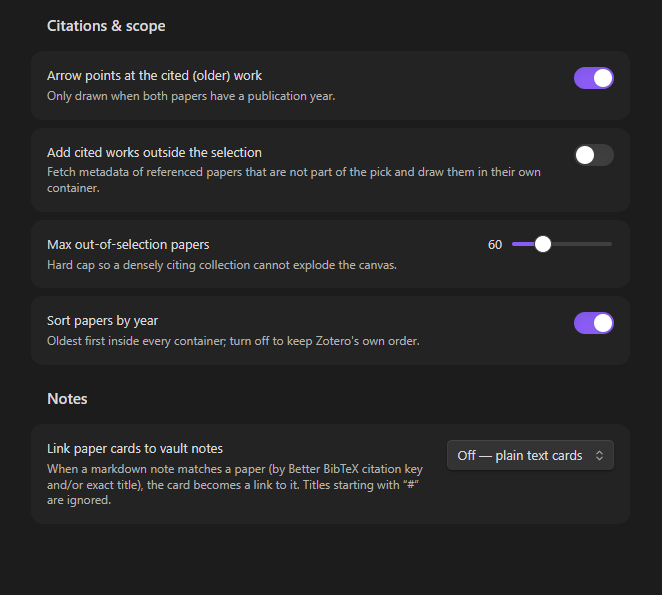
dc:relationdata citation-graph tools read) become connecting lines; when both papers have a year the arrow points from the newer paper to the older, cited one. - Collections → container groups. A collection becomes a box you can grab; its sub-collections become nested boxes (optional).
- Color = reading status — annotated / read / unread, all configurable.
- Canvas files are plain JSON (JSON Canvas 1.0), so the result is fully native Obsidian: you can annotate, cluster, recolor and rearrange the whole map by hand afterwards.
Screenshots
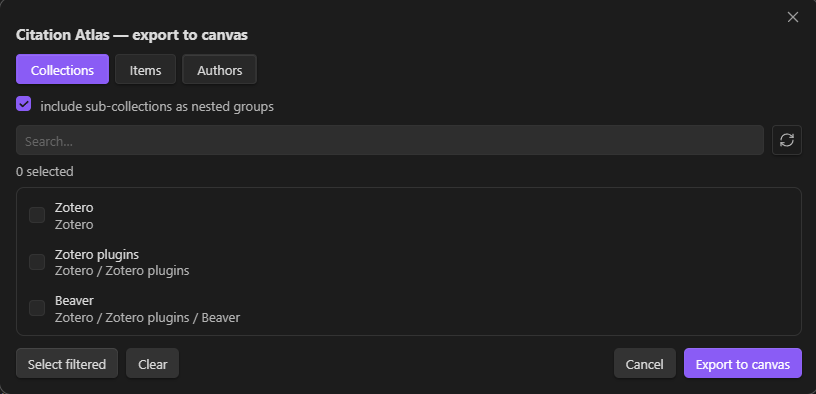
How it reads Zotero
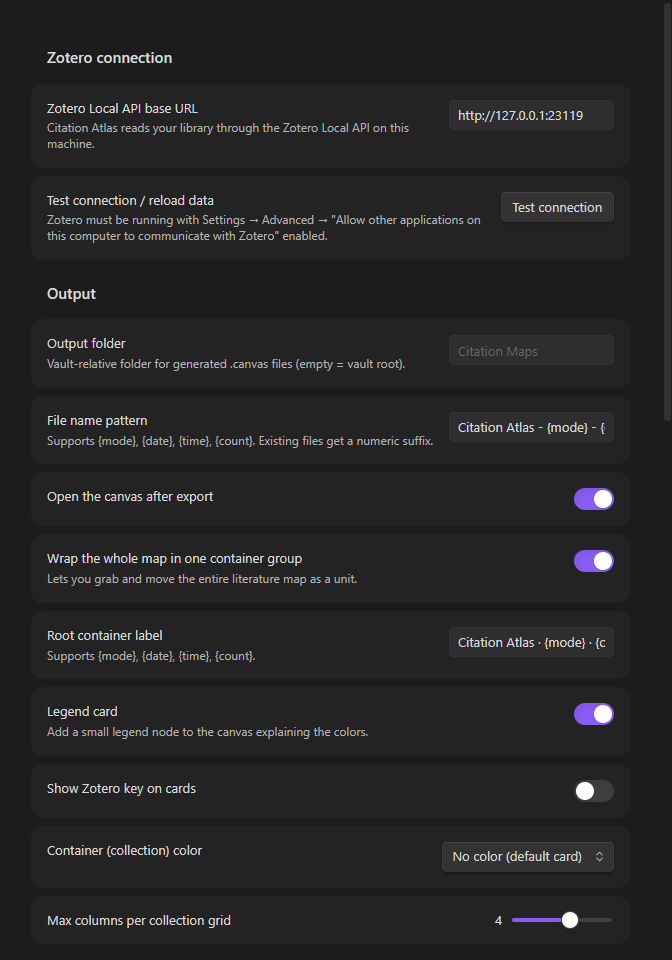
Citation Atlas talks to the Zotero Local API on localhost:23119
(http://127.0.0.1:23119/api/users/0/...). It is a read-only, unauthenticated,
offline endpoint that serves your local library — no API key, no sync, no
touching the SQLite file while Zotero runs. See the
Zotero Local API documentation.
Requirements
- Zotero 7 or newer, running.
- In Zotero: Settings → Advanced → enable
“Allow other applications on this computer to communicate with Zotero”
(otherwise every request returns
403). - Obsidian desktop (the plugin is desktop-only by design).
Install
Development / BRAT install: copy main.js, manifest.json, styles.css into
<vault>/.obsidian/plugins/citation-atlas/ and enable “Citation Atlas” in
Settings → Community plugins.
Usage
Run one of the commands (or the ribbon icon):
| Command | What it does |
|---|---|
| Export a Zotero collection to a citation-map canvas | pick one or more collections (searchable); sub-collections become nested groups when enabled |
| Export picked Zotero items to a citation-map canvas | search the whole library and pick individual papers |
| Export an author's Zotero papers to a citation-map canvas | pick authors, one group per author with all their papers |
After export the canvas opens automatically. The generated map has:
- one root container that lets you move the whole map as a unit (optional),
- a legend card that explains the colors,
- colored cards: 🟥 annotated · 🟩 read · 🟨 unread (defaults — every color is configurable, or turn a status off so cards stay plain),
- every card with a Zotero key, and optionally links to your existing notes.
Reading status — where does it come from?
Zotero has no built-in read/unread flag, so Citation Atlas derives the status from signals that really exist in your library (all configurable in settings):
| Status | Detected when |
|---|---|
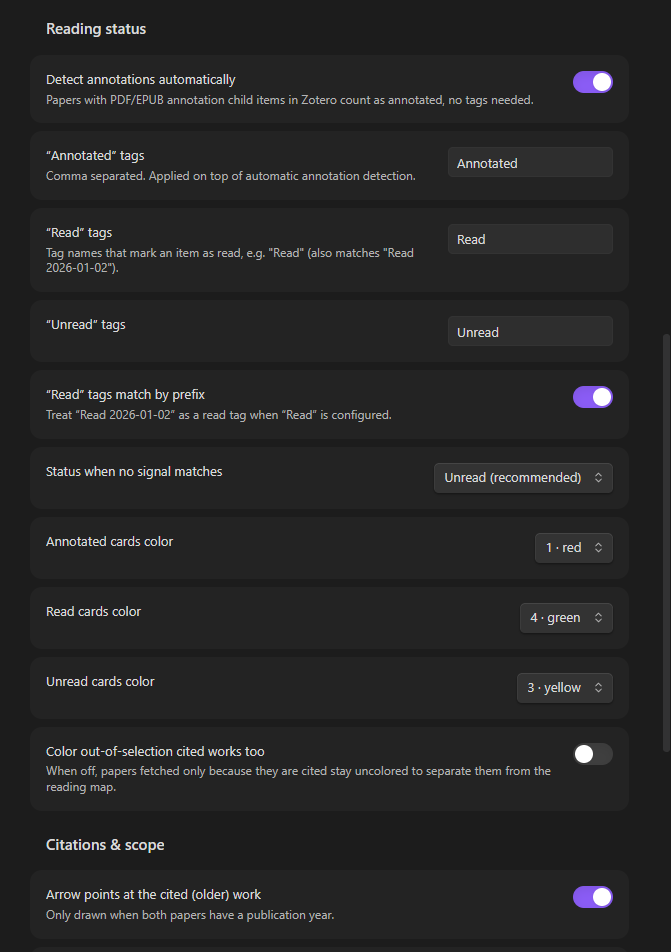
| Annotated | the paper has PDF/EPUB annotation child items in Zotero (automatic), or carries an “annotated” tag |
| Read | the paper carries a read tag — e.g. Read, or the Read 2026-01-02 style used by zotero-actions-tags (prefix matching) |
| Unread | the paper carries an unread tag (e.g. Unread), otherwise the fallback status (default: unread) |
If you don't tag anything, papers you annotated in Zotero still show up red and everything else stays unread-colored — then start tagging and re-export to watch the map “turn green”.
Options worth knowing
- Add cited works outside the selection (settings → Citations & scope): papers that are referenced by your selection but not part of it get fetched and drawn in their own container, so the citation neighbourhood is visible.
- Link paper cards to vault notes: match by Better BibTeX citation key
(
Citation Key:in the Extra field) and/or exact note title — matching cards become[[note]]links in the canvas. - File name pattern supports
{mode},{date},{time},{count}(default:Citation Atlas - {mode} - {date}). Collisions get a numeric suffix.
Development
npm install        # installs build tooling
npm run build      # typecheck + bundle -> main.js
npm run typecheck  # tsc only
npx tsc -p tsconfig.test.json && node build-test/test/fixture.js
                   # offline fixture test of the export pipeline (fake Zotero)
Layout of the code:
src/main.ts              plugin entry: commands, ribbon, export orchestration
src/settings.ts          settings tab + defaults
src/ui/exportModal.ts    pick collections/items/authors dialog
src/lib/zoteroClient.ts  read-only Zotero Local API client (pure, injected HTTP)
src/lib/exporter.ts      mode resolution → atlas model (papers/containers/edges)
src/lib/reading.ts       annotated/read/unread resolver
src/lib/canvas.ts        JSON Canvas 1.0 layout + writer (pure)
src/lib/display.ts       card text, author index, citekey parsing
test/fixture.ts          offline assertions over a fake library
examples/                sample .canvas produced by the fixture test
The core (src/lib/*) has no Obsidian imports, so it is testable under plain
Node. Only main.ts, settings.ts and ui/ touch the Obsidian API.
Troubleshooting
“Empty response” / nothing loads.
- Do not test the URL in a web browser — Zotero's local server deliberately refuses
browser requests (it answers “Request not allowed” or drops the connection, which
Chrome shows as
ERR_EMPTY_RESPONSE). The Local API only serves non-browser local clients (curl, desktop apps, this plugin via Obsidian's main process). See the Zotero team's answer on the forum. - From a terminal, verify with:
curl -i "http://127.0.0.1:23119/api/users/0/collections?format=json"— you should seeHTTP/1.1 200and JSON. - If curl fails too, the server is off or not Zotero: enable Zotero → Settings →
Advanced → “Allow other applications on this computer to communicate with
Zotero” (
extensions.zotero.httpServer.enabled= true, portextensions.zotero.httpServer.port= 23119) and restart Zotero. Make sure nothing else occupies port 23119 (netstat -ano | findstr 23119). - The plugin shows the precise reason (empty body, 403, 404, connection refused, “Request not allowed”, HTTP 5xx) inside the picker dialog and in the Test connection button on the settings tab.
Roadmap / limitations
- Export currently targets the local user library (
users/0); group libraries are not yet surfaced. - Only relations stored by Zotero as related items are drawn (which is what the desktop app lets you create); “citation” data living only inside PDFs or third-party plugins is not visible through the API.
- Externals (cited works outside the selection) are expanded one level deep and capped (default 60) so a dense citing collection cannot explode the canvas.
License
MIT © 2026 Kerekes Stefan
For plugin developers
Search results and similarity scores are powered by semantic analysis of your plugin's README. If your plugin isn't appearing for searches you'd expect, try updating your README to clearly describe your plugin's purpose, features, and use cases.