by chilipeppers
Read-it-later reader for Web Clipper articles with reading queue, progress tracking, color highlights, and margin notes.
Updated todayMIT
ClipReader
A Read-it-Later reader and margin-note workspace for Obsidian Web Clipper articles.
Features
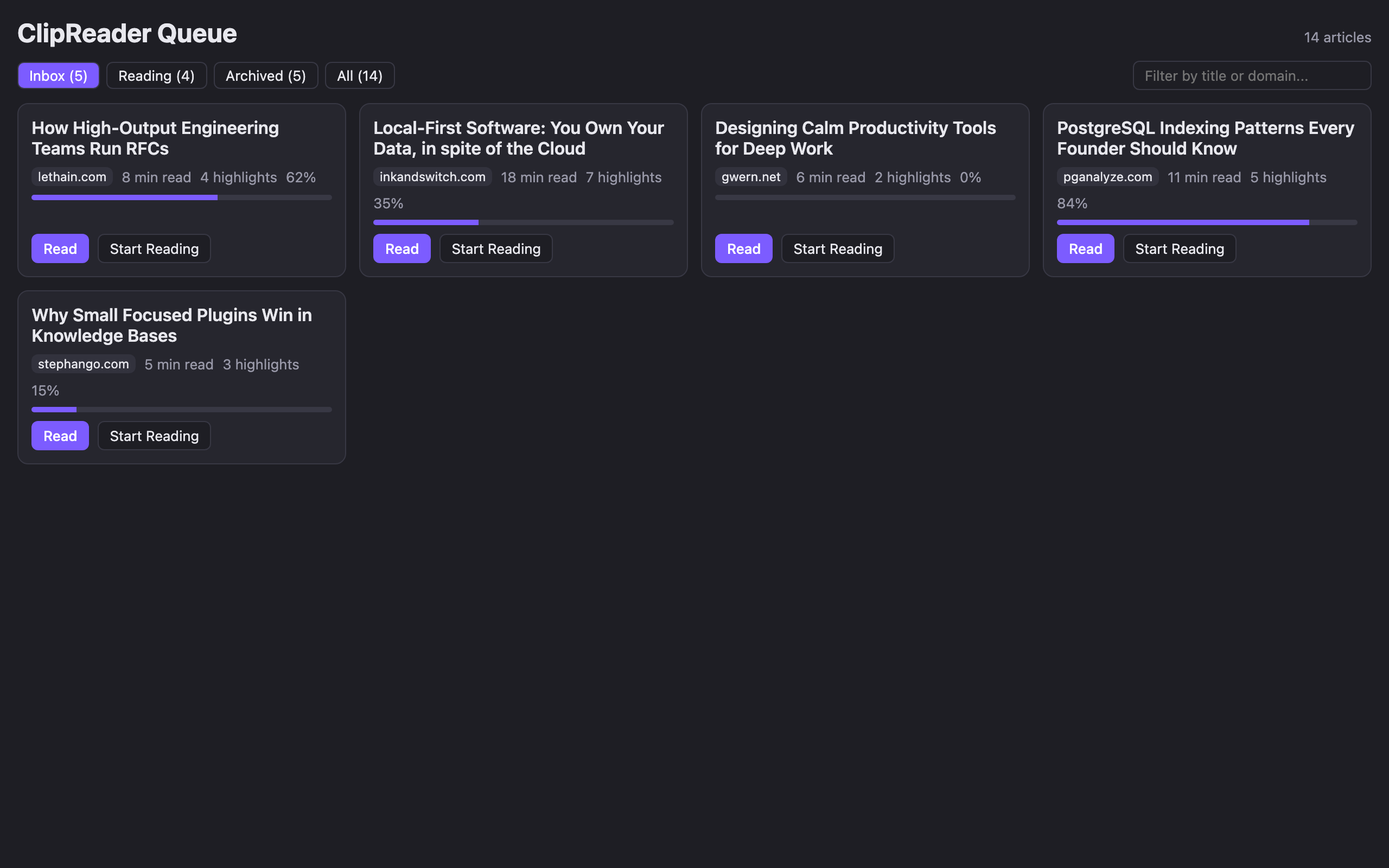
- Reading Queue (
Inbox/Reading/Archived): Automatically collects clipped notes from yourClippings/folder or any note with astatusproperty. - Distraction-Free Reader Mode: Customizable column width, font family (
Serif,Sans,Mono), and font size. - Scroll Progress Tracking: Remembers your reading progress (
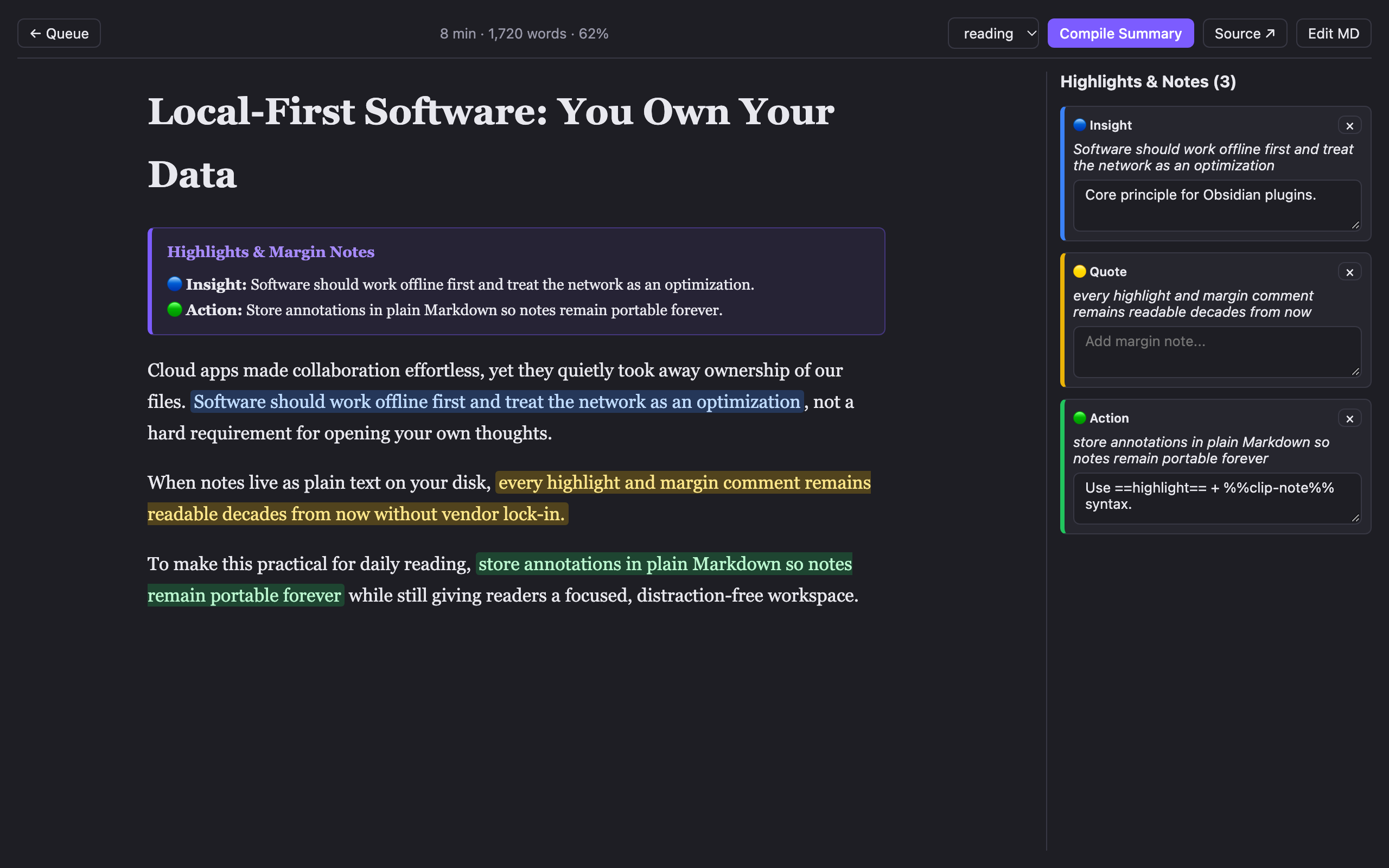
reading_progressin frontmatter) and restores your position when you return. - Color Highlights & Margin Notes: Select text in Reader Mode to highlight as Quote, Insight, Action, or Question and attach margin notes stored in clean, portable Markdown (
==text== %%clip-note:[category] note%%). - One-Click Summary Callout: Compiles all highlights and margin notes into a
> [!summary]callout at the top of the note.
Installation
From Obsidian Community Plugins
- Open Settings → Community plugins in Obsidian.
- Disable Restricted Mode if prompted, then click Browse.
- Search for ClipReader, click Install, and then Enable.
Manual Installation
- Download
main.js,manifest.json, andstyles.cssfrom the latest GitHub release. - Copy them into
<your-vault>/.obsidian/plugins/clip-reader/. - Reload community plugins in Obsidian settings and enable ClipReader.
Usage
- Save articles to your
Clippings/folder using Obsidian Web Clipper (or addstatus: inboxto any note's frontmatter). - Click the book icon in the left ribbon (or run Open reading queue from the Command Palette) to view your queue.
- Click Read on any article to open distraction-free Reader Mode. Your scroll position is saved automatically.
- Select any sentence in the article to highlight it as a Quote, Insight, Action, or Question and optionally attach a margin note.
- Click Compile Summary in the reader toolbar to insert or update a
> [!summary]callout with all your highlights and margin notes at the top of the Markdown file.
Commands
Open reading queueOpen current note in readerCompile highlights & margin notes summaryMark current note as inbox / reading / archived
Support
If you find ClipReader useful, you can support development on Patreon.
For plugin developers
Search results and similarity scores are powered by semantic analysis of your plugin's README. If your plugin isn't appearing for searches you'd expect, try updating your README to clearly describe your plugin's purpose, features, and use cases.