by chaowen
Compare the active note with your clipboard and apply individual changes, just like VS Code.
↓ 2 downloadsUpdated todayMIT
Clipboard Compare
Compare text from your clipboard with the active note in Obsidian. It works like VS Code’s Compare Active File with Clipboard command.
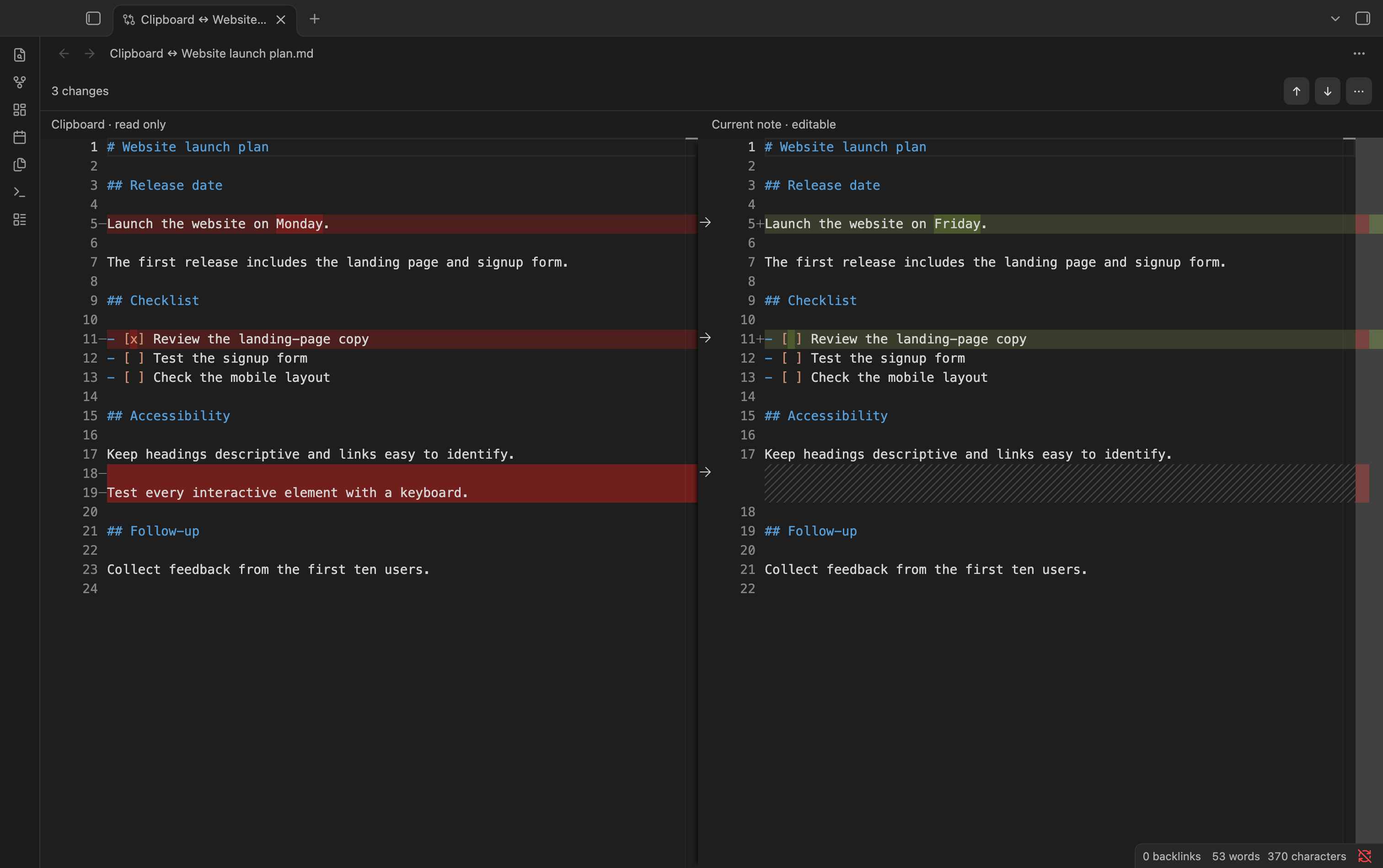
Use
- Copy the text you want to compare.
- Open your note and run Clipboard Compare: Compare active file with clipboard from the command palette.
- Click an arrow to bring that change into your note. Leave it untouched to keep your original text.
Changes save automatically and can be undone.
Install
- Open GitHub Releases and download
clipboard-compare.zipunder Assets in the latest release. - Unzip it and move the
clipboard-comparefolder into your vault’s.obsidian/plugins/folder. - Restart Obsidian and enable Clipboard Compare under Settings → Community plugins.
Works offline in Obsidian on desktop.
For plugin developers
Search results and similarity scores are powered by semantic analysis of your plugin's README. If your plugin isn't appearing for searches you'd expect, try updating your README to clearly describe your plugin's purpose, features, and use cases.