by haderlka
Add line numbers, a file name and highlighted lines to code blocks without changing how they are highlighted or run.
Code Block Numbers
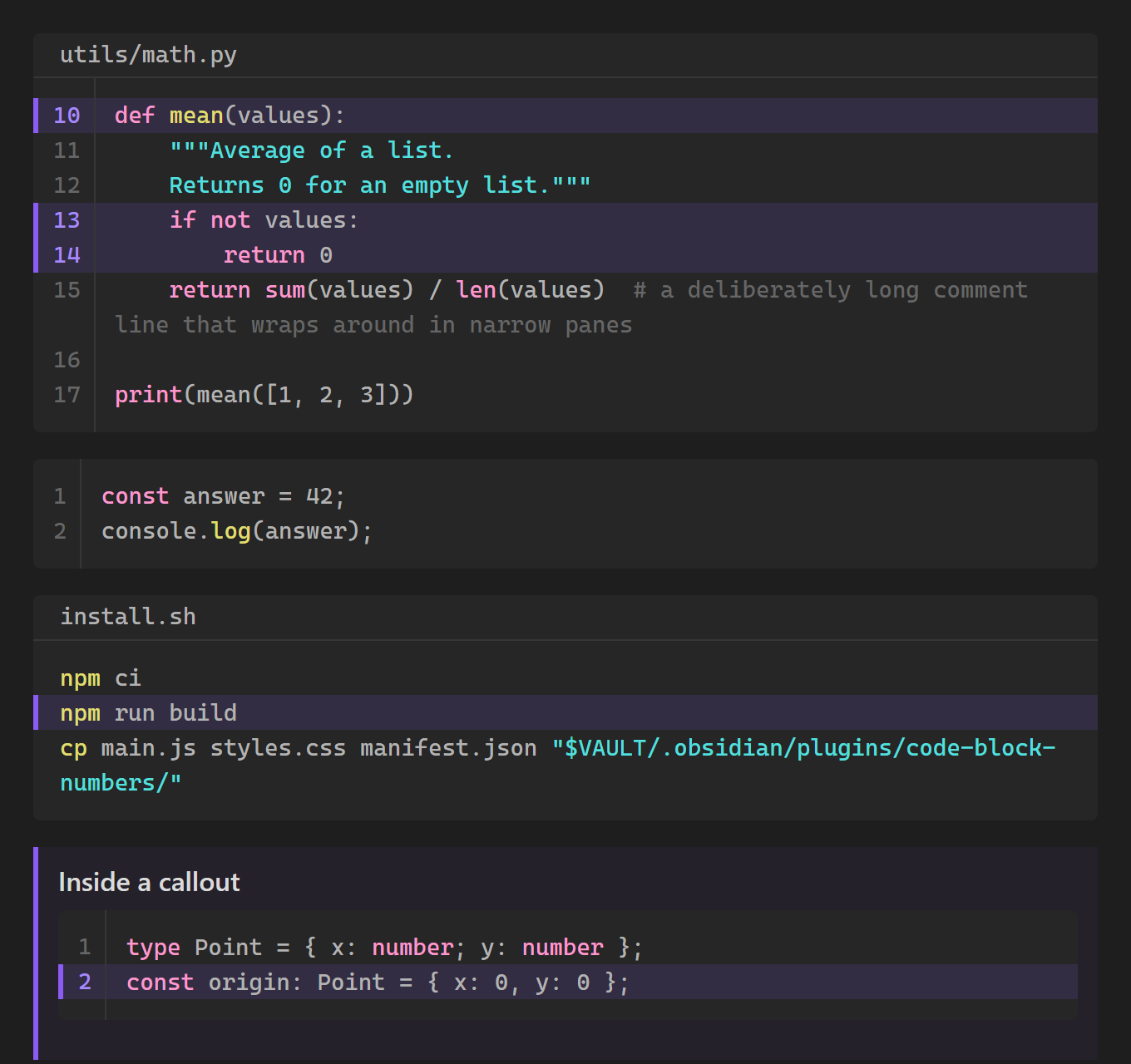
Line numbers, a file name and highlighted lines for your code blocks. You write the options in the first line of an ordinary fenced code block. Syntax highlighting, the copy button and plugins that run code keep working as before.
Source code: github.com/haderlka/obsidian-code-block-numbers. Issues and ideas are welcome.
If this plugin is useful to you, you can support its development:

Features
- Line numbers on every code block, or only on the blocks you choose (setting).
- Your own first number. Start counting at any line, for example to match an excerpt from a larger file.
- File name shown in a bar above the code.
- Highlighted lines with a colored background and a marker on the left.
- Works with other plugins. The code itself is never changed: syntax highlighting, the copy button and plugins like Execute Code keep working. Copying code never includes the line numbers.
- Plain Markdown. Without the plugin, your notes still show normal code blocks.
- Works in Reading view and Live Preview, in callouts, in light and dark themes, and on phones.
Usage
Put the options after the language in the first line of the code block:
```python title="utils/math.py" start=10 hl=10,13-14
def mean(values):
    """Average of a list.
    Returns 0 for an empty list."""
    if not values:
        return 0
    return sum(values) / len(values)
```
| Option | What it does | Example |
|---|---|---|
title=… | File name shown above the code. Use quotes if it contains spaces. | title="my file.py" |
start=N | Number of the first line. Optional, the default is 1. | start=10 |
hl=… | Lines to highlight: single lines and ranges, separated by commas. They refer to the displayed numbers, so with start=10, hl=10 highlights the first line. Optional. | hl=2,5-7 |
ln / ln=false | Turns line numbers on or off for this block, overriding the setting. | ln=false |
All options are optional, can be combined and can appear in any order. The language always comes first, because Obsidian and other plugins read the first word as the language.
Also understood:
file=andfilename=fortitle=highlight=forhl=:instead of=, for exampletitle:"x"orhl:2-4ln:10means "numbers on, starting at 10"
Settings
Number all code blocks (on by default). When this is off, only blocks with ln or start=… get numbers. Titles and highlights always work.
Compatibility
- Syntax highlighting and themes: unchanged. The plugin adds a number column and highlight layer next to the code, not inside it.
- Code Emitter, Execute Code and similar plugins: they still see the language as the first word and the original code, and their run buttons and output aren't moved. Blocks these plugins render themselves get line numbers too, in Reading view and Live Preview. Execute Code's
{…}arguments can stay in the same line:```python {label="demo"} title=run.py. - Code Styler and other plugins that redraw code blocks completely: they do the same job in their own way, so use only one of them.
- Live Preview: code blocks inside lists are numbered in Reading view only.
Installation
From Obsidian: Settings → Community plugins → Browse, search for "Code Block Numbers", install and enable it.
Manually: download main.js, manifest.json and styles.css from the latest release into <vault>/.obsidian/plugins/code-block-numbers/, then enable the plugin under Settings → Community plugins.
License
For plugin developers
Search results and similarity scores are powered by semantic analysis of your plugin's README. If your plugin isn't appearing for searches you'd expect, try updating your README to clearly describe your plugin's purpose, features, and use cases.