Code Blocks commands
approvedby dragonish
Provide commands to insert code blocks with markup, and support triggering commands with backticks.
★ 2 stars↓ 2,068 downloadsUpdated 12d agoMIT
Code Blocks commands
Introduction
This is a plugin for Obsidian. Provide commands to insert code blocks with markup, and support triggering commands with backticks.
Features
Triggering commands with backticks
You can trigger the markup selection menu by using backticks:
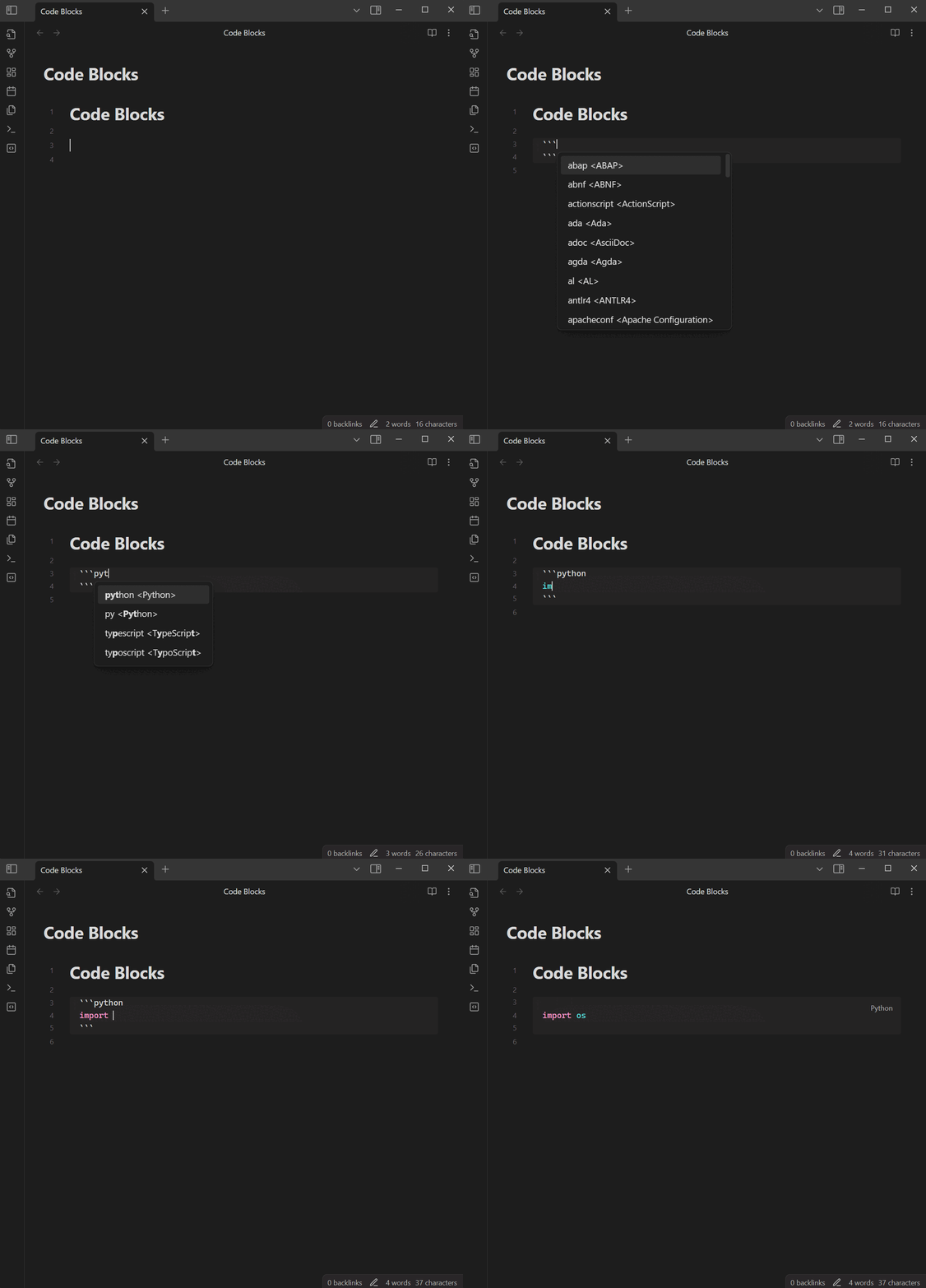
Insert code blocks with markup
You can insert code blocks with markup using the command:
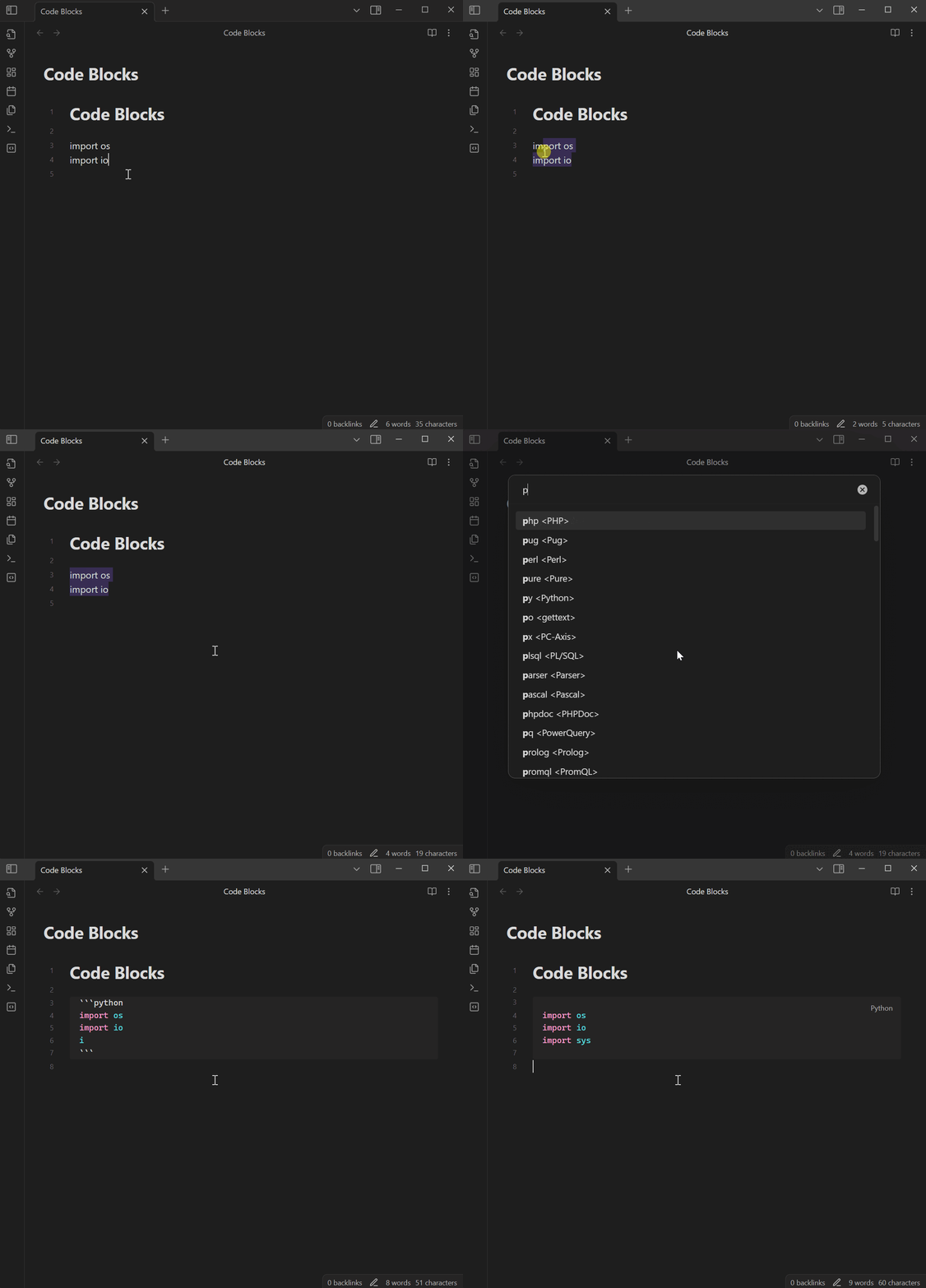
Other features
- The plugin will sort the markup list based on usage habits. Each markup's usage weight halves every 30 days without being used, so recently used markups are suggested first.
- Optionally show suggestions that start with the search term before other matches, ignoring their usage weight. Enabled via "Prefer prefix matches" in the plugin settings; disabled by default.
- Allow custom syntax highlighting markups. For each language:
- Markup: Required, the markup of the language.
- Language name: Optional, the name of the language.
- Markup title: Optional, for markup that is not derived from the language name, a related title can be provided for easy retrieval.
- Show in after-space suggestions: Optional, allows this markup to appear in the markup selection menu triggered after a space to the right of the backticks. Only takes effect when "Allow triggering the markup selection menu at empty spaces" is enabled in the plugin settings.
- Optionally include the parameters of the Codeblock Customizer plugin in the markup list. Enable it in the plugin settings if you have that plugin installed.
- Optionally store usage records in
usage.jsoninside the plugin folder instead ofdata.json, so sync tools can exclude usage records on their own. Enable "Store usage records separately" in the plugin settings; it is disabled by default. Disabling moves the records back todata.jsonand deletes the file.
Credits
License
MIT license
For plugin developers
Search results and similarity scores are powered by semantic analysis of your plugin's README. If your plugin isn't appearing for searches you'd expect, try updating your README to clearly describe your plugin's purpose, features, and use cases.