Daily Task Auto Generator
approvedby maigamo
Daily Task Auto Generator can helps you automatically generate daily task files with customizable templates.
📅 Daily Task Auto Generator
🇺🇸 English | 🇨🇳 中文 | 🇯🇵 日本語
Automatically generate daily tasks on windows.
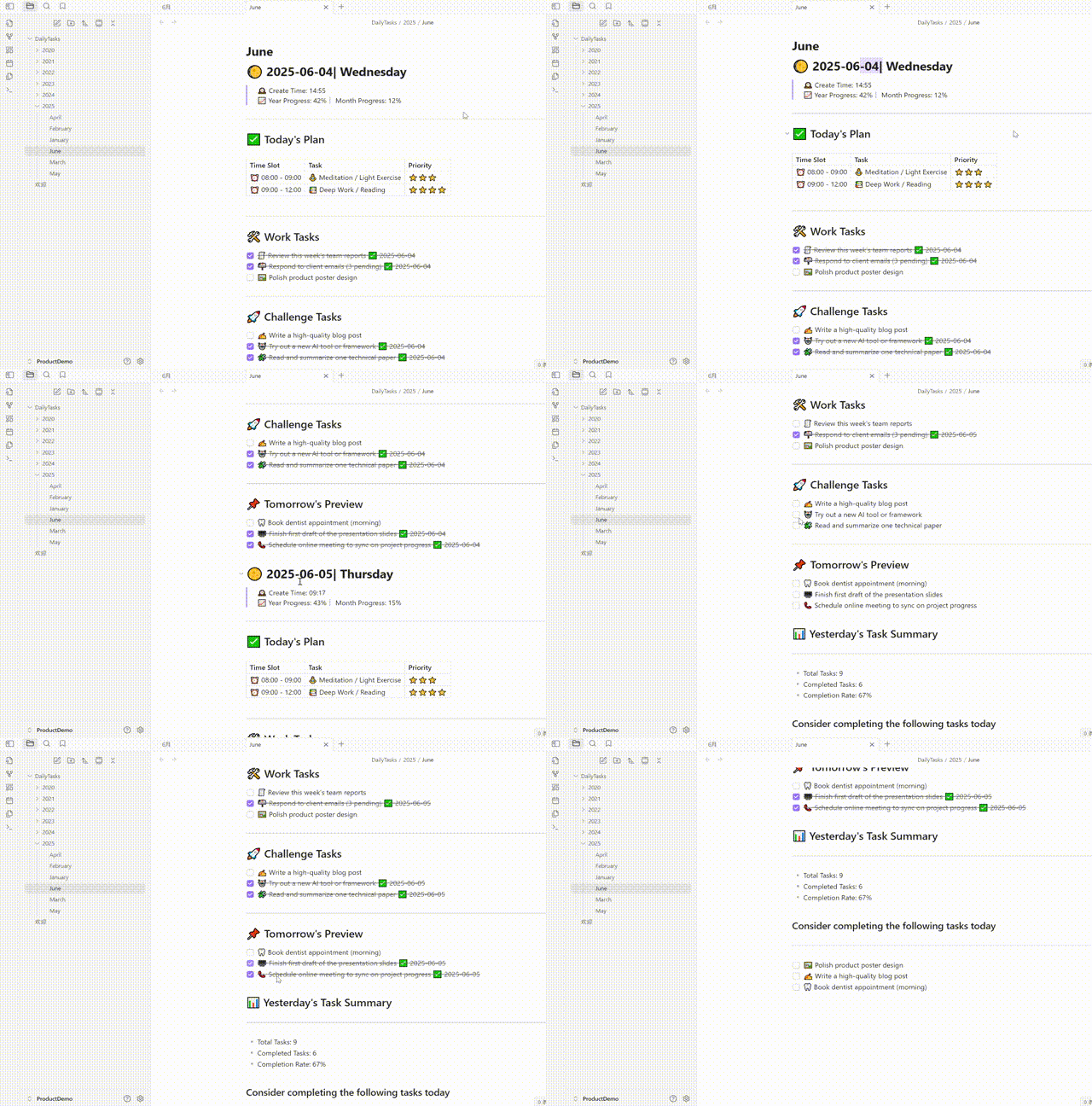
Automatically generate daily tasks on Android.

Install: Daily Task Auto Generator plugin
English
✨ Introduction
Daily Task Auto Generator is an Obsidian plugin that automatically generates daily task notes based on customizable templates. It helps you maintain a consistent daily task tracking system with minimal effort.
🖼️ Picture presentation
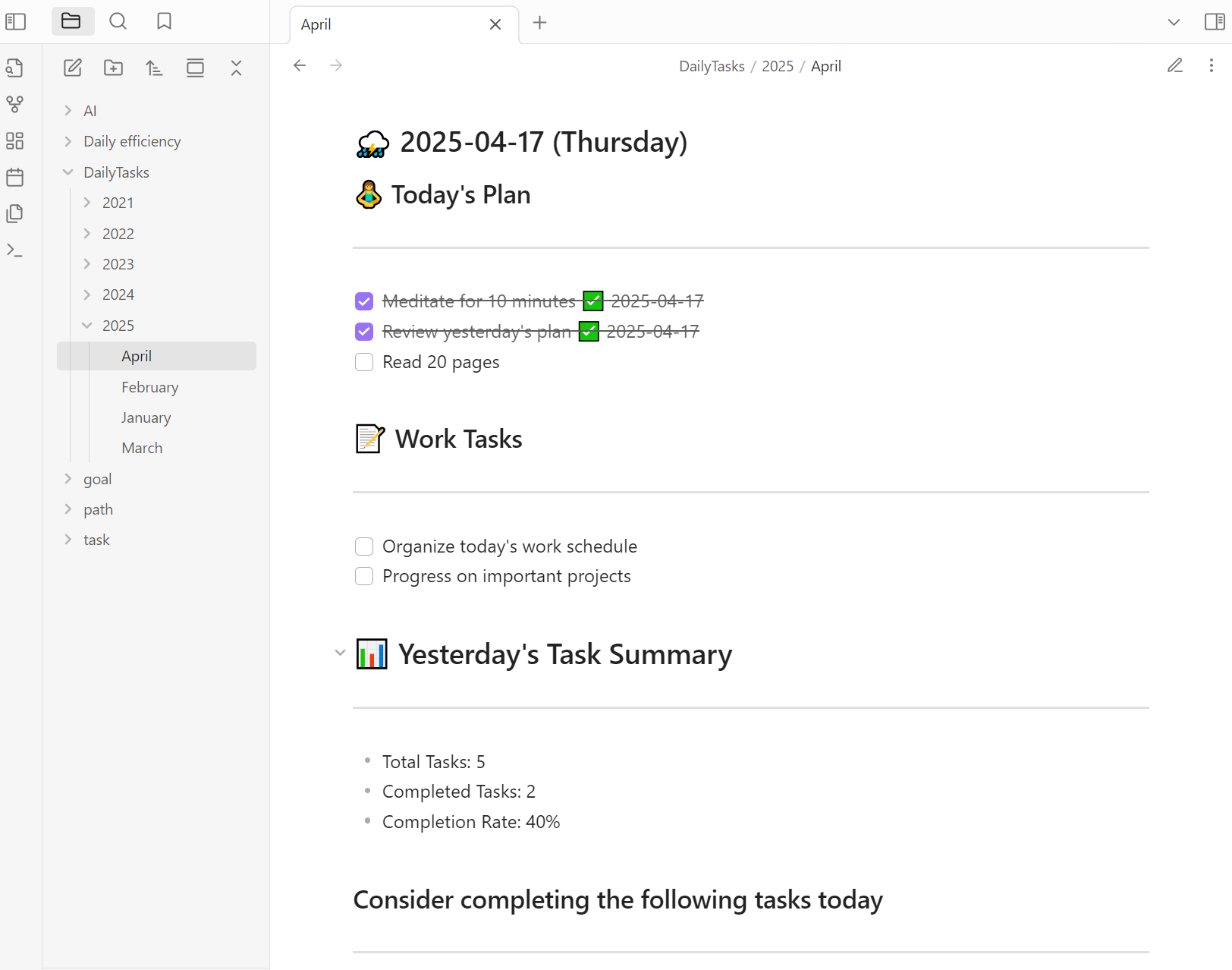
The task content is automatically generated by default.
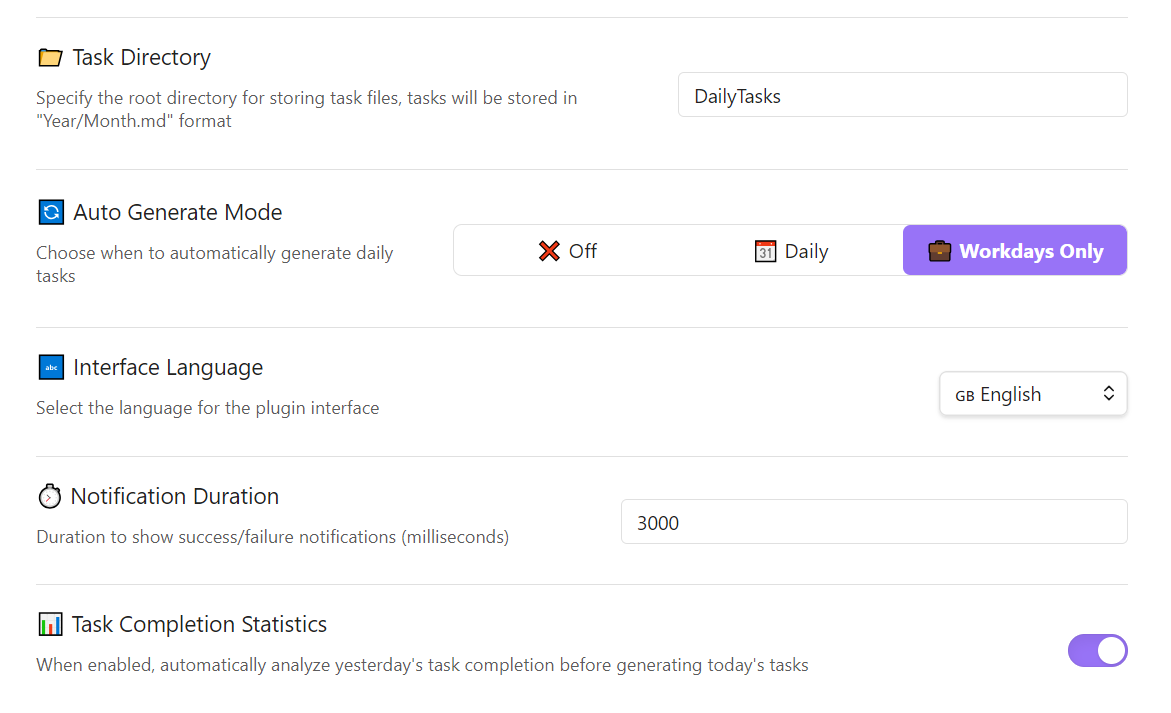
Setting interface.
🚀 Features
- 🤖 Automatic Generation: Automatically creates daily task notes based on your preferred schedule (daily or workdays only)
- 📊 Task Statistics: Tracks and displays completion rates for the previous day's tasks
- 🌐 Multi-language Support: Fully supports English and Chinese interfaces
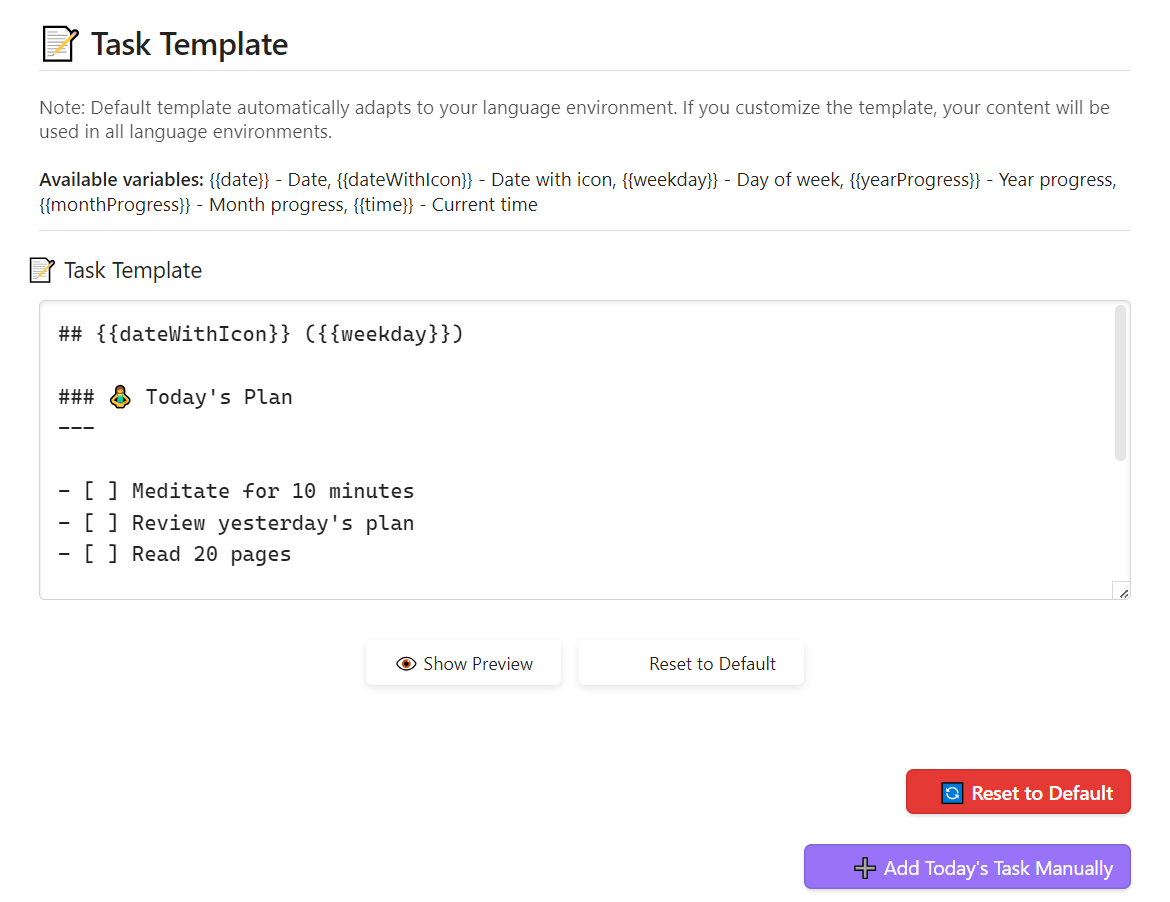
- 🎨 Customizable Templates: Design your own task templates with variables like date, time, progress indicators
- 📁 Flexible Organization: Organize tasks in customizable folder structures
- 📱 Mobile Friendly: Works perfectly on both desktop and mobile Obsidian
📥 Installation
- Open Obsidian and go to Settings
- Navigate to Community Plugins and click "Browse"
- Search for "Daily Task Auto Generator"
- Click Install, then Enable the plugin
⚙️ Configuration
After installation, configure the plugin in Settings:
- Select automatic generation mode (None, Daily, or Workdays only)
- Set the root directory for storing task files
- Customize your task template
- Enable/disable task statistics
🖋️ Template Variables
The following variables are available in your templates:
{{date}}- Current date{{dateWithIcon}}- Date with calendar icon{{weekday}}- Day of the week{{yearProgress}}- Year progress percentage{{monthProgress}}- Month progress percentage{{time}}- Current time
📚 Usage
Once configured, the plugin will:
- Automatically generate task notes according to your schedule
- Create organized folder structure (Root/Year/Month.md)
- Add daily task sections with your template
- Optionally include statistics from previous day
You can also manually trigger task creation from the command palette or ribbon icon.
🤝 Contributing
Contributions are welcome! Feel free to submit issues or pull requests on GitHub.
中文
✨ 介绍
每日任务自动生成器是一个Obsidian插件,可以根据自定义模板自动生成每日任务笔记。它帮助您以最小的努力维护一致的每日任务跟踪系统。
🚀 功能特点
- 🤖 自动生成: 根据您的首选计划(每天或仅工作日)自动创建每日任务笔记
- 📊 任务统计: 跟踪并显示前一天任务的完成率
- 🌐 多语言支持: 完全支持英文和中文界面
- 🎨 可自定义模板: 使用日期、时间、进度指标等变量设计您自己的任务模板
- 📁 灵活组织: 在可自定义的文件夹结构中组织任务
- 📱 移动设备友好: 在桌面和移动Obsidian上完美运行
📥 安装
- 打开Obsidian并转到设置
- 导航到社区插件并点击"浏览"
- 搜索"Daily Task Auto Generator"
- 点击安装,然后启用插件
⚙️ 配置
安装后,在设置中配置插件:
- 选择自动生成模式(无、每日或仅工作日)
- 设置存储任务文件的根目录
- 自定义您的任务模板
- 启用/禁用任务统计
🖋️ 模板变量
以下变量可在您的模板中使用:
{{date}}- 当前日期{{dateWithIcon}}- 带日历图标的日期{{weekday}}- 星期几{{yearProgress}}- 年度进度百分比{{monthProgress}}- 月度进度百分比{{time}}- 当前时间
📚 使用方法
配置完成后,插件将:
- 根据您的计划自动生成任务笔记
- 创建有组织的文件夹结构(根目录/年份/月份.md)
- 使用您的模板添加每日任务部分
- 可选择包含前一天的统计数据
您也可以从命令面板或功能区图标手动触发任务创建。
🤝 贡献
欢迎贡献!请随时在GitHub上提交问题或拉取请求。
日本語
✨ 紹介
Daily Task Auto Generatorは、カスタマイズ可能なテンプレートに基づいて毎日のタスクノートを自動的に生成するObsidianプラグインです。最小限の労力で一貫した毎日のタスク追跡システムを維持するのに役立ちます。
🚀 機能
- 🤖 自動生成: 好みのスケジュール(毎日または平日のみ)に基づいて自動的に毎日のタスクノートを作成
- 📊 タスク統計: 前日のタスクの完了率を追跡して表示
- 🌐 多言語サポート: 英語と中国語のインターフェースを完全にサポート
- 🎨 カスタマイズ可能なテンプレート: 日付、時間、進捗指標などの変数を使って独自のタスクテンプレートを設計
- 📁 柔軟な組織: カスタマイズ可能なフォルダ構造でタスクを整理
- 📱 モバイルフレンドリー: デスクトップとモバイルの両方のObsidianで完璧に動作
📥 インストール
- Obsidianを開き、設定に移動します
- コミュニティプラグインに移動し、「ブラウズ」をクリックします
- 「Daily Task Auto Generator」を検索します
- インストールをクリックし、プラグインを有効にします
⚙️ 設定
インストール後、設定でプラグインを構成します:
- 自動生成モードを選択します(なし、毎日、または平日のみ)
- タスクファイルを保存するルートディレクトリを設定します
- タスクテンプレートをカスタマイズします
- タスク統計を有効/無効にします
🖋️ テンプレート変数
テンプレートでは以下の変数が利用可能です:
{{date}}- 現在の日付{{dateWithIcon}}- カレンダーアイコン付きの日付{{weekday}}- 曜日{{yearProgress}}- 年間進捗率{{monthProgress}}- 月間進捗率{{time}}- 現在の時刻
📚 使用方法
構成が完了すると、プラグインは:
- スケジュールに従って自動的にタスクノートを生成します
- 整理されたフォルダ構造(ルート/年/月.md)を作成します
- テンプレートを使用して毎日のタスクセクションを追加します
- オプションで前日の統計を含めます
コマンドパレットまたはリボンアイコンからタスク作成を手動でトリガーすることもできます。
🤝 貢献
貢献を歓迎します!GitHubで問題の提出やプルリクエストをお気軽にどうぞ。
For plugin developers
Search results and similarity scores are powered by semantic analysis of your plugin's README. If your plugin isn't appearing for searches you'd expect, try updating your README to clearly describe your plugin's purpose, features, and use cases.