Document Weaver
approvedby HJ
Convert local documents (Word, PDF, PowerPoint, HWP, Excel) to Markdown and save into your Obsidian vault. - This plugin has not been manually reviewed by Obsidian staff.
Document Weaver
Stop copy-pasting. Drop files, get notes.
Document Weaver converts Word, PDF, PowerPoint, Excel, and HWP files into clean Markdown — instantly. Drag files onto the window, point a watch folder at your Downloads, or pick files from the command palette. Images are extracted automatically. Front matter is injected. Done.
- 📄 DOCX — headings, bold, italic, tables and images, all preserved
- 📑 PDF — text layer extracted with automatic heading detection
- 📊 PPTX — single long-form note or one note per slide, with speaker notes
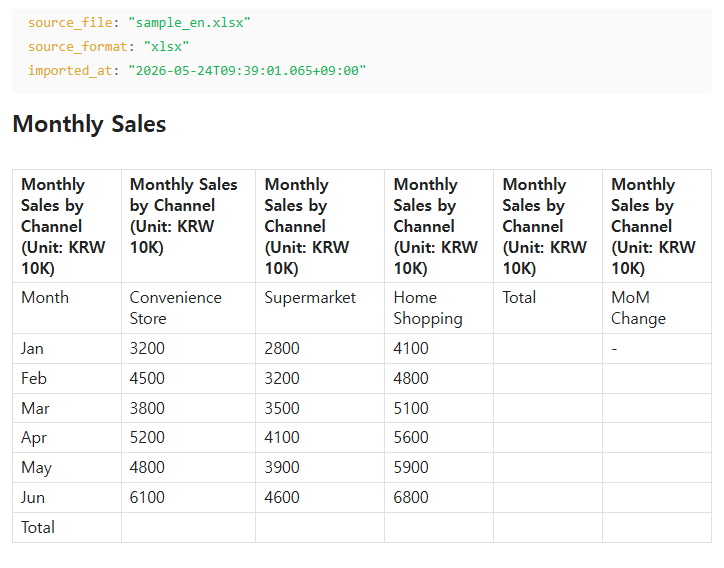
- 📈 XLSX / XLS — every sheet becomes a clean GitHub-flavored table
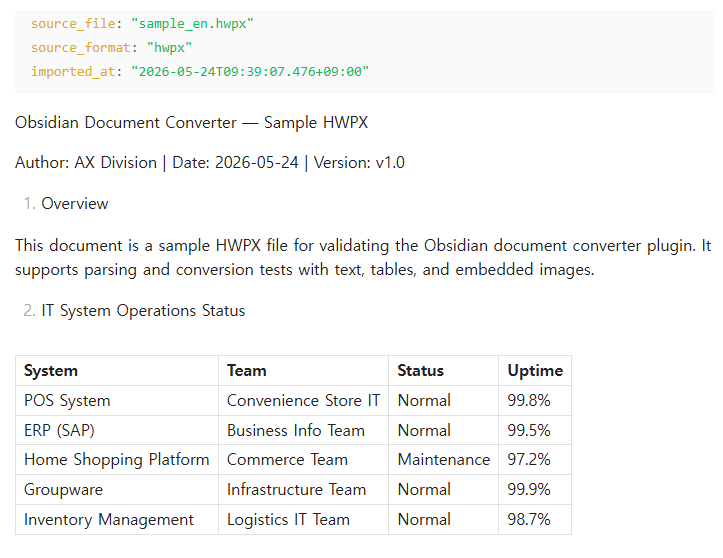
- 🇰🇷 HWP / HWPx — Korean office format (beta)
- 📝 TXT / CSV — verbatim or auto-formatted as table
No API keys. No cloud. Fully offline.
The local-file companion to Confluence Weaver.
Screenshots
Menu
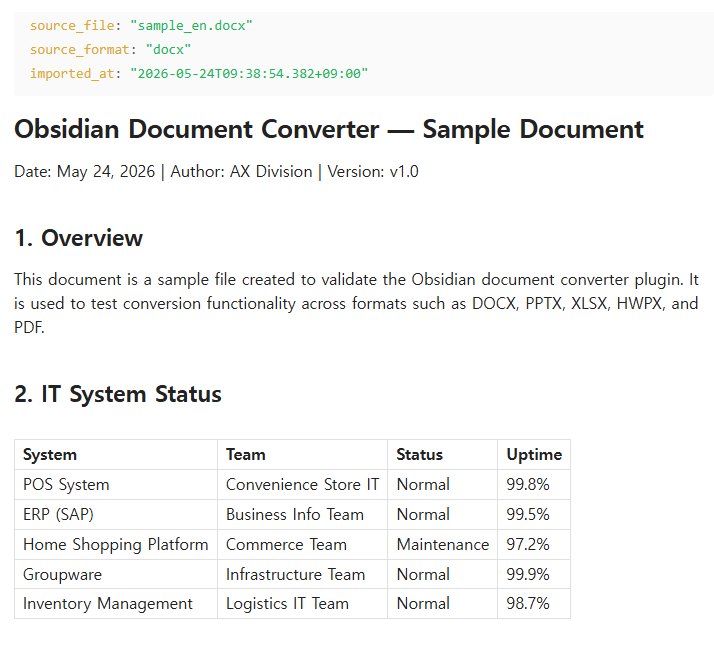
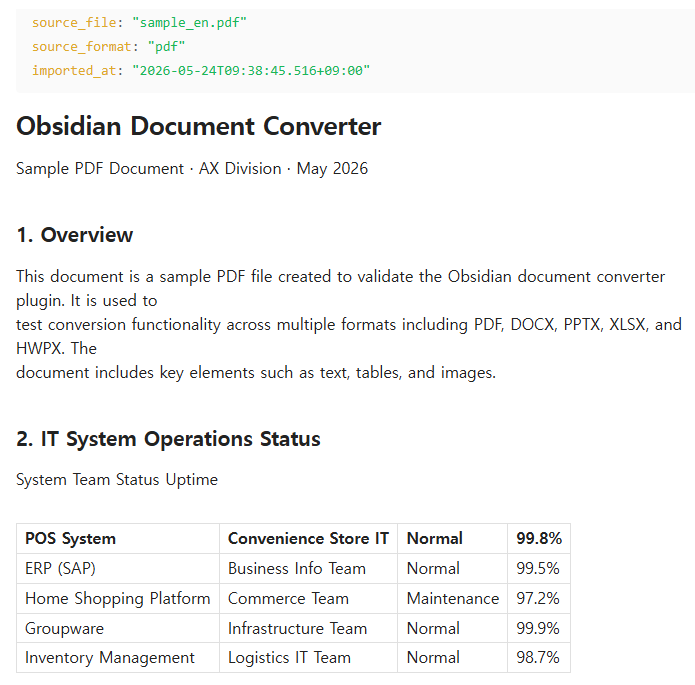
Conversion Examples
| DOCX | |
|---|---|
 |  |
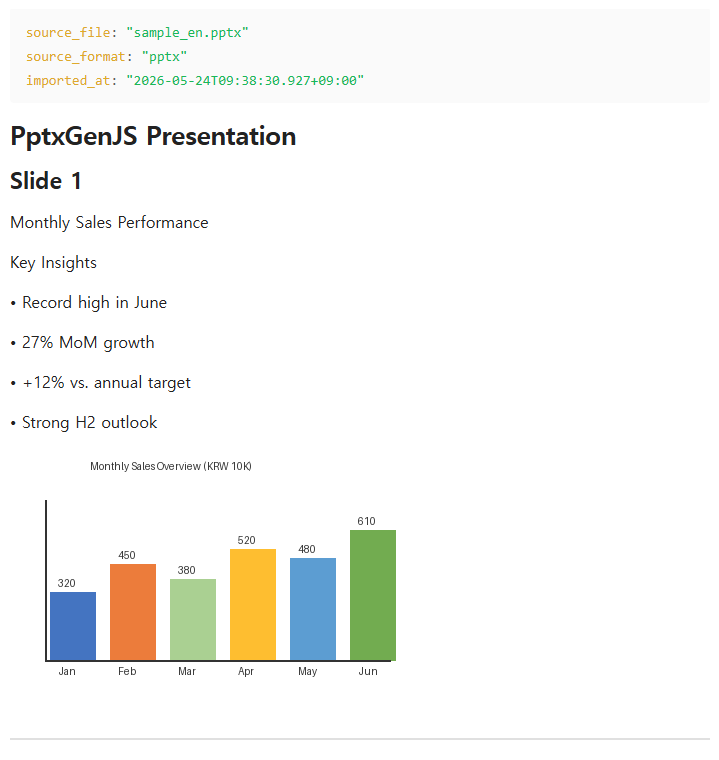
| PPTX | XLSX |
|---|---|
 |  |
HWPx
Supported Formats
| Format | Extension | Fidelity |
|---|---|---|
| Word | .docx | ★★★★ — headings, bold/italic, tables, images, embedded charts → markdown table. .doc not supported. |
| PowerPoint | .pptx | ★★★☆ — slide titles, bullets, speaker notes, images. Animations and transitions not preserved. |
.pdf | ★★★☆ — text layer + heading detection. Charts extracted as images. Scanned PDFs rendered as page images. Tables as plain text only. | |
| Excel | .xlsx / .xls | ★★☆☆ — each sheet as GFM table. Chart extraction not supported. |
| HWP | .hwp | ★★☆☆ ⚠ beta — binary format, best-effort. Merged cells and complex formatting may be lost. |
| HWPx | .hwpx | ★★★☆ ⚠ beta — ZIP+XML, better fidelity than HWP. Inline image placement depends on XML structure. |
| Plain text / CSV | .txt / .csv | ★★★★ — verbatim or auto-formatted as GFM table. |
Installation
Community Plugins (recommended)
- Obsidian → Settings → Community Plugins → Browse
- Search for Document Weaver and click Install
- Click Enable
Manual
- Download
main.jsandmanifest.jsonfrom Releases - Copy both files to
.obsidian/plugins/document-weaver/inside your Vault - Obsidian → Settings → Community Plugins → enable Document Weaver
Usage
Import entry points
| Method | How |
|---|---|
| Command palette | Doc Weaver: Import file… → system file picker (multi-select supported) |
| Drag & drop | Drop supported files anywhere onto the Obsidian window — editor, file explorer, anywhere. Document Weaver intercepts the drop and converts automatically. Unsupported files (images, .md, etc.) pass through to Obsidian as normal. |
| Watch folder | Configure inbox folders in settings; new files are converted automatically |
Output
Converted notes are saved to the configured destination folder (default: Imported/):
---
source_file: "report.docx"
source_format: "docx"
imported_at: "2026-05-23T10:00:00+09:00"
---

# Report Title
...
Embedded images are extracted to Imported/_assets/<note-name>/image-001.png and linked with ![[image-001.png]] (or a markdown link, per setting).
Completion notices
- Single file:
✅ report.docx → Imported/report.md (12 headings, 3 images) - Bulk:
✅ 5 files imported (1 warning) → Imported/ - Errors are appended to
Imported/_import_errors.md
PowerPoint modes
| Mode | Output |
|---|---|
| Single note (default) | One .md file with ## Slide N sections separated by --- |
| Per-slide | One .md per slide + an index note with [[wikilinks]] |
Settings
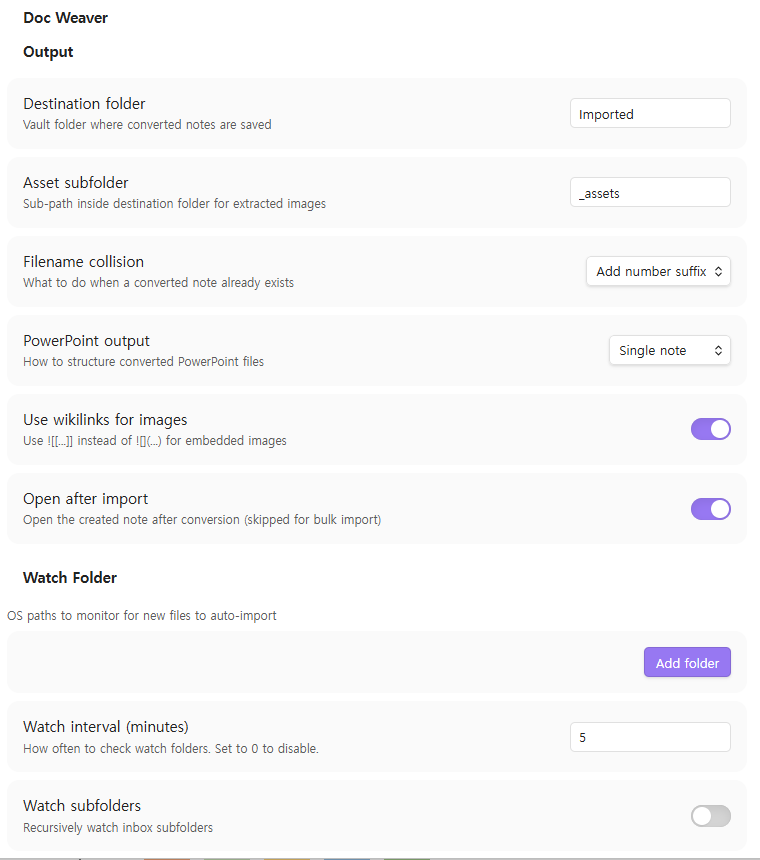
Output
| Setting | Default | Description |
|---|---|---|
| Destination folder | Imported | Vault folder for converted notes |
| Asset subfolder | _assets | Sub-path for extracted images |
| Filename collision | number | skip / overwrite / add number suffix |
| PowerPoint output | single | Single note or per-slide notes |
| Use wikilinks | ON | ![[...]] vs  for images |
| Open after import | ON | Open the note after conversion (skipped for bulk) |
Watch Folder
| Setting | Default | Description |
|---|---|---|
| Watch folders | (none) | OS paths to monitor (add multiple) |
| Watch interval (min) | 5 | Set to 0 to disable |
| Watch subfolders | OFF | Recursively watch inbox subfolders |
| After import | archive | archive / delete / keep |
| Archive folder | (none) | OS path to move originals after conversion |
Advanced
| Setting | Default | Description |
|---|---|---|
| Show HWP beta features | OFF | Enable HWP/HWPx conversion (limited quality) |
| Language | Auto | Auto / English / 한국어 / 日本語 / 中文 |
v1.0 Non-Goals
- No reverse export — Markdown → Word/PDF not supported
- No OCR — scanned PDFs produce a stub note only
- No cloud sync — local files only (use Confluence Weaver for remote)
- HWP/HWPx — beta quality; complex formatting and merged table cells may be lost
- PDF tables — rendered as plain text in v1 (heuristic reconstruction planned for v2)
License
MIT © GS-AX
For plugin developers
Search results and similarity scores are powered by semantic analysis of your plugin's README. If your plugin isn't appearing for searches you'd expect, try updating your README to clearly describe your plugin's purpose, features, and use cases.