Draft Bench
approvedby John Banister
A full creative writing workflow: project creation, scene management, and manuscript compilation with frontmatter-native data and Bases compatibility. - This plugin has not been manually reviewed by Obsidian staff.
A writing workflow for Obsidian. Manage projects, scenes, and versioned drafts in plain markdown, with flexible folder structure and native compatibility with Obsidian Bases.
Draft Bench is inspired by Longform, with added emphasis on per-scene draft history as first-class files, rich metadata via frontmatter, and a compile system that requires no JavaScript knowledge.
Status: 0.6.4 — current release. The full V1 feature set has shipped, plus extensions: sub-scene note type (0.2.0); Manuscript Builder Preview tab (0.3.0), dockable Manuscript Builder leaf (0.3.1), mobile support (0.3.2; Android verified, iOS / iPadOS untested), Builder-aligned Manuscript leaf restyle (0.3.3); Manuscript view Continuous mode (0.4.0); Scrivener 3 project importer (0.5.0-0.5.2); five-phase architectural audit (0.5.3); status-based scene-archive workflow (0.5.4); build-provenance attestations on every release asset (0.5.5); frontmatter type-narrowing refactor (0.6.0); scanner-hygiene patch eliminating IE-era polyfill literals from transitive dependencies (0.6.1); fflate migration replacing jszip's UMD module-detection code (0.6.2);
:has()rewrite to sibling-combinator rules in the status-chip filter (0.6.3); postinstall patches plus production minification droppingmain.jsbelow the 5 MB Sync Standard threshold (0.6.4). API and data shape may still adjust between minor versions during the 0.x phase. See VERSIONING.md, the CHANGELOG, or the Release History wiki page for full detail.
What it is
- Frontmatter-native. Every project, scene, and draft is a plain markdown file with
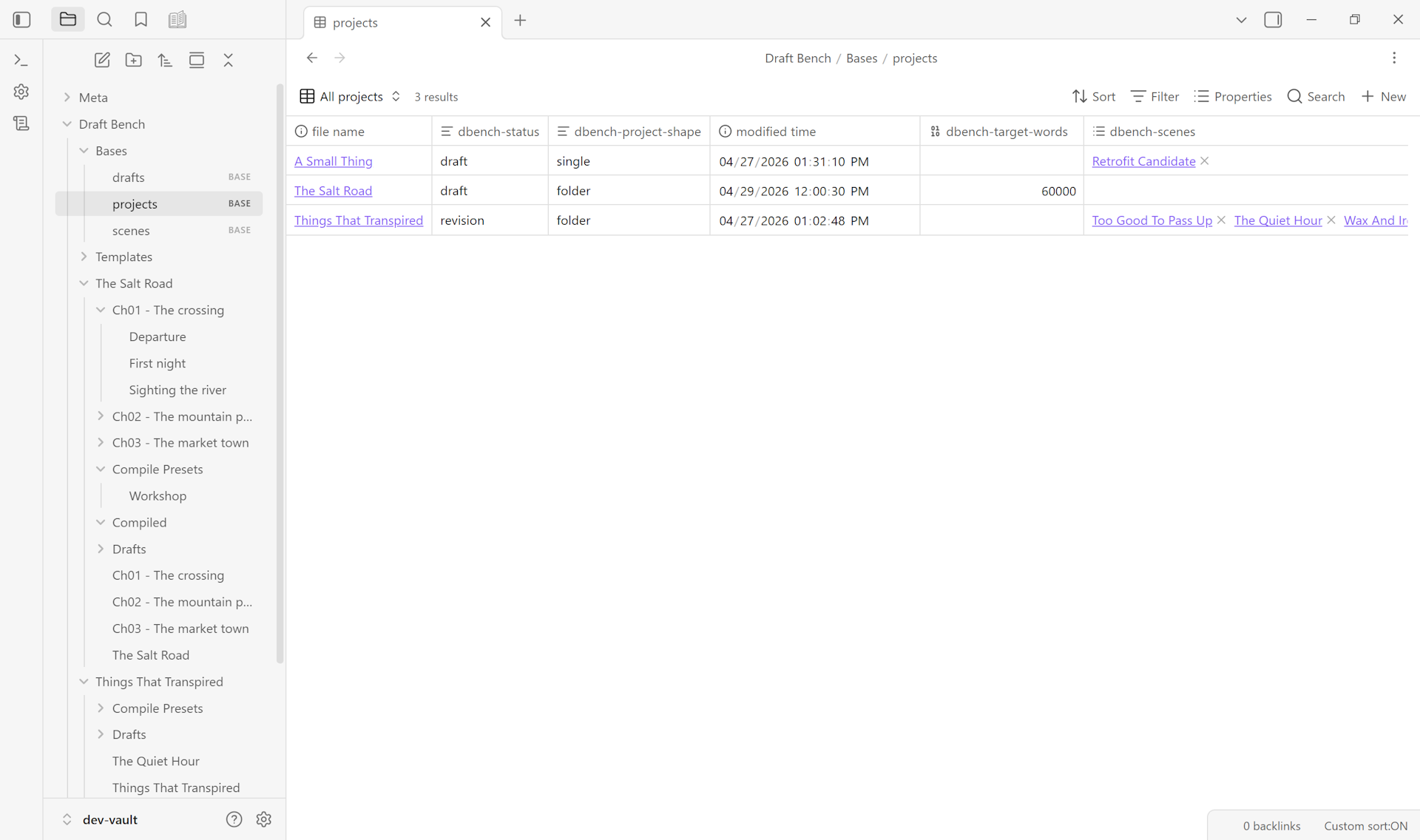
dbench-*properties. No index files, no parallel JSON stores. The vault is the database. - Versioned per-scene drafts. Each "new draft" command snapshots a scene's current prose into its own file, carries the working draft forward, and lets you keep revising. Every prior draft remains a real file, openable in split panes for side-by-side comparison.
- Flexible folder structure. Scenes can live anywhere in your vault; the plugin identifies them by frontmatter, not folder location. Organize by status, POV, date, or any other scheme; nothing breaks.
- Obsidian Bases compatible. Every property is Bases-queryable out of the box. Build manuscript tables, status queues, and corkboards without custom configuration.
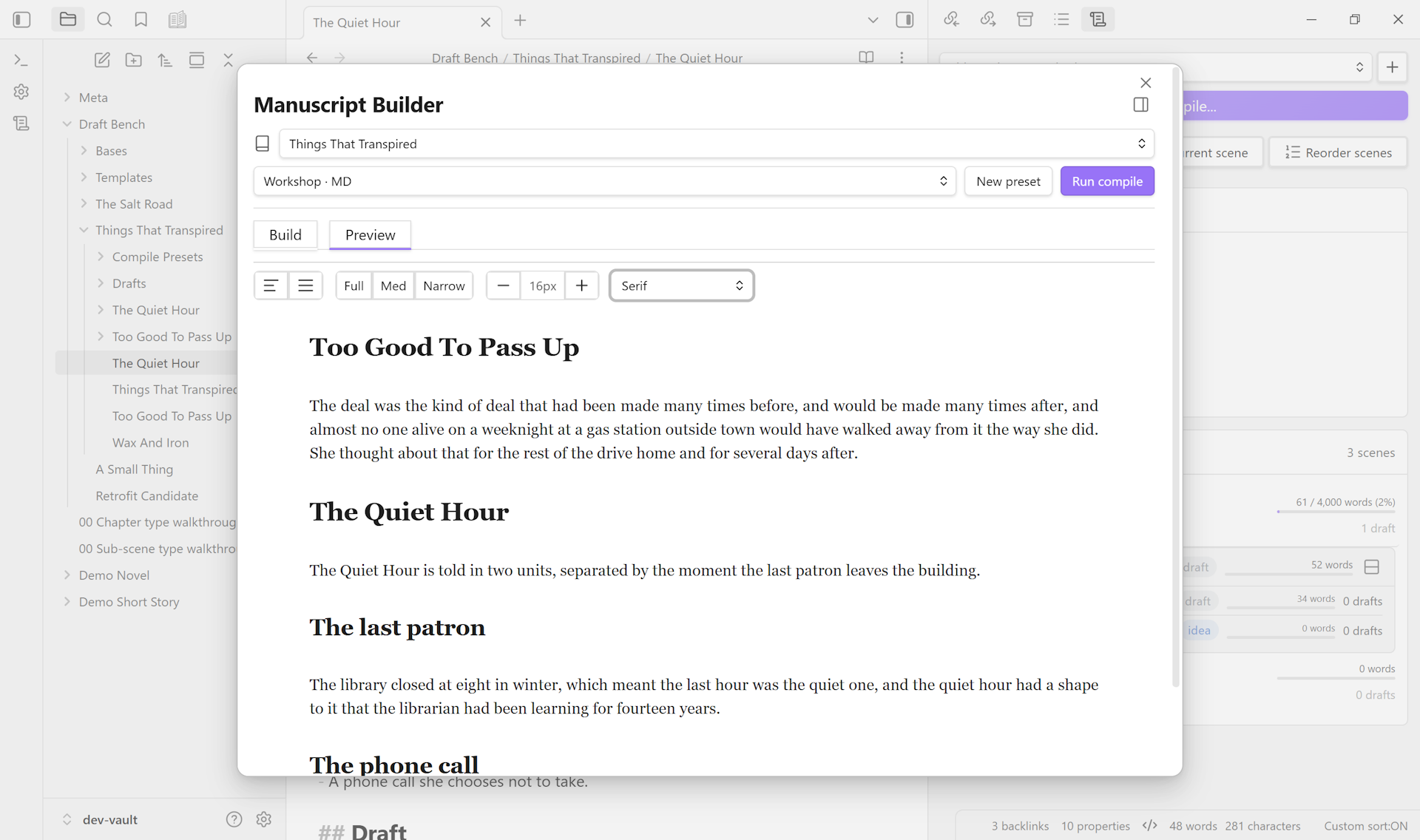
- Compile without JavaScript. A form-based Manuscript Builder handles compile presets, scene selection, and multi-format export (Markdown, ODT, PDF, DOCX).
- Compile preview, in-place. A Preview tab renders the current preset's output as continuous read-only prose, no real export file needed. Dock the Builder as a workspace tab to keep Preview pinned next to a scene you're editing; Preview re-renders as you save.
- Scrivener 3 import. A multi-step wizard reads a
.scrivbundle from inside your vault and produces a fresh Draft Bench project: chapters, scenes, sub-scenes, drafts (optional), inspector content (synopses, notes, comments, footnotes, keywords), and custom metadata. Cross-platform; works on every OS Draft Bench itself supports. See Importing from Scrivener.
Installation
From Community Plugins (Recommended)
Click Install in Obsidian on the plugin's Community page, or search for "Draft Bench" in Obsidian Settings -> Community plugins.
Using BRAT (Beta access)
For early access to releases before they reach the Community Plugins directory:
- Install BRAT from Community Plugins
- Run command:
BRAT: Add a beta plugin for testing - Enter:
https://github.com/banisterious/obsidian-draft-bench - Enable Draft Bench in Settings -> Community Plugins
Manual Installation
- Download from Releases
- Extract to
<vault>/.obsidian/plugins/draft-bench/ - Reload Obsidian and enable the plugin
See Getting Started for the first-project walkthrough.
Documentation
User documentation lives at the GitHub Wiki. Developer and design documentation is in the repo:
- Specification: plugin features and behavior.
- UI/UX Reference: component patterns adapted from Charted Roots.
- Coding Standards: TypeScript and CSS conventions.
- Code Architecture:
src/layout and layering.
Community & Support
Non-goals
Draft Bench is deliberately not an AI writing assistant, a grammar checker, a text-editor replacement, a collaboration tool, or a submission tracker. It provides structural and workflow scaffolding; the words are yours. See the specification for the full list.
License
MIT.
For plugin developers
Search results and similarity scores are powered by semantic analysis of your plugin's README. If your plugin isn't appearing for searches you'd expect, try updating your README to clearly describe your plugin's purpose, features, and use cases.