Dragon Glass
approvedby Bryson McClung
Campaign management for TTRPG vaults: a game index, campaign folders, and session notes with live history tables. - This plugin has not been manually reviewed by Obsidian staff.
Dragon Glass
Campaign management for TTRPG vaults in Obsidian. It creates a game index, campaign folders, campaign index notes, and session notes — and renders live tables of them, with no dependency on Dataview, Templater, Meta Bind, or Buttons.
It creates exactly four things: the game index, campaign folders, one campaign index note per campaign, and session notes. Everything else — people, locations, factions, items — is yours to create however you like. Dragon Glass only reads and tabulates them.
Screenshots
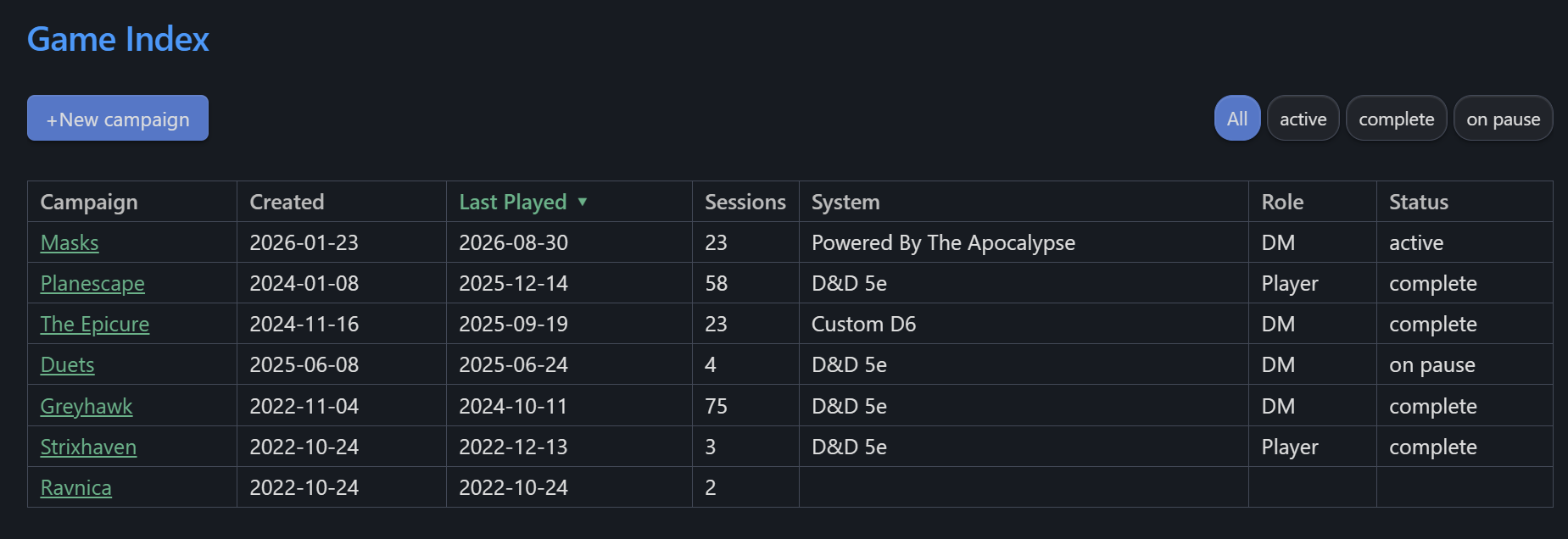
The game index — every campaign in the vault, sortable, filterable by status.
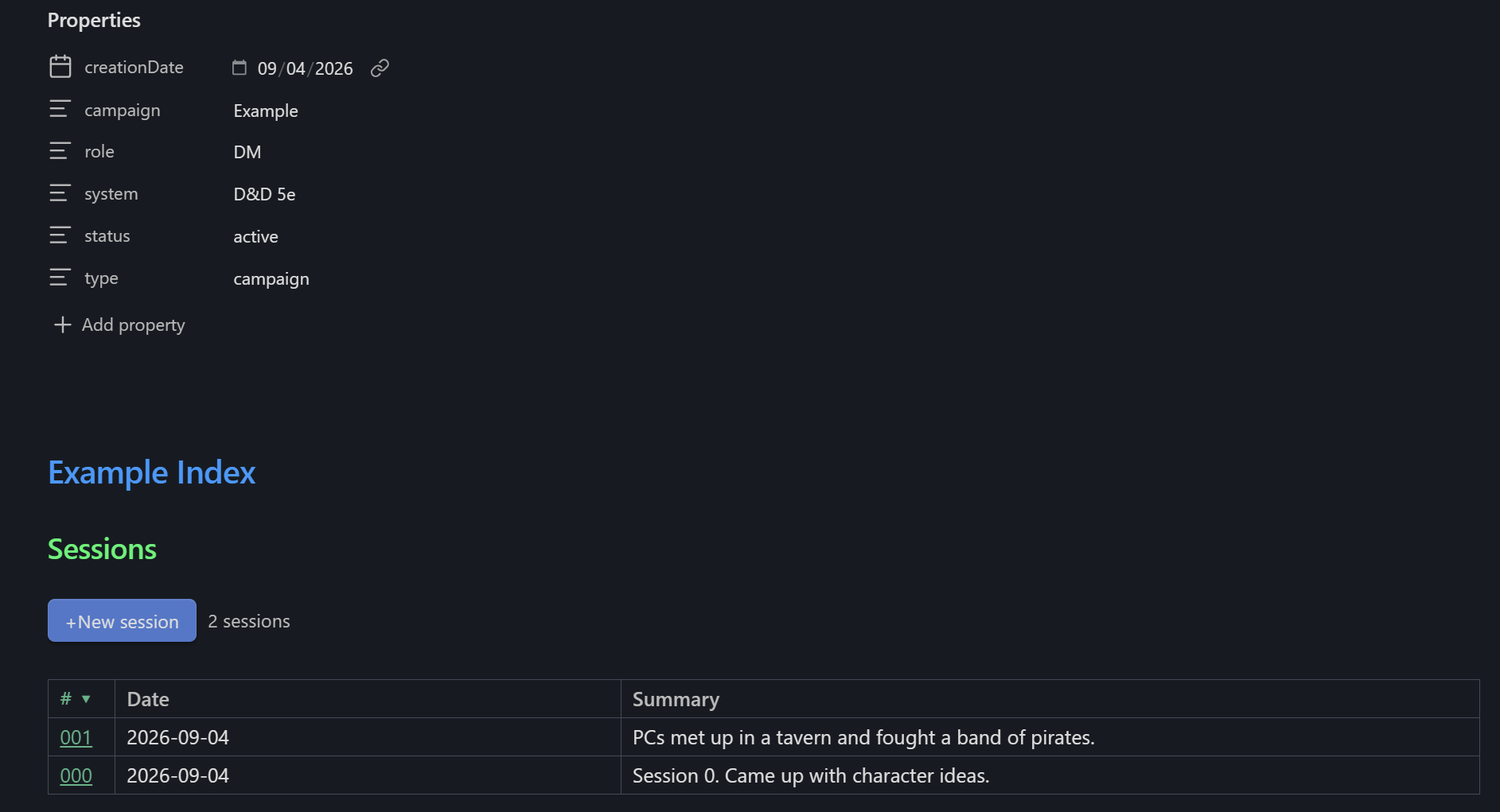
A campaign index — its session history, and a button that creates the next numbered session.
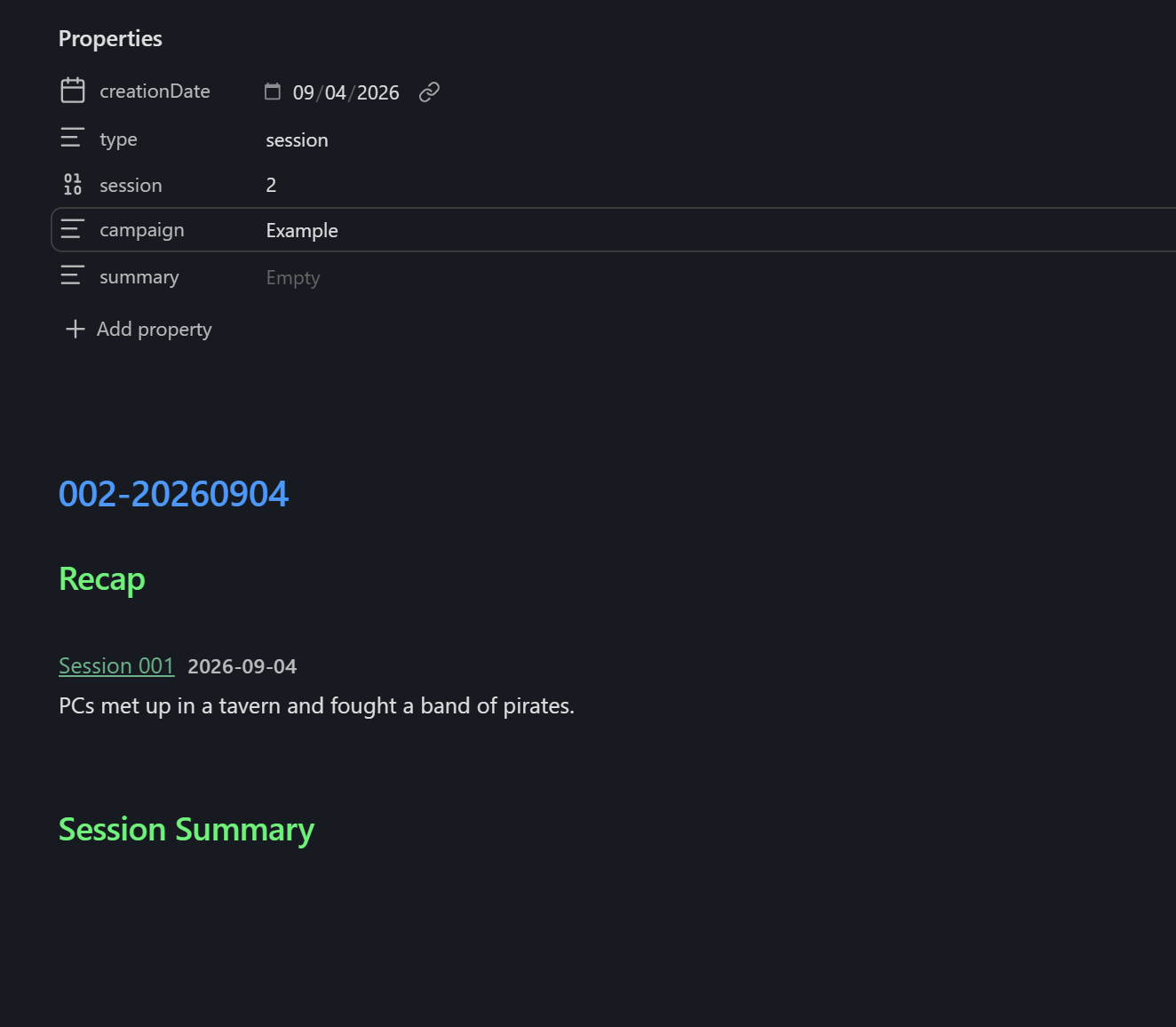
A session note. The recap resolves when the note is read, so it always points at the session before it rather than freezing one in at creation.
Setup
Set the root folder in settings (default TTRPG). It should contain one subfolder per
campaign. Then run Dragon Glass: Open game index from the command palette.
Code blocks
Views are rendered by a dragon-glass code block. The campaign is inferred from the folder
the note lives in, so blocks carry no paths or line numbers.
The game index — a New Campaign button and a table of every campaign:
```dragon-glass
view: index
```
A campaign index — a New Session button and session history:
```dragon-glass
view: campaign
```
Add tables: to tabulate other notes below the sessions. type is any string you use in
your own frontmatter; omit columns and they are inferred from the notes themselves:
```dragon-glass
view: campaign
tables:
  - type: person
    sort: location
  - type: faction
```
A single table on its own, under whatever heading the note already has:
```dragon-glass
view: table
type: person
columns: [location, race, association, status]
sort: location
```
A recap of the previous session, resolved when the note is read rather than frozen at creation:
```dragon-glass
view: recap
count: 1
```
Discovery
A folder directly under the root is a campaign when it either holds a note typed
campaign, or holds at least one type: session note. Filenames never enter into it, so a
campaign index can be called anything — which leaves the campaign's own name free for an
in-game note of the same name.
The campaign type is deliberately one specific value. type: world is not usable for this:
a campaign folder routinely contains in-game worldbuilding notes typed world, and nothing
distinguishes those from the index.
A folder with sessions but no index note shows in the game index with a Set up index action, which creates one for it.
Frontmatter
Dragon Glass reads and writes these keys, and conforms to what a vault already uses.
| Note | Keys |
|---|---|
| Campaign index | type: campaign, campaign, role, system, status, creationDate |
| Session | type: session, session, campaign, summary, creationDate |
Session numbers are assigned as one past the highest that exists, so deleting a session never causes the next one to reuse a live number.
Commands
| Command | What it does |
|---|---|
| Open game index | Opens the game index, creating it if needed |
| New campaign | Modal for name, role, system, status, subfolders |
| New session | Next-numbered session in the current campaign |
| Set up campaign index | Adopts a folder that has sessions but no index |
Development
npm install
npm run dev     # watch build
npm run build   # typecheck + production build
To develop against a vault, junction the vault's plugin folder to this repo:
mklink /J "<vault>\.obsidian\plugins\dragon-glass" "<path to this repo>"
For plugin developers
Search results and similarity scores are powered by semantic analysis of your plugin's README. If your plugin isn't appearing for searches you'd expect, try updating your README to clearly describe your plugin's purpose, features, and use cases.