Epub Importer
approvedby aoout
Import EPUB files as Markdown.
Epub Importer
A plugin that converts EPUB files into markdown notes for your Obsidian vault. This allows you to read, annotate and link your ebooks directly within Obsidian.
For detailed information, check out the Wiki or explore our Example Vault.
Getting Started
There are two ways to import EPUB files:
-
Run the command
Epub Importer: Import epub to your vaultand provide the absolute path to your EPUB file. -
Configure
librariespaths in settings - when you run the import command, all EPUB files from these paths will be available for selection.
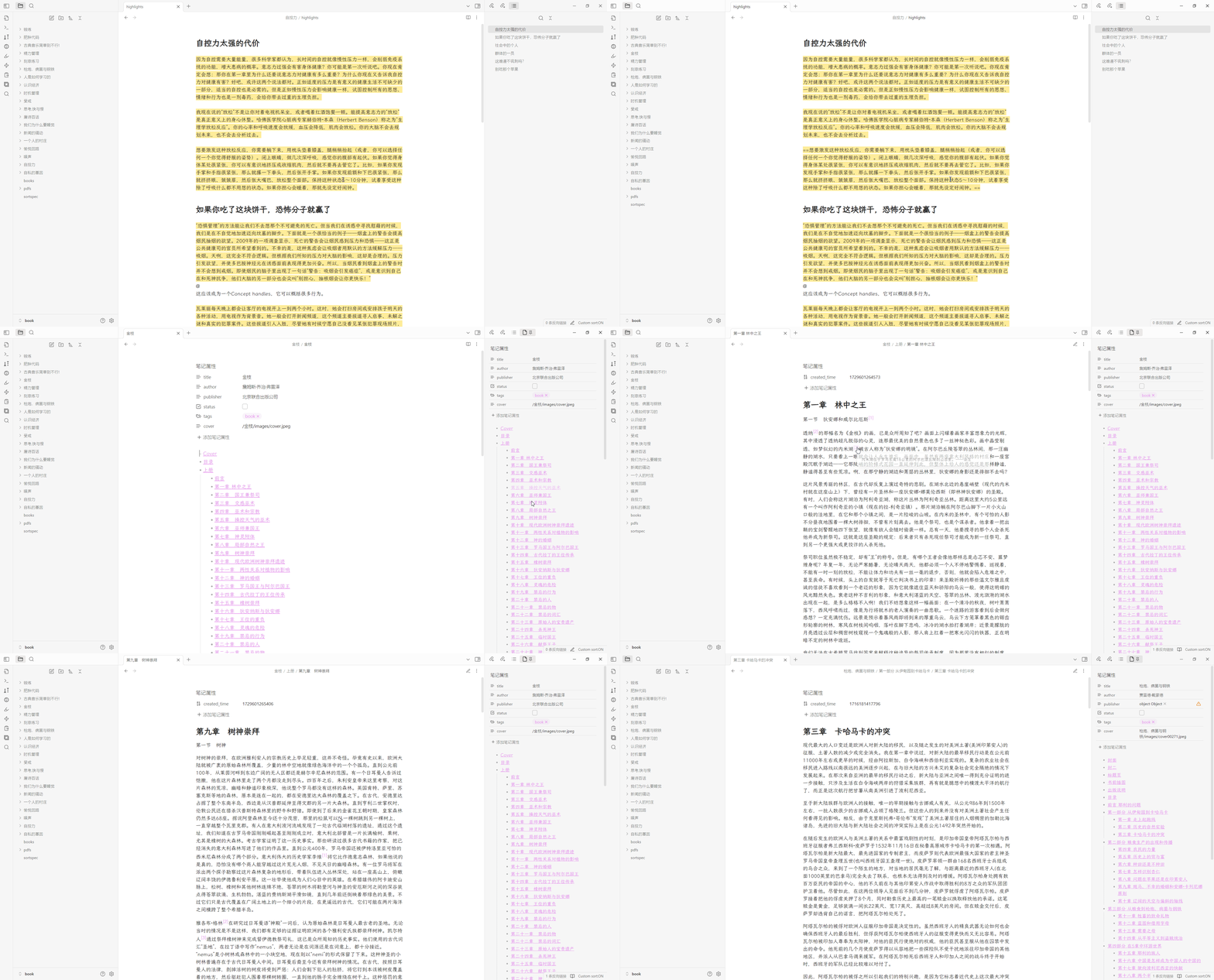
Once imported, the EPUB will be converted into a folder containing markdown notes, allowing you to:
- Read the book directly in Obsidian
- Add annotations and highlights
- Create links between notes
- Organize your reading materials
Property Template
All available variables:
- {{bookName}}
- {{title}}
- {{author}}
- {{publisher}}
- {{language}}
Example:
title: {{bookName}}
author: {{author}}
publisher: {{publisher}}
status: false
Assets Path Template
All available variables:
- {{savePath}}
- {{bookName}}
Example:
{{savePath}}/{{bookName}}/images
Platform Support
- Windows: Fully tested and supported
- Linux/Mac: Limited testing - if you encounter issues, please use appropriate tags when creating issues
- Mobile: Not supported due to technical limitations with .epub file handling
Recommended Companion Plugins
File Organization
- Powerful sorting capabilities for file explorer
- Helps maintain organized library structure
- See wiki/How-to-sort-files and Example Vault for setup guides
Community & Support
Share Your Experience
We'd love to hear how you use this plugin! Share your stories and workflows in our discussions.
Reporting Issues
When reporting bugs:
- Always include the problematic .epub file
- If file upload is difficult, email to: wuz66280@gmail.com
- For Linux/Mac users, please use appropriate platform tags
Feature Requests
Please note that feature requests are evaluated based on alignment with the plugin's core philosophy and may not all be implemented.
For plugin developers
Search results and similarity scores are powered by semantic analysis of your plugin's README. If your plugin isn't appearing for searches you'd expect, try updating your README to clearly describe your plugin's purpose, features, and use cases.