TTRPG Content Generator
approvedby gregory-jagermeister
A fantasy content generator for all your TTRPG and world-building needs.
TTRPG Content Generator
An Obsidian plugin that fills your notes with names, inns, settlements, loot and more for any tabletop RPG or world, and lets you build your own generators from plain notes.
Renamed from Fantasy Content Generator in 1.6.0. Nothing changes for you: settings, hotkeys and scripts keep working.
What it can do
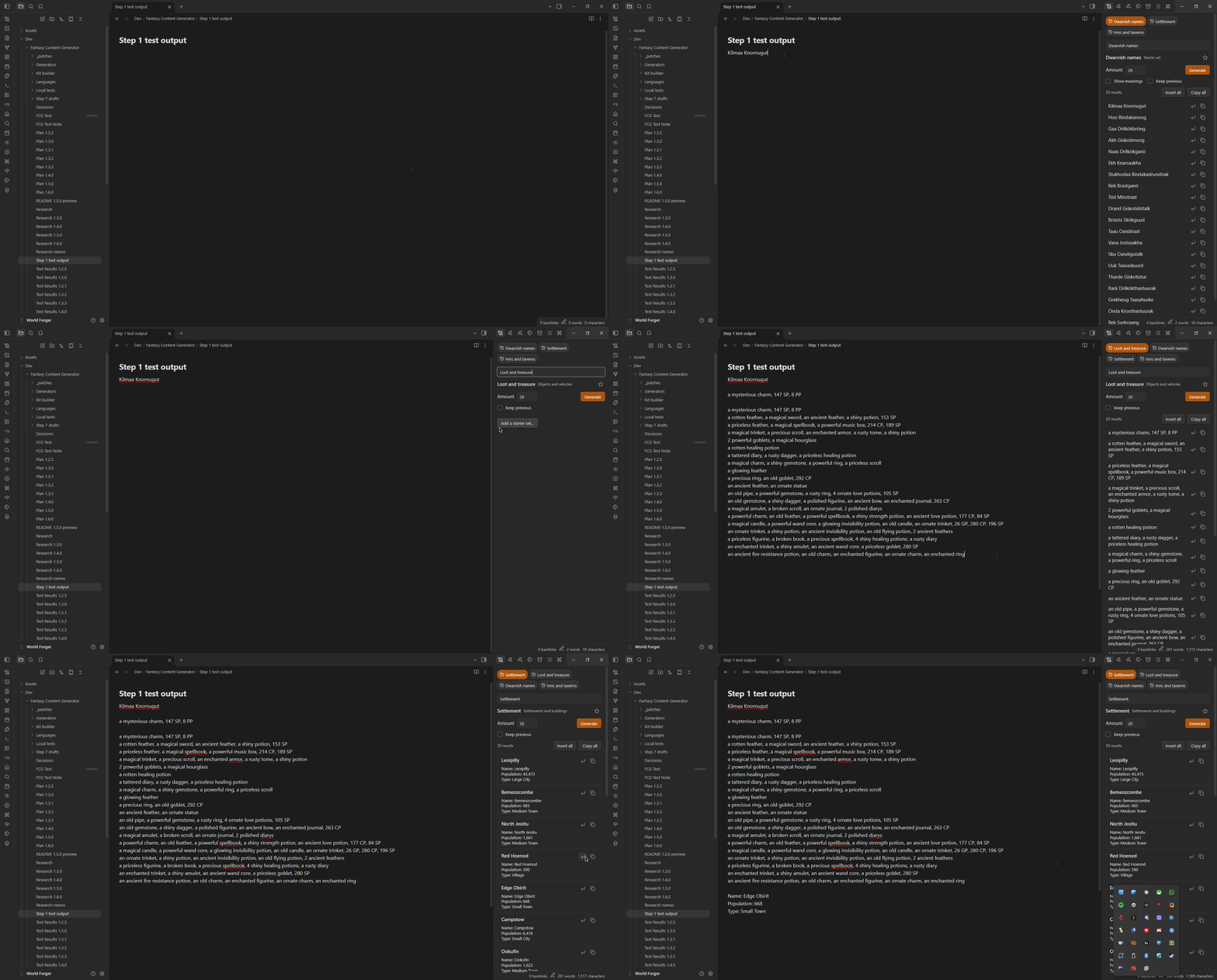
- Generator panel: a side panel that stays open while you write. Pick a generator, generate a batch, and insert the ones you like straight into your note.
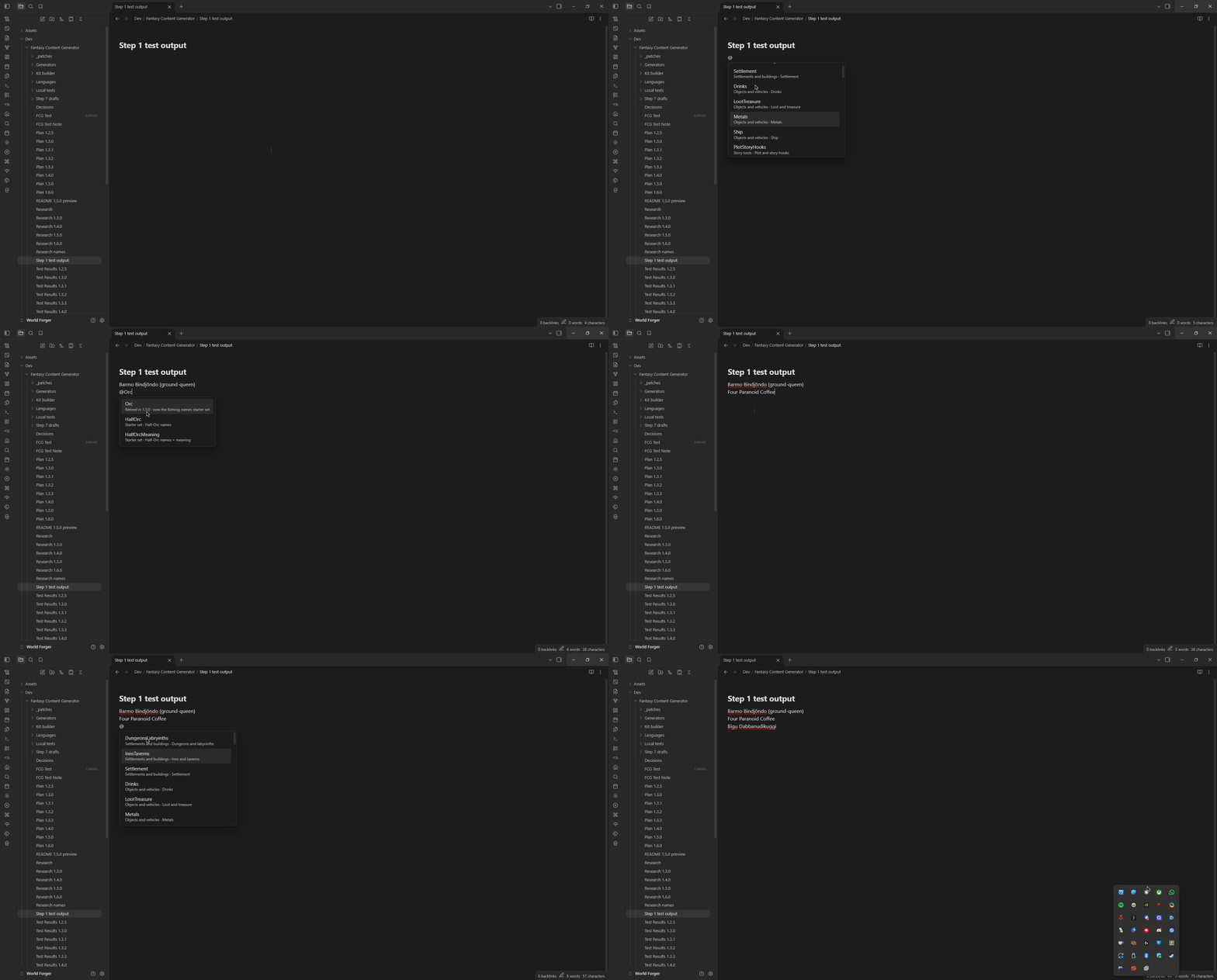
@in any note: type@and a generator's name (for example@Dwarvish) to drop a result where you're writing.- Starter sets: 30 ready-made name sets for fantasy peoples and human cultures, with names that can show what they mean: Durak Nöndtrind (stone-helmet).
- Your own generators: a note with a few lists and a pattern becomes a generator. Add dice, tables, if/else, loops and calls to other generators as you need them.
- Build your own world: generators can pass values to each other, and scripts (for example Templater) can build whole villages as linked notes.
Getting started
- Install TTRPG Content Generator from Settings › Community plugins and turn it on.
- Click the scroll icon in the left ribbon (or run Open generator) to open the panel.
- Run Add a starter set from the command palette and pick a set (or Add all starter sets).
- In any note, type
@Dwarvish(or the set you added) and press Enter.
Build your own generator
Run New custom generator for a starter note in your generator folder, or write one like this:
---
fcg-generator: Tavern regulars
---
```pattern
{Name} the {Job}, who drinks {@Drinks}
```

## Name
- Name A
- Name B

## Job
- Job A
- Job B
{Name} picks from the list under ## Name, and {@Drinks} calls the built-in Drinks generator. Replace the placeholder words with your own, then type @TavernRegulars in any note.
From there you can add dice ({2d6}), tables rolled with a die, {#if $wealth > 60: … | …}, loops, maths and calls to other generators ({@InnsTaverns}). The full guide and every pattern rule are on the wiki.
Build your own world
Generators can hand values to each other. If you have a Tavern generator, {@Tavern $wealth=$wealth $race=Dwarf} runs it with that wealth and race. A generator that's called on its own can set its own fallback with {$wealth ?= 1d100}.
Run Add the village example to get a village, building and owner generator that work this way. With the Templater plugin, the Build a village script on the wiki turns them into a folder of linked notes: a village, its buildings and their owners.
For script writers
Any plugin that runs JavaScript can use the generators:
const fcg = app.plugins.plugins["fantasy-content-generator"].api;
fcg.generate("InnsTaverns");                          // text
fcg.generate("Tavern", { wealth: 70, race: "Dwarf" }); // with values passed in
fcg.generateData("ExampleVillage");                   // { text, values: { name, wealth, race } }
fcg.keys();                                           // every key
The id stays fantasy-content-generator after the rename. Details on the wiki.
Settings
Every setting shows up in Obsidian's settings search.
| Where | What you can change |
|---|---|
| Main page | The inline trigger (@), the default amount, which groups show, reset to defaults |
| Custom generators page | The generator folder, new generator, starter sets, the village example, and the generators found with their problems |
| Currency page | Whether loot includes coins, how often, and your currencies |
| Settlements, Inns and taverns, Drinks, Loot, Dungeons pages | The word lists the built-in generators use: add with +, remove with ×, a filter box on each list, and import or export as a .json file |
Credits
The starter sets are built from:
- Languages designed by Gregory-Jagermeister and generated with Vulgarlang (https://www.vulgarlang.com).
- Human first names: US Social Security Administration baby-name data (https://www.ssa.gov/oact/babynames/, public domain). Surname parts collected by Gregory-Jagermeister.
Changelog
1.6.1: settings rebuilt so they show up in Obsidian's settings search (needs Obsidian 1.13.1).
1.6.0: renamed to TTRPG Content Generator; the generator panel; patterns in notes; if/else, loops and maths; passing values between generators; the village example. Full list and older versions in CHANGELOG.md.
Contributing
Bug reports and pull requests are welcome. See CONTRIBUTING.md.
Development
npm install
npm run dev     # rebuilds main.js on every change (put the repo in a vault's .obsidian/plugins folder)
npm run build   # type check and production build of main.js
npm run lint    # Obsidian's own lint rules (eslint-plugin-obsidianmd)
npm test        # unit tests
For plugin developers
Search results and similarity scores are powered by semantic analysis of your plugin's README. If your plugin isn't appearing for searches you'd expect, try updating your README to clearly describe your plugin's purpose, features, and use cases.