File Tree Generator
approvedby unarray
Generate a file tree using callouts.
File Tree Generator
An Obsidian plugin allow you to generate file trees using Obsidian Callouts!

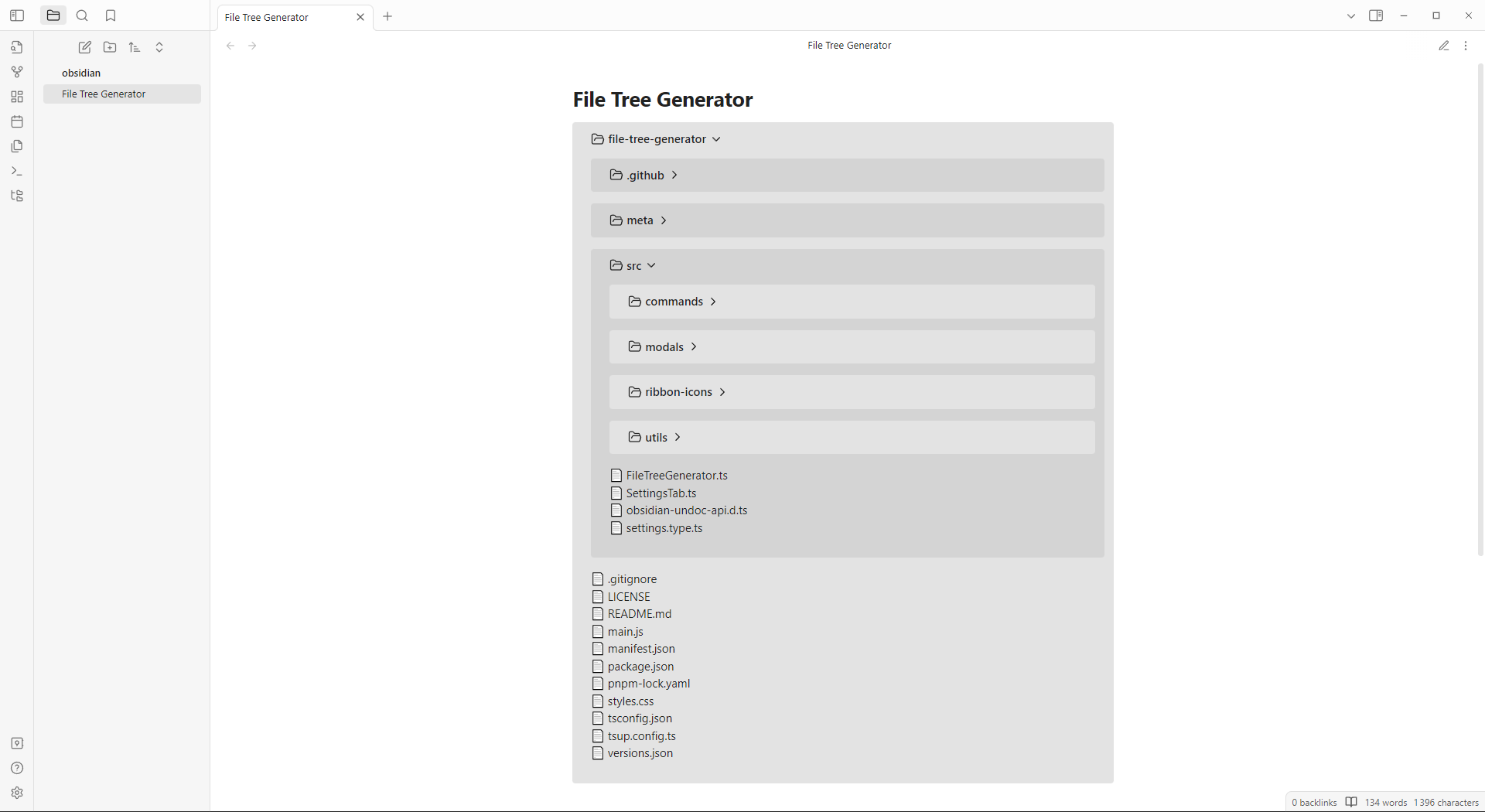
How to use?
When editing an Obsidian note, you can use generate file tree command or use the generate file tree Ribbon Icon.
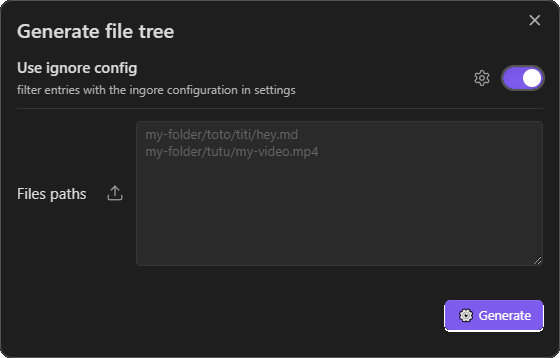
[!NOTE] if you are on desktop, you can import a folder by pressing the extra button next to your files paths input
As you see, you can ignore patterns of files/folders in the setting tabs.
This patterns follow the gitignore spec 2.22.1

Note
This plugin use FS (desktop only) to load files from your local directory.
Installation
In your vault folder, go to ./.obsidian/plugins/file-tree-generator/
Then you can:
Clone this REPO and run npm run build or directly download latest plugin release containing main.js, manifest.json and styles.css.
[!NOTE] If you are a developer, clone this repo -> run
npm i-> start coding withnpm run dev(to hot-reload the plugin in obsidian, install Hot-Reload plugin)
For plugin developers
Search results and similarity scores are powered by semantic analysis of your plugin's README. If your plugin isn't appearing for searches you'd expect, try updating your README to clearly describe your plugin's purpose, features, and use cases.