by dimagious
Turn notes you already have into flashcards: headings, tables, lists and callouts. Review with swipes on your phone, scheduled by FSRS. Nothing is written into your notes.
Flashy






Your notes are already flashcards.
Headings, tables, lists and question callouts become a deck as they are. Review with a tap and a swipe on your phone. Nothing is written into your notes.
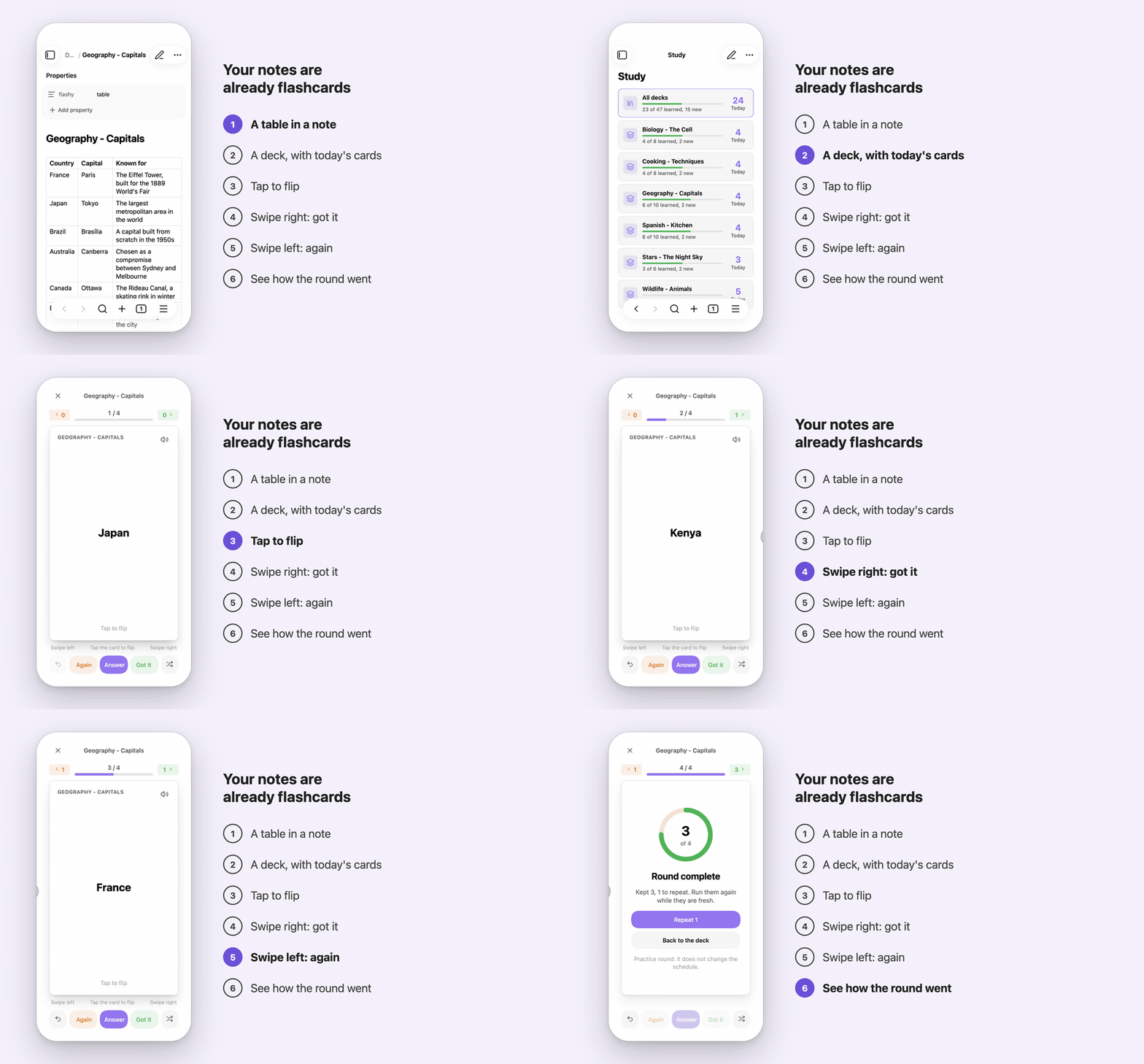
Install: Settings → Community plugins → Browse → search for Flashy. Until Flashy is listed there, install it with BRAT from Dimagious/flashidian. Then open a note with a table or a glossary, add the property flashy: true and run Flashy: Review cards in the current note.
Every format and setting · Changelog
Why Flashy
- No card syntax. The notes you already have are the deck: a glossary, a table, a list, a callout with a question.
- Made for the phone. One card at a time, a 3D flip, swipe right when you know it, left to see it again.
- Your notes stay clean. No scheduling comments, no IDs. Progress lives in a
Flashy/folder and syncs without conflicts. - FSRS scheduling, and the multi-line
?format of the Spaced Repetition plugin works as it is.
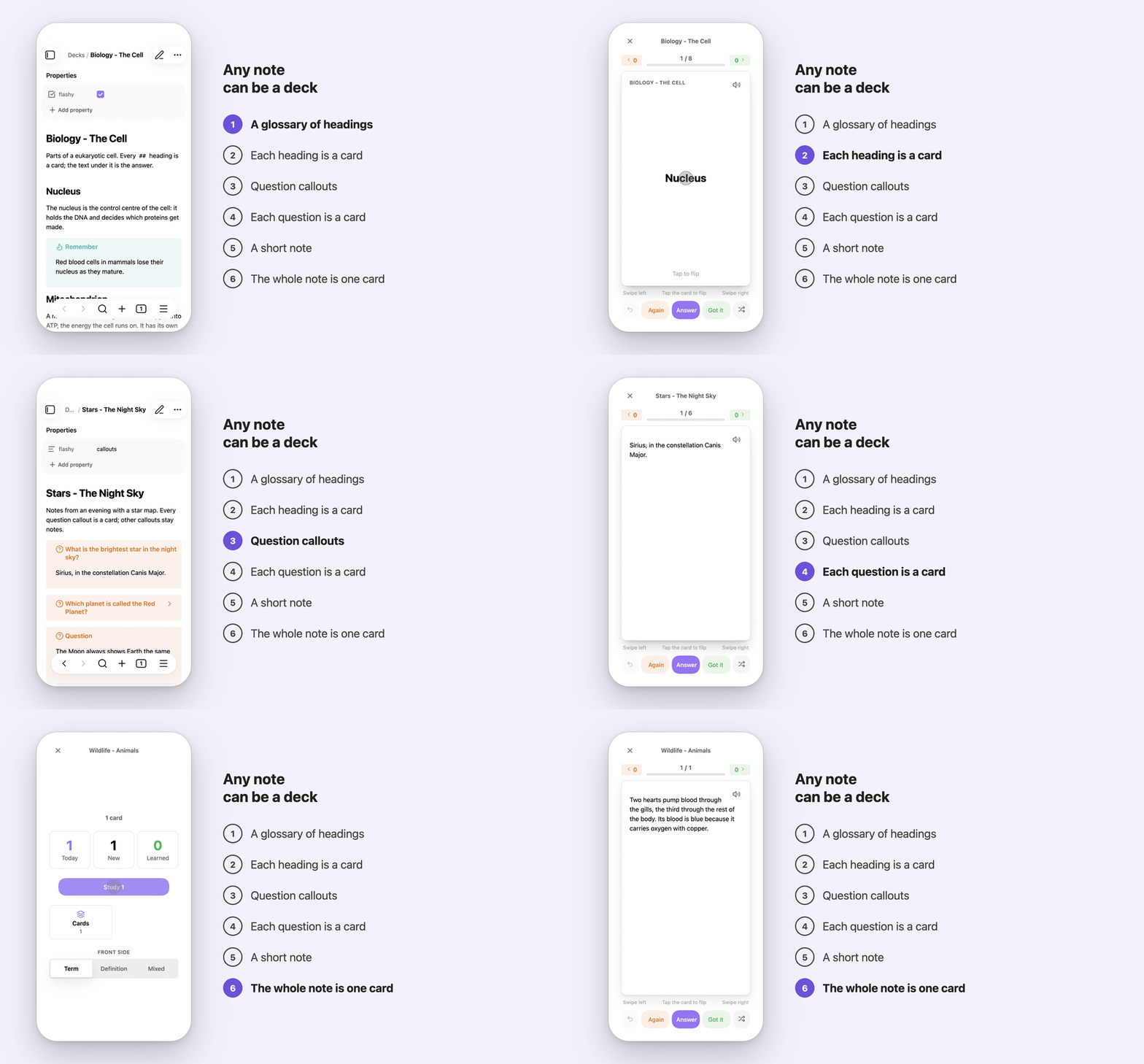
Any note can be a deck
A glossary of ## headings, question callouts, or a whole short note as one card. A table and a list work the same way.
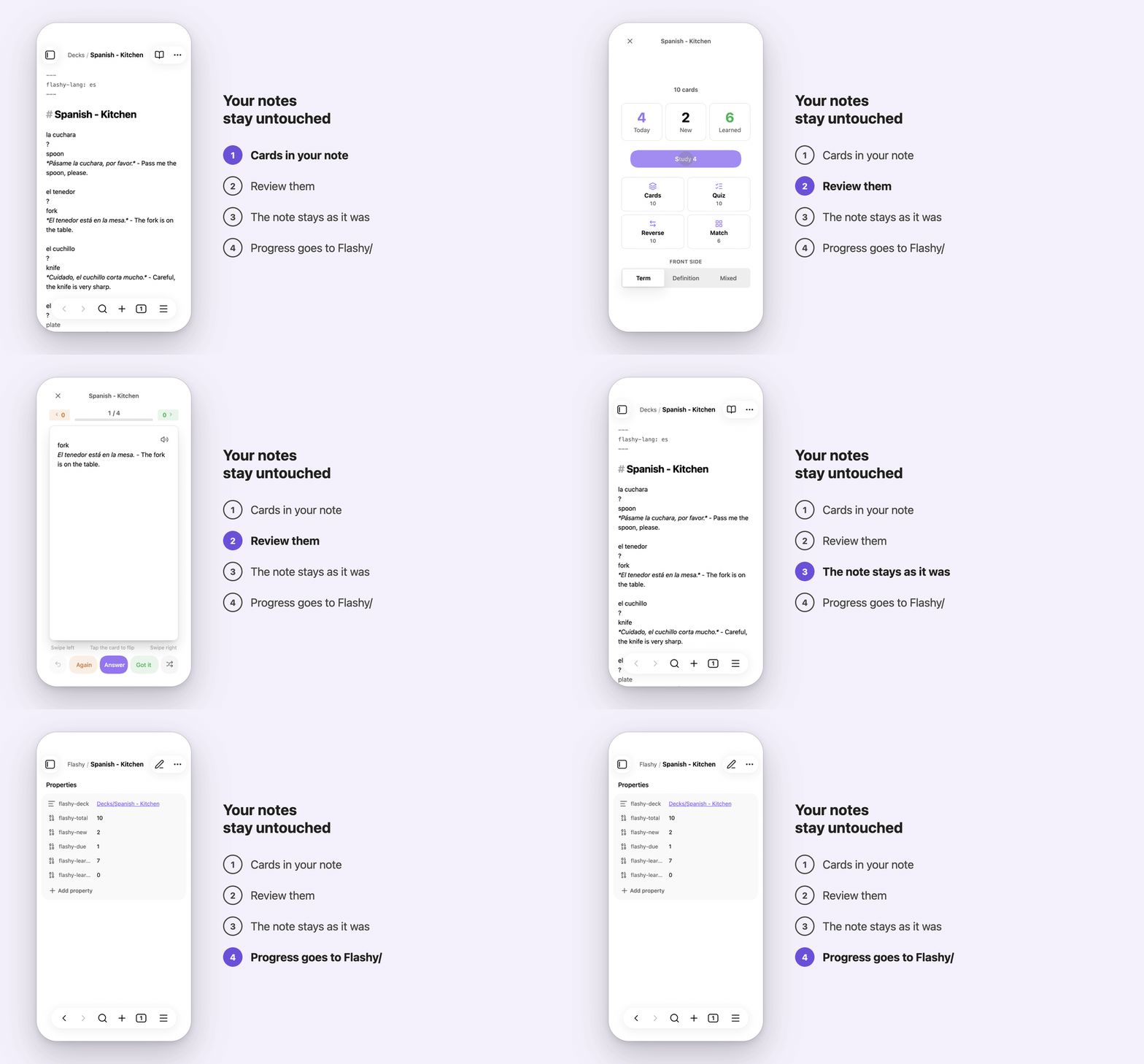
Your notes stay untouched
Reviews go to a log in Flashy/, one file per device, so two devices never conflict. Each deck gets a note with its numbers as properties, ready for Bases.
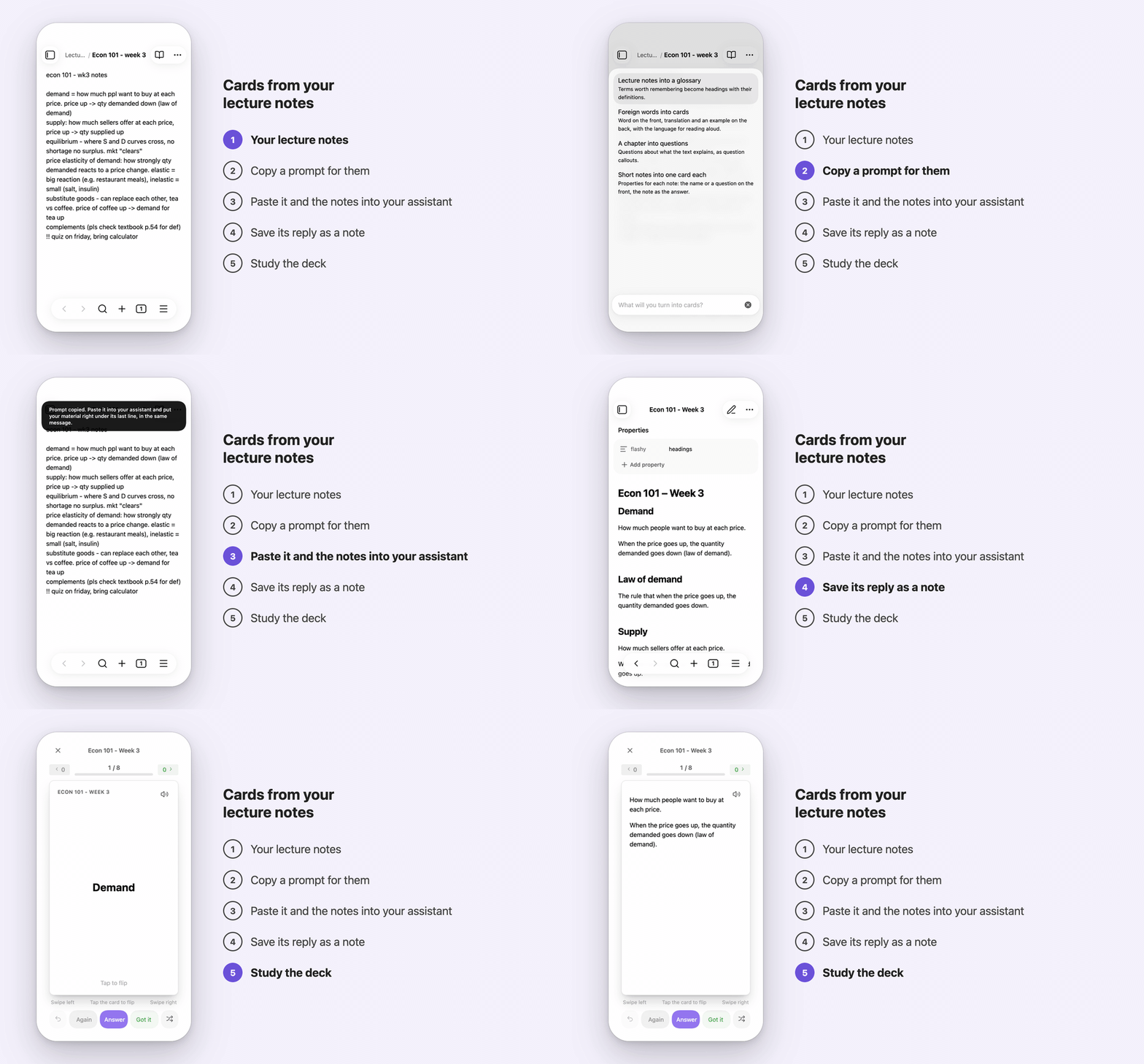
Cards from your lecture notes
Copy a ready prompt, paste it with your notes into the assistant you use, and save the reply as a note: it is a deck. Four prompts, for lecture notes, foreign words, a chapter and short notes, each checked on 24 sample inputs. Flashy itself calls no model and sends nothing anywhere.
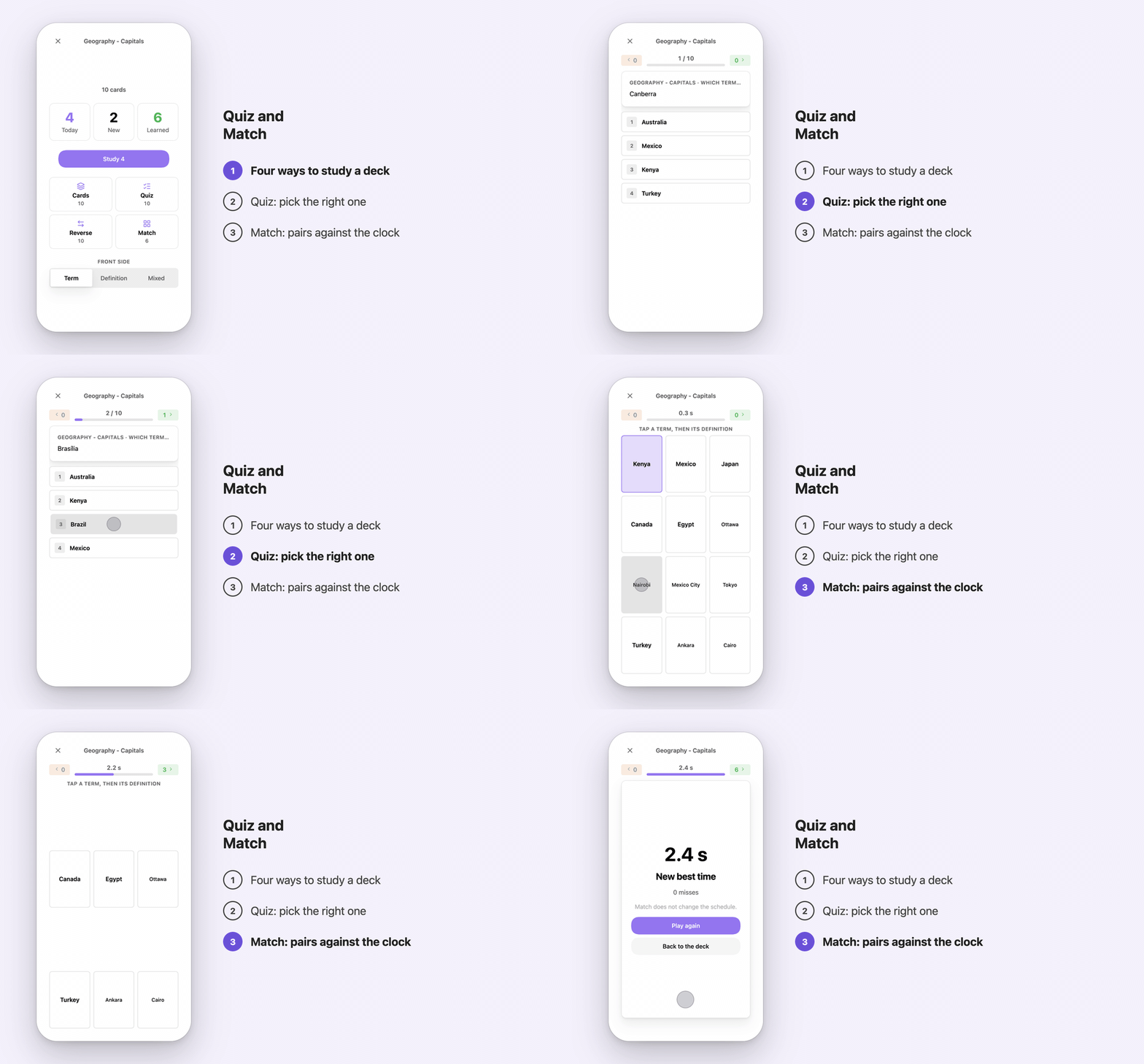
Quiz and Match
Four ways through a deck: cards, a quiz, a reverse quiz, and Match, pairs against the clock with a best time per deck. The quizzes and Match leave the schedule alone.
Coming from Spaced Repetition
Your ? decks open as they are, and Flashy leaves the plugin's <!--SR:...--> comments alone, so both plugins can run on the same notes. Flashy keeps its own schedule: your Spaced Repetition history does not carry over.
Seven languages
English, Russian, Spanish, German, French, Portuguese and Japanese. Flashy follows Obsidian's language; pick another under Language in the settings.
The clips are the plugin running in Obsidian's mobile interface, in a phone-sized window on a desktop, with a demo vault.
License
MIT
For plugin developers
Search results and similarity scores are powered by semantic analysis of your plugin's README. If your plugin isn't appearing for searches you'd expect, try updating your README to clearly describe your plugin's purpose, features, and use cases.