Fluorite
approvedby telehakke
Display images or note on floating panel. - This plugin has not been manually reviewed by Obsidian staff.
Fluorite
Features / 機能概要
This plugin adds the following features to Obsidian.
- Display image files from the device on the floating panel.
- Display Obsidian note on the floating panel.
このプラグインはObsidianに以下の機能を追加します
- 端末の画像ファイルをフローティングパネルに表示する
- Obsidianのノートをフローティングパネルに表示する

Installation / インストール方法
Obsidian Settings > Community plugins > Browse > Type 'fluorite' into the search box > Select the 'Fluorite' card > Install > Enable
Obsidianの設定 > コミュニティプラグイン > 閲覧 > 検索ボックスに「fluorite」と入力 > 「Fluorite」のカードを選択 > インストール > 有効
Usage / 使い方
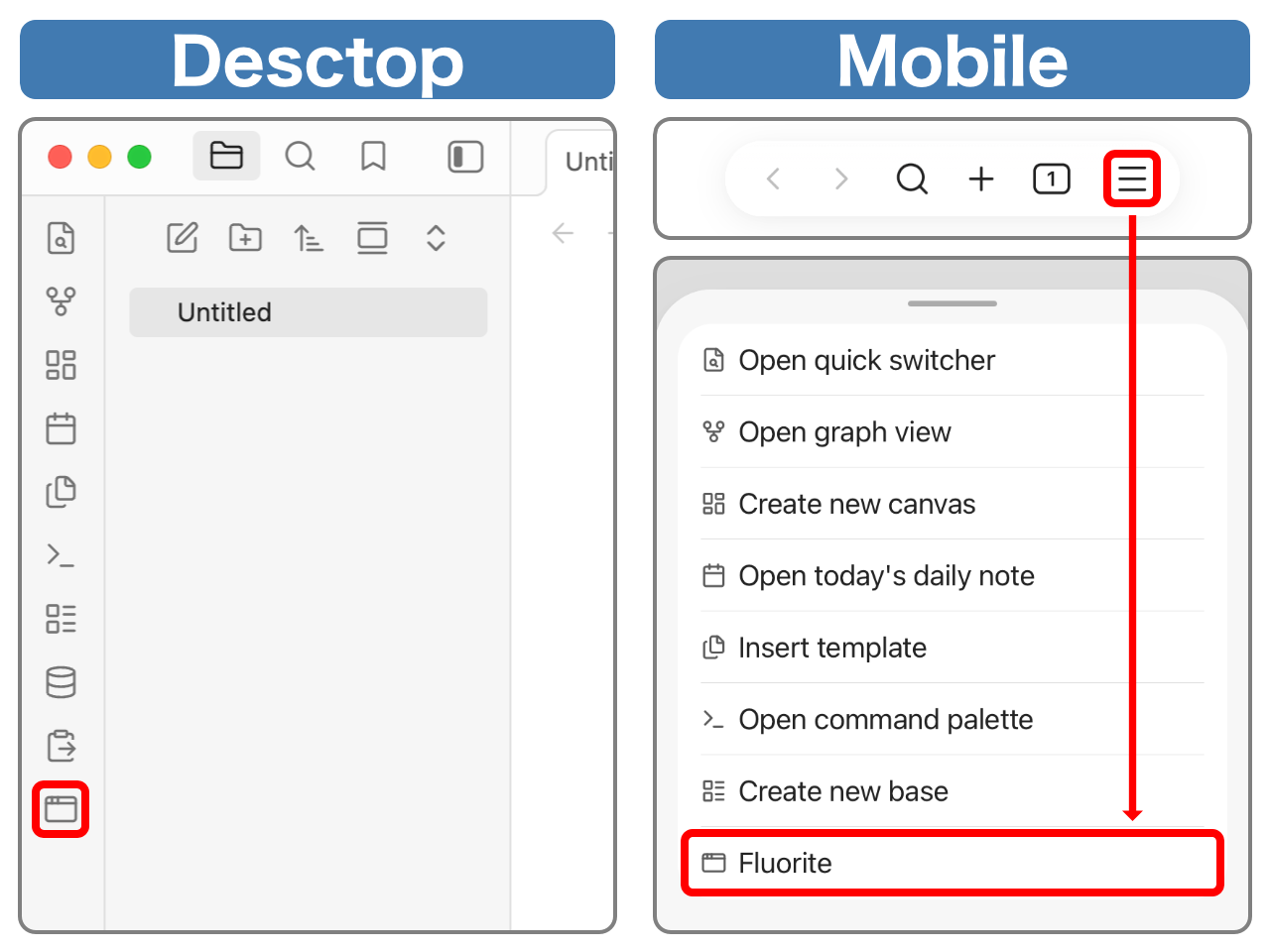
Open the floating panel / フローティングパネルを開く
Desktop: Ribbon menu > Window icon button
Mobile: Menu icon button on the navigation bar > Fluorite
デスクトップ:リボンメニュー > ウィンドウアイコンボタン
モバイル:ナビゲーションバーのメニューボタン > Fluorite
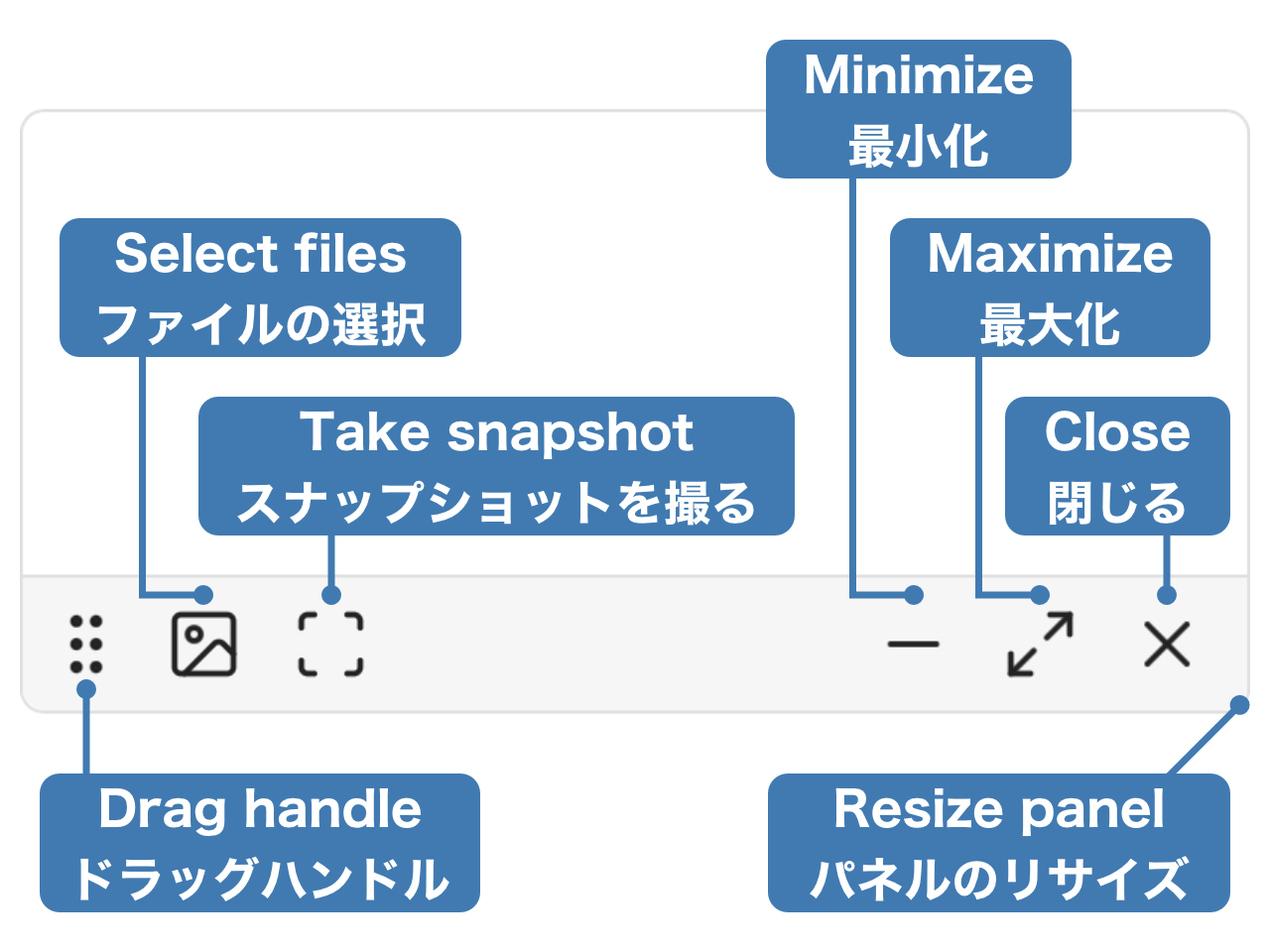
List of Operations / 操作一覧
Display image files on the device / 端末の画像ファイルを表示
Photo icon Button on the floating panel > Select images to display (multiple selections allowed)
フローティングパネルの写真アイコンボタン > 表示したい画像を選択(複数選択可能)
Display Obsidian note / Obsidianのノートを表示
Open the note to display > Scan icon button on the floating panel
A snapshot of the current state will be taken and displayed. Any edits made to the note will not be reflected in the snapshot. Also, the snapshot is read-only.
表示したいノートを開く > フローティングパネルのスキャンアイコンボタン
その時点でのスナップショットを取得し表示します。ノートに加えた編集内容はスナップショットに反映されません。また、スナップショットは読み取り専用です。
For plugin developers
Search results and similarity scores are powered by semantic analysis of your plugin's README. If your plugin isn't appearing for searches you'd expect, try updating your README to clearly describe your plugin's purpose, features, and use cases.