Hash Pasted Image Plus
approvedby xzhi
中文:通过哈希算法自动重命名粘贴到仓库中的图片;Hash Pasted Image 加强版,新增忽略指定目录、中英文界面、目录模糊选择等功能。 | EN:Auto rename pasted images added to the vault via hash algorithm; Enhanced version of Hash Pasted Image with ignored directories, bilingual UI, and fuzzy folder selection. - This plugin has not been manually reviewed by Obsidian staff.
Hash Pasted Image Plus
本项目基于 hardingadonis/hash-pasted-image 进行修改与扩展。 感谢原项目优秀的开源工作!
This project is modified and extended from hardingadonis/hash-pasted-image. Thanks to the original project for the excellent open-source work!
📖 项目简介 / Overview
Hash Pasted Image Plus 是一个适用于 Obsidian 的图片自动重命名插件。它将粘贴到仓库中的图片按哈希算法(默认 SHA-512)自动重命名,并在此基础上扩展了可忽略指定目录、中英文界面和目录模糊选择等能力。
Hash Pasted Image Plus is an image auto-rename plugin for Obsidian. It automatically renames images pasted into the vault using a hash algorithm (SHA-512 by default), and extends the original workflow with ignored-directory support, a bilingual UI, and fuzzy folder selection.
👀 预览 / Preview
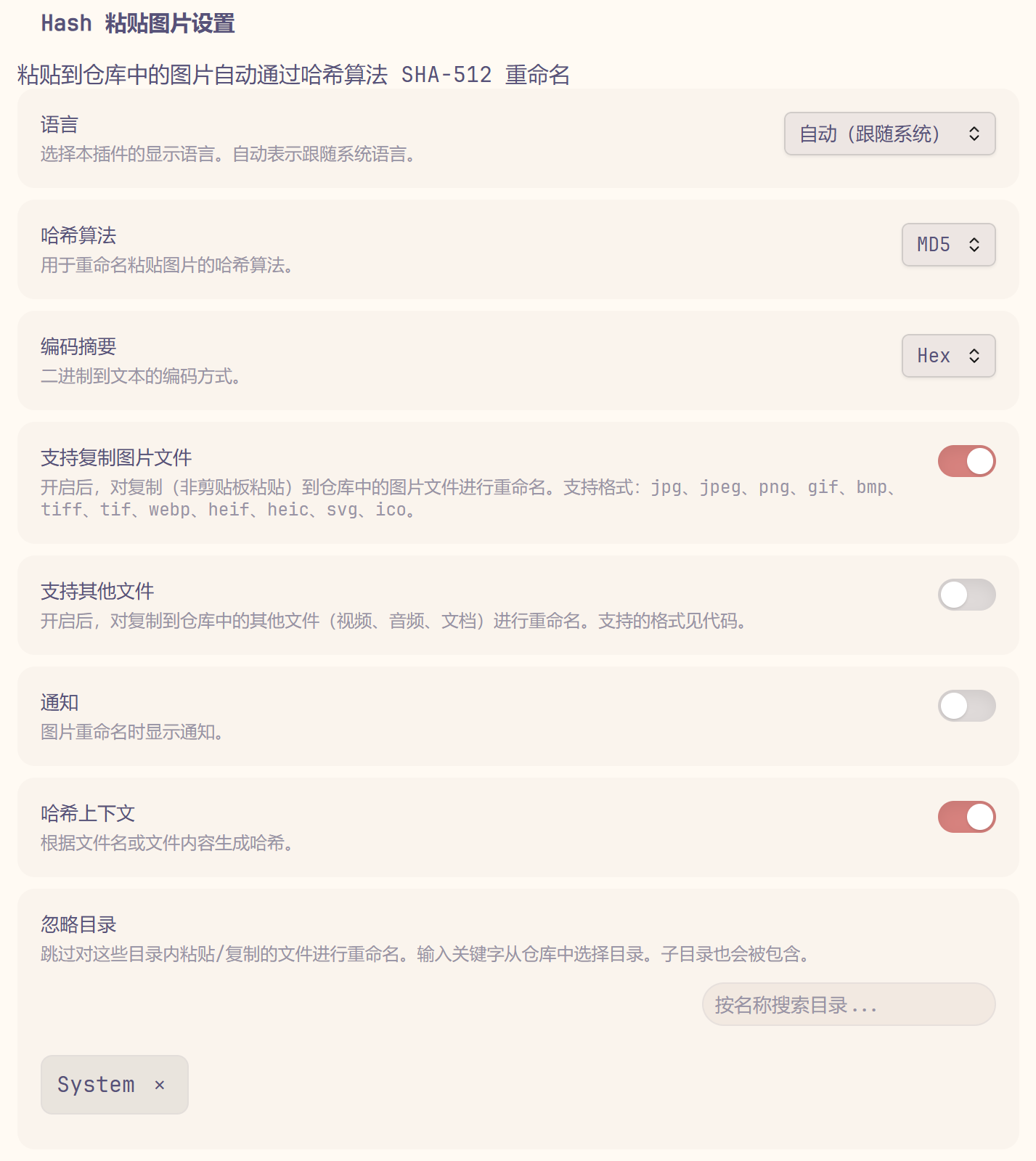
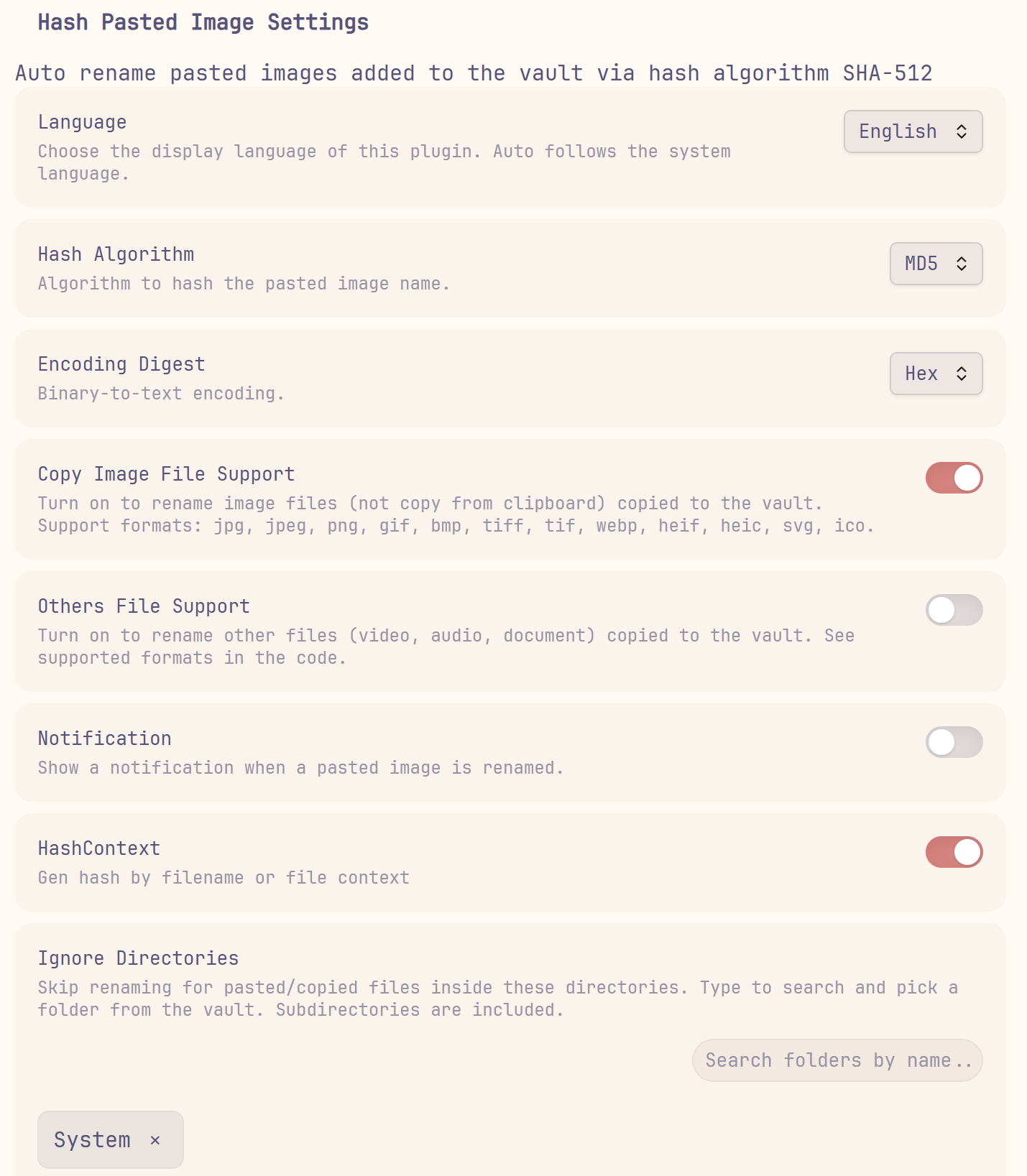
✨ 新增功能 / New Features
| 功能 | 描述 | 默认值 |
|---|---|---|
| 忽略指定目录 | 可配置一个或多个忽略目录,位于这些目录内的粘贴/复制文件不会被自动重命名,子目录同样生效。 | 未配置 |
| 中英文界面 | 设置面板和通知文案支持 English / 中文切换。 | 自动(跟随系统);非中文环境使用 English |
| 目录选择器 | 忽略目录支持输入关键字对仓库目录进行模糊匹配,点选即可添加,重复目录自动去重。 | — |
| Feature | Description | Default |
|---|---|---|
| Ignored directories | Configure one or more directories to skip; pasted/copied files inside them are not renamed, including subdirectories. | Not configured |
| Bilingual UI | Switch the settings page and notification messages between English and Chinese. | Auto (follow system); English outside Chinese locales |
| Folder selector | Search vault folders by keyword for the ignored-directory list; pick to add, with automatic deduplication. | — |
⚙️ 设置 / Settings
| 设置项 | 描述 | 默认值 |
|---|---|---|
| 哈希算法 | 选择用于重命名图片的哈希算法。 | SHA-512 |
| 编码摘要 | 二进制转文本的编码方式。 | hex |
| 支持复制图片文件 | 对复制(非剪贴板粘贴)到仓库中的图片文件进行重命名。 | 关闭 |
| 支持其他文件 | 对复制到仓库中的视频、音频、文档文件进行重命名。 | 关闭 |
| 通知 | 图片重命名时显示通知。 | 开启 |
| 哈希上下文 | 根据文件名或文件内容生成哈希。 | 关闭 |
| 语言 | 选择插件的显示语言。 | 自动(跟随系统) |
| 忽略目录 | 跳过对这些目录内粘贴/复制的文件进行重命名,支持多目录。 | 未配置 |
| Setting | Description | Default |
|---|---|---|
| Hash Algorithm | Choose the hash algorithm used to rename images. | SHA-512 |
| Encoding Digest | Binary-to-text encoding. | hex |
| Copy Image File Support | Rename image files copied (not pasted from clipboard) into the vault. | Off |
| Others File Support | Rename video, audio, and document files copied into the vault. | Off |
| Notification | Show a notification when an image is renamed. | On |
| HashContext | Generate the hash from the filename or file content. | Off |
| Language | Choose the display language of the plugin. | Auto (follow system) |
| Ignore Directories | Skip renaming for pasted/copied files inside these directories; multiple supported. | Not configured |
📦 安装 / Installation
从 Obsidian 社区插件安装 / From Obsidian Community Plugins
- 打开 Obsidian -> 设置 -> 第三方插件。
- 点击 浏览,搜索 Hash Pasted Image Plus。
- 点击 安装,然后 启用。
- Open Obsidian -> Settings -> Community plugins.
- Click Browse and search for Hash Pasted Image Plus.
- Click Install, then Enable.
从 GitHub Releases 安装 / From GitHub Releases
- 从最新 release 下载
main.js和manifest.json。 - 放入
<vault>/.obsidian/plugins/hash-pasted-image-plus。 - 重启 Obsidian,在 设置 -> 第三方插件 中启用 Hash Pasted Image Plus。
- Download
main.jsandmanifest.jsonfrom the latest release. - Place them in
<vault>/.obsidian/plugins/hash-pasted-image-plus. - Restart Obsidian, then enable Hash Pasted Image Plus from Settings -> Community plugins.
🚀 使用 / Usage
- 复制一张图片到剪贴板。
- 将图片粘贴到仓库中。
- 图片会被自动重命名为其哈希值(默认 SHA-512)。
- 如需跳过某些目录,在插件设置中将对应目录添加到「忽略目录」列表;被忽略目录内的图片不会被重命名。
- 在插件设置中可调整哈希算法、编码方式、是否支持复制文件、通知、语言等选项。
- Copy an image to the clipboard.
- Paste the image into the vault.
- The image is automatically renamed to its hash (SHA-512 by default).
- To skip certain folders, add them to the "Ignore Directories" list in the plugin settings; images inside ignored directories are not renamed.
- Adjust hash algorithm, encoding, copy-file support, notifications, and language from the plugin settings.
📄 许可证 / License
For plugin developers
Search results and similarity scores are powered by semantic analysis of your plugin's README. If your plugin isn't appearing for searches you'd expect, try updating your README to clearly describe your plugin's purpose, features, and use cases.