by kote-pdj
Edit notes with Helix keys, selections and multiple cursors, configured with your Helix config.
Helix Motions
Helix Motions brings Helix editing to Obsidian. It is ported from Helix's source and tested against real Helix.
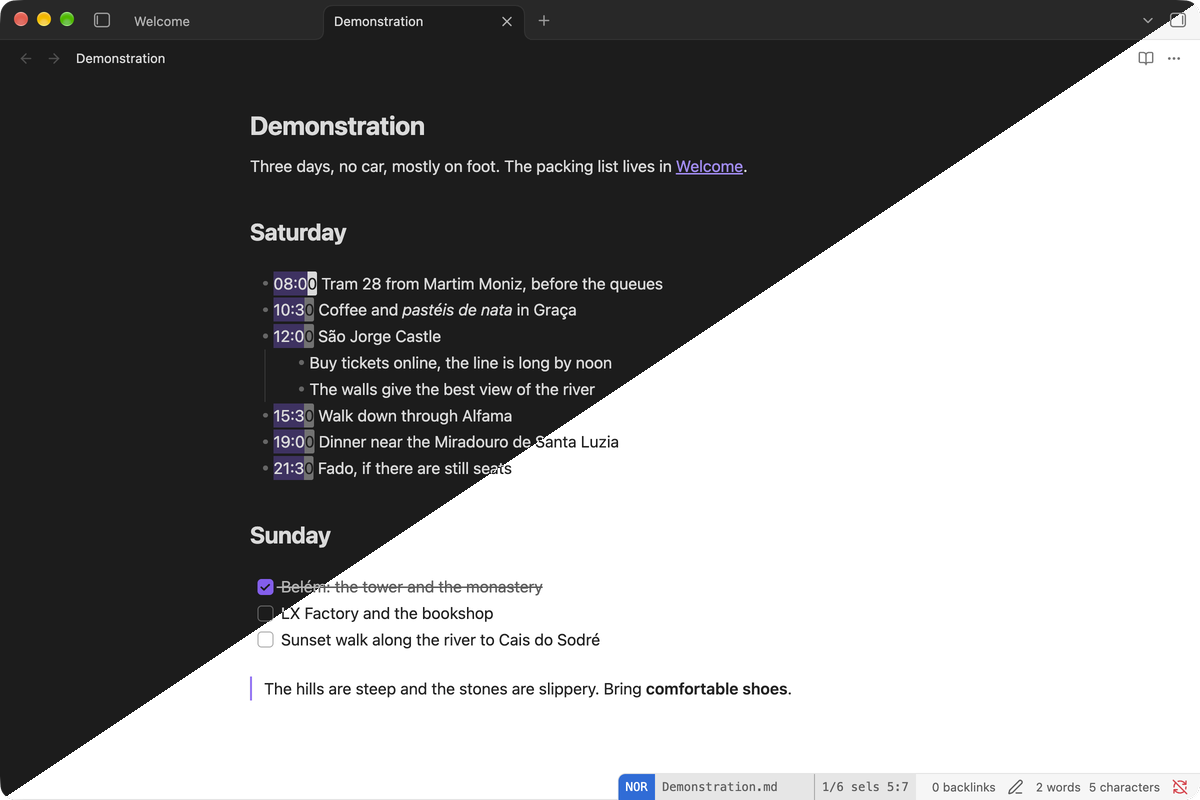
- Use Helix's keymap, selections, multiple cursors, registers, macros, undo tree, text objects, surround and jump labels.
- Copy your Helix config into your vault, and it works.
- Reach Obsidian through Helix's keys:
Space fopens the quick switcher, andgdfollows a link. - Move through Live Preview tables, with cursors across cells and cell selections.
More in docs/screenshots, each in dark, light and both.
Installation
- Open Settings → Editor, and turn off Vim key bindings. Turn off other Vim plugins.
- Open Settings → Community plugins.
- Select Browse, then search for Helix Motions.
- Select Install, then Enable.
Or install it from its page in Obsidian's plugin directory.
Requires Obsidian 1.15 or later, on desktop.
To install manually, download main.js, manifest.json and styles.css from the latest release into <vault>/.obsidian/plugins/helix-motions/.
Usage
Press Space or g to see the keys in a menu. Everything else works as it does in Helix.
To change keys and options, open Settings → Helix Motions. The editor there has Helix keys, and edits helix.toml in the root of your vault:
[editor]
scrolloff = 3
color-modes = true

[keys.normal]
"C-s" = ":write"

[keys.normal.space]
o = "switcher:open"
Helix's own commands keep their names. Any Obsidian command works too, by its id.
Documentation
- Configure Helix Motions
- Helix in Obsidian
- Tables
- Obsidian commands
- Appearance
- Privacy and capabilities
Compatibility
Helix Motions follows Helix at commit a714a818a3. Every Helix editing command is here. Commands that need a shell, a language server or a debugger are not, and show a message instead. docs/scope.md lists every command and option.
The Helix engine is helix-cm6. About 44,000 key sequences run in real Helix and in the engine, and the text, the selections and the mode after each one must match exactly.
Develop
See Contributing and Testing.
Credits
The Helix engine is ported from Helix at commit a714a818a3, under the Mozilla Public License 2.0, including the injection layers of tree-house. Syntax trees come from tree-sitter and tree-sitter-markdown (MIT). The way to end IME composition in normal mode comes from codemirror-vim.
License
For plugin developers
Search results and similarity scores are powered by semantic analysis of your plugin's README. If your plugin isn't appearing for searches you'd expect, try updating your README to clearly describe your plugin's purpose, features, and use cases.