Hierarchical Backlinks
approvedby jasonmotylinski
Displays backlinks in a tree structure.






Hierarchical Backlinks
Overview
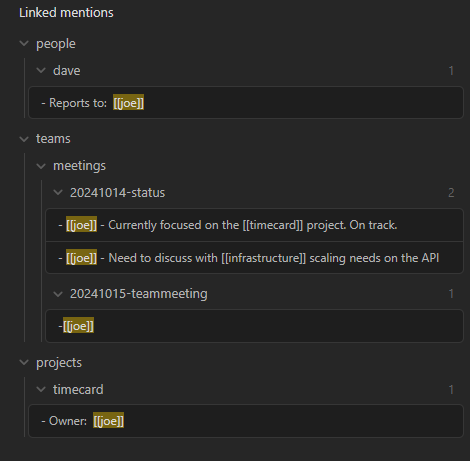
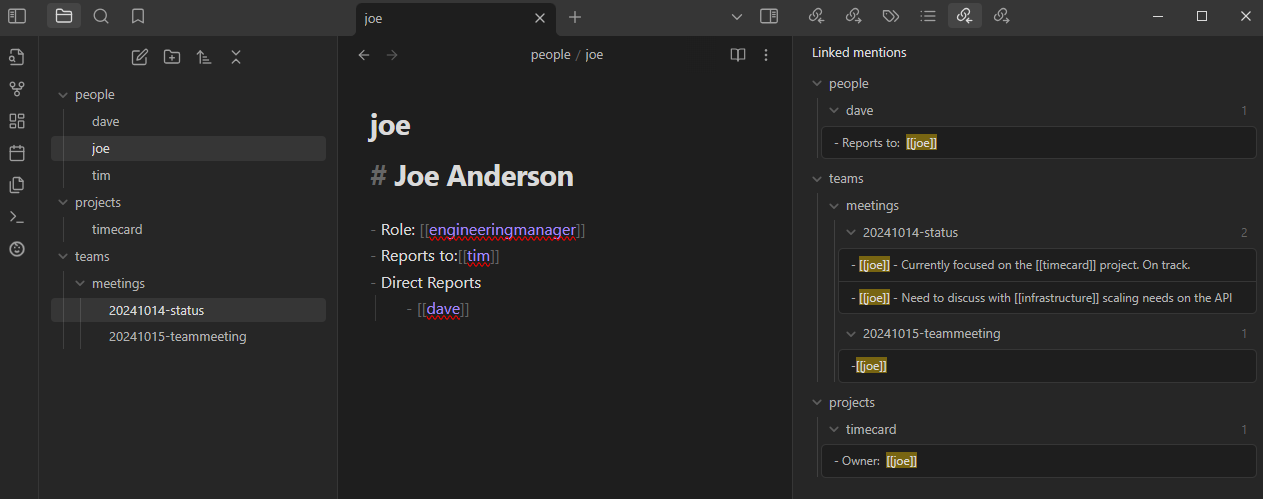
Displays backlinks for the active document as a hierarchy based on the folder structure of the references.
Motivation
In the age old folders vs tags debate I lean heavier on physically organizing notes into high level categories of directories. The tag hierarchy display provides a nice overview of tags and how they relate to each other and I wanted something similar that leveraged the directory structure to display backlinks as a tree.
Example
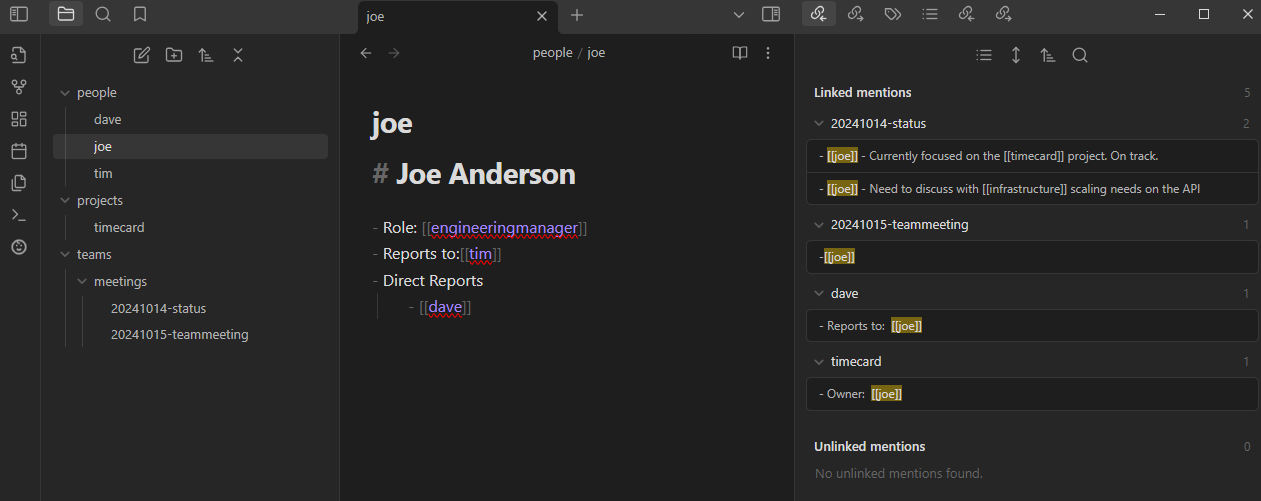
Here's a comparison of the core plugin vs the hierarchical backlinks plugin in action.
This is how the out-of-the-box core backlinks plugin displays backlinks:
This is how this plugin displays backlinks:
Features
- Collapsable tree structure allows you to easily focus on what what is most important
- Clickable links to references
Settings
| Setting | Description | Default |
|---|---|---|
| Hide Context by Default | Next time the plugin is loaded, context will be hidden by default. | Off |
| Bold File Names | Display file names in bold when they have backlink matches. | On |
| Use frontmatter property as display name | Display the value of a frontmatter property instead of the file name in the backlinks tree. Also applies to folder notes when "Hide folder notes" is enabled. | Off |
| Frontmatter property name | The frontmatter property to use as the display name. Only visible when the above setting is enabled. | title |
| Hide folder notes | When a note has the same name as its parent folder, hide the duplicate and make the folder clickable. | Off |
| Index file name | Also treat a file with this name as a folder note regardless of the folder name (e.g. overview or _index). Disabled until "Hide folder notes" is enabled. | Empty |
Commands
The following commands are available in the Obsidian Command Palett:
| Command | Description |
|---|---|
| Show hierarchical backlinks | Displays the panel in the event it was closed |
Development
Setup
npm install
Running
npm run dev

For plugin developers
Search results and similarity scores are powered by semantic analysis of your plugin's README. If your plugin isn't appearing for searches you'd expect, try updating your README to clearly describe your plugin's purpose, features, and use cases.