Iconik
approvedby CrEagleOne
Customize icons and text colors - This plugin has not been manually reviewed by Obsidian staff.
Iconik — Obsidian Plugin
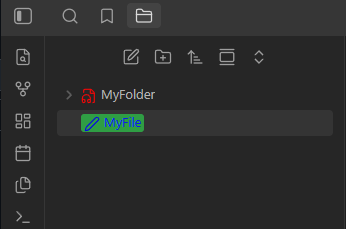
Customize icons & colors on every file and folder — all from a single right-click.



How to use
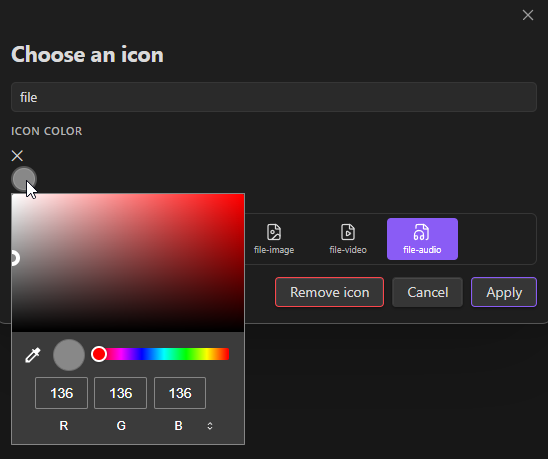
Changing an icon
- Assign any Lucide icon (1700+ icons) to any file or folder
- Pick a custom color for each icon
- Icons persist across sessions and vault restarts
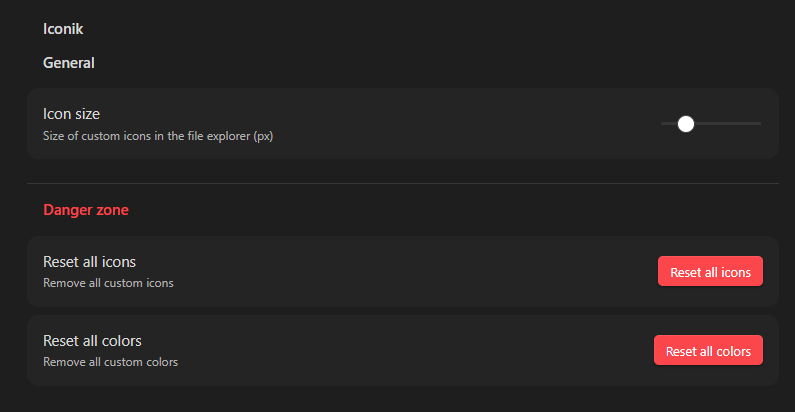
- Remove icons individually or reset all at once from Settings
Changing a color
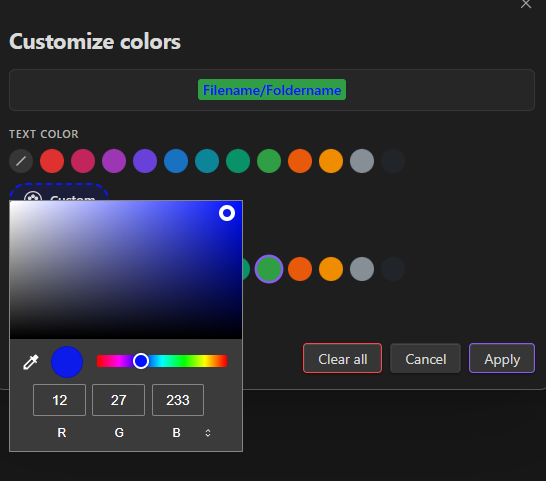
- Set a text color and/or background color on any file or folder name in the explorer
- 12 curated color presets + a full custom color palette picker
- Live preview before applying
- Colors are injected via a single CSS stylesheet — zero performance overhead
Installation
From the Obsidian Community Plugin Browser (recommended)
- Open Settings → Community plugins → Browse
- Search for Iconik
- Click Install, then Enable
Manual installation
- Download the latest release (
main.js,manifest.json,styles.css) from the Releases page - Copy the three files to
<your-vault>/.obsidian/plugins/Iconik/ - Restart Obsidian, then go to Settings → Community plugins and enable Iconik
Usage
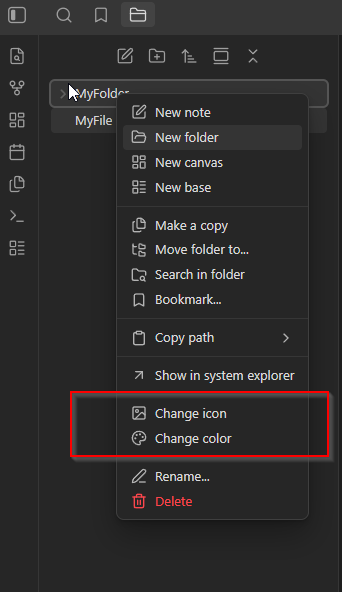
All actions are available via right-click on any file or folder in the explorer.
Assigning an icon
- Right-click a file or folder → Change icon
- Search or browse the icon grid
- Optionally pick a color for the icon
- Click Apply
Customizing colors
- Right-click → Change color
- Choose a text color and/or background color from the swatches or the Custom palette picker
- The live preview updates in real time — click Apply when satisfied
Settings
Navigate to Settings → Iconik to configure:
Internationalization
The plugin ships with full English and French translations. The language is detected automatically from Obsidian's locale setting.
To add a new language, duplicate i18n/en.json, translate all values, and name the file with the locale code (e.g. de.json for German).
Development
# Clone the repo
git clone https://github.com/creagleone/obsidian-iconik
cd obsidian-Iconik

# Install dependencies
npm install

# Development build (watch mode)
npm run dev

# Production build
npm run build
Contributing
Pull requests and issues are welcome. Please open an issue before submitting a large PR.
- Fork the repository
- Create a feature branch:
git checkout -b feat/my-feature - Commit and push
- Open a pull request against
main
License
For plugin developers
Search results and similarity scores are powered by semantic analysis of your plugin's README. If your plugin isn't appearing for searches you'd expect, try updating your README to clearly describe your plugin's purpose, features, and use cases.