Image Embedder
approvedby sky150
Automatically downloads and embeds images from URLs when pasting
★ 4 stars↓ 2,457 downloadsUpdated 1mo agoMIT
Image Embedder for Obsidian
A plugin for Obsidian that automatically downloads and embeds images from URLs when pasting them into your notes.
Demo
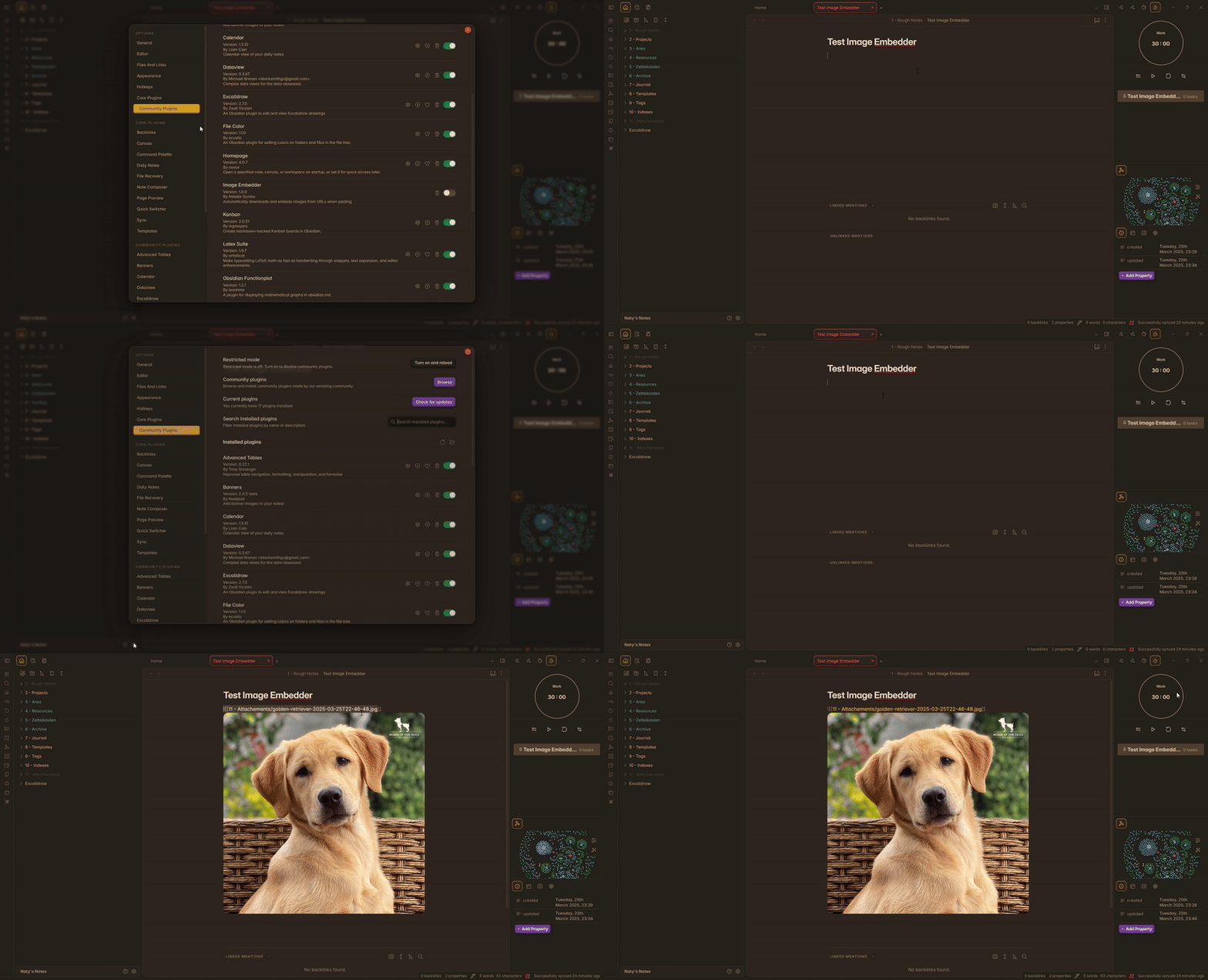
Features
- Automatically detects image URLs when pasting
- Downloads and saves images to your vault
- Configurable attachment folder
- Customizable filename format with placeholders
- Optional confirmation before embedding
- Shows file path in success messages (optional)
Usage
- Copy an image URL to your clipboard
- Paste it into your note
- If the URL is an image, the plugin will:
- Show a confirmation dialog (if enabled)
- Download the image
- Save it to your configured attachment folder
- Insert a markdown link to the image
Settings
- Confirm before embedding: Show a confirmation dialog before downloading and embedding images
- Show file path: Show the saved file path in the success notice
- Attachment folder: Folder where downloaded images will be saved (relative to vault root)
- Filename format: Format for saved filenames with placeholders:
{name}: Original filename{timestamp}: ISO timestamp (if enabled){date}: Current date
- Use timestamp: Add timestamp to filenames for uniqueness
Development
This plugin is built using the Obsidian Plugin API.
Building from source
- Clone this repository
- Install dependencies:
npm install - Build the plugin:
npm run build - The built plugin will be in the
distfolder
Support
For issues or suggestions, open an issue on GitHub.
If you find this plugin useful, consider buying me a coffee.
License
MIT License - see LICENSE file for details
For plugin developers
Search results and similarity scores are powered by semantic analysis of your plugin's README. If your plugin isn't appearing for searches you'd expect, try updating your README to clearly describe your plugin's purpose, features, and use cases.