InlineAI
approvedby fbarrca
AI-powered suggestions, contextual edits, and advanced text transformations directly into your editor.
InlineAI Plugin
Documentation · Report Bug · Discussions
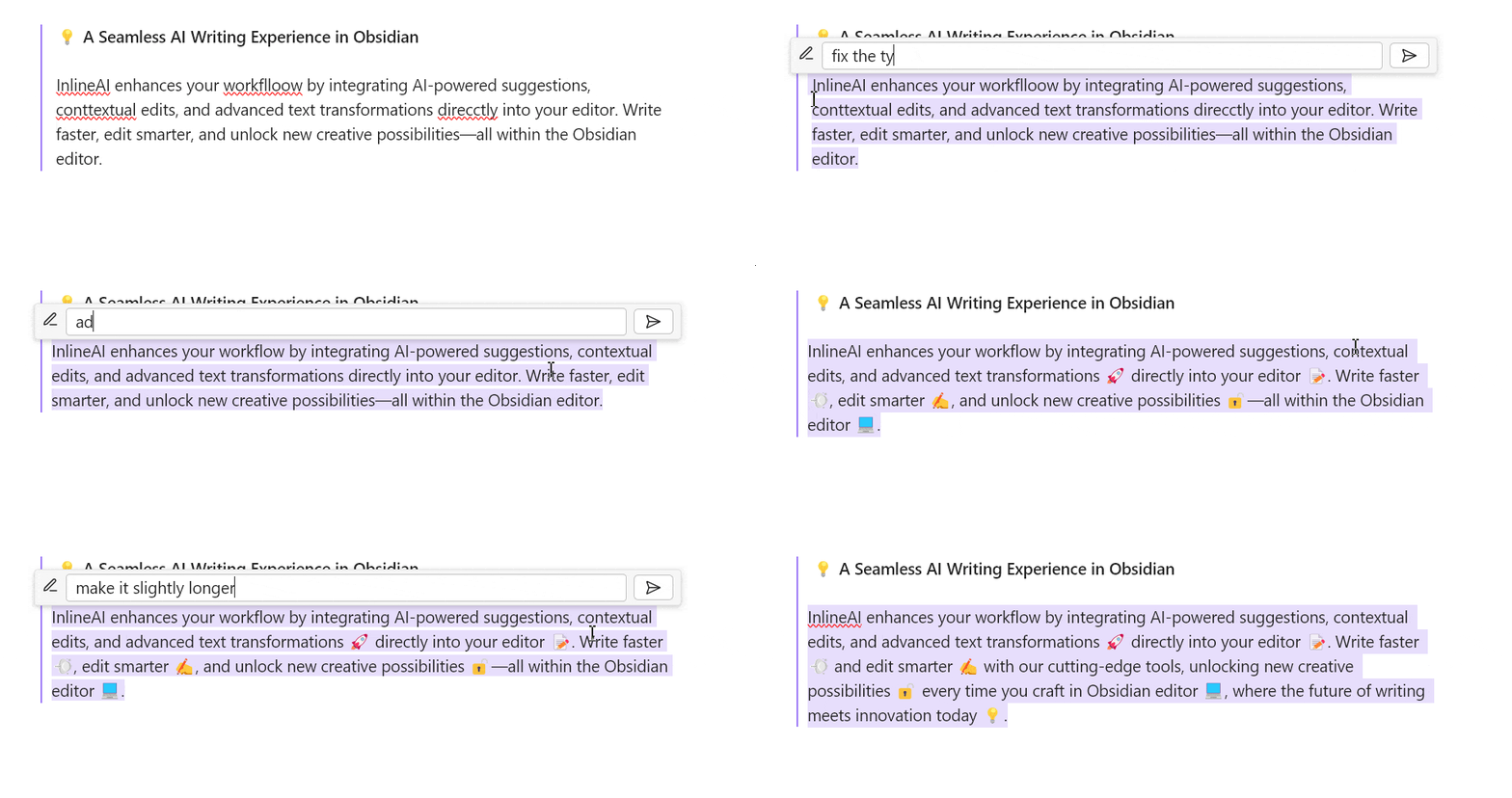
💡 A Seamless AI Writing Experience in Obsidian
InlineAI enhances your workflow by integrating AI-powered suggestions, contextual edits, and advanced text transformations directly into your editor. Write faster, edit smarter, and unlock new creative possibilities—all within the Obsidian editor.
🌟 Features
1. Context-Aware AI Assistance
- Transform text, summarize, or rewrite content using prompts tailored to your needs.
- Define your own system and transformation prompts as commands for highly customized workflows.
2. Inline Diff Visualization
- Visualize AI-suggested changes with clear inline markers for added and removed text.
- Accept or discard suggestions with a single click.
3. Full AI Integration
- Supports OpenAI, Ollama,Gemini and other APIs.
- Local model support for privacy-first workflows.
⚙️ Installation
1. From Obsidian Plugin Store
- Open Obsidian Settings.
- Navigate to Community Plugins → Browse.
- Search for "InlineAI" and click Install.
- Enable the plugin in the Installed Plugins list.
2. Manual Installation
- Download the latest release from the GitHub Releases.
- Copy
main.js,styles.css, andmanifest.jsoninto your vault's.obsidian/plugins/obsidian-inlineai/directory. - Enable the plugin via the Community Plugins tab.
🚀 Getting Started
Initial Setup
-
Set up your API key:
- Open the plugin settings in Obsidian.
- Enter your API key for OpenAI, Ollama, Gemini or any supported model provider.
-
Choose a model:
- Supported models include
gpt-4,llama3.2, and others.
- Supported models include
-
Configure prompts:
- Define system and transformation prompts in settings for customized interactions.
How to Use
- Trigger AI Tooltips: Highlight text or place the cursor, then press
Ctrl + K/Cmd + Kto activate the tooltip(you can change the hotkey). - Apply Edits: Use the inline diff view to accept or discard AI-suggested changes.
🙏 Feedback and Support
We value your feedback and aim to make InlineAI the ultimate AI writing assistant:
- Bug Reports: Submit issues on our GitHub Issues page.
- Feature Requests: Share ideas in the Discussions forum.
- Show Your Workflow: Showcase your use cases in our Community Showcase.
🛠️ Development
Want to contribute? Here’s how:
-
Clone the repository:
git clone https://github.com/FBarrca/obsidian-inlineai.git -
Install dependencies:
npm install -
Build the plugin:
npm run build
📝 License
This project is licensed under the GPL-3.0 license. Feel free to fork, contribute, and enhance the plugin!
For plugin developers
Search results and similarity scores are powered by semantic analysis of your plugin's README. If your plugin isn't appearing for searches you'd expect, try updating your README to clearly describe your plugin's purpose, features, and use cases.