Lark Wiki
approvedby SpatialOnee
Bridge your Obsidian vault with Lark and Feishu documents. - This plugin has not been manually reviewed by Obsidian staff.

Lark Wiki
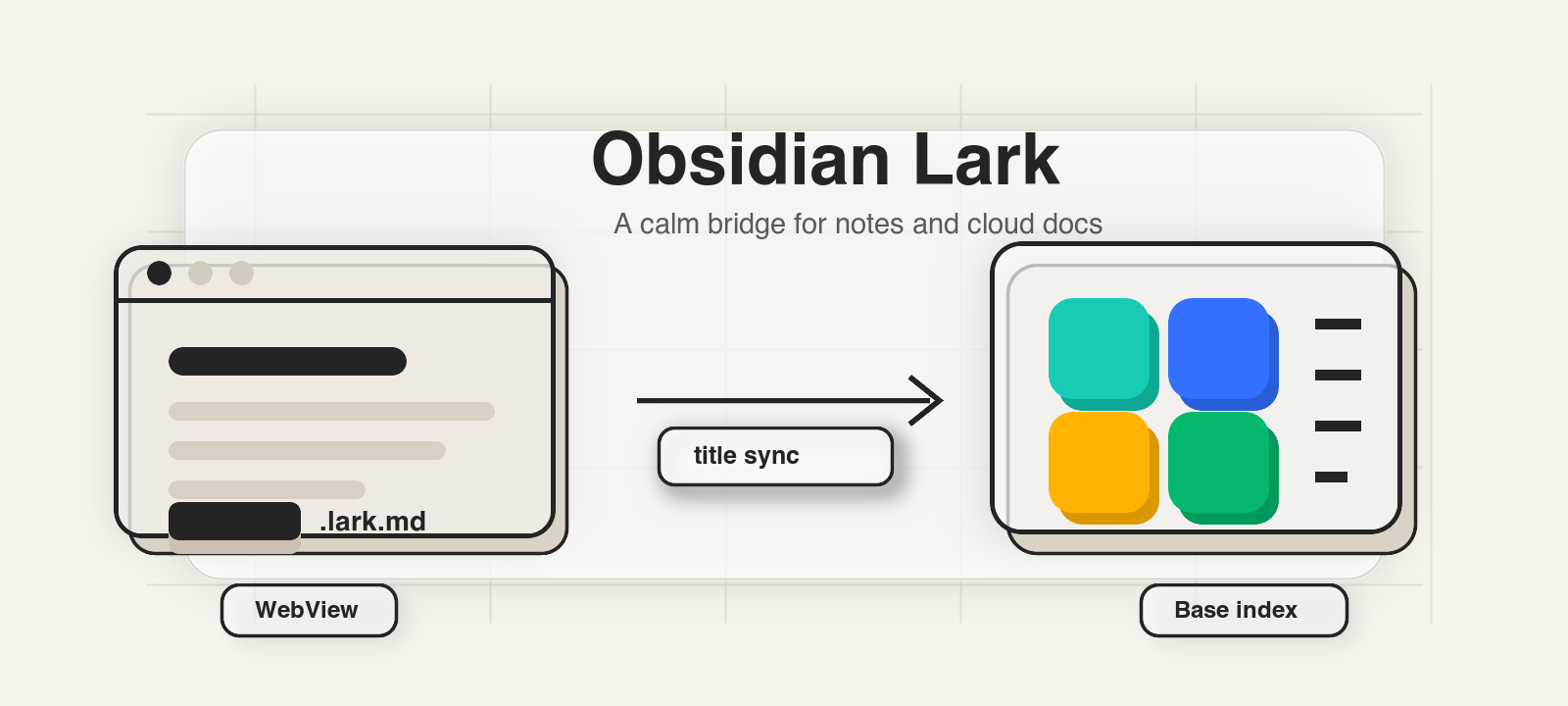
Lark Wiki connects local Obsidian notes with Lark / Feishu cloud documents and Bases. It keeps a lightweight .lark.md file in your vault, opens the linked remote resource in an Obsidian WebView, and can keep the local filename aligned with the remote title.
Screenshots
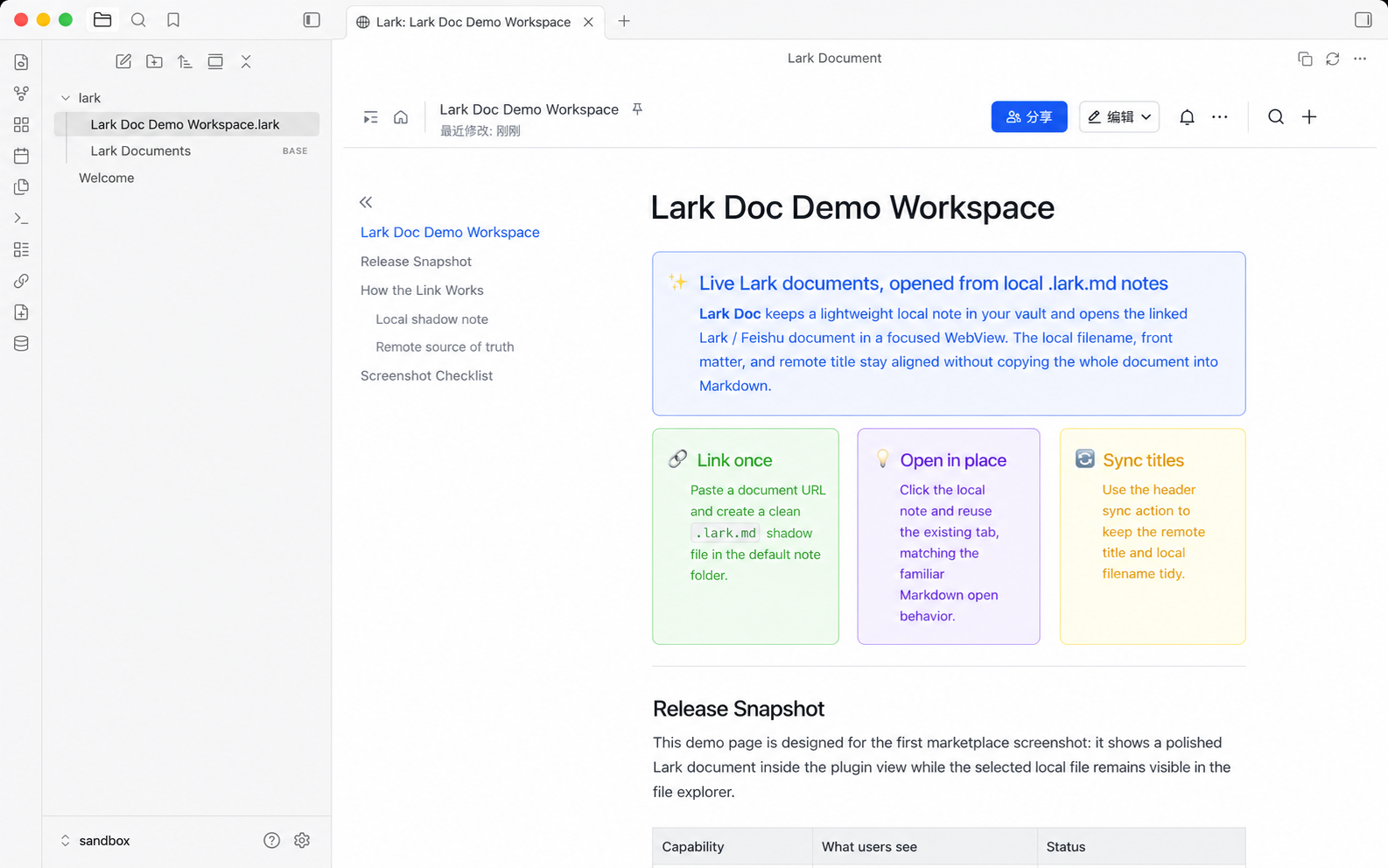
Open a local .lark.md note and view the linked Lark / Feishu document directly inside Obsidian.
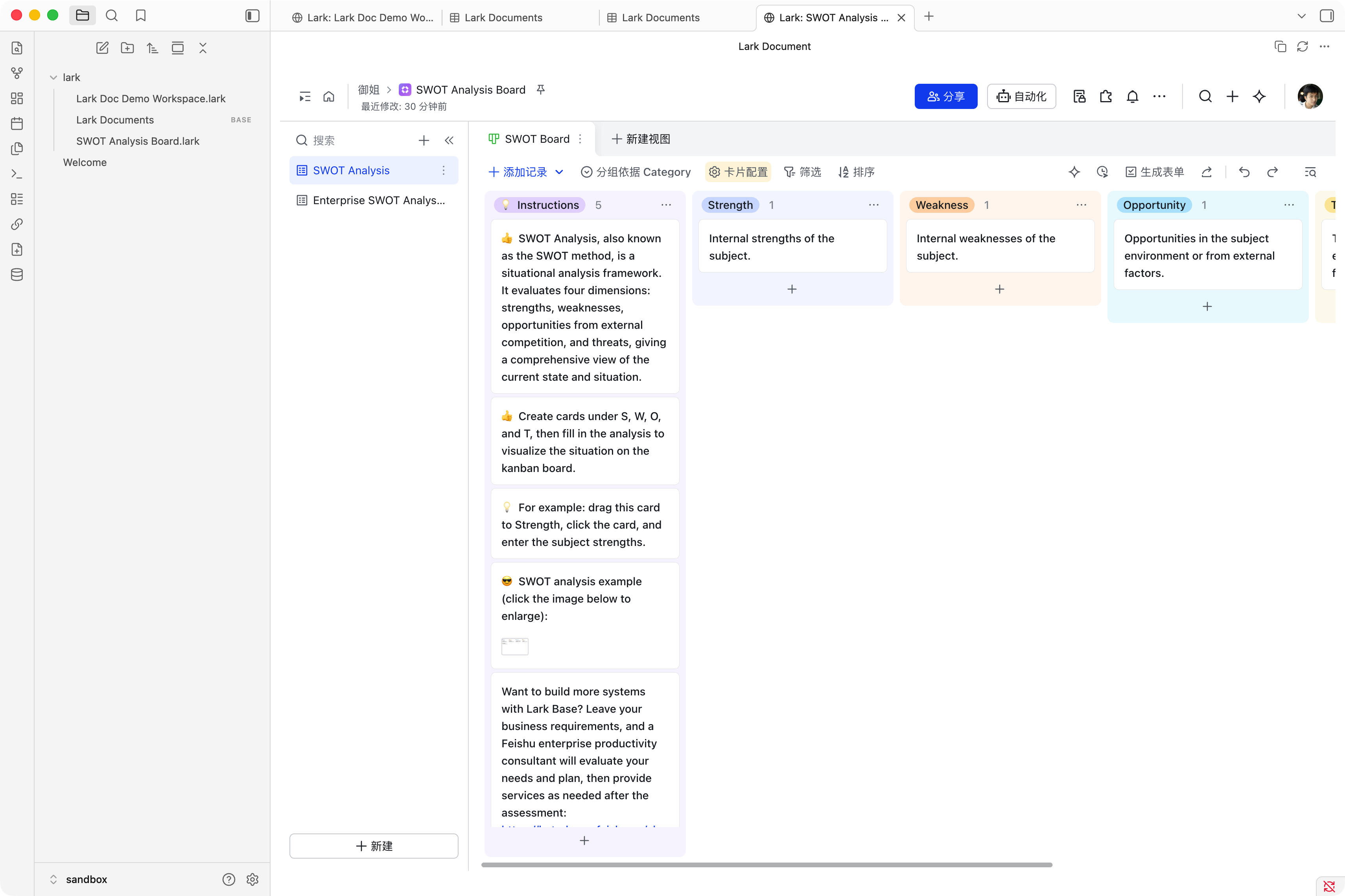
Open linked Lark / Feishu Base URLs in the same focused WebView, with the selected table and view preserved.
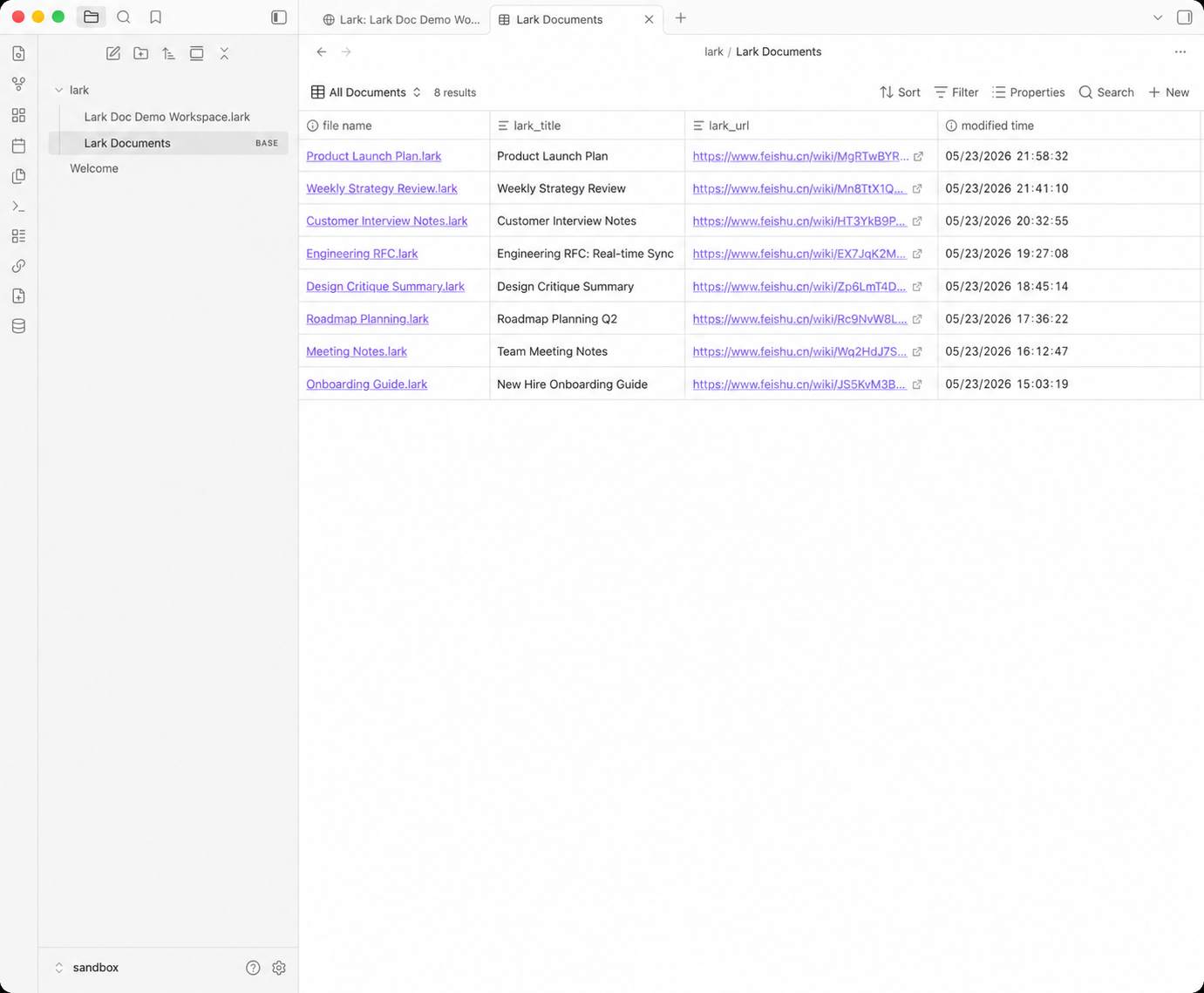
Browse linked documents from the generated Lark Documents.base view.
Features
- Automatically opens the linked Lark / Feishu document when a
.lark.mdfile is opened in Obsidian. - Opens linked Lark / Feishu Bases from
/base/...URLs, preserving the selectedtableandview. - Reuses the existing tab for the same
.lark.mdfile, matching normal Markdown file behavior. - Creates a local
.lark.mdfile from an existing document or Base URL throughAdd linked Lark document. - Creates a remote Lark / Feishu document or Base and a local linked note through
Create Lark document. - Syncs document titles from Lark / Feishu and can rename the local Obsidian file.
- Copies the current Lark / Feishu document link from the preview header.
- Appends an indexed suffix when a synced filename would collide, such as
Product Spec 1.lark.md. - Maintains
Lark Documents.basein the default note folder for browsing linked documents. - Supports configurable UI language: Auto, English, and Simplified Chinese.
Requirements
- Obsidian Desktop. This plugin uses WebView and is desktop-only.
- A working authenticated
lark-cliinstallation. - Supported URLs are
docs,docx,wiki, andbaselinks onfeishu.cnorlarksuite.com.
Usage
- Configure
Lark CLI pathin plugin settings. The default islark-cli; use an absolute path if the desktop app cannot find it. If you use fnm, nvm, or another Node manager, point this setting to thebin/lark-cliexecutable. - Configure
Default note folder. The default isLark; linked notes andLark Documents.baseare created there. - Run
Add linked Lark documentand paste an existing Lark / Feishu document or Base URL. - For Base links, URLs such as
https://my.feishu.cn/base/...?...table=...&view=...keep the target table and view in the local link. - The plugin fetches the remote title and creates
Title.lark.md. - Open the
.lark.mdfile in Obsidian to view the remote document or Base inside the plugin view. - To create a new remote resource, run
Create Lark document, enter a title, and choose either Document or Base. - Use the sync button in the view header to manually sync the remote title and local filename, or the copy button to copy the remote link.
Local File Format
.lark.md files are local proxy notes. They store only metadata and a short explanation; the full content stays in Lark / Feishu. The plugin uses lark_doc_id, lark_url, and lark_title Front matter fields for the document or Base token, URL, and cached title.
Security and Permissions
- The plugin uses the vault API for note reads, creates, and updates. It does not use Node.js
fsin runtime plugin code. - The plugin runs the configured
lark-cliexecutable with fixed arguments throughchild_process.spawnandshell: falsewhen creating documents or fetching titles. - Background title sync is disabled by default. If enabled, it enumerates Markdown file paths in the vault to find linked
.lark.mdnotes.
Development
npm install
npm run dev
npm run lint
npm test
npm run test:coverage
npm run build
Release assets for Obsidian:
manifest.jsonmain.jsstyles.css
See Release guide for the automated release and community submission check workflow. Changes are tracked in CHANGELOG.md.
For plugin developers
Search results and similarity scores are powered by semantic analysis of your plugin's README. If your plugin isn't appearing for searches you'd expect, try updating your README to clearly describe your plugin's purpose, features, and use cases.