by Aital Unarov
Solve Python, C++, Rust, and Go exercises alongside your course notes and check your answers with local tests.

Example learning topics




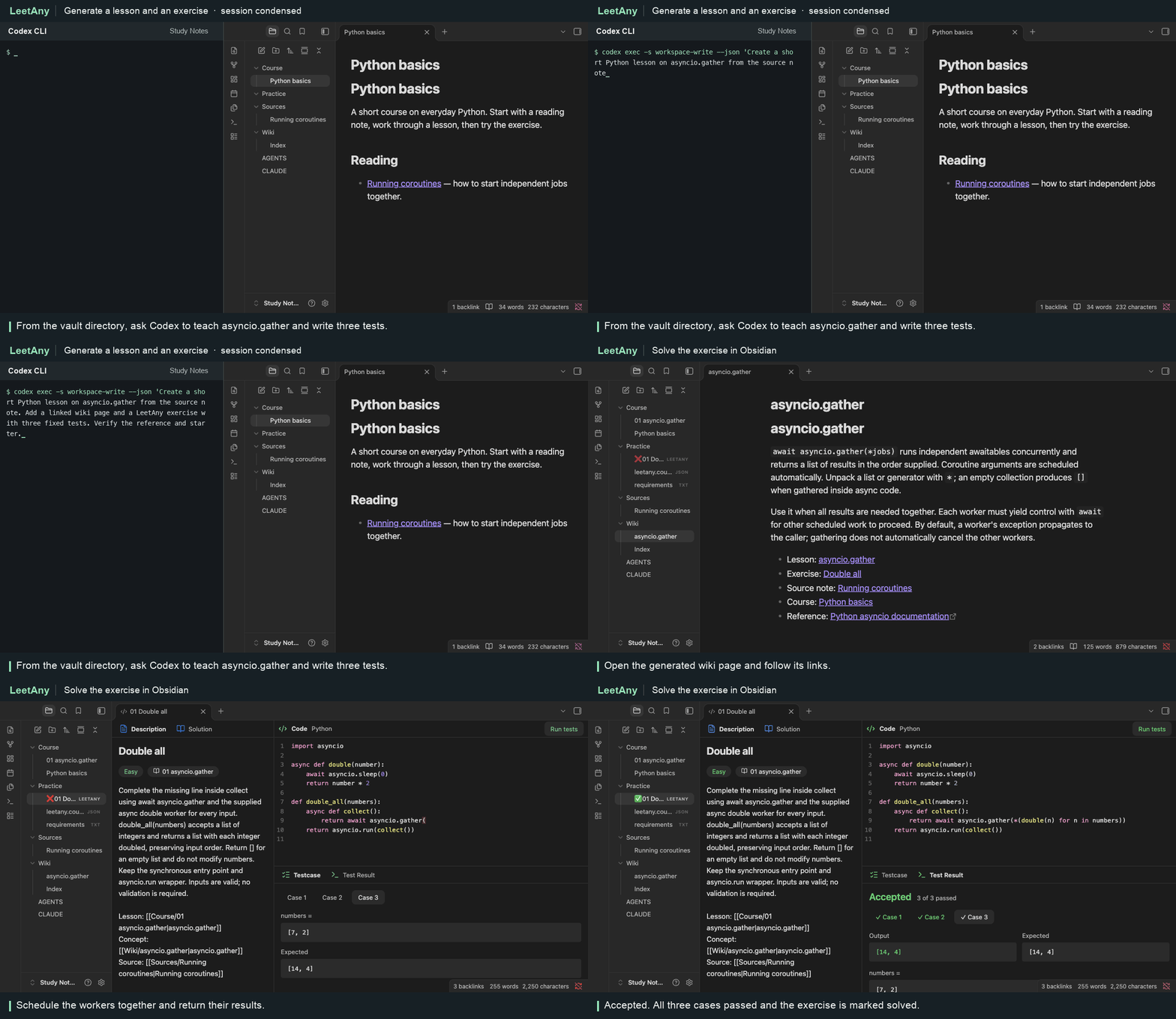
Your coding agent turns a lesson in your Obsidian vault into a challenge. Open it in Obsidian, write your solution, and run the fixed tests. When a case fails, compare your output with the expected answer. When every case passes, the exercise earns a ✅ in your vault.
Get LeetAny · Set up your vault
Install and try an exercise
You’ll need Obsidian Desktop 1.15+ and Python 3.10+. Exercises can use Python, C++, Rust or Go. Tests execute locally with your OS permissions, so open exercises from sources you trust.
- Download
main.js,manifest.jsonandstyles.cssfrom the latest release. Put them in<vault>/.obsidian/plugins/leetany/. - Reload Obsidian and enable LeetAny under Settings → Community plugins.
- Run LeetAny: Add sample LLM course from the command palette. Open a
.leetanyfile, edit the starter and click Run tests.
Try it with your notes
Run LeetAny: Install course authoring skill, then open your vault in Codex or Claude Code and try this prompt.
Turn my asyncio.gather lesson into one exercise with three fixed tests. Link it to the lesson and verify the reference solution.
Watch the walkthrough · Configure languages and dependencies · Build from source
For plugin developers
Search results and similarity scores are powered by semantic analysis of your plugin's README. If your plugin isn't appearing for searches you'd expect, try updating your README to clearly describe your plugin's purpose, features, and use cases.