LibreTranslate
approvedby p0shkar
Translate text using LibreTranslate. - This plugin has not been manually reviewed by Obsidian staff.
LibreTranslate Obsidian Plugin
LibreTranslate is an Obsidian plugin that translates selected text or entire notes using a LibreTranslate-compatible server. It is designed to work well with markdown content and offers both inline replacement and callout-based translation output.
Features
Translation Features
- Translate a selected text fragment in place
- Translate an entire markdown document
- Preserve markdown structure during translation where possible
- Protect callouts, links, code spans, and other markdown-sensitive content
- Insert translations as a callout or replace the original text
Settings Features
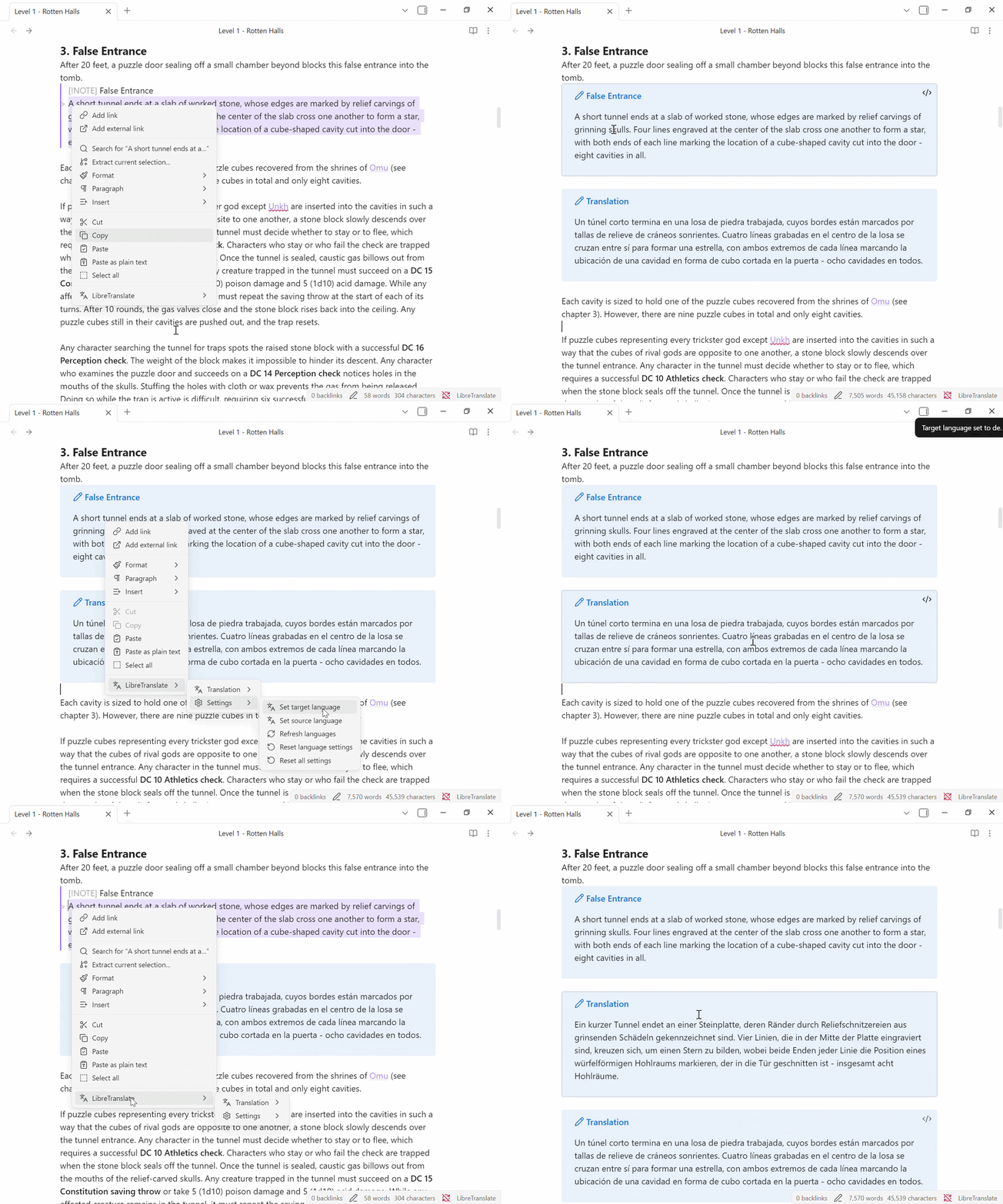
- Choose source and target languages
- Refresh available languages from the configured server
- Reset language-only or full plugin settings
Example usage
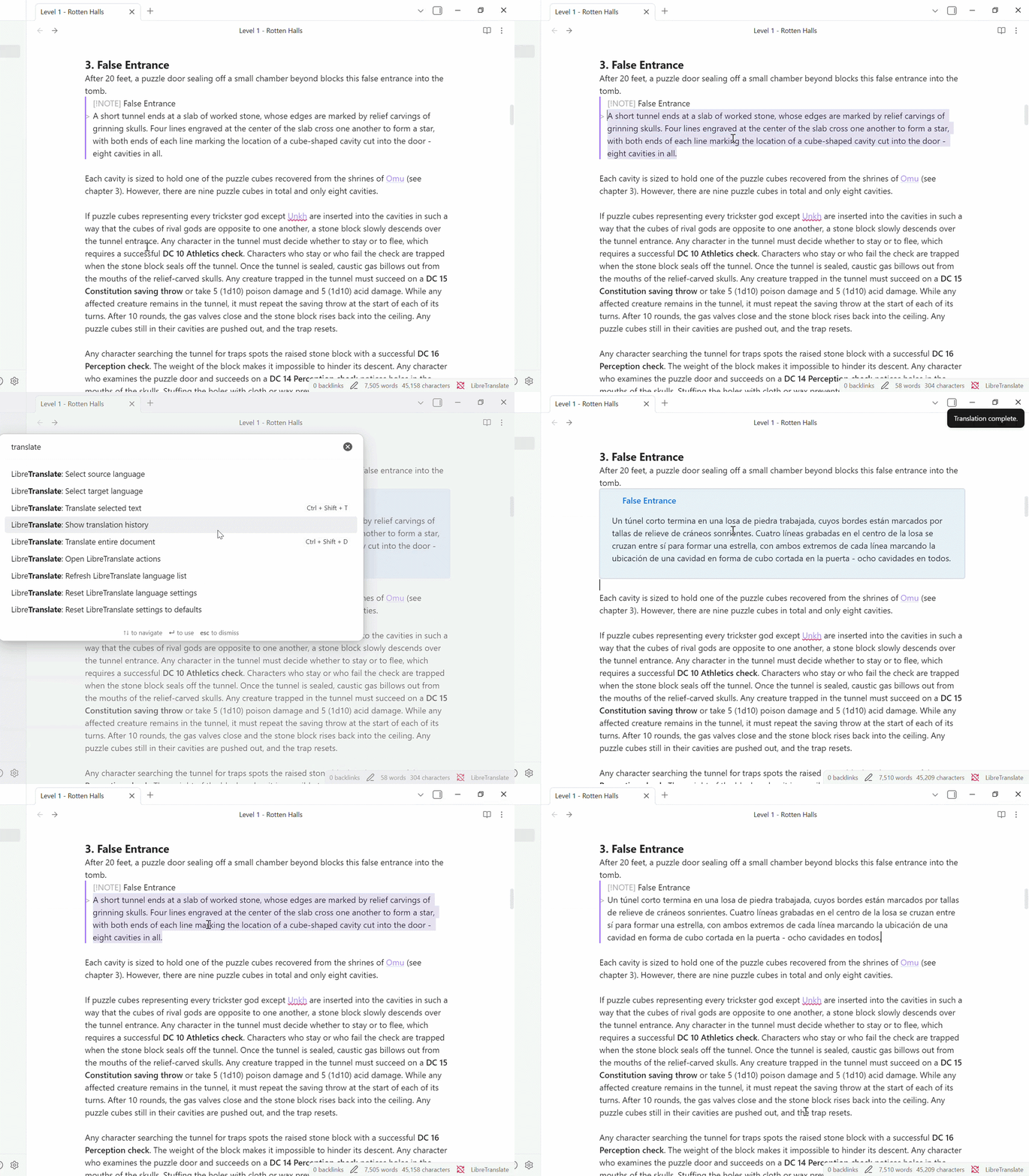
Translate selected text
- Select a paragraph in your note.
- Run the command or use the context menu action.
- The selected text is translated and inserted according to your output setting.
Translate an entire document
- Open a markdown note.
- Run "Translate entire document".
- The full note is translated and written back to the editor.
Callout output example
Original:
Hello world
Result with callout output enabled:
Hello world

> [!note] Translation
> Bonjour le monde
Install from the Obsidian Community Plugin store
- Open Obsidian.
- Go to Settings -> Community plugins.
- Make sure Safe Mode is off.
- Click Browse.
- Search for "LibreTranslate".
- Click Install, then Enable.
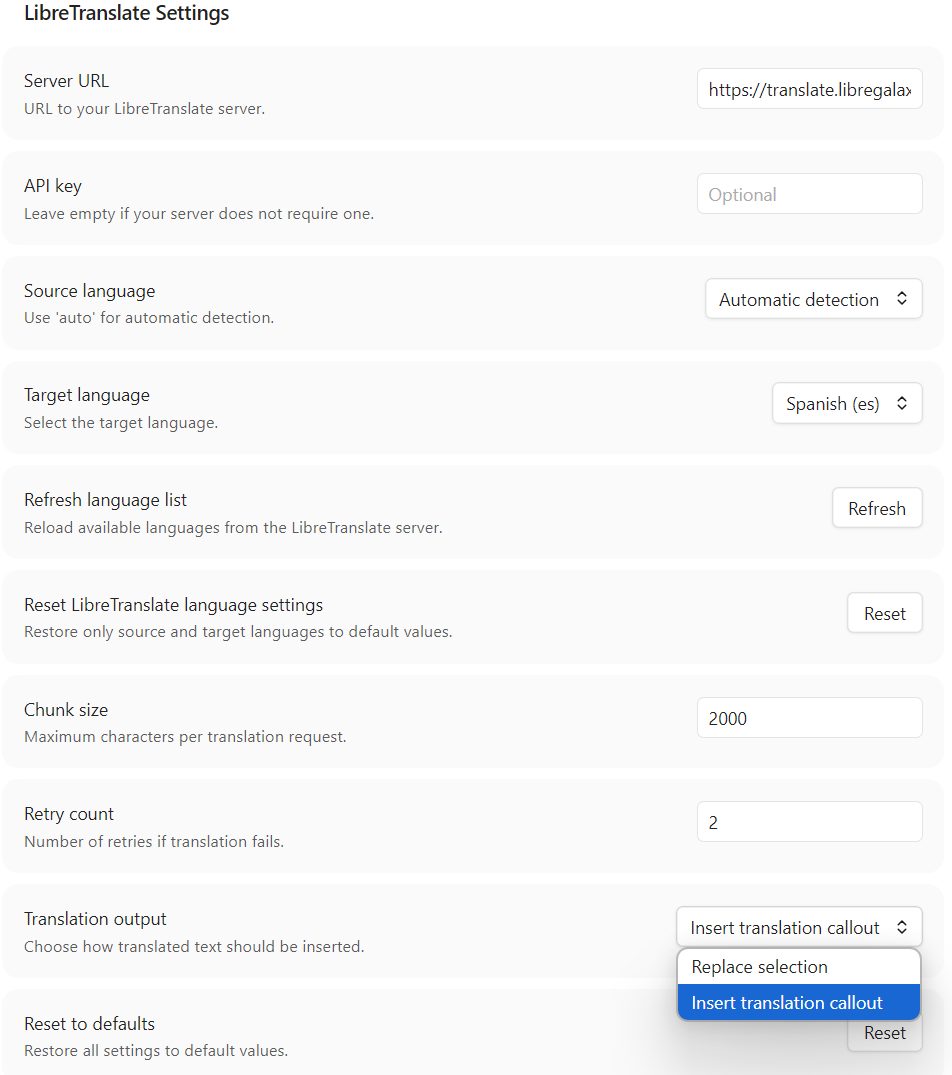
- Open the plugin settings and configure your LibreTranslate server URL and language preferences.
Configure the server
The plugin works with any LibreTranslate-compatible endpoint, including locally installed (offline). To easily get started, it by default uses the following (online) API URL (no affiliation):
https://translate.libregalaxy.org
You can change this in the plugin settings if you run your own instance.
Known issues
- Markdown preservation is best-effort and may not be perfect for every structure.
- Some complex callout or blockquote layouts may still need manual cleanup.
- Translation output can vary depending on the selected LibreTranslate server and the source text.
Caveat
I'm not a developer, therefore this plugin and its current implementation are largely vibe coded. The feature set is functional, but the codebase may still contain rough edges, assumptions, and areas that need cleanup or hardening.
There's plenty of translation plugins, but I didn't really find any that achieved what I wanted, which is why I set out to build this plugin. The main goals are:
- Easy setup without requirements for installing anything additional, besides the plugin.
- No third-party accounts or login requirements (even for generating API keys).
- Translation using free resources only.
Contributing
Contributions are what make the open source community such an amazing place to learn, inspire, and create. Any contributions you make are greatly appreciated.
License
This project is licensed under the MIT License - see the LICENSE file for details.
Contact
Oskar Norén - p0shkar
Project Link - LibreTranslate-for-Obsidian
Support
Support me with liquid energy:

For plugin developers
Search results and similarity scores are powered by semantic analysis of your plugin's README. If your plugin isn't appearing for searches you'd expect, try updating your README to clearly describe your plugin's purpose, features, and use cases.