by Pierre Bisiaux
Hide whole folders from the graph view and reveal their notes on demand by clicking a related node.
Lore Graph — Obsidian plugin
Hide whole folders from Obsidian's graph view and reveal their notes on demand, by clicking a related node. Ideal for "second brain" vaults that accumulate many daily notes (journal/, inbox/, archive/) — the graph stays readable while keeping contextual backlinks one click away.
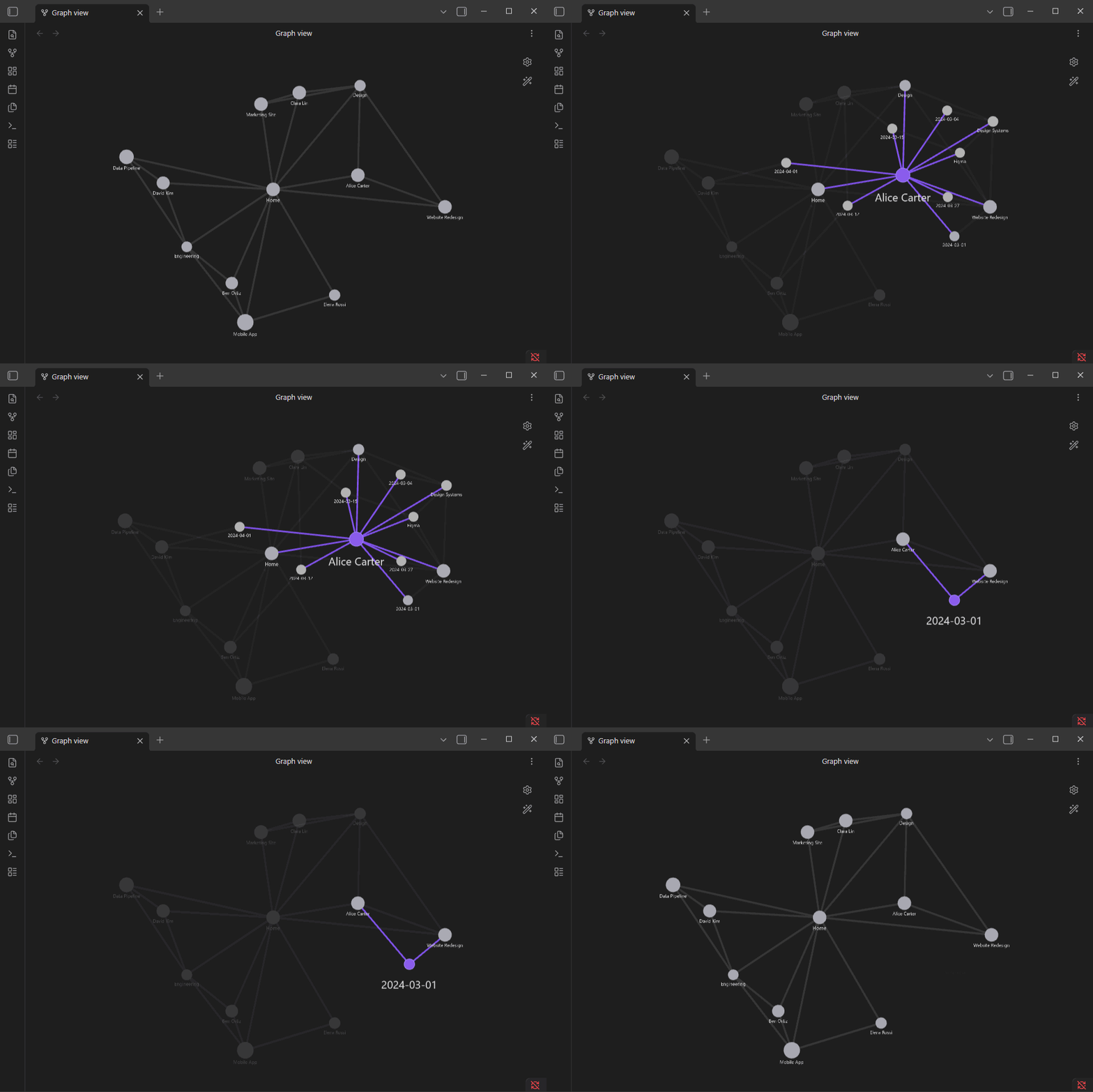
Status: early development (v0.1.0). The plugin hooks undocumented internal APIs of Obsidian's graph renderer, so it may break between Obsidian versions. All such access is isolated in a single adapter (
src/rendererAdapter.ts) to make those breakages easy to fix.
Why
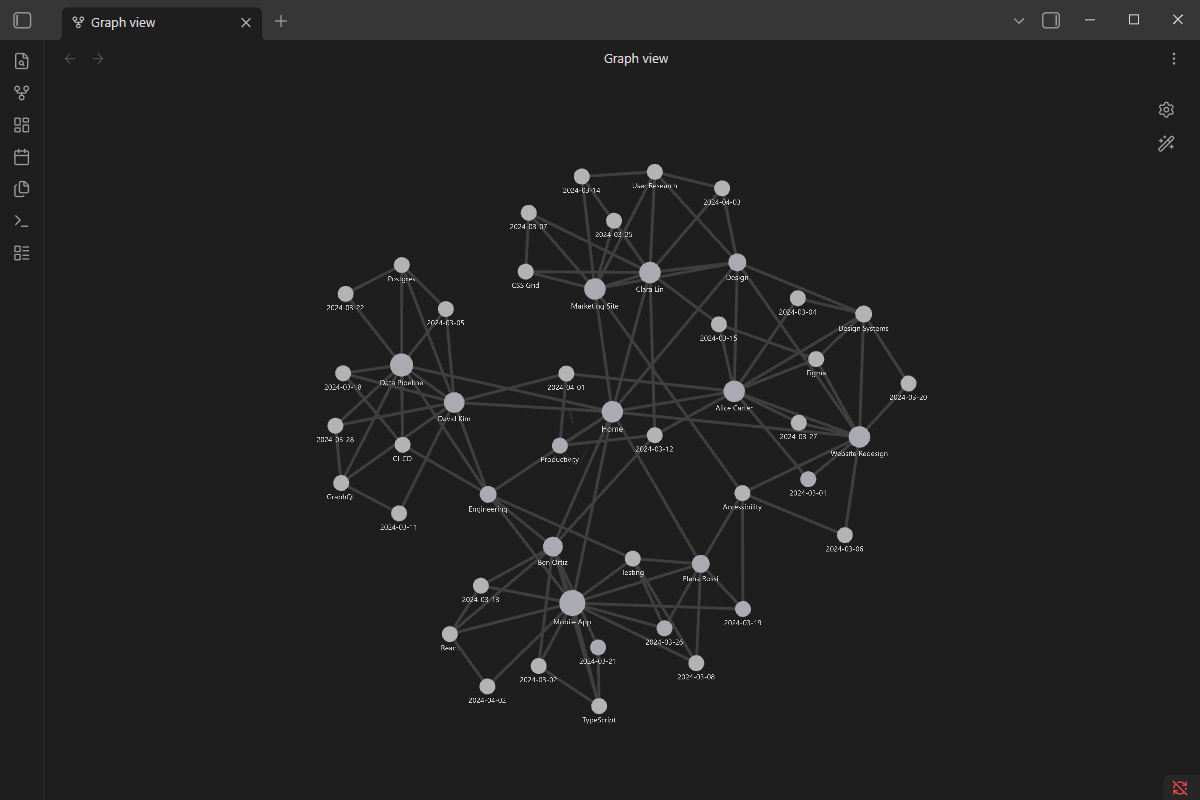
A real "second brain" graph drowns in daily notes and topic notes — every node is connected to everything, and the view becomes noise:
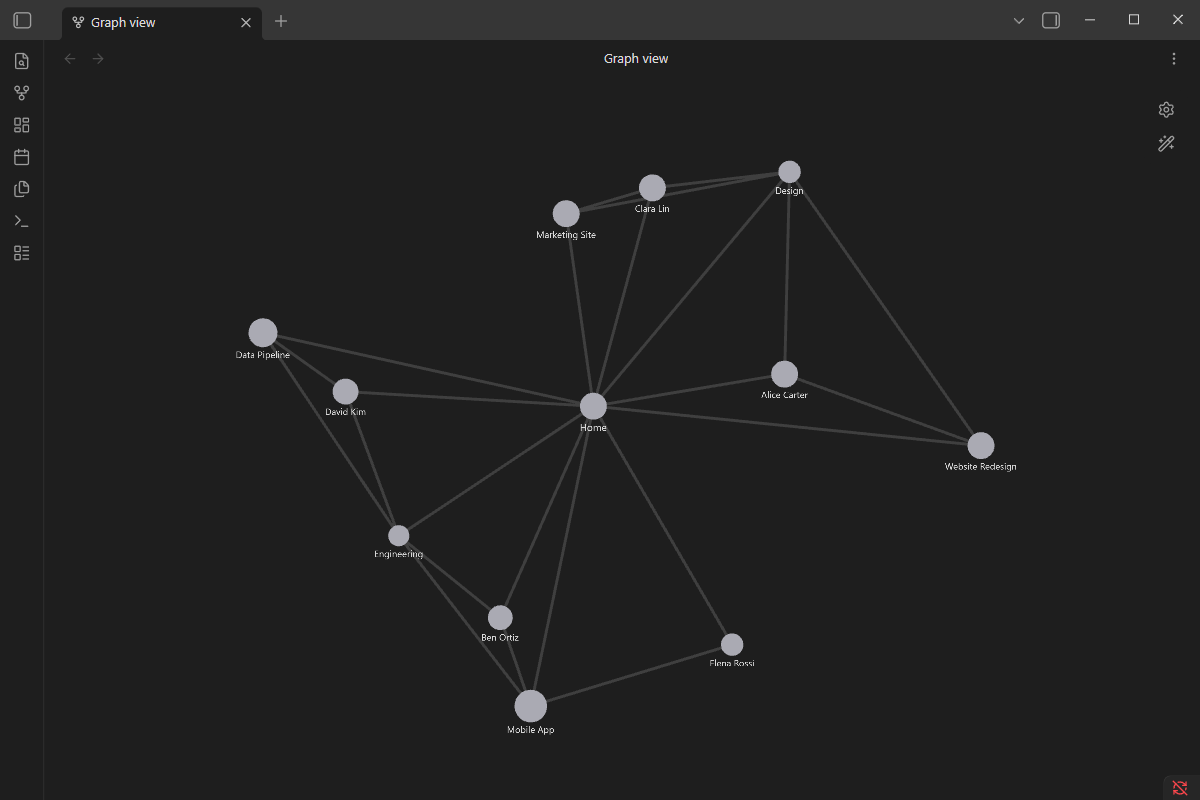
Lore Graph hides the noisy folders, leaving only your evergreen people/projects/MOCs — a graph you can actually read:
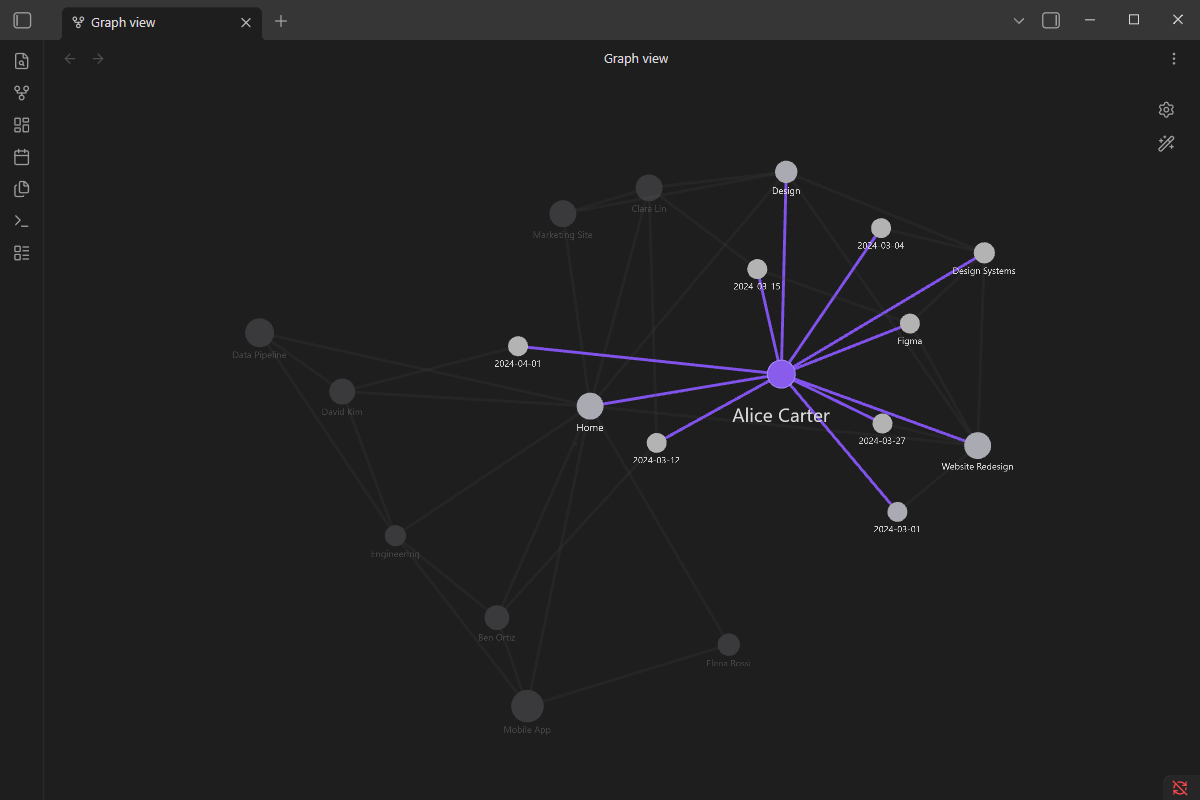
Reveal on demand
Hover or click a node and its hidden journal entries and topics fan out around it, highlighted — while the rest of the graph dims. Click again to open the note; click empty space to reset.
Behavior
- Initial state: notes inside the folders listed in Settings → Lore Graph → "Hidden folders" are hidden from the graph (their nodes are faded out and made non-interactive).
- Hover a visible node → its linked hidden notes fade in around it (ephemeral preview).
- First click on a node → pins the reveal (it stays shown, highlighted like the native selection).
- Click a revealed hidden node → cascade: it becomes the new center and reveals its own hidden links (excluding nodes already shown in the session).
- Second click on the pinned node → opens the note in the active tab.
- Click empty space → resets the reveal session.
Settings
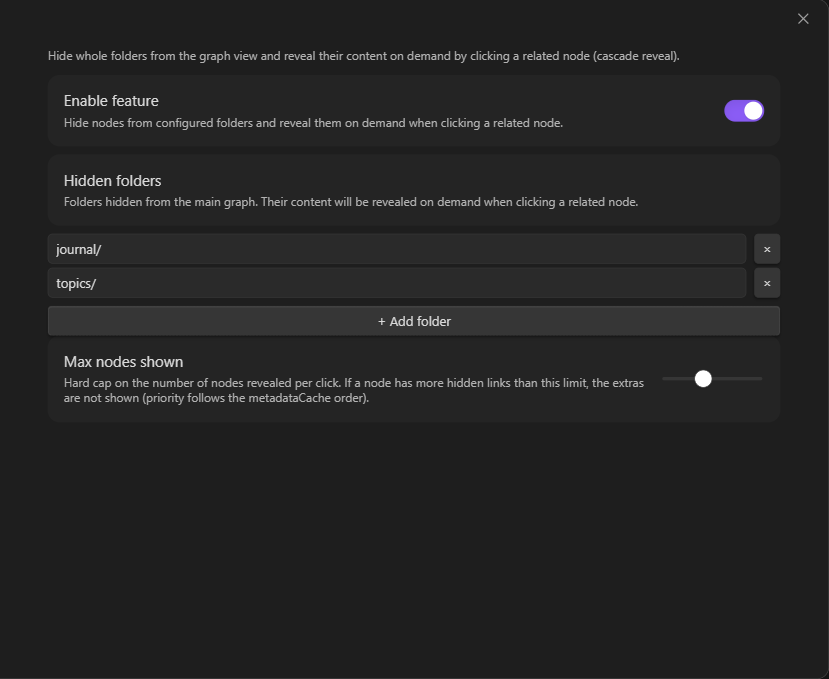
- Enable feature — global toggle.
- Hidden folders — list of folder paths to hide (default:
journal/). - Max nodes shown — hard cap on the number of nodes revealed per click (default: 20).
Install
Until it is available in the community plugins list, install manually:
- Build (
npm install && npm run build) or download a release. - Copy
main.js,manifest.jsonandstyles.cssinto your vault under<vault>/.obsidian/plugins/lore-graph/. - Enable Lore Graph in Settings → Community plugins.
How it works
Lore Graph never removes nodes from the graph — it keeps their force-directed positions and edges, and only toggles their PIXI alpha/renderable (visibility) and eventMode (interactivity). Revealed nodes are rendered natively by Obsidian (same look as a native hover/selection).
main.ts                  → LoreGraphPlugin (entry point, settings)
src/
  ├── graphHook.ts       → attaches/detaches per graph view on layout-change
  ├── rendererAdapter.ts → the single place that touches Obsidian's private renderer API
  ├── rendererPatcher.ts → owns the renderer overrides, hover listeners, rAF loop
  ├── revealManager.ts   → reveal/cascade logic + smooth fade
  ├── settings.ts        → settings + validation
  └── i18n.ts            → EN/FR strings (auto-detected from Obsidian's locale)
Development
npm install
npm run dev    # esbuild watch mode
npm run build  # typecheck + production bundle (main.js)
npm test       # unit tests (Vitest)
This plugin makes no network requests, requires no account, and reads no files outside the vault.
License
MIT — see LICENSE.
For plugin developers
Search results and similarity scores are powered by semantic analysis of your plugin's README. If your plugin isn't appearing for searches you'd expect, try updating your README to clearly describe your plugin's purpose, features, and use cases.