Loupe
approvedby Casper
See and preview the files Obsidian normally hides — Office (Word/Excel/PowerPoint), HTML, CSV/TSV, JSON, and 50+ code & config formats — right in the file explorer. - This plugin has not been manually reviewed by Obsidian staff.

Loupe
See the files Obsidian hides.
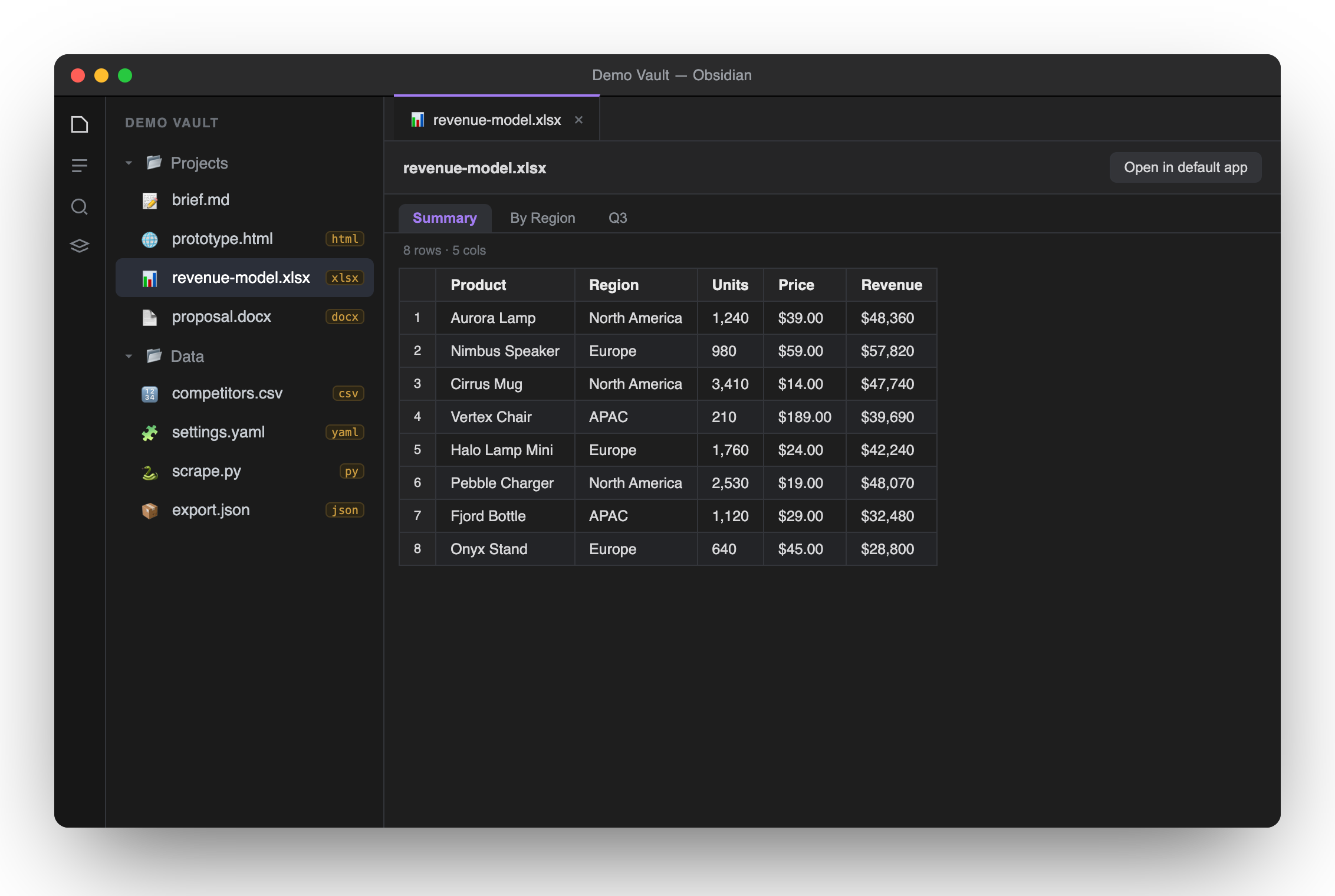
Preview Office, HTML, spreadsheets, JSON & 50+ code & config formats — right in your file explorer.
What it does
Obsidian only shows Markdown and a handful of media types in its file explorer — everything else stays invisible. Loupe reveals the rest and previews it inline, without leaving Obsidian.
Supported formats
| Category | Extensions | How it's previewed |
|---|---|---|
| Web | html htm | Sandboxed iframe (interactive prototypes run) |
| Spreadsheets | xlsx xls xlsm xlsb ods | Multi-sheet tabs, rendered as tables (SheetJS) |
| Delimited | csv tsv | Quote-aware table with row numbers |
| Word | docx | Converted to clean, sanitized HTML (mammoth) |
| Data | json | Pretty-printed & syntax-highlighted |
| Code & config (50+) | js ts tsx py go rs java c cpp cs php rb swift sh yaml toml ini env xml sql css scss vue graphql dockerfile txt log … | Highlighted with Obsidian's own engine |
| Visible + open externally | pptx ppt odp odt epub zip rtf … | "Open in default app" button |
.svg, audio/video and.mdare handled natively by Obsidian, so Loupe leaves them alone — no conflicts. Extensions are claimed defensively, so Loupe coexists with other viewer plugins.
Install
Manually
- Download
main.js,manifest.jsonandstyles.cssfrom the latest release. - Put them in
<your-vault>/.obsidian/plugins/loupe/. - In Obsidian: Settings → Community plugins, reload, and enable Loupe.
Via BRAT — add the beta plugin casperkwok/obsidian-loupe.
Privacy
Everything is parsed locally on your machine. No network requests, no uploads, no telemetry. .docx output is sanitized before it touches the DOM, and .html runs in an opaque-origin sandbox that can't reach Obsidian.
Desktop only (it bundles local Office/text parsers).
Development
npm install
npm run build     # esbuild bundles src/main.ts -> main.js (inlines SheetJS + mammoth)
Then copy manifest.json, main.js and styles.css into your vault's plugin folder. The landing page lives in docs/ (GitHub Pages); the screenshot generator is in screenshots/.
License
MIT © Casper
For plugin developers
Search results and similarity scores are powered by semantic analysis of your plugin's README. If your plugin isn't appearing for searches you'd expect, try updating your README to clearly describe your plugin's purpose, features, and use cases.