by Joe Kovach
Generate outlines from markdown headings. Track progress with status tags and word counts per section.
Obsidian Manuscript Outliner
A plugin that generates structured outline views from your manuscript notes, showing each section’s status tag and word count at a glance.
Why? Writers work non-linearly. As a manuscript grows, tracking the status of each section becomes unmanageable — you need an entry point every time you sit down to write.
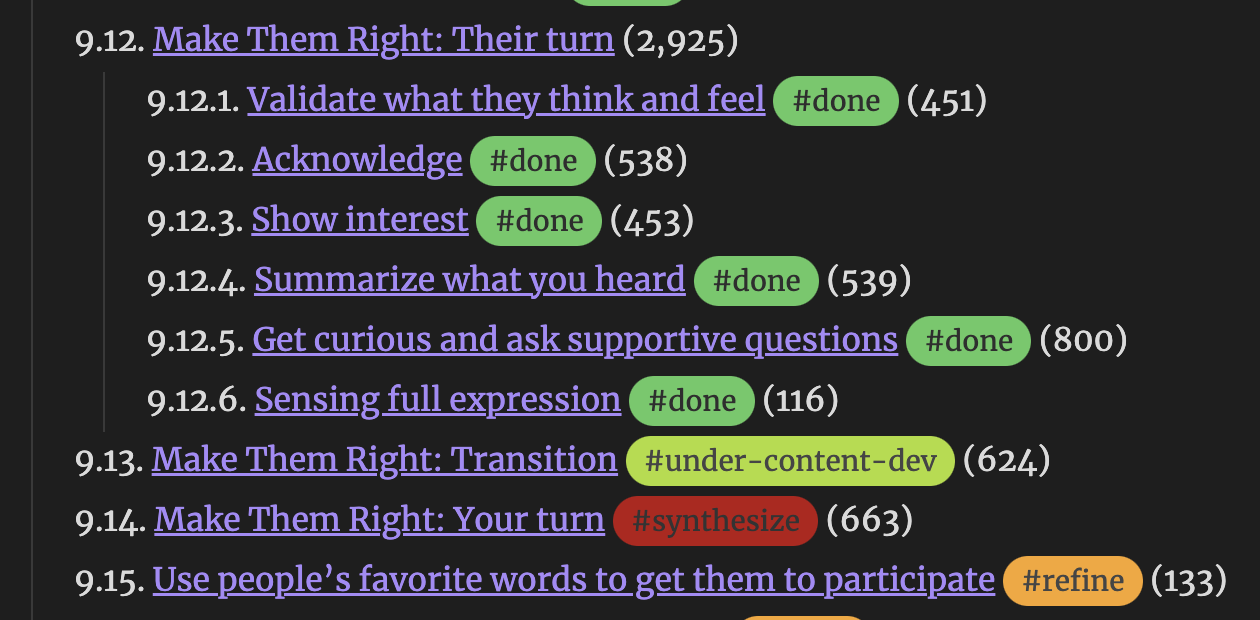
How it works
For each source note, the plugin produces two outline files:
| Output | Description |
|---|---|
| List outline | Nested numbered headings with wikilinks to each section |
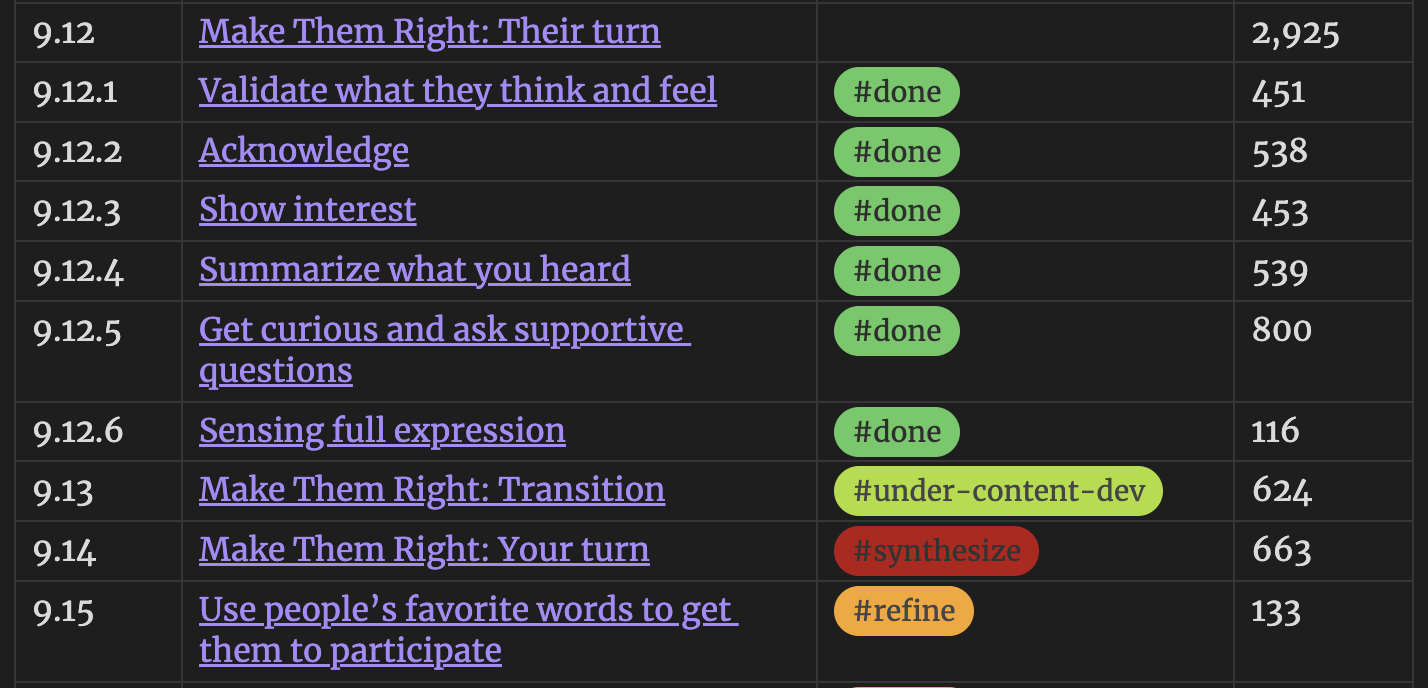
| Table outline | Markdown table with hierarchical numbering (1.2.3), status tags, and word counts |
Every heading in the outline is a wikilink—click it to jump directly to that section in your manuscript. Outlines auto-update as you edit.
Setup
- Install the plugin in Obsidian
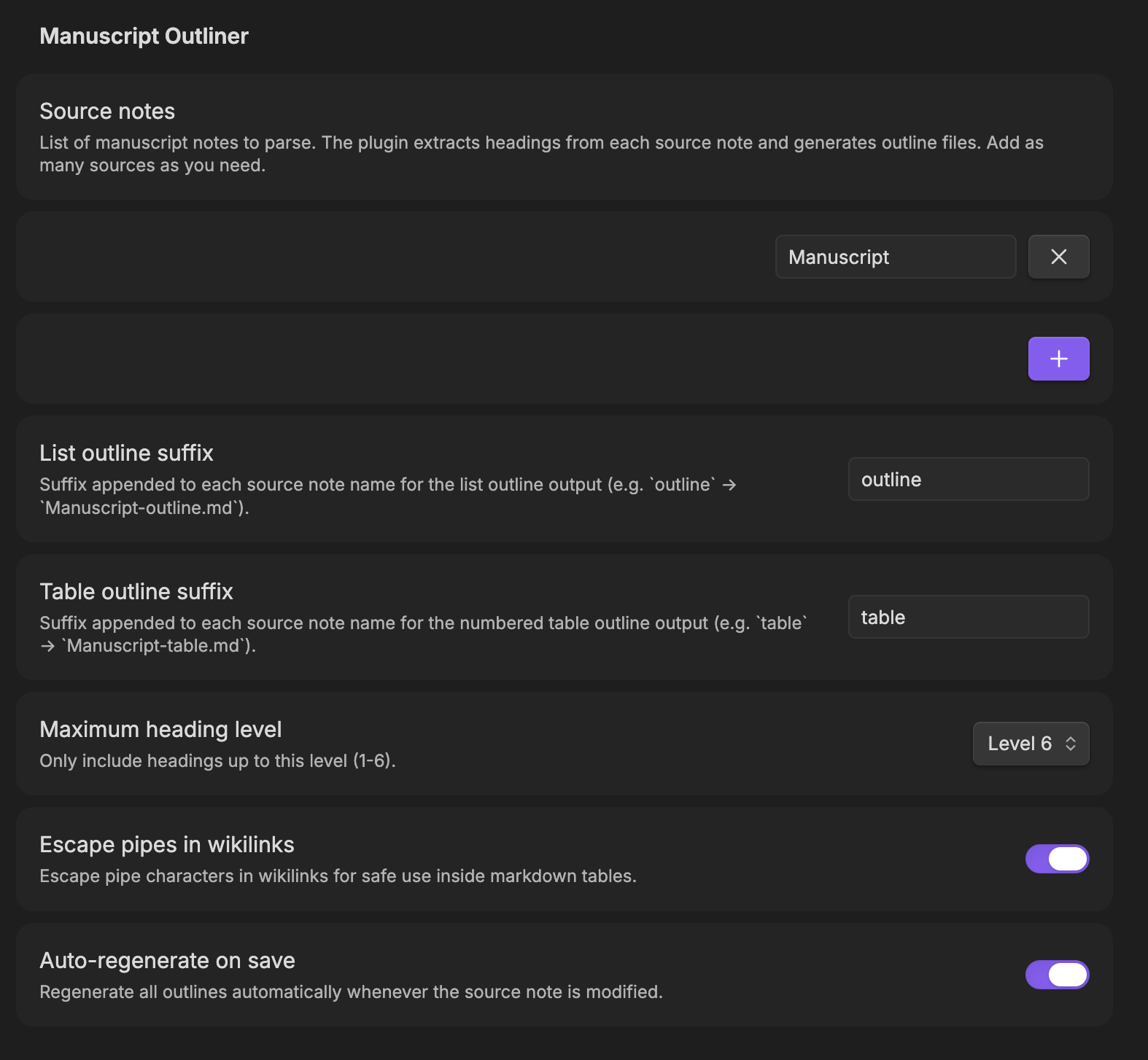
- Configure source notes — open the plugin settings and add the names of notes you want outlined (without
.md). Default isManuscript - Add status tags — place a tag like
#draftor#reviewon the line immediately after any heading. See the tag conventions below - Generate outlines — use the command palette or the ribbon icon to create outline files. With Auto-regenerate on save enabled, outlines update as you work
Status tags
Place any #tag on the first non-blank line below a heading. The plugin picks up the first tag it finds:
## Chapter 5 - On Being Aware

#draft

Content here...
Example status tags (pair with Colored Tags Wrangler for visual distinction):
| Tag | Meaning |
|---|---|
#draft | First pass |
#review | Needs editorial pass |
#refine | Revise for flow and momentum |
#final | Done |
Tags are free-form — use whatever system fits your workflow.
Output naming
With default settings, Manuscript.md produces Manuscript-outline.md and Manuscript-table.md. Suffixes are configurable in settings.
Commands
| Command | Action |
|---|---|
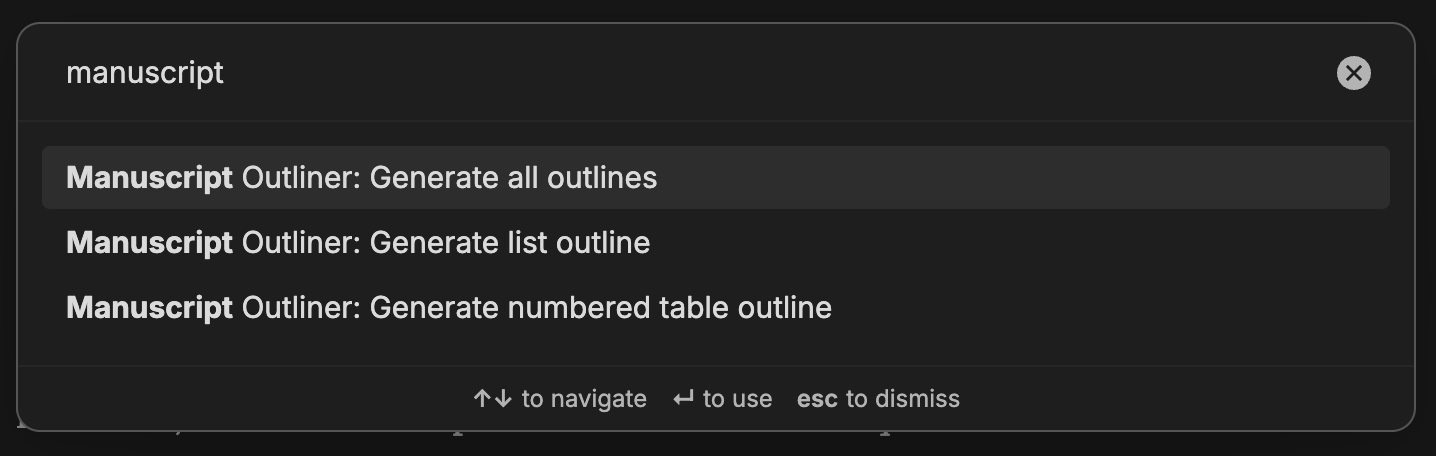
| Generate list outline | Create numbered list view(s) |
| Generate table outline | Create table view(s) |
| Generate all outlines | Create both at once |
A list-tree ribbon icon (enable in settings) generates all outlines with one click.
Settings
| Setting | Default | Description |
|---|---|---|
| Source note names | Manuscript | Notes to parse (without .md). Add as many as needed |
| List outline suffix | outline | Appended to source name for list output |
| Table outline suffix | table | Appended to source name for table output |
| Maximum heading level | 6 | Include headings up to this depth (1–6) |
| Content-only word counts | Off | When on, excludes subheading content from counts |
| Auto-regenerate on save | Off | Regenerate outlines when any source note changes |
| Escape pipes in wikilinks | On | Prevents | from breaking table formatting |
Screenshots
Building from source
npm install
npm run dev      # watch mode
npm run build    # production bundle
License
MIT. See LICENSE for details.
For plugin developers
Search results and similarity scores are powered by semantic analysis of your plugin's README. If your plugin isn't appearing for searches you'd expect, try updating your README to clearly describe your plugin's purpose, features, and use cases.