MarinMind
approvedby xiewangsun
Read PDF and EPUB books, turn highlights and excerpts into knowledge cards, organize them on mind maps, and review with built-in spaced repetition. - This plugin has not been manually reviewed by Obsidian staff.
MarinMind
An all-in-one study tool for Obsidian that combines an e-book reader, a mind map, and flashcards with spaced repetition.
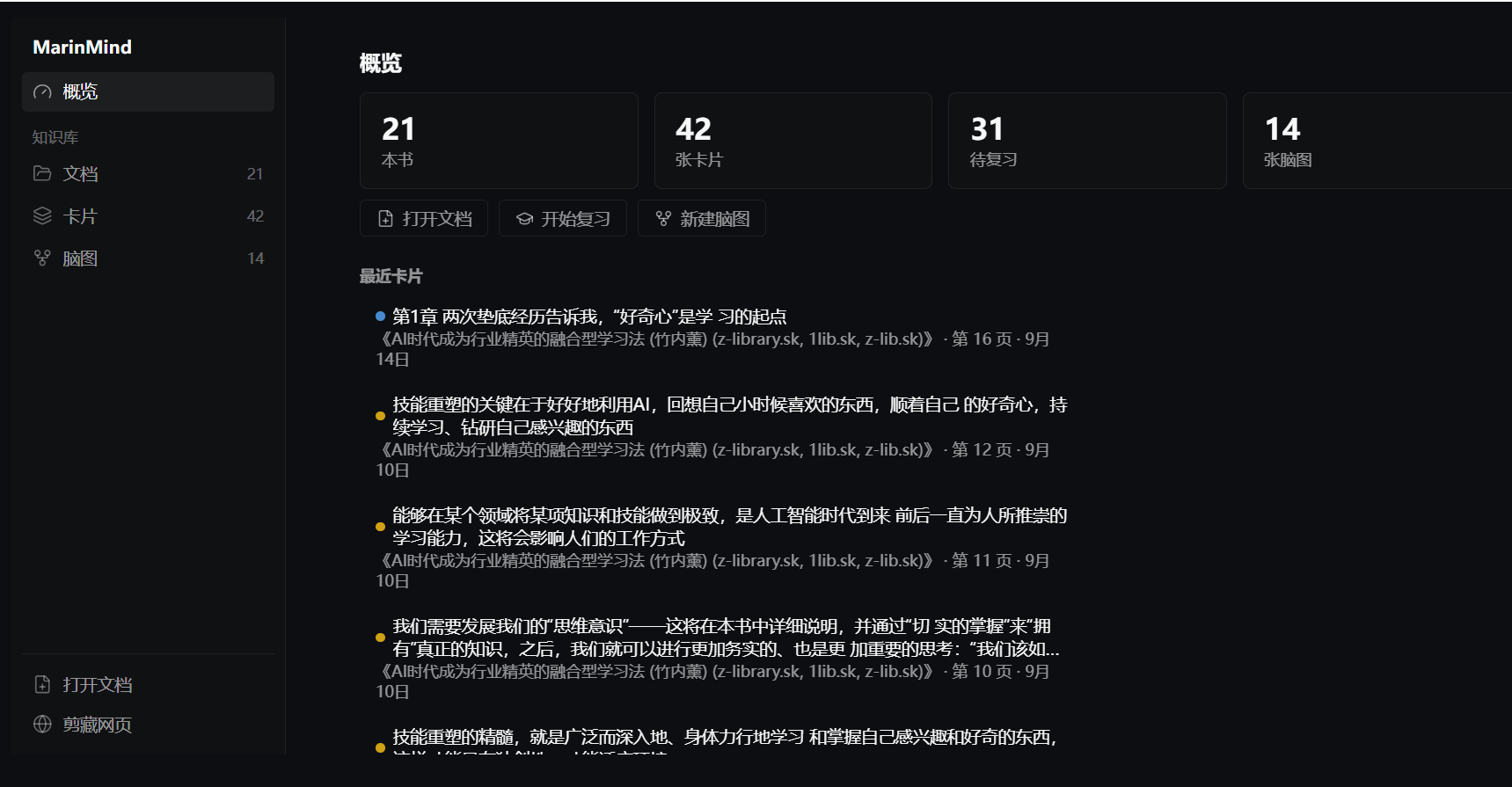
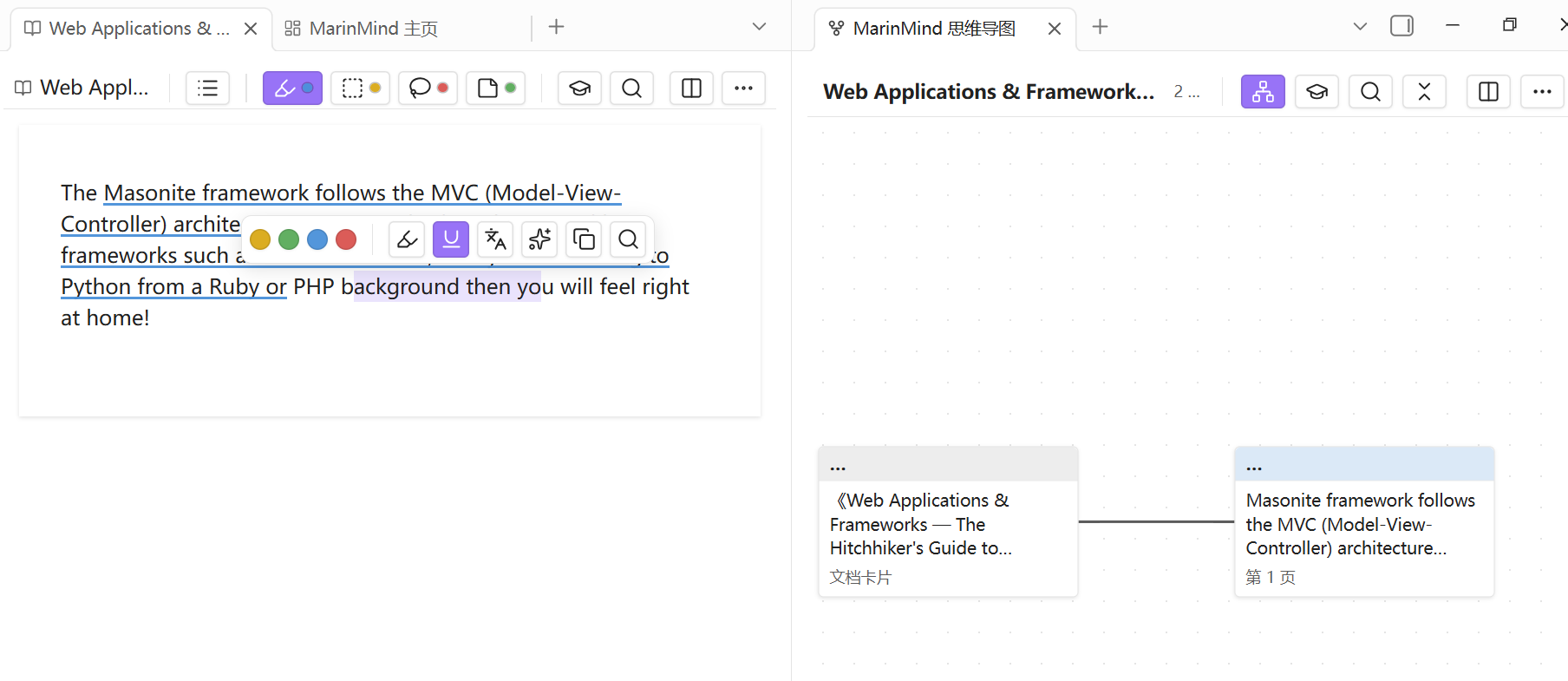
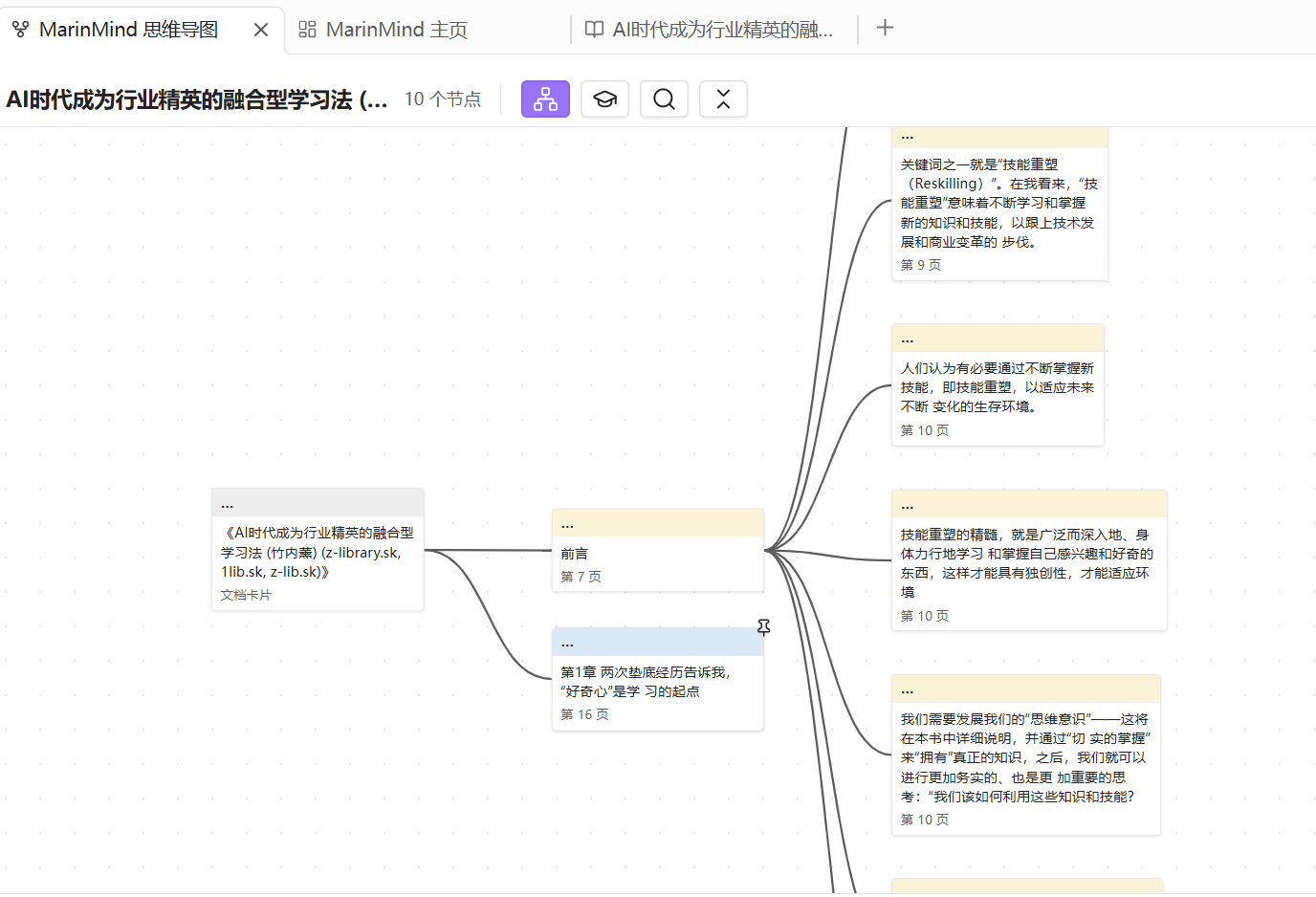
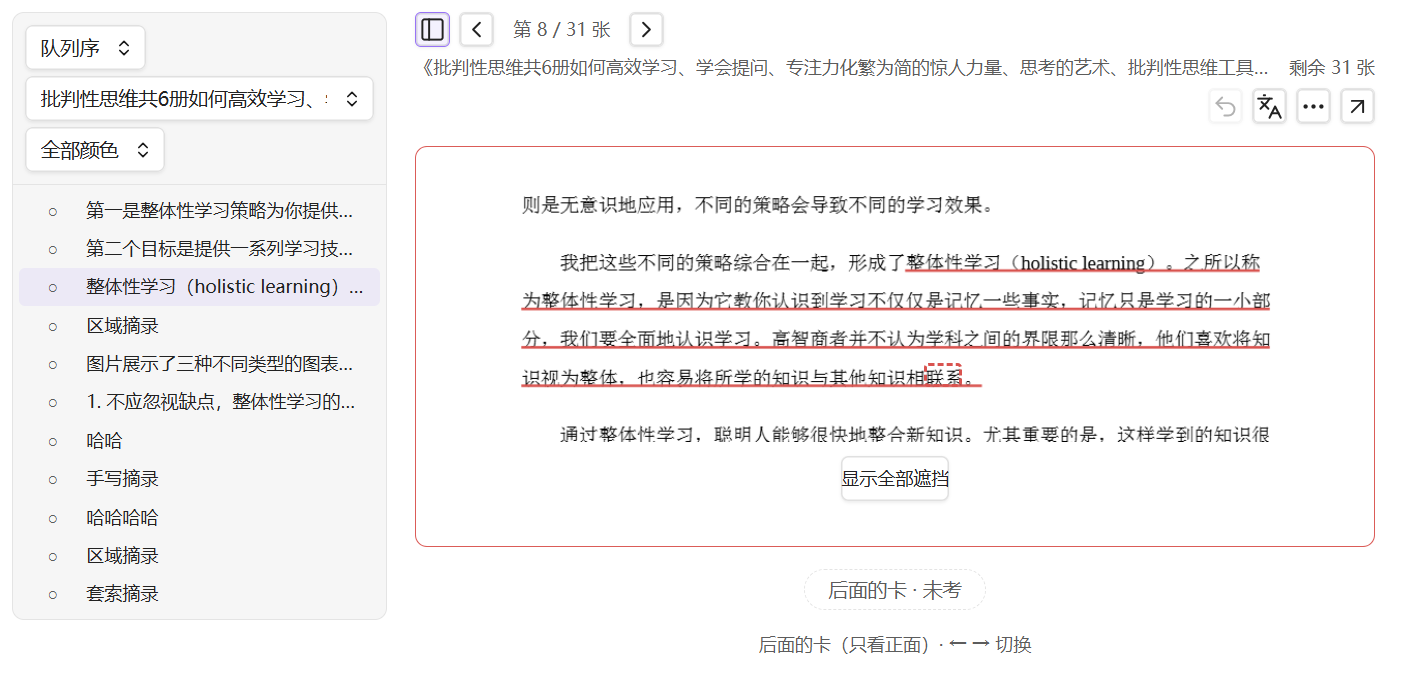
Read and annotate → every excerpt becomes a knowledge card → drag cards onto mind maps → review them until they stick.
Features
Desktop-only: this plugin relies on Node.js/Electron APIs (file system access, system tray, native window capture), so it does not run on mobile.
| Module | Description |
|---|---|
| Reading & annotating | Read PDF / EPUB / MOBI books; highlight, and excerpt text, rectangular areas, free-form lasso regions, handwriting, photos, and voice notes |
| Excerpt → card | Every excerpt automatically becomes a knowledge card — one piece of data, three uses (mind map node, flashcard, back-link to the source) |
| Mind maps | Drag cards onto an infinite canvas to build mind maps; cards link back to the exact position in the book (page + coordinates); merge and bi-link cards |
| Flashcards | Turn any card into a flashcard and review with a built-in FSRS-style spaced repetition scheduler, covering the full study loop from preview to long-term retention |
| Multi-pane workspace | Reader, mind map, and cards side by side with study / research layouts and adjustable linkage |
| OCR | Recognize text in scanned PDFs (Chinese & English mixed) |
| Mixed documents | Put multiple books in one notebook and build cross-book mind maps |
| Extras | Web clipping, screen capture with a tray shortcut, translation, and an AI assistant that works on your excerpts |
Installation
From the community directory (once reviewed and published)
Settings → Community plugins → Browse → search "MarinMind" → Install → Enable.
Beta testing with BRAT
- Install the BRAT plugin.
- BRAT settings → Add Beta plugin →
xiewangsun/marinmind. - Enable "MarinMind" in Community plugins.
Manual
Download main.js, manifest.json, and styles.css from the latest release into <vault>/.obsidian/plugins/marinmind/, then enable the plugin in settings.
Usage
A complete Chinese tutorial (18 chapters, covering import, excerpts, mind maps, review, backup, settings, AI, and more) is available at docs/使用教程.md.
The basic flow:
- Open the MarinMind home view and import a PDF / EPUB / MOBI book.
- Excerpt while reading — text, area, lasso, handwriting, photo, or voice.
- Drag cards onto a mind map and organize them.
- Send cards to review and let spaced repetition do the rest.
Data & privacy
- All data (books, cards, mind maps, settings) is stored locally in your vault under the
MarinMind/folder (configurable in settings; desktop installations may also use a folder outside the vault). - The plugin collects no telemetry, analytics, or usage statistics. Nothing leaves your machine except the explicitly user-triggered network requests listed below.
- Backup: export everything to a
.marginpkgarchive (a zip of your data, books, and attachments) from settings.
Network usage
All network requests are user-initiated and use API keys you configure yourself:
| Feature | Endpoints |
|---|---|
| AI assistant | Any OpenAI-compatible endpoint you configure (default preset: api.deepseek.com); web-search-augmented answers can also use OpenRouter's :online suffix |
| Web search (for AI) | Tavily (api.tavily.com), Bocha (api.bochaai.com), or a self-hosted SearXNG instance — whichever you configure |
| Translation | Google Translate, Baidu, Youdao, or DeepL — whichever you configure |
| OCR | On first use, downloads the OCR engine and language data from public CDNs (jsDelivr / tessdata.projectnaptha.com) |
| Web clipper | Fetches any URL you enter and downloads images from that page into your vault |
Development
npm install    # install dependencies
npm run dev    # dev mode: esbuild watch, rebuilds main.js on change
npm run build  # production build: tsc type-check, then esbuild bundle
npm test       # run all tests (vitest)
For debugging, symlink or copy this folder into your vault's .obsidian/plugins/marinmind/ (it must contain main.js, manifest.json, and styles.css), then enable the plugin.
中文说明
本插件为中文优先开发,完整中文使用教程见 docs/使用教程.md。
License
For plugin developers
Search results and similarity scores are powered by semantic analysis of your plugin's README. If your plugin isn't appearing for searches you'd expect, try updating your README to clearly describe your plugin's purpose, features, and use cases.