md2flomo
approvedby joeytoday
Send Markdown documents to flomo. - This plugin has not been manually reviewed by Obsidian staff.
md2flomo
一个将 Obsidian 笔记一键发送到 flomo 的插件。
支持标签解析、内容清理、批量发布,帮助你将 Obsidian 的内容快速同步到 flomo。
📸 使用效果
单篇发布
- 点击侧边栏发布按钮(小飞机图标)
- 使用命令栏发布
如果 send-flomo 状态为 false,点击发布后会确认内容,确认后此状态会更新为 true。
去除格式效果
发布后台状态修复
https://github.com/user-attachments/assets/60cc5319-4a1c-4bfe-b784-777a66d467ce
批量发布
https://github.com/user-attachments/assets/8d836b9a-f9e6-4dbe-8bcd-c61234707127
✨ 功能特性
- 🔑 在插件设置中配置 flomo API Token
- ✅ 测试 API 是否可用(测试发送功能)
- 📝 单篇笔记上传至 flomo
- 📌 侧边栏小图标:点击即可发送当前笔记
- 🏷️ 将 frontmatter 中
tags转换为 flomo 标签 - 📂 内容样式:
- 标题加粗
- 文件正文内容
- 文件别名显示在底部
- 标签展示在内容下方
- 🎈 批量发布后台
- 📊 发布后台状态管理:
- 已发送 →
published - 未发送 →
unpublished
- 已发送 →
🚀 安装
手动安装
- 进入release界面,下载最新的
obsidian-md2flomo-1.0.7.zip插件包,此安装包只包含必要文件。 - 解压
obsidian-md2flomo-1.0.7.zip插件包之后,将文件夹放在你的仓库/.obsidian/plugins内。 - 进入 Obsidian 设置,选择【第三方插件】,关闭【安全模式】
- 进入第三方插件,你可以看到 md2flomo 插件。
- 启用插件
在插件市场安装
- 进入 Obsidian 设置,选择【第三方插件】,关闭【安全模式】,浏览社区插件
- 在社区插件中搜索
md2flomo,点击安装并启用。
⚙️ 使用方法
- 在 设置 → 插件设置 中输入 flomo API Token
- 点击「发送测试内容」确认连接成功
- 打开任意笔记,点击右侧栏图标 → 即可发送到 flomo
- 在插件后台可查看:
published:已发送笔记unpublished:未发送笔记
详细版本更新见 👉 CHANGELOG
🤝 贡献
欢迎提交 PR 或 Issue 来帮助改进此插件。
本项目遵循 MIT License。
📬 联系方式
- 作者:@joeytoday
- 邮箱: joeytoday632@outlook.com
English
An Obsidian plugin that sends your notes to flomo with one click.
Supports tag extraction, content cleanup, and batch publishing — helping you sync Obsidian content to flomo effortlessly.
📸 Screenshots
Single Note Publish
- Click the sidebar publish icon (paper plane)
- Use the command palette to publish
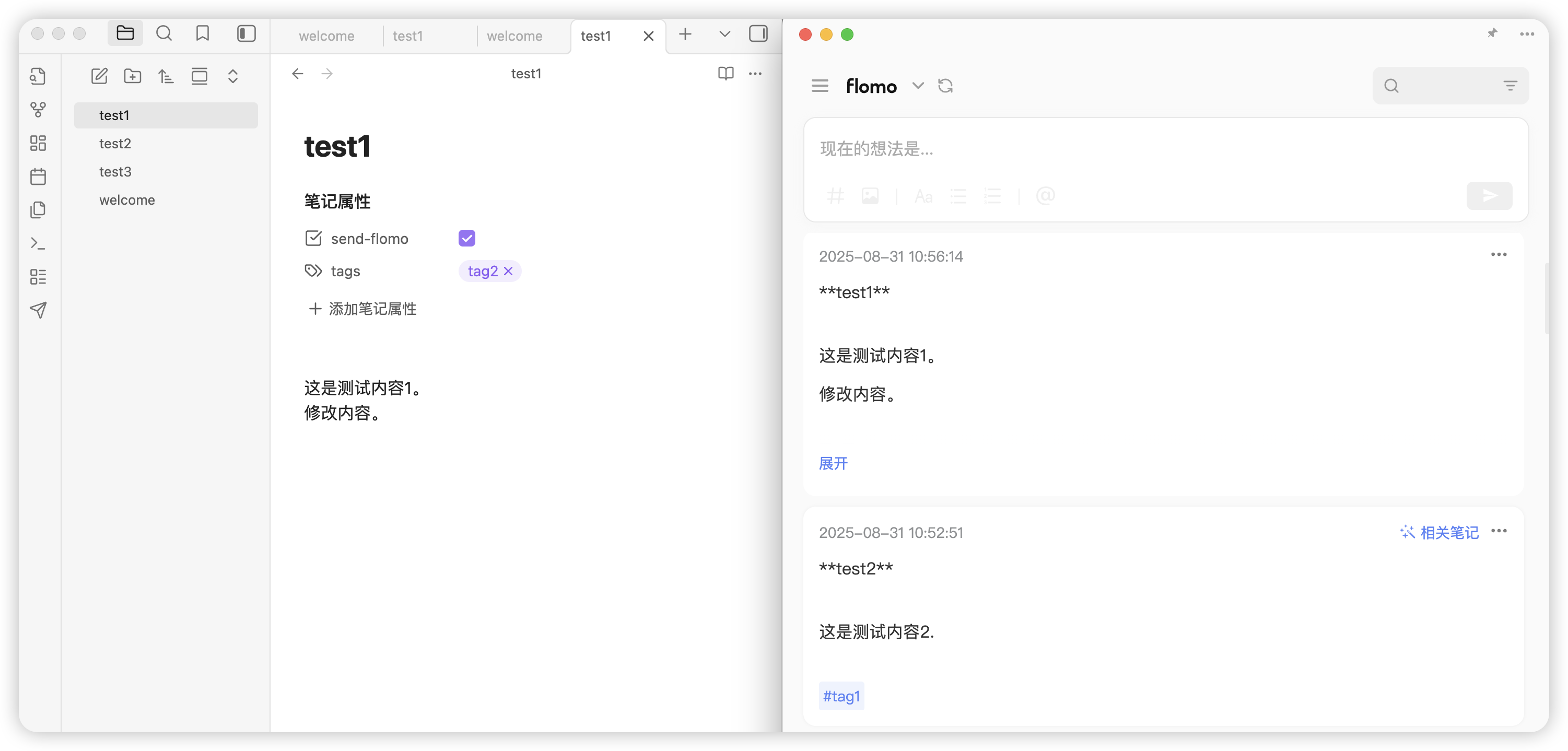
When send-flomo is false, a confirmation dialog appears before publishing. After confirmation, the status updates to true.
Clean Formatting
Publish Status Fix
https://github.com/user-attachments/assets/60cc5319-4a1c-4bfe-b784-777a66d467ce
Batch Publish
https://github.com/user-attachments/assets/8d836b9a-f9e6-4dbe-8bcd-c61234707127
✨ Features
- 🔑 Configure flomo API Token in plugin settings
- ✅ Test API connectivity (send test content)
- 📝 Publish single notes to flomo
- 📌 Sidebar icon: one-click publish for the current note
- 🏷️ Convert frontmatter
tagsto flomo tags - 📂 Content formatting:
- Bold title
- Note body content
- Aliases displayed at the bottom
- Tags appended below content
- 🎈 Batch publish dashboard
- 📊 Publish status management:
- Published →
published - Unpublished →
unpublished
- Published →
🚀 Installation
Manual Installation
- Go to the Releases page and download the latest
obsidian-md2flomo-1.0.7.zipplugin package. - Unzip and place the folder in
your-vault/.obsidian/plugins/. - Open Obsidian Settings → Community Plugins → disable Safe Mode.
- Find md2flomo in Community Plugins and enable it.
Install from Community Plugin Market
- Open Obsidian Settings → Community Plugins → disable Safe Mode → Browse community plugins
- Search for
md2flomo, click Install and Enable.
⚙️ Usage
- Enter your flomo API Token in Settings → Plugin Settings
- Click "Send test content" to verify the connection
- Open any note, click the sidebar icon → publish to flomo
- View publish status in the dashboard:
published: sent notesunpublished: unsent notes
See CHANGELOG for version updates.
🤝 Contributing
PRs and Issues are welcome!
This project is licensed under the MIT License.
📬 Contact
- Author: @joeytoday
- Email: joeytoday632@outlook.com
For plugin developers
Search results and similarity scores are powered by semantic analysis of your plugin's README. If your plugin isn't appearing for searches you'd expect, try updating your README to clearly describe your plugin's purpose, features, and use cases.