MemMaster Flashcards + AI Tests
approvedby Maksim Markov
A spaced repetition plugin that helps you remember your notes by scheduling them for review at the right time. - This plugin has not been manually reviewed by Obsidian staff.
MemMaster Flashcards + AI Tests
A simple yet powerful spaced repetition plugin that helps you memorize your Obsidian notes using flashcards, AI-generated tests, quizzes, spaced repetition, active recall, and review scheduling.
Features
- Turn any note into a flashcard — by tag or folder
- Create from selection — turn selected editor text into a new flashcard from the context menu
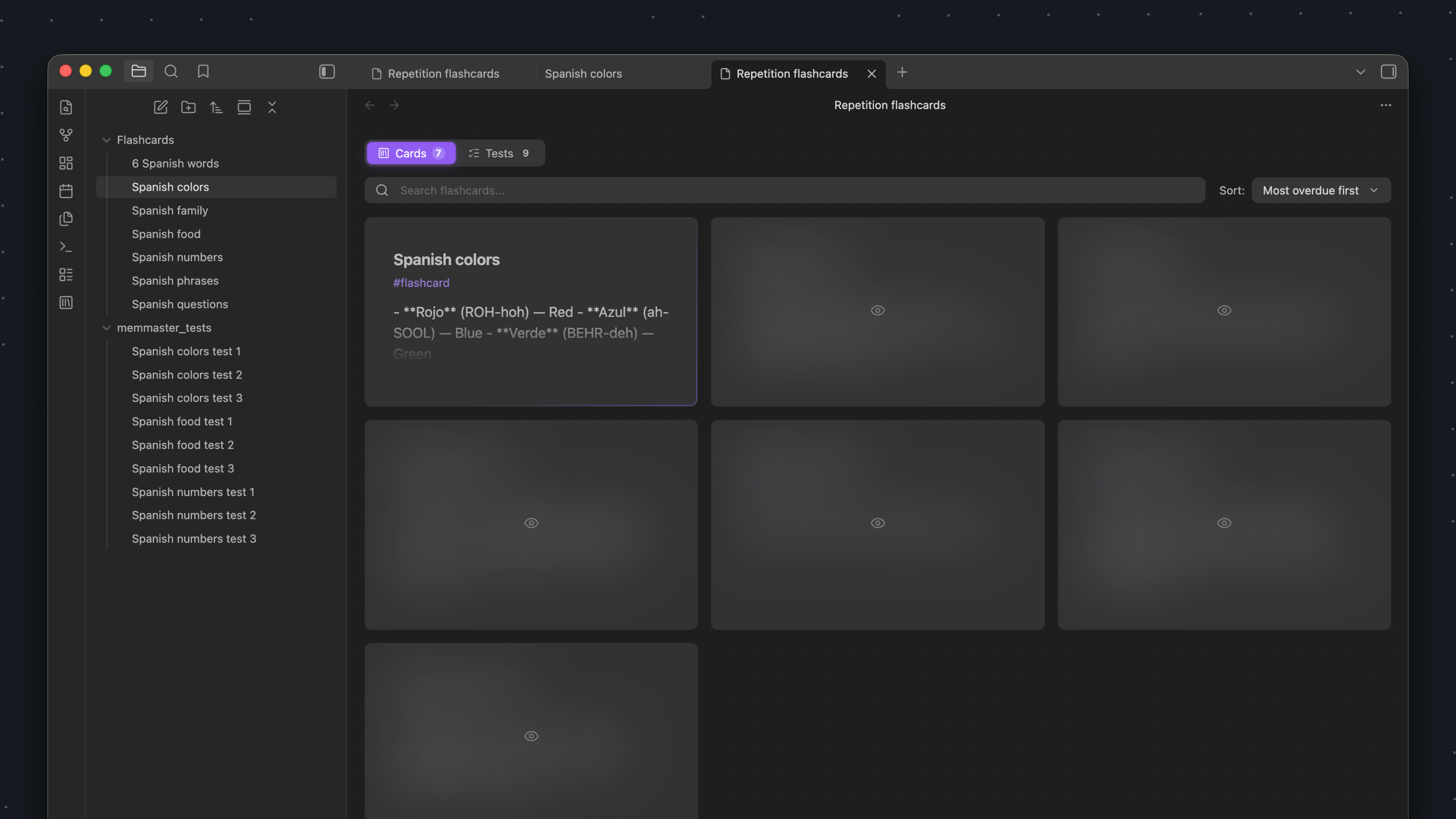
- Review list — shows all cards due for review now, sorted by urgency
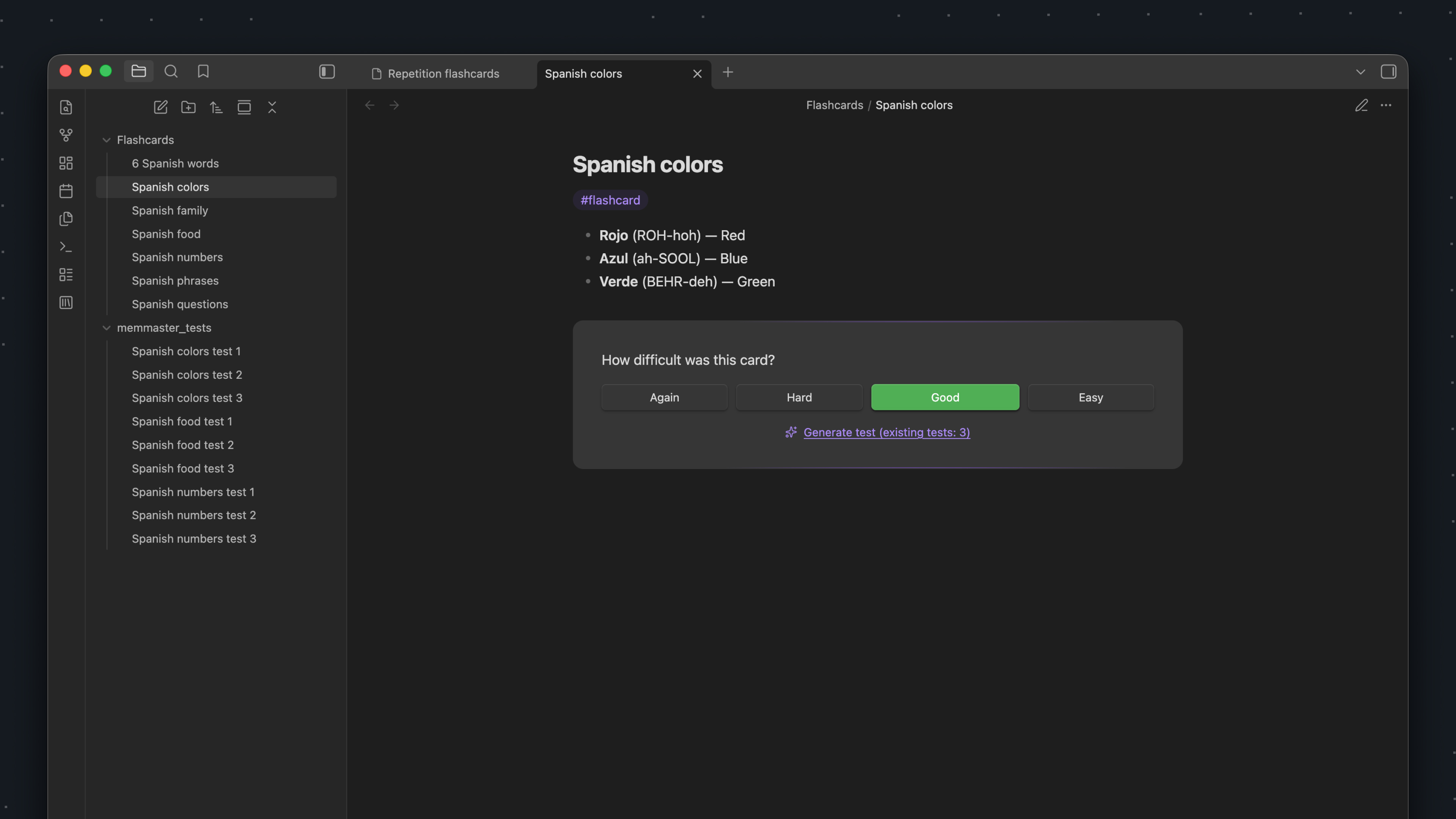
- Difficulty rating — mark cards as Again, Hard, Good, or Easy
- FSRS scheduling — calculates adaptive review intervals with the Free Spaced Repetition Scheduler
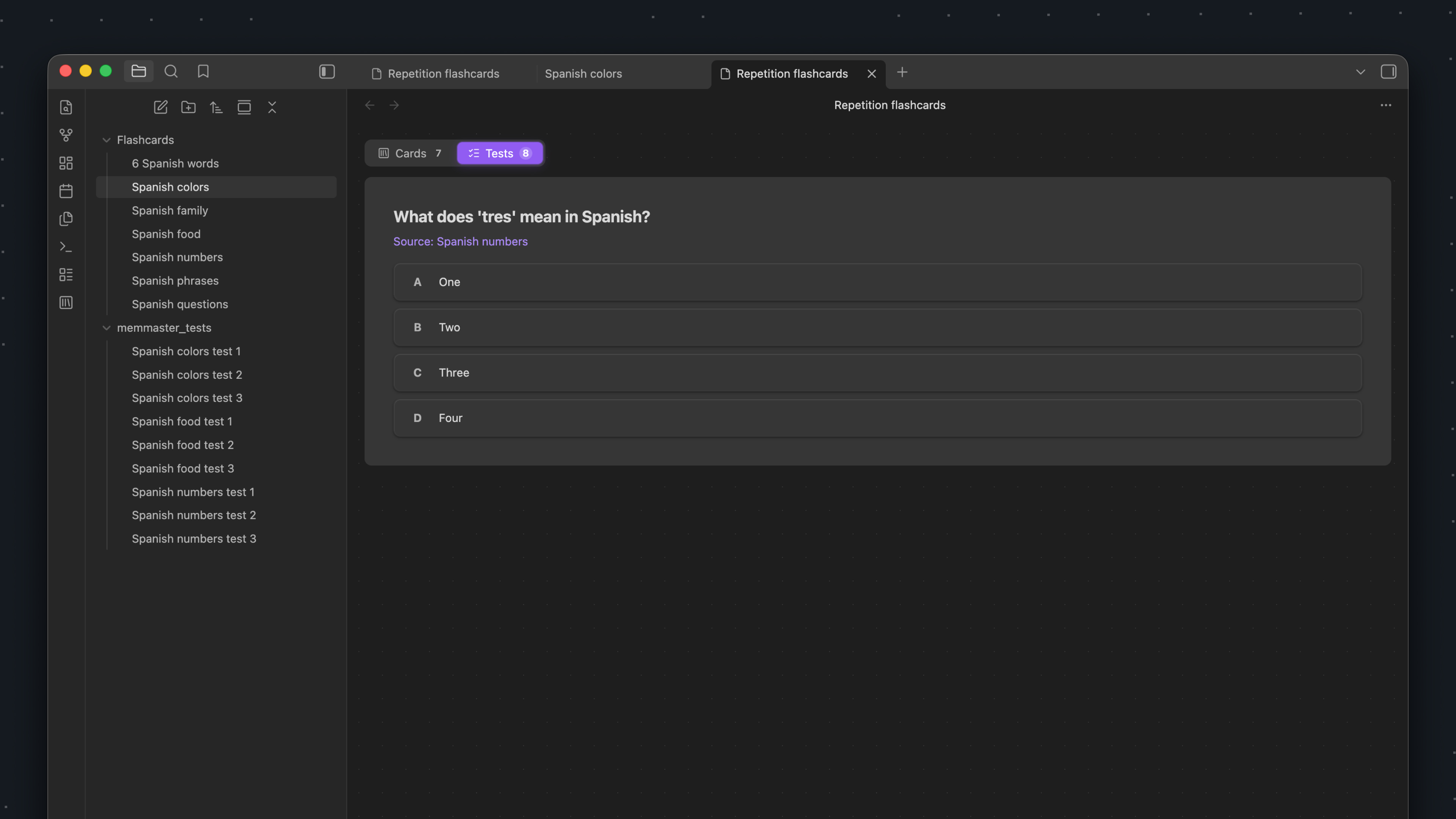
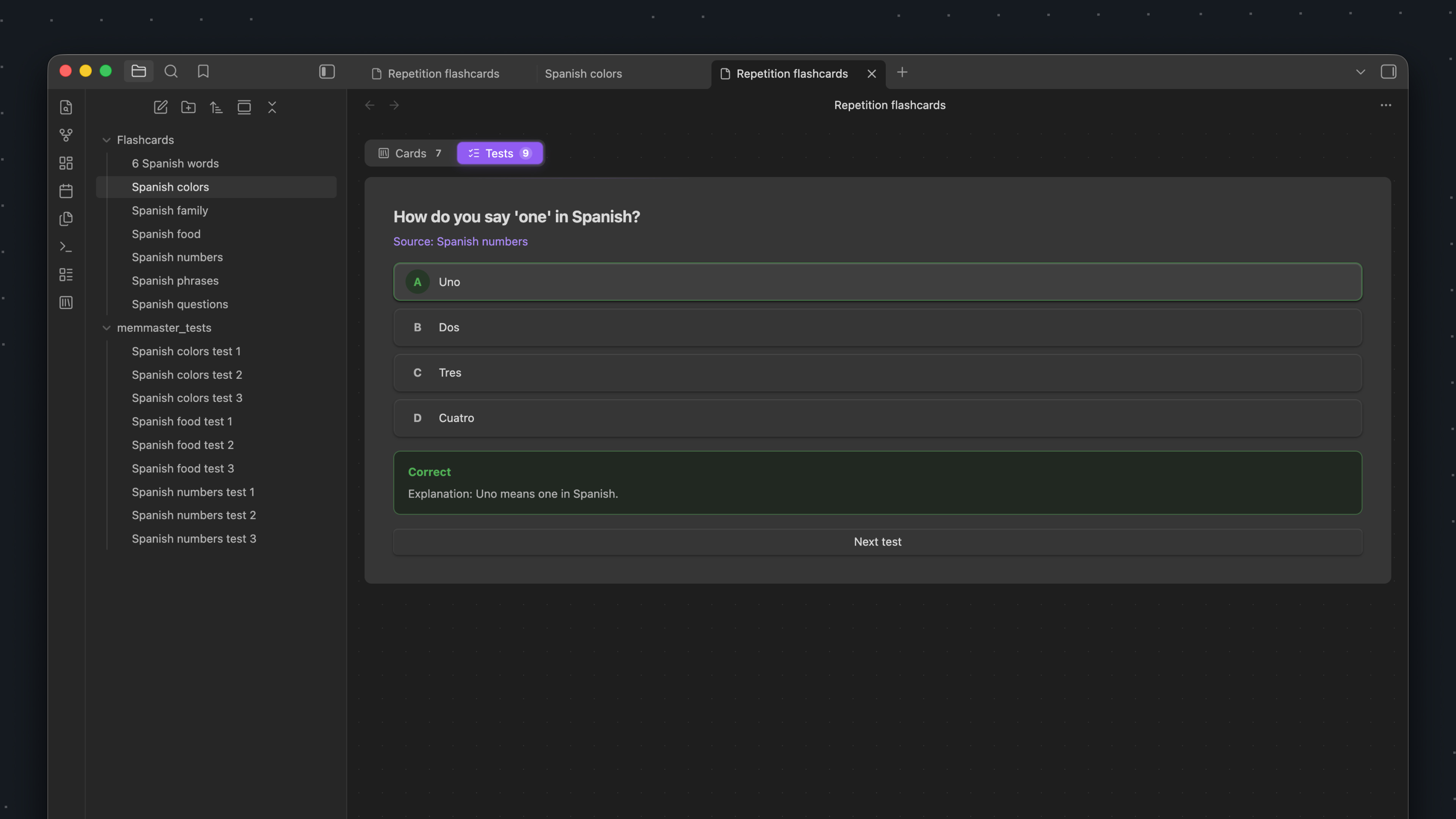
- AI-generated tests — generate multiple-choice tests and quizzes from flashcards
- AI-assisted test editing — describe what is wrong and let AI revise the current test without resetting its review progress
- OpenAI, DeepSeek, and Local AI support — use a cloud provider or an OpenAI-compatible server such as Ollama, LM Studio, LocalAI, or llama.cpp
- Tests review mode — answer generated tests in a dedicated review flow with explanations
- Markdown test files — generated tests are saved in your vault and linked to source cards
- Character count warning — helps keep flashcard notes focused and easy to review
- Reset all progress — clear spaced repetition data from every card and test in one click to start over
- Keyboard shortcuts — quick review without leaving the keyboard
- Responsive layout — works better on smaller screens and mobile devices
- Multilingual interface — English and Russian translations
How It Works
- Mark a note as a flashcard by command, tag, or folder.
- The plugin adds metadata to track your review progress.
- Review cards when they're due and rate each card as Again, Hard, Good, or Easy.
- Optionally generate AI tests from a flashcard using OpenAI, DeepSeek, or a Local AI endpoint.
- Review generated tests in the Tests mode, fix them with AI when needed, and choose the correct answer.
- Cards and tests are rescheduled by FSRS based on the current memory state and your rating or answer.
- Due cards and tests return to the review queue when their scheduled review time arrives.
Algorithm
MemMaster uses FSRS (Free Spaced Repetition Scheduler) through the ts-fsrs package. Short-term minute-based learning steps are disabled, so scheduled reviews are at least one day apart. Each card stores its FSRS memory state in frontmatter: due time, state, stability, difficulty, scheduled interval, repetition count, lapse count, learning step, and last review time.
When upgrading from the legacy stage-based scheduler to FSRS, MemMaster resets old review state once and starts legacy cards from a fresh FSRS state.
AI Tests
MemMaster can generate as many multiple-choice tests as the model decides are necessary for a source flashcard. Tests use the AI provider selected in settings, are saved as Markdown files in your vault, and include the question, answer options, correct answer, explanation, source card link, review time, and FSRS state.
Generated tests appear in the Tests mode of the review list. Correct answers are scheduled as Good; wrong answers are scheduled as Again and return according to the FSRS schedule.
Use Fix with AI on a test to describe the result you want. MemMaster sends the source card, current test, and your instruction to the selected provider, then replaces the question, options, answer, and explanation while preserving the test file's frontmatter and FSRS review state. All AI operations use the selected provider; MemMaster does not automatically fall back to another provider.
Local AI
MemMaster supports OpenAI-compatible servers running on the same computer, another device on your local network, in Docker, or behind a reverse proxy. To configure one:
- Start an OpenAI-compatible server and load a model.
- Open Settings → MemMaster → AI and select Local AI.
- Enter the API base URL, for example
http://127.0.0.1:11434/v1, and the model name. - Optionally use Load models to get suggestions from the server, add a Bearer API key if the endpoint requires one, and adjust the request timeout.
- Click Test connection, then enable tests on the Tests tab.
The server must support POST <base URL>/chat/completions. GET <base URL>/models is optional, so you can still enter the model name manually when model listing is unavailable. When Local AI is selected, requests are sent only to the configured endpoint, with no fallback to OpenAI or DeepSeek.
Installation
- Open Settings → Community plugins in Obsidian.
- Click Browse and search for MemMaster.
- Click Install, then Enable.
- Configure your preferred flashcard source, such as tag or folder, in plugin settings.
- To use AI tests, enable tests on the Tests tab, select a tests folder, then configure OpenAI, DeepSeek, or Local AI on the AI tab.
Privacy
MemMaster stores review metadata, generated tests, and plugin settings in your Obsidian vault. Flashcard review is local-only. AI generation and editing send the source card and the context needed for the operation to the selected provider. For OpenAI and DeepSeek, requests use the API key stored in your local plugin settings. For Local AI, requests are sent only to the base URL you configure; the optional API key is included only when provided.
Usage
| Command | Description |
|---|---|
Open Review List View | Open the review panel |
Make current document a flashcard | Convert current note to flashcard |
Create flashcard from selection | Create and open a new flashcard from selected editor text |
Clear MemMaster metadata from current document | Remove all memmaster-* frontmatter fields from the current note |
Mark current card as Again/Hard/Good/Easy | Rate card recall |
Generate test button | Generate AI tests from the current flashcard |
Fix with AI button | Revise a generated test from a natural-language instruction |
For plugin developers
Search results and similarity scores are powered by semantic analysis of your plugin's README. If your plugin isn't appearing for searches you'd expect, try updating your README to clearly describe your plugin's purpose, features, and use cases.