Modal Opener
approvedby likemuuxi
Open files and links in modal windows, or create and edit compatible files in modal windows.
🎉Obsidian Modal Opener
English Doc|中文文档
This is a plugin that uses the Obsidian modal window to open files and links. It can be combined with other plug-ins to easily read and edit various types of files, block various interferences for you.
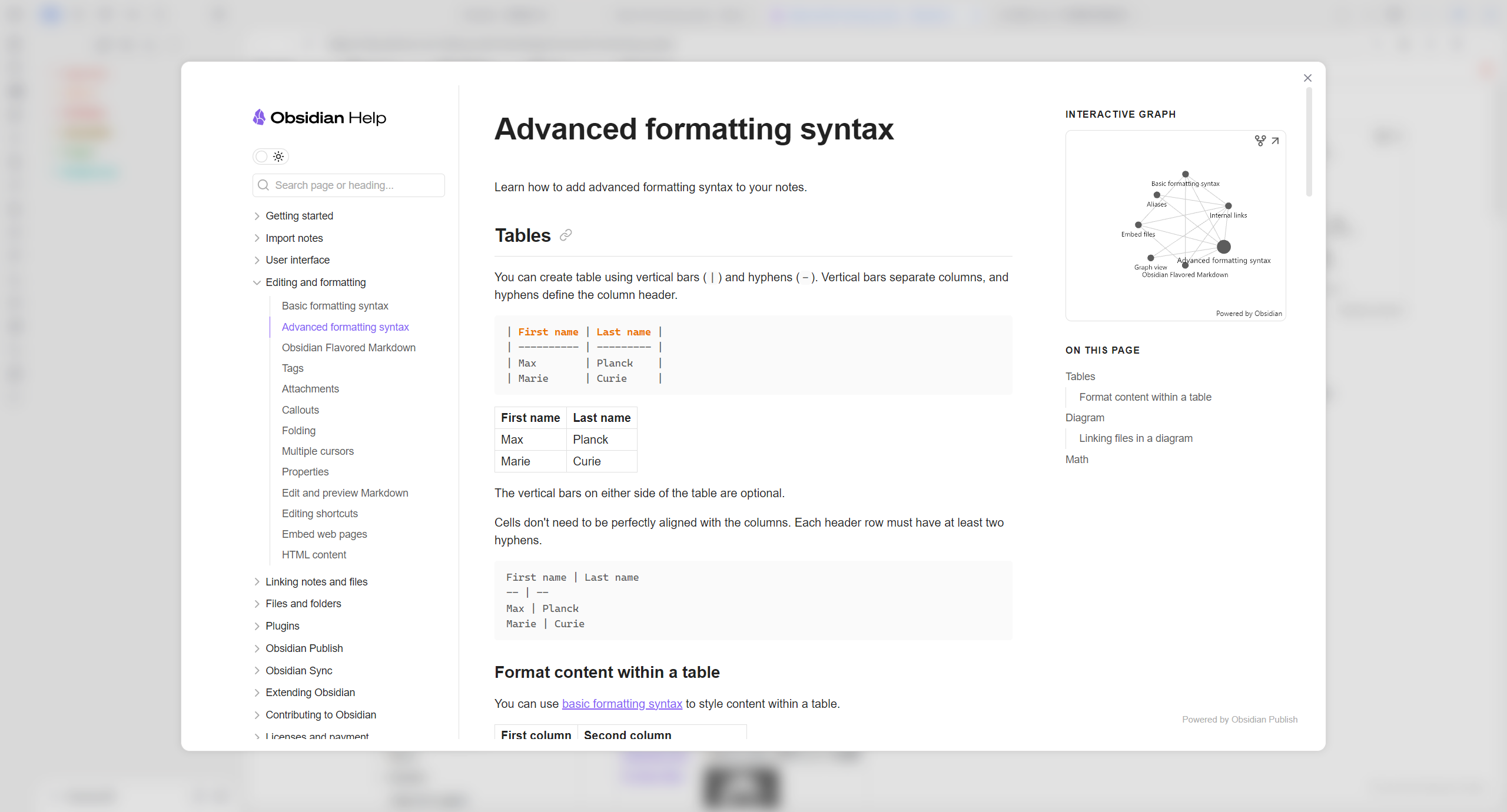
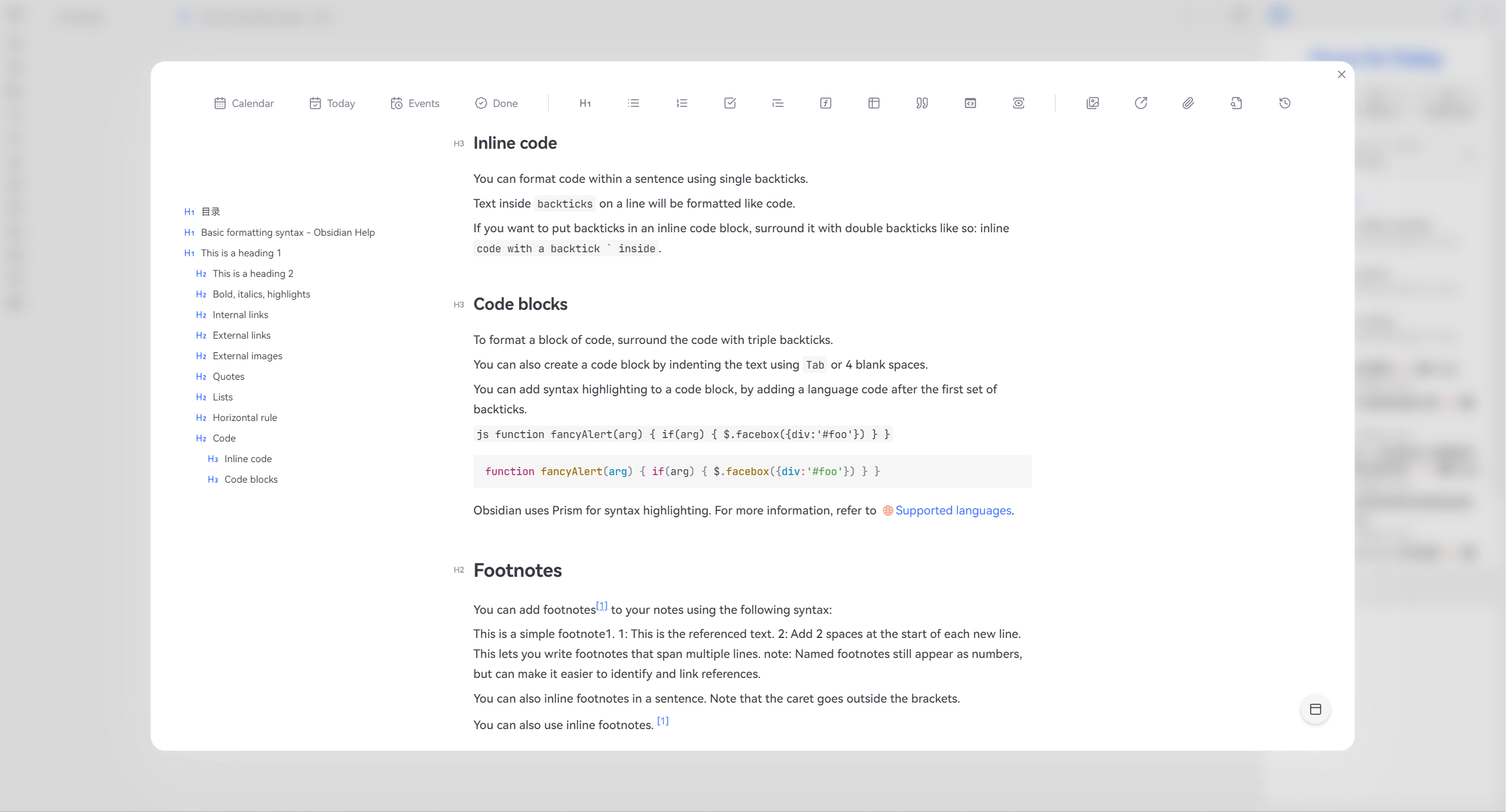
✨Feature
- Support Markdown file titles and block link anchor jumps
- Support switching between editing modes
- Double click the modal border to restore to the tab
- Support setting shortcut keys to open current files and links
- Support adding custom commands, one click opening of files or links (can be combined with Command plugin to add icons)
- Support right-click menu to create multiple file types and edit them in the modal window. After editing, the link will be automatically embedded to the current cursor position
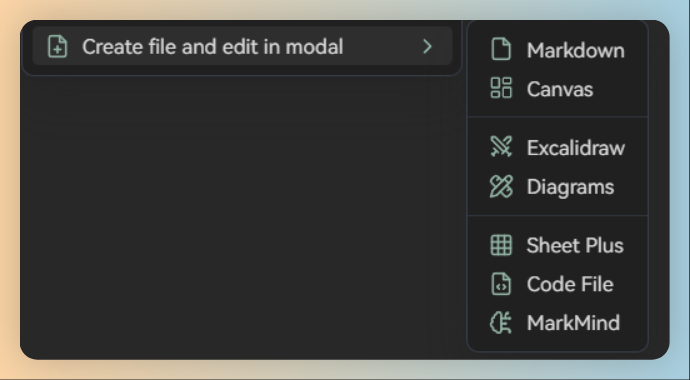
Create diagrams from menu requires modified plugin: obsidian-diagrams-net
Using
alt+clickto edit the code block in modal window requires modified plugin: vscode-editor.
🪒How to install
🎯How to use
- Reading mode
- Drag and drop
- Right click menu
alt+ Left mouse button
- Edit mode
- Right click menu
alt+ Left mouse button
🥰Special thanks
Special thanks to these amazing plugins! I use these plugins as a reference for developing my first public plugin. The basic structure of this plugin is mainly based on obidian link opener. I referred to other plugins and completed the Modal Opener plugin. The reference plugin list is as follows.
- obsidian-link-opener by zorazrr
- Obsidian-Surfing by PKM-er
☕Go to sponsor


For plugin developers
Search results and similarity scores are powered by semantic analysis of your plugin's README. If your plugin isn't appearing for searches you'd expect, try updating your README to clearly describe your plugin's purpose, features, and use cases.