by khr0907
Practice handwriting with your mouse. Trace letters, words, and famous passages (Korean/English/Japanese) on a full-page canvas with text or ruled-line guides.
Mouse Handwriting
An Obsidian plugin to practice handwriting with your mouse — a mouse-based tracing workbook, like a handwriting version of a typing tutor.
Open a dedicated full-page practice sheet, pick what to trace, and write over an on-screen guide. Great for handwriting practice and for training mouse control for drawing.
Screenshots
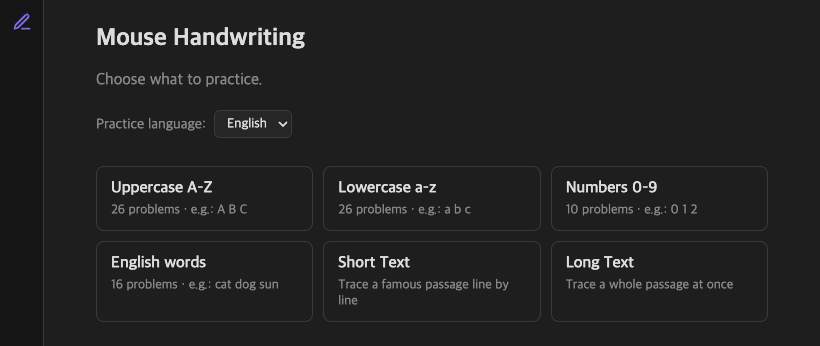
Pick what to practice — sets grouped by language:
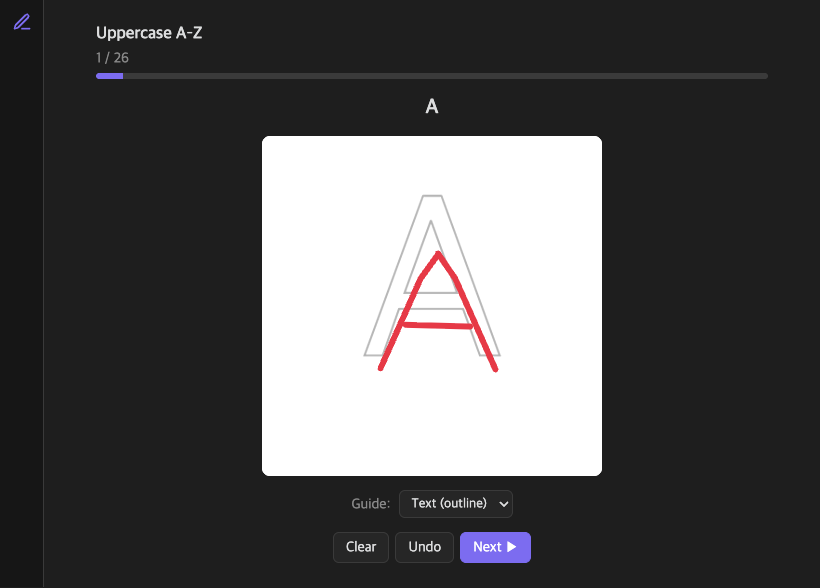
Trace the target over a guide with your mouse:
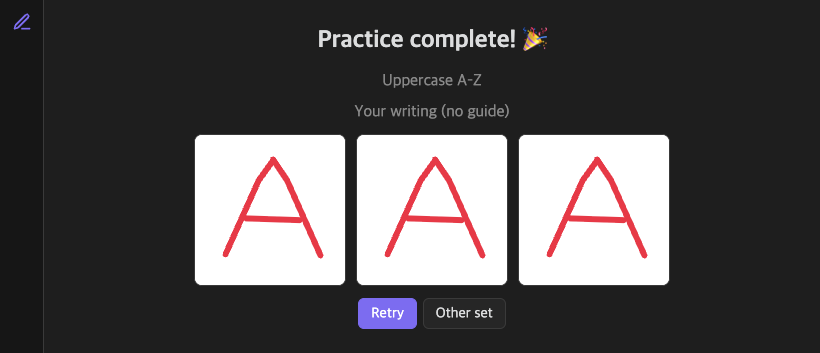
Finish to see a guide-free image of what you wrote:
Features
- Dedicated
.penmanshipsheets — a full-page canvas, opened like an Excalidraw file, not a code block. - Problem sets grouped by content language (choose from a dropdown,
default English):
- Letters — Korean jamo, uppercase/lowercase alphabet, numbers, hiragana, katakana.
- Words — Korean, English, and Japanese word drills.
- Short text — trace a famous passage one line at a time.
- Long text — trace a whole passage at once on a tall canvas.
- Guide options — trace over the target text (outline or filled), over evenly spaced ruled lines, or with no guide at all.
- Finish preview — when you complete a sheet, see a guide-free image of exactly what you wrote.
- UI in Korean / English / Japanese, switchable in settings.
- Free practice only — no scoring, no pressure.
Usage
- Click the pencil ribbon icon (or run "Create new penmanship sheet").
- Choose a practice language, then a set (letters, words, short/long text).
- Trace the guide with your mouse. Use Clear / Undo, change the Guide style, and move with Prev / Next.
- On the last cell, press Finish to see your guide-free writing.
Installation
From the Obsidian Community Plugins (once approved)
Settings → Community plugins → Browse → search "Mouse Handwriting".
Manual
- Download
main.js,manifest.json, andstyles.cssfrom the latest release. - Copy them into
<your-vault>/.obsidian/plugins/mouse-handwriting-practice/. - Reload Obsidian and enable the plugin in Settings → Community plugins.
Development
npm install
npm run dev     # watch build
npm run build   # type-check + production build
npm test        # run unit tests
License
MIT © KHR0907
For plugin developers
Search results and similarity scores are powered by semantic analysis of your plugin's README. If your plugin isn't appearing for searches you'd expect, try updating your README to clearly describe your plugin's purpose, features, and use cases.