Musical Text
approvedby tynanpurdy
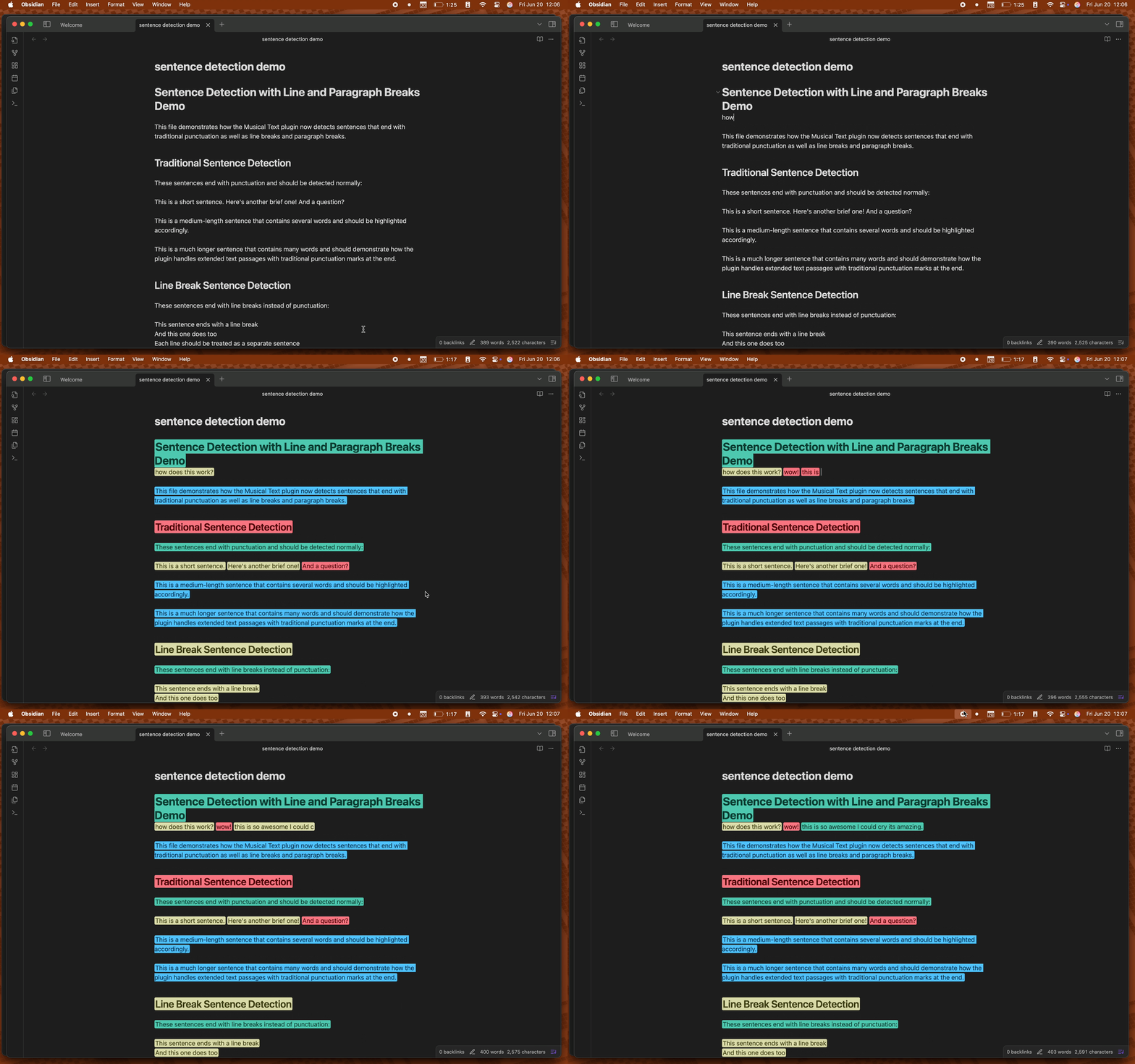
Highlight sentences with color based on their length as you write.
Musical Text
When we write, we often forget text has rhythm. Poetry and music incorporate rhythm inherently as they are performed aloud. Written prose has this same property, but we writers often overlook it. Musical Text visualizes the variety in your sentence length to reveal the rhythm of your prose. Sentences are color coded based on their word count, making it simple to assess the rhythm of whole pages at once.
Features
- Real-time sentence marking as you type
- Three visual marking styles:
- Highlighting
- Text color
- Color underlining
- Automatic contrasting text colors that maintain hue for optimal readability (highlighting mode)
- Toggle highlighting on/off per editor with status bar button, ribbon, or command
- Customizable sentence length thresholds
- Customizable highlight colors
How to Use
- Install the plugin from Obsidian's Community Plugins
- Enable the plugin in Settings → Community Plugins
- Start writing! Sentences will be automatically highlighted based on their length
- Toggle highlighting using:
- The status bar button (sheet music icon)
- The ribbon button (same icon)
- The command palette (
Cmd/Ctrl + P→ "Toggle musical text highlighting")
- Start writing! Sentences will be automatically highlighted based on their length
Settings
You can customize the plugin in Settings → Musical Text:
-
Choose a marking style between highlighting, underlining, and text color
-
Hide status bar button
-
Hide ribbon button
-
Sentence Length Thresholds
- Short: 1 to (medium-1) words via slider (default: 5)
- Medium: (short+1) to (long-1) words via slider (default: 7)
- Long: Minimum of (medium+1) words via text input (default: 9)
-
Colors
- Select a premade palette from several popular code themes
- Customize colors for each sentence length category
Markdown Support
The plugin intelligently handles markdown syntax:
- Unordered lists:
- item,* item,+ item - Ordered lists:
1. item,2. item,10. item - Checkboxes:
- [ ] task,- [x] done,- [X] complete - Nested lists: Properly handles indented list structures
- List markers excluded: Only the actual content text is highlighted, not the markers
About
Read about the development process in my blog post.
Support
License
MIT License - do whatever you want with it
For plugin developers
Search results and similarity scores are powered by semantic analysis of your plugin's README. If your plugin isn't appearing for searches you'd expect, try updating your README to clearly describe your plugin's purpose, features, and use cases.