Nexus-LM
approvedby Ansh Usrathe
AI powered Agent, concept maps, slideshow, notebooks, vault chat, web search, MCP and to have a personal feed all inside of Obsidian. - This plugin has not been manually reviewed by Obsidian staff.
Nexus-LM
Version 2.0
What's New?
Nexus-LM Agent
- Read, write, edit everything natively.
- Leveraging Obsidian-CLI to perform vault related tasks.
- Using MCP and Skills to produce better results. It can create and use skills autonomously.
- SUB-AGENTS: Delegates complex task to subagents that works independently with individual context windows.
- Search through your saved RSS-feeds and fetch info to help manage current info.
- Iterative reasoning through attached embeddings database, semantically, to provide deep insights.
- Web fetching of any webpage using obsidian native tools. Can also fetch scanned online PDFs.
- Summarize YouTube videos with just a link.
- Automatically routes to the best models upon selected model failures. Depending on your pool of free-models from enabled providers.
Multiple file-types support
- The plugin now handles multiple file types via embedding, indexing or directly being added as context across features: Notebooks, AI chat, Agent, Study materials generator. The file types supported are-
- Documents & Office Files
- PDF Documents:
.pdf - Word Documents:
.docx - Excel Spreadsheets:
.xlsx,.xls - PowerPoint Presentations:
.pptx
- PDF Documents:
- Notes, Data & Plain Text
- Text:
.txt - Structured Data:
.json,.xml,.csv,.yaml,.yml
- Text:
- Code & Web Files
- Web:
.html,.css - JavaScript / TypeScript:
.js,.ts,.jsx,.tsx - Python:
.py - Java:
.java - C / C++:
.c,.cpp,.h,.hpp
- Web:
- Documents & Office Files
https://github.com/user-attachments/assets/c03d0001-ec02-4625-9e4c-42863a5068eb
https://github.com/user-attachments/assets/dbce6649-867c-44ce-aa92-c0a4257b501d
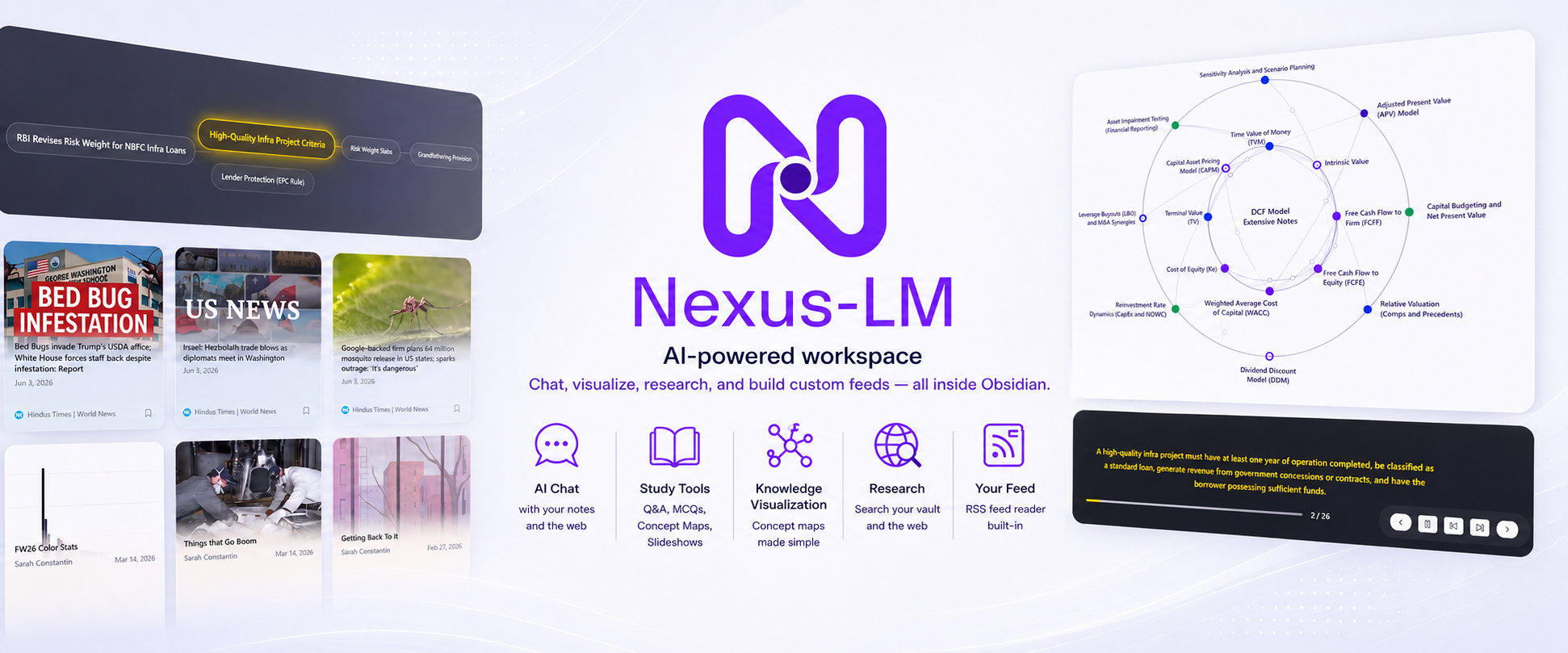
Nexus-LM helps you chat with your notes, auto-generate interactive study tools, run local or cloud LLMs, manage RSS feeds, and execute code—all without ever leaving Obsidian.
Quick Start
- Install from the Obsidian Community Plugins store (search for
nexus-lm). - Configure Your Keys: Go to Settings → Nexus-LM → Basic and add an API key from any of our supported providers (Gemini, Groq, OpenRouter, OpenCode, Nvidia, Mistral, Cohere, or Ollama for local models).
- Launch the Hub: Click the pinwheel icon in the ribbon or run the command
Open Nexus-LM Hubfrom the command palette. - Index Your Vault: Build a vault index under Settings → Vault Chat to unlock lightning-fast semantic search.
Custom Model Configuration
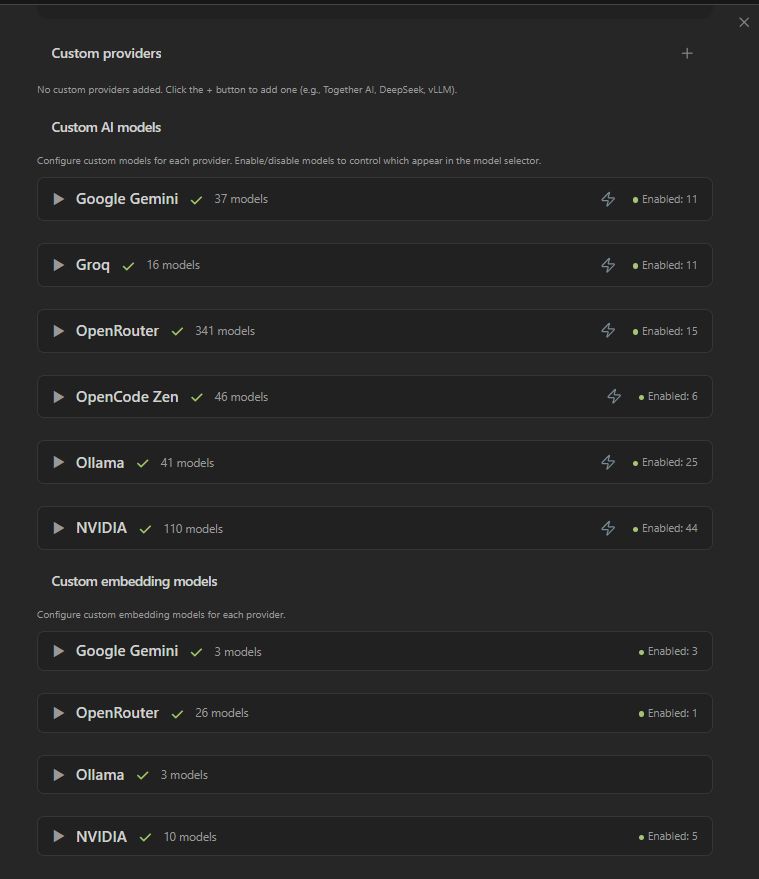
Take full control over which models are active in your selector. Enable, disable, and configure custom model endpoints in settings.
Visual Walkthrough & Core Views
The Nexus-LM Hub is your central command center. From here, you can jump directly into specialized views tailored to your workflow.
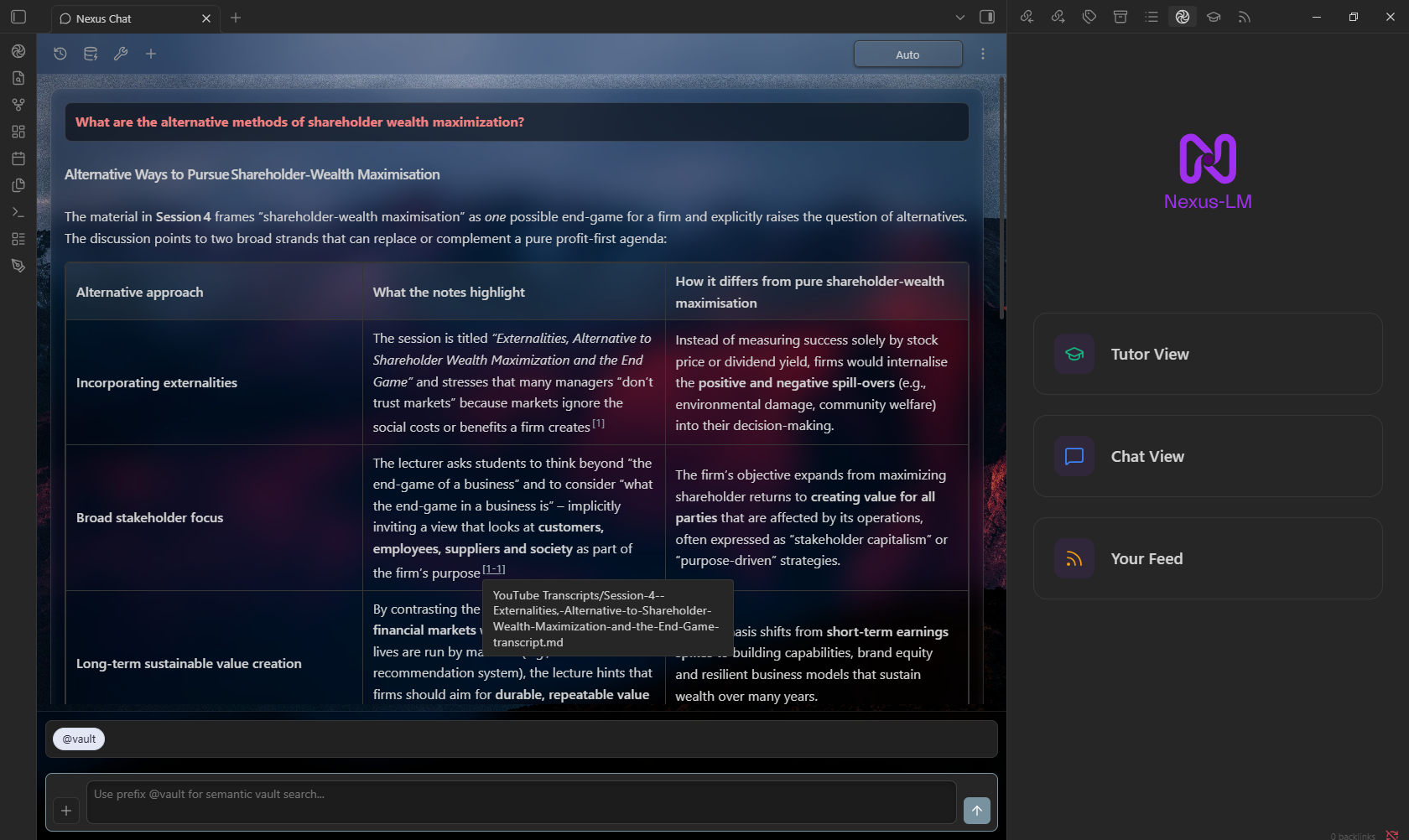
1. Nexus Chat (Deep Vault Integration & Extensible Tools)
A full-featured chat with customizable wallpapers, session history, and powerful context-injection commands.
Context Commands (The + Menu)
Type prefixes or click the + button to dynamically inject external context into your messages:
| Option | Prefix | Description |
|---|---|---|
| Vault Search | @vault | Hybrid semantic search (Embeddings + BM25) across your vault notes with inline citations. |
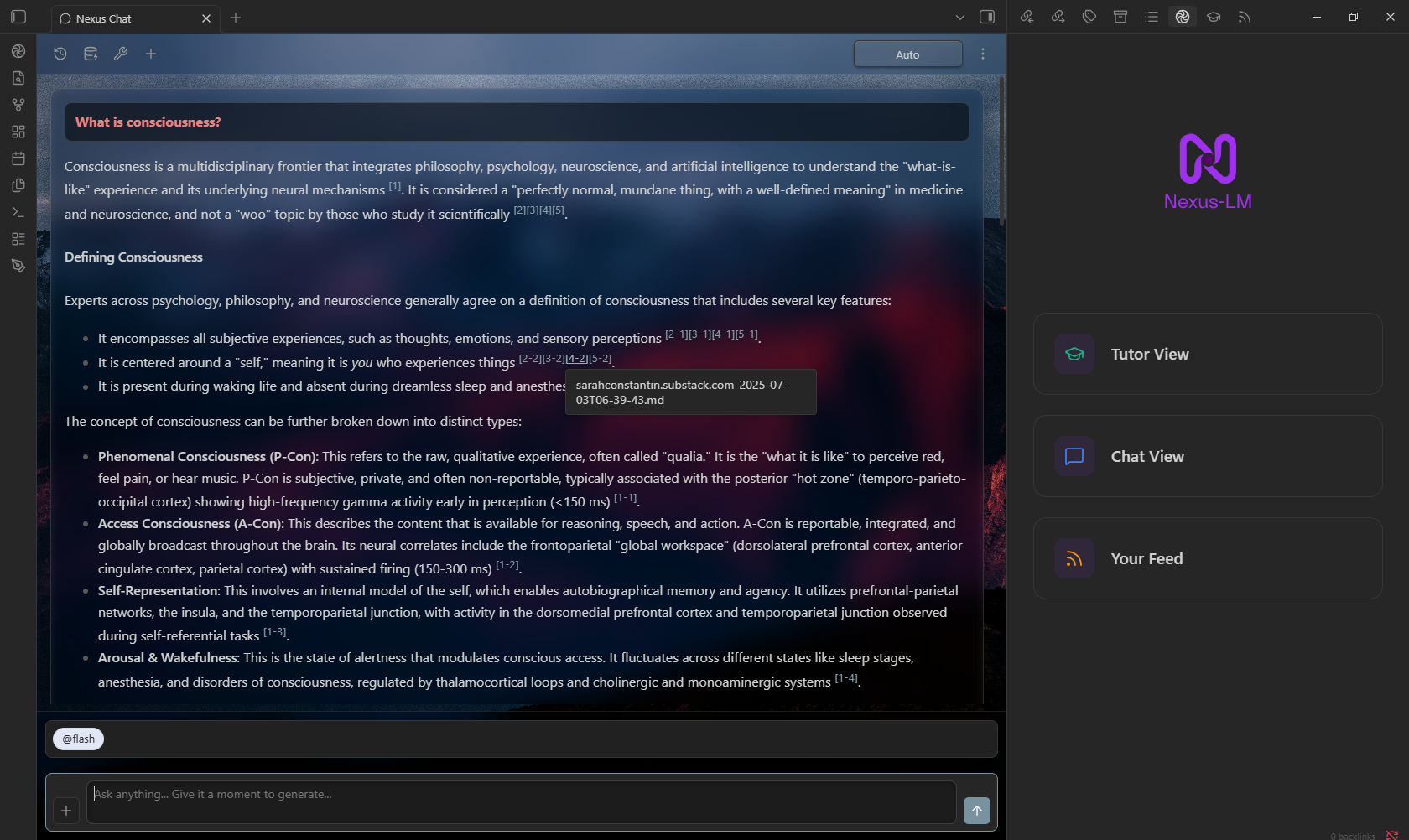
| Flash Search | @flash | BM25-only keyword search for ultra-fast exact lookups. |
| Web Search | @web | Real-time web search. |
| YouTube Video | @youtube | Fetch and chat with a YouTube video transcript. |
| Web Pages | @webpage | Inject full page content from raw URLs. |
| Attach File | @file | Add multimodal attachments (Images, PDFs, Audio). |
Flash Search in Action
Need a quick lookup without waiting for embeddings? Use @flash for blazing-fast BM25 keyword matching.
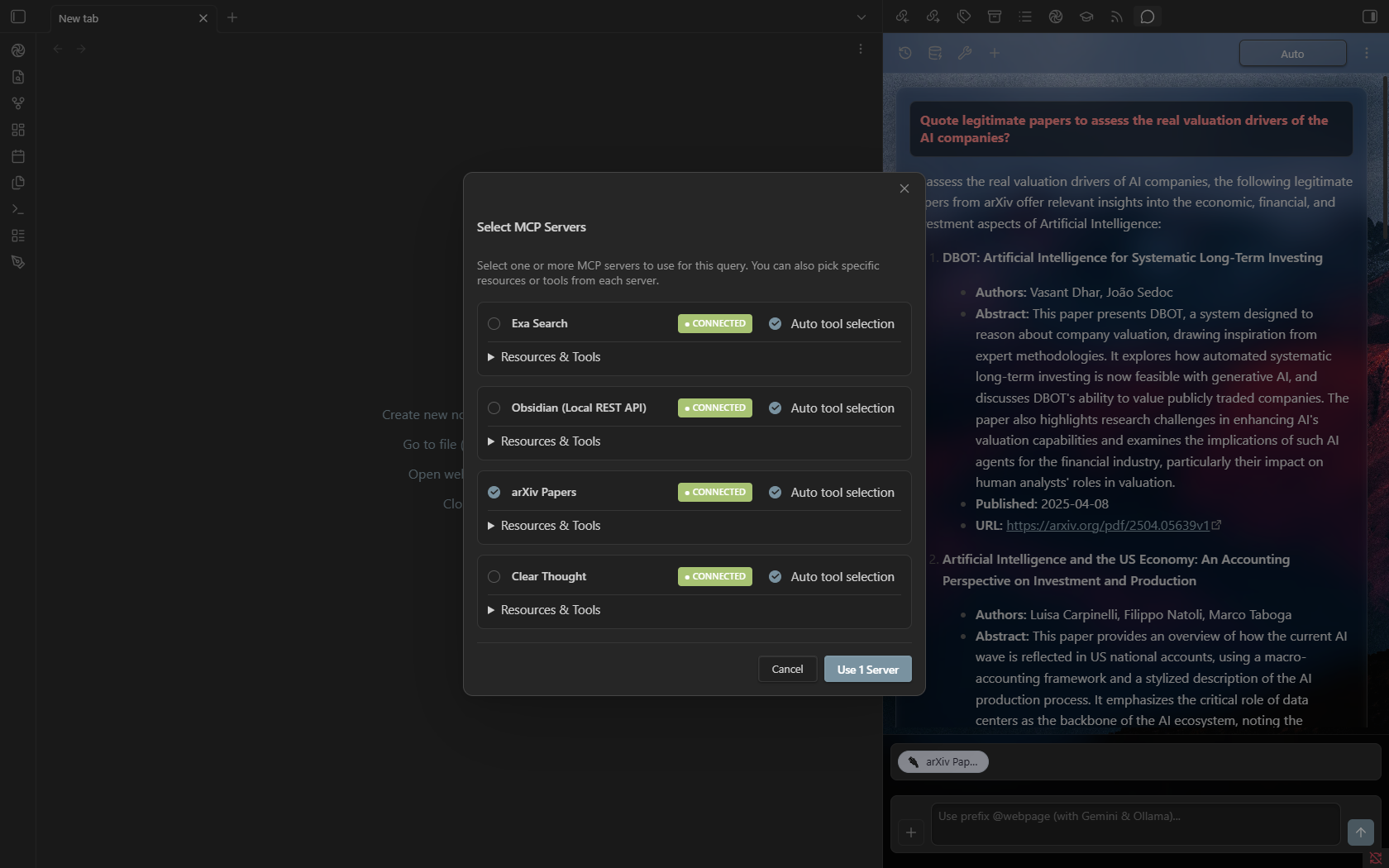
MCP (Model Context Protocol) Support
Extend your chat's capabilities using local or remote MCP servers. Connect over stdio or sse to allow the AI to add context from any MCP server, interact with local APIs, or use custom developer tools.
2. Nexus Tutor (Your Personal AI Study Environment)
Transform static notes into interactive learning experiences. Select your notes or entire folders, track live token usage against your model's context window, and generate study material instantly.
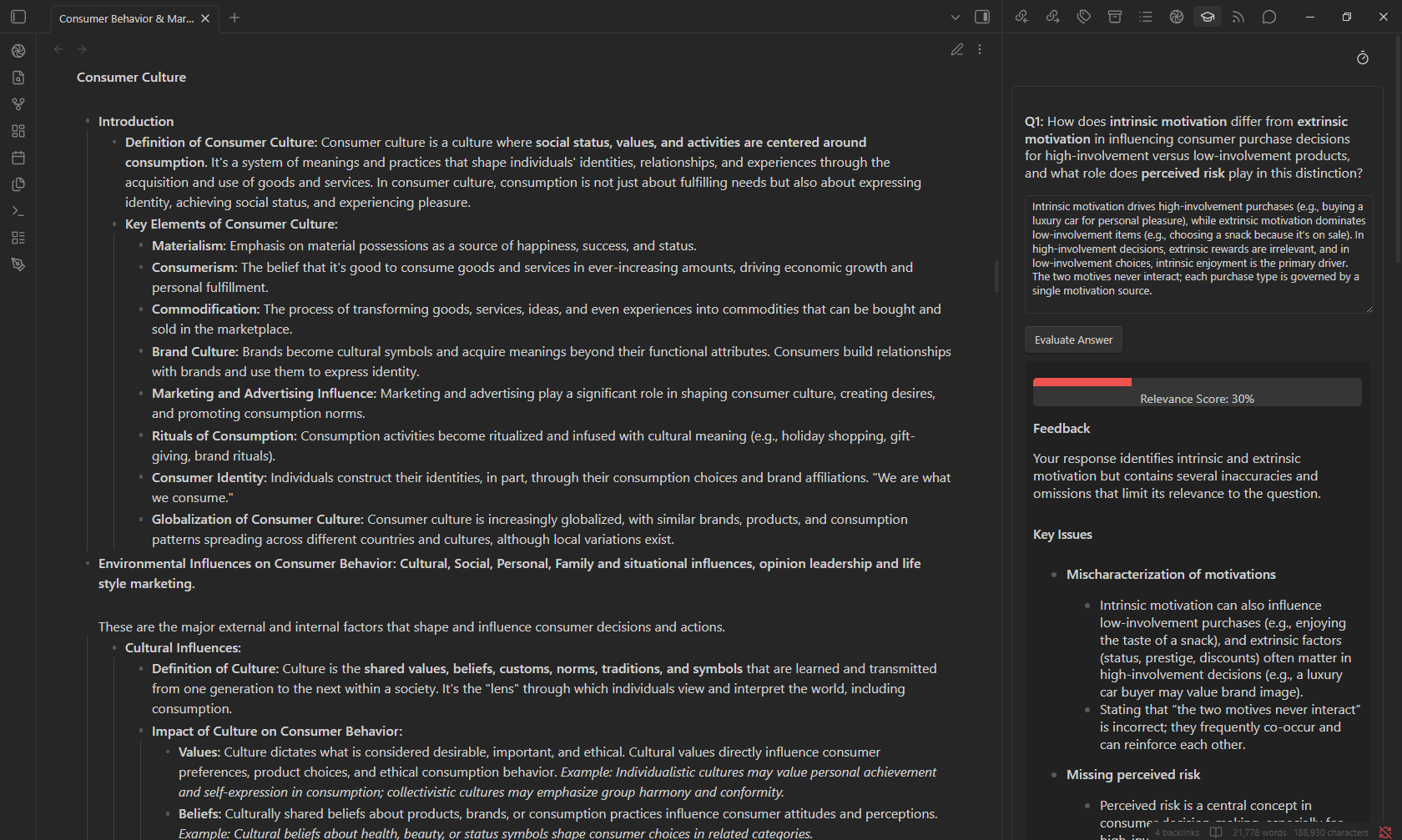
Q&A Sessions
Test your comprehension with AI-generated questions based directly on your selected notes. Type your answers and receive instant, color-coded relevance scoring (0-100%) alongside constructive, detailed feedback.
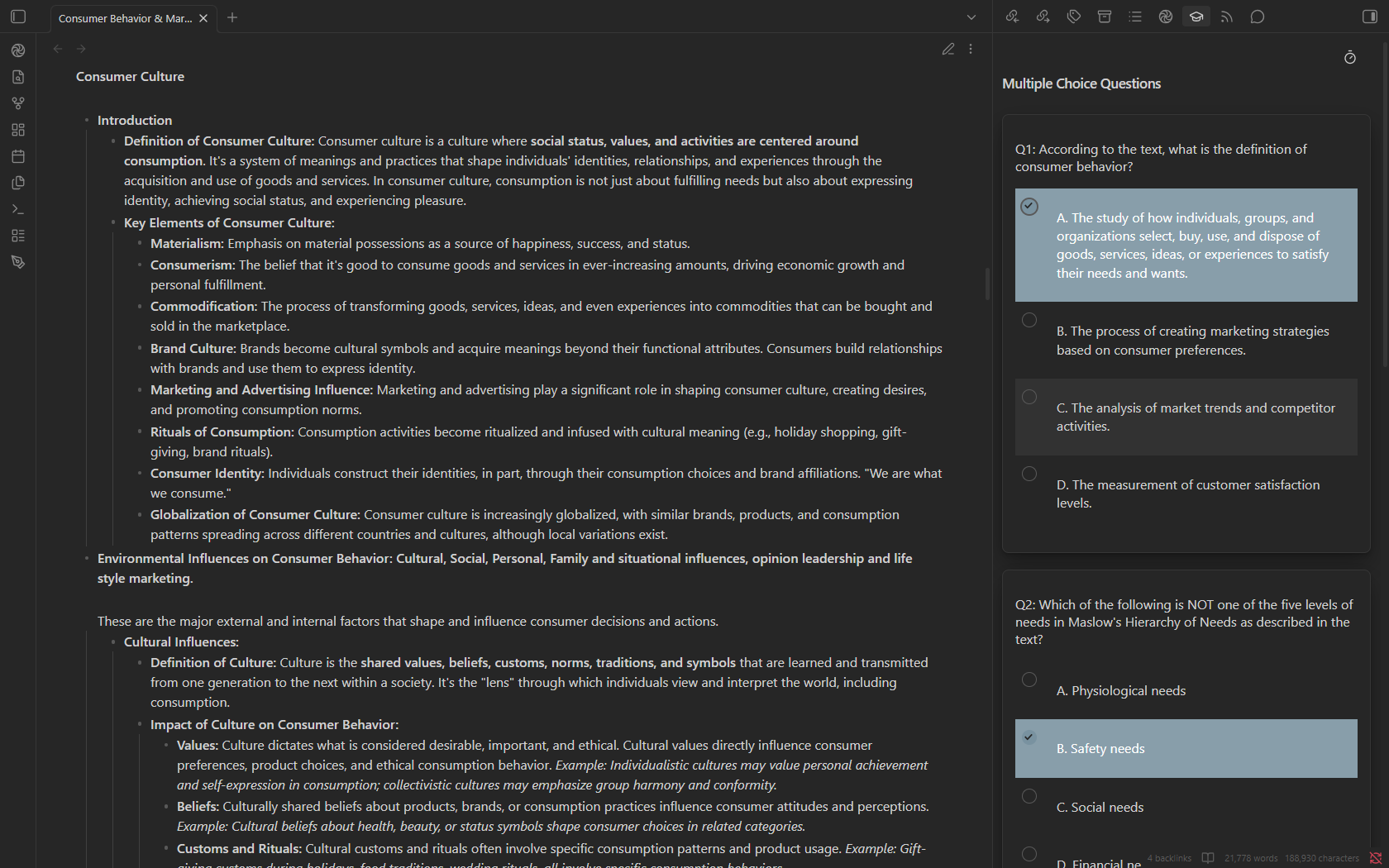
MCQ Sessions
Generate customizable multiple-choice quizzes with timed sessions. When you submit, get an instant grade breakdown and step-by-step explanations for any incorrect answers.
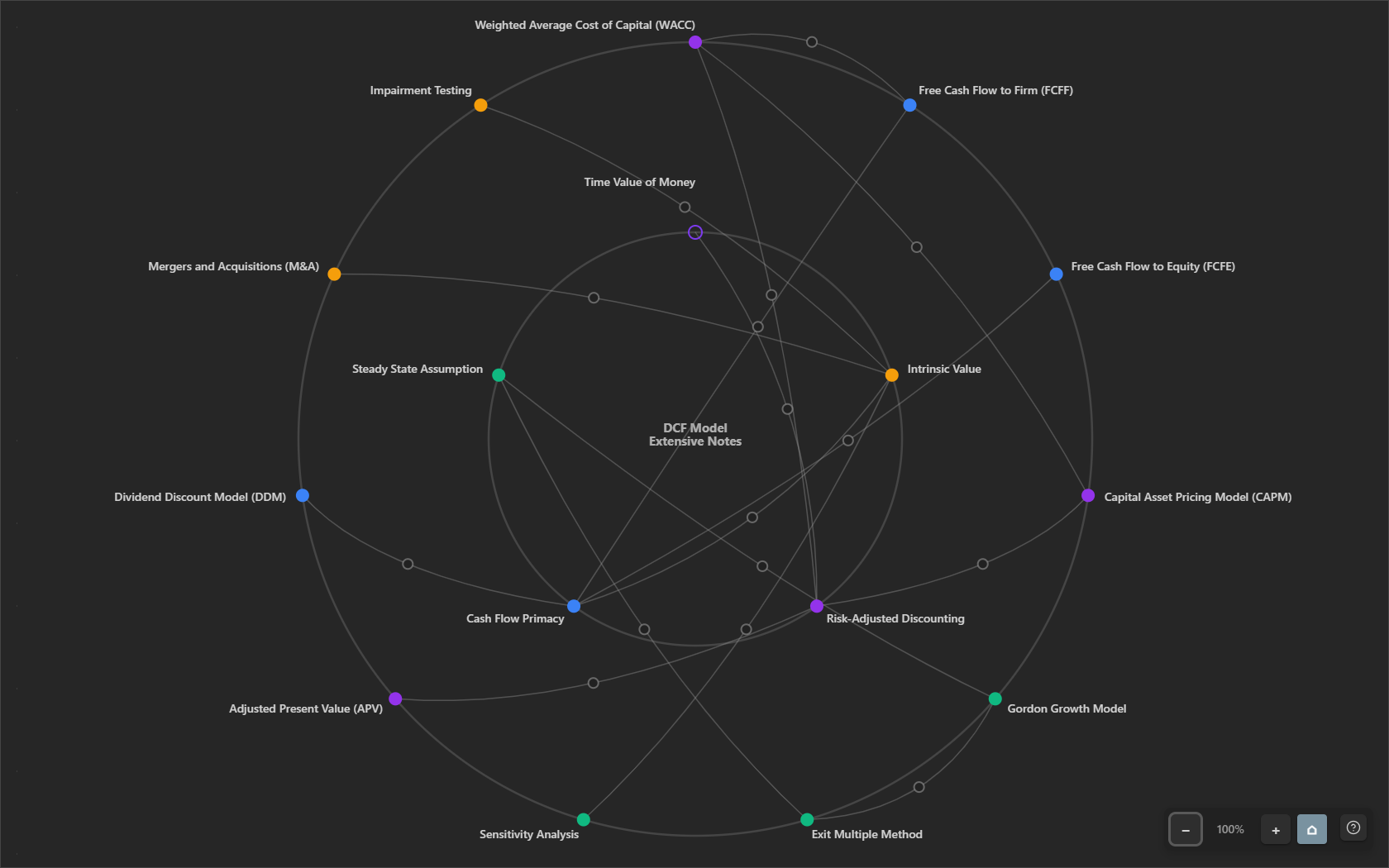
Interactive Concept Maps
Analyze your notes to generate a gorgeous, interactive SVG concept map. Easily zoom, pan, and click nodes to explore core themes, related topics, and labeled connections.
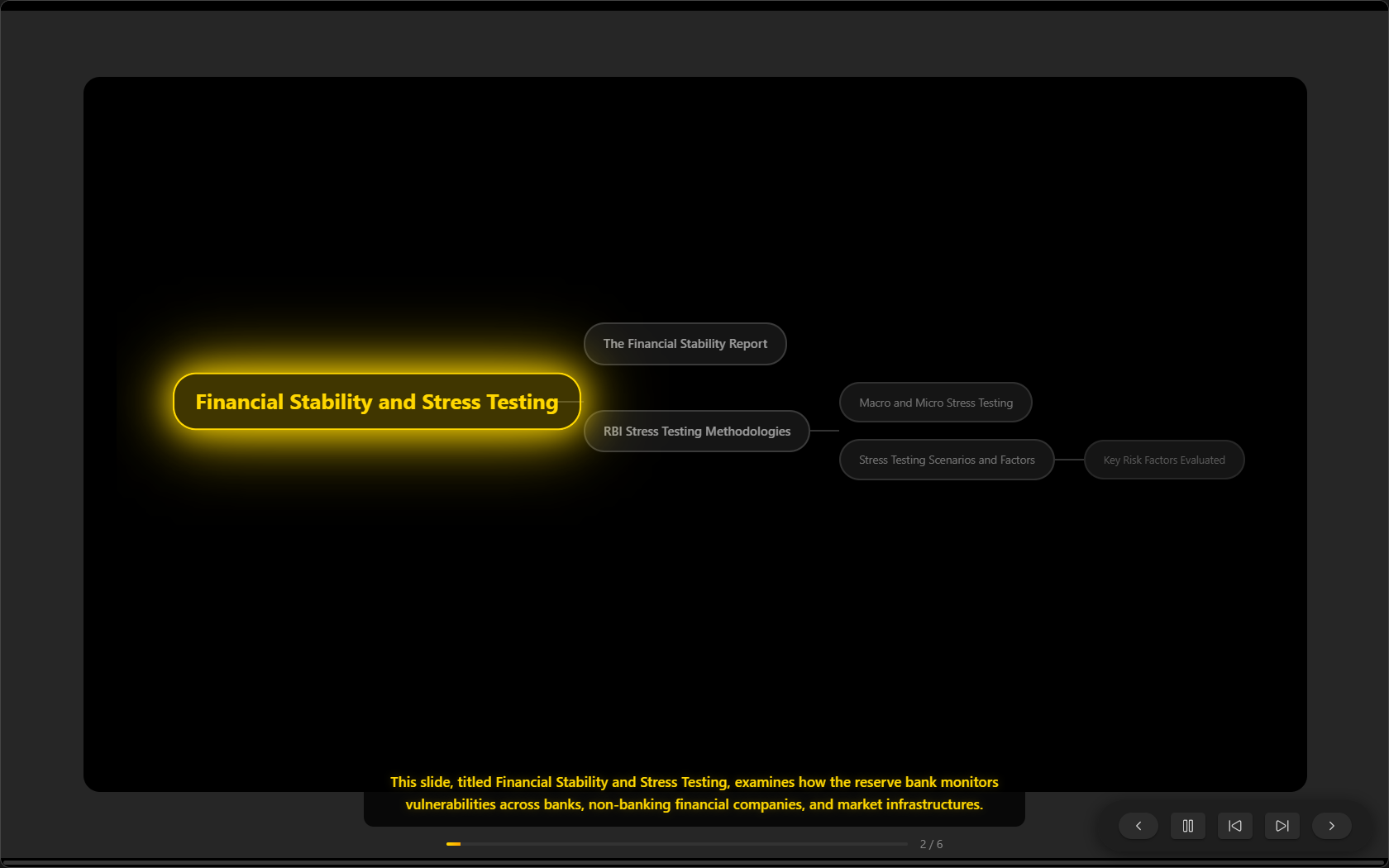
Zen Slideshows
Reorganize complex topics into beautiful, structured slideshows. Each slide comes with AI-generated narration read aloud via browser Text-to-Speech (TTS) with adjustable speed and auto-advance.
3. Notebook Chat (Persistent, Source-Tied Sessions)
Tether your chat sessions to a fixed set of sources (notes, folders, web URLs, or RSS feeds).
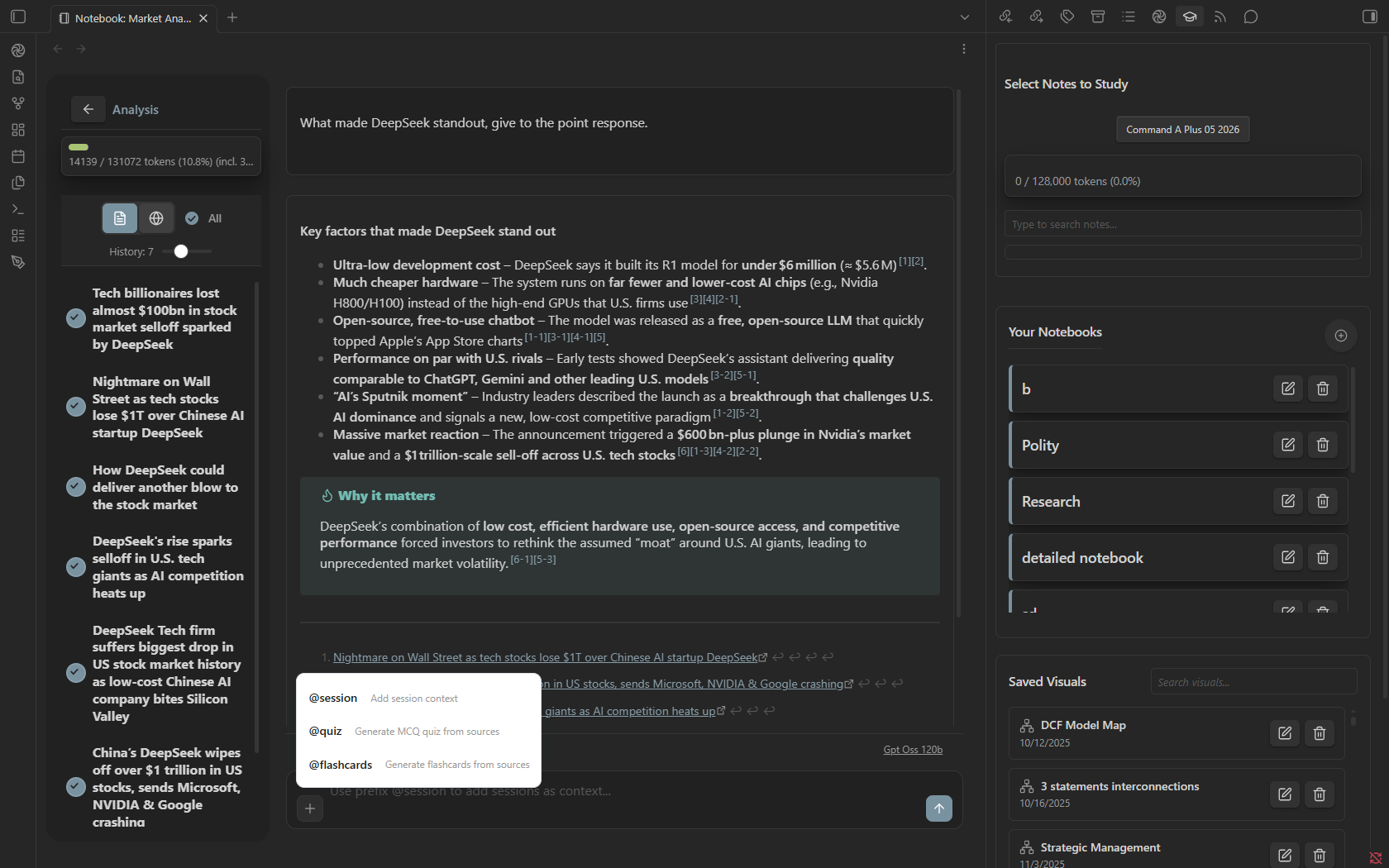
Choose between two powerful retrieval strategies:
- CAG (Context-Augmented Generation): Injects all selected sources in full—ideal for small notebooks where complete context coverage is critical.
- RAG (Retrieval-Augmented Generation): Leverages query expansion, BM25 indexing, and hierarchical context summaries to retrieve only the most relevant chunks—highly token-efficient for massive datasets. The query however needs to be keyword heavy in order to get the right response.
Special Notebook Commands
@quiz: Generates an interactive inline MCQ quiz.@flashcards: Generates study flashcards with active recall tracking (Red/Orange/Green).@session: Contextualize your current chat using previous session histories.
4. Your Feed (Built-in RSS Reader)
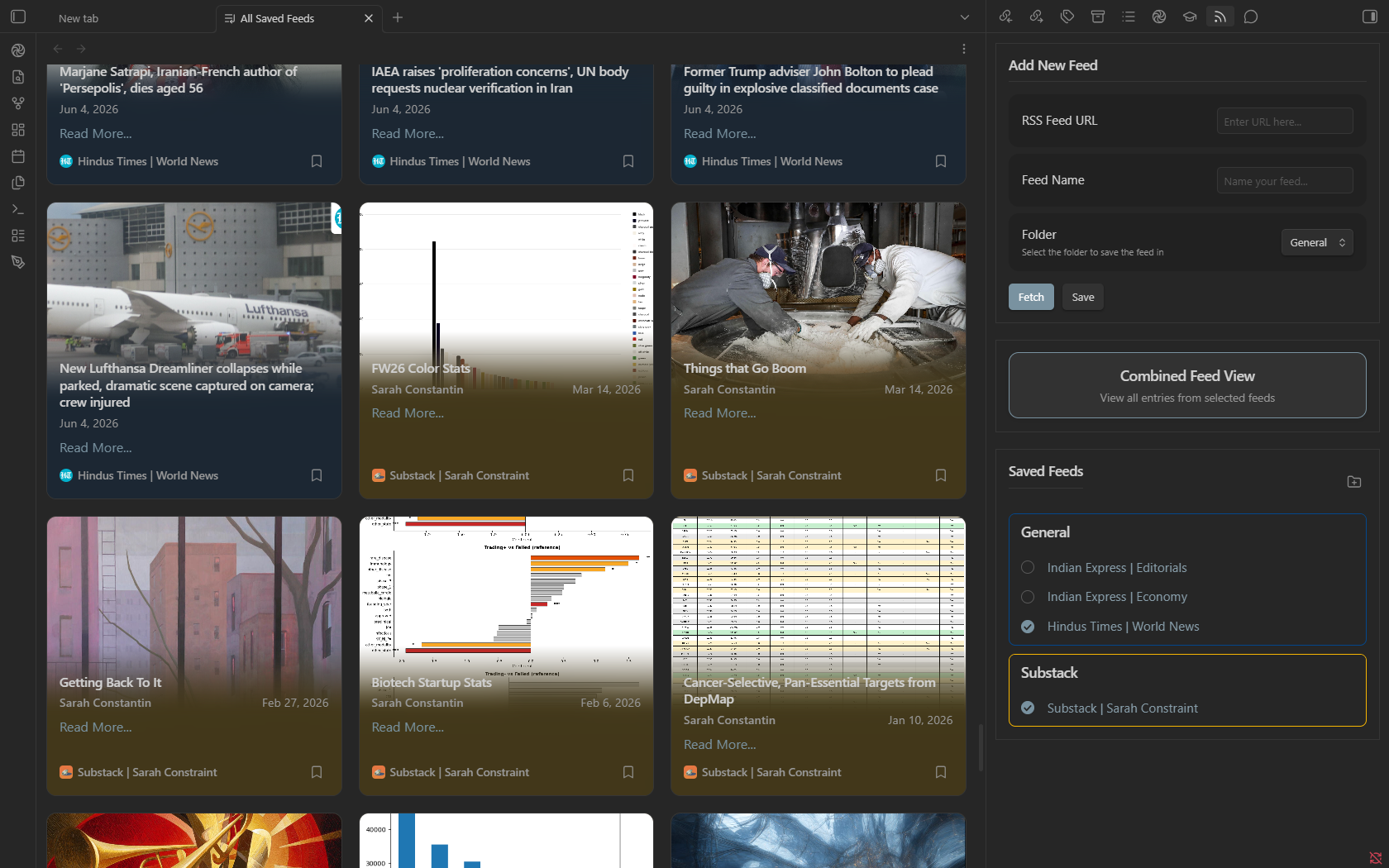
Keep up with your favorite blogs, journals, and news directly inside Obsidian. Organize feeds into color-coded folders, bookmark entries for later, and seamlessly import feed items as live context for your Notebooks.
Advanced Tools & Utilities
Code Execution & Rich Rendering
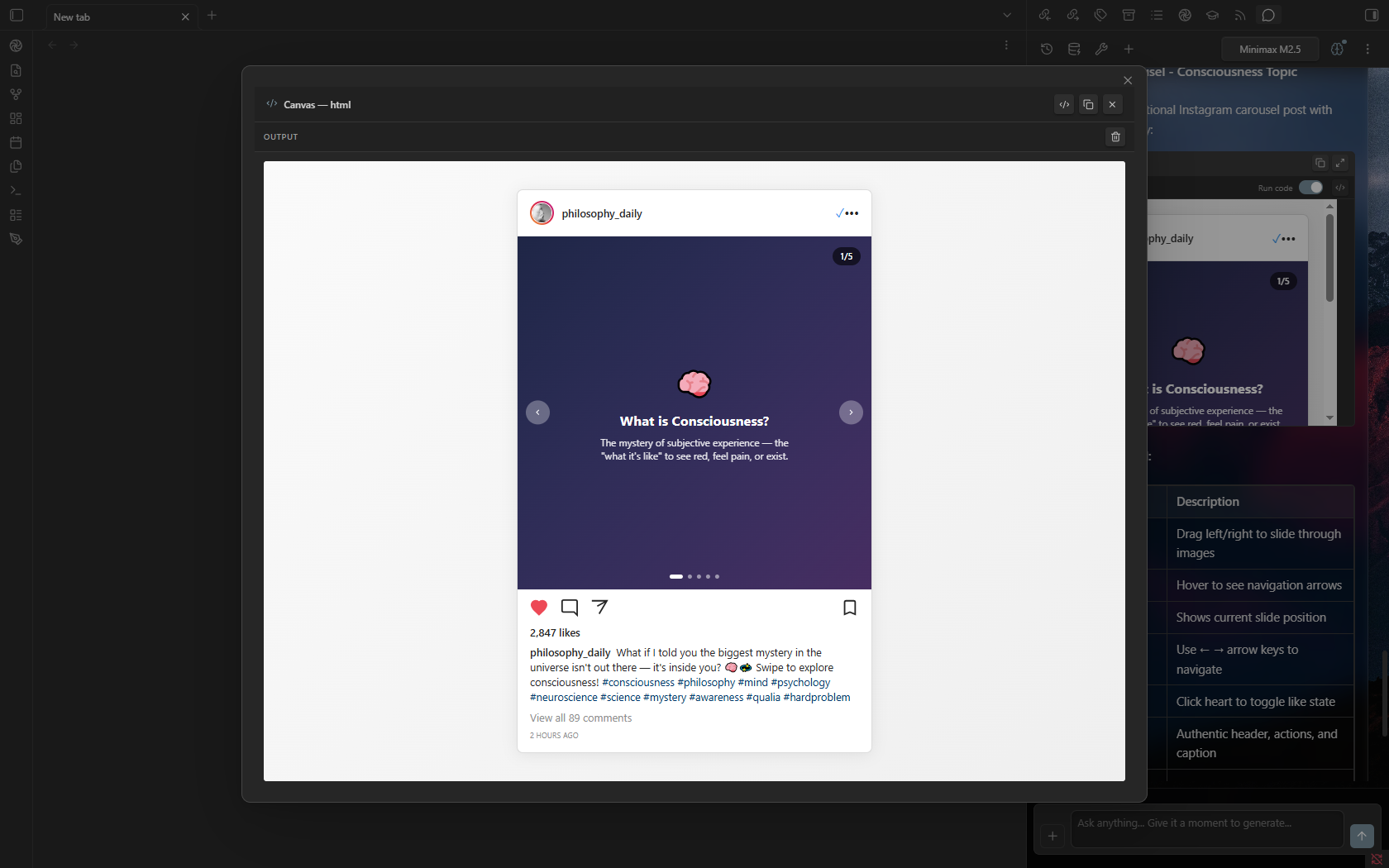
Nexus-LM doesn't just display code—it runs it. Code blocks in chat responses feature context-aware execution buttons:
- Run Sandboxed: Execute JavaScript and TypeScript in a secure Web Worker.
- Interactive Previews: Render HTML, CSS, SVG, and Mermaid diagrams directly inside the chat.
- Smart JSON Render: Automatically detects Vega-Lite or Chart.js schemas to display beautiful visual charts.
- Obsidian Integration: Execute Dataview and DataviewJS blocks inline.
File Creation via Chat
When the AI proposes creating files in your vault, Nexus-LM opens a File Creation Review Modal. Preview the proposed folder structure, accept/reject files individually, or apply Obsidian templates before writing to disk.
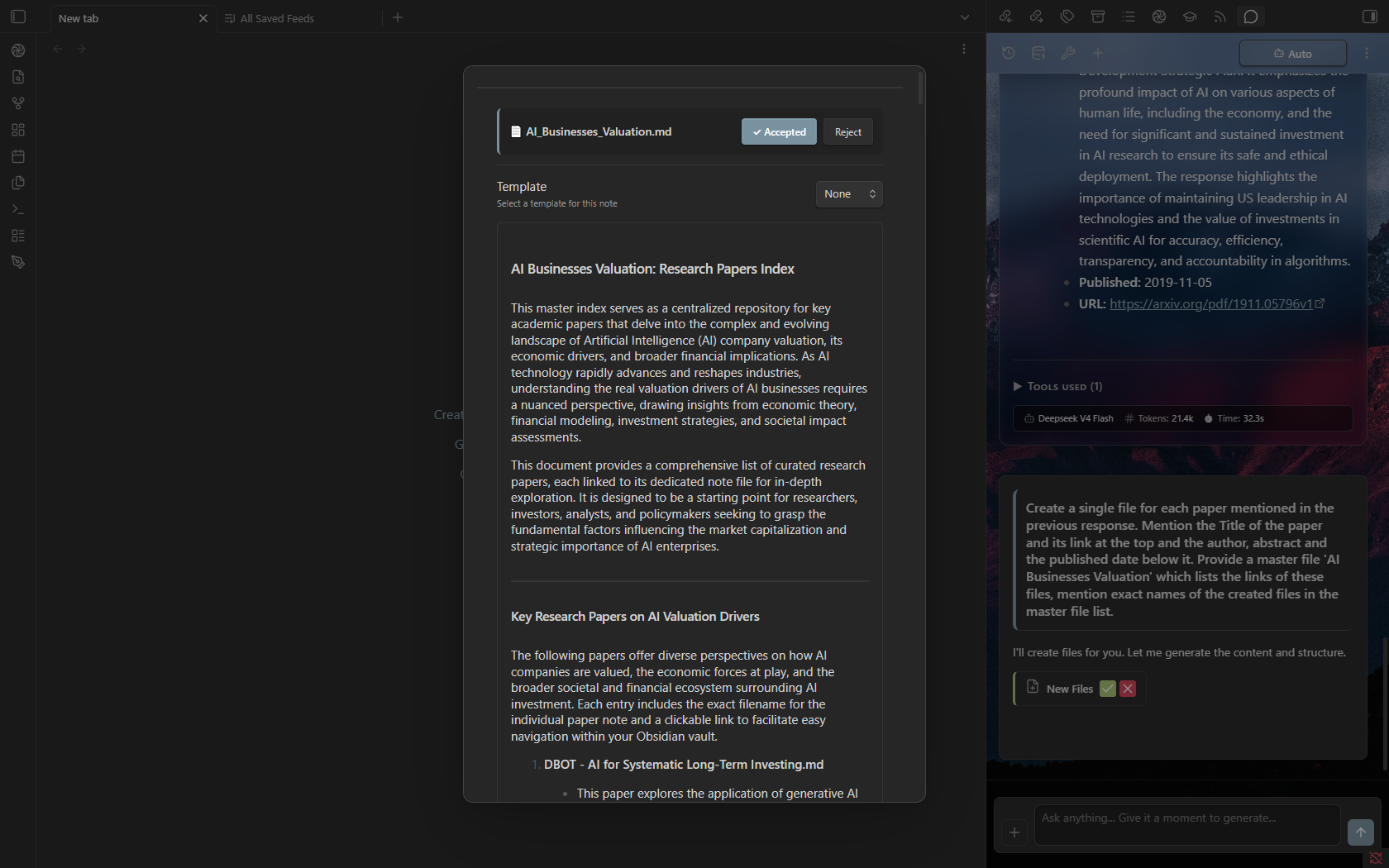
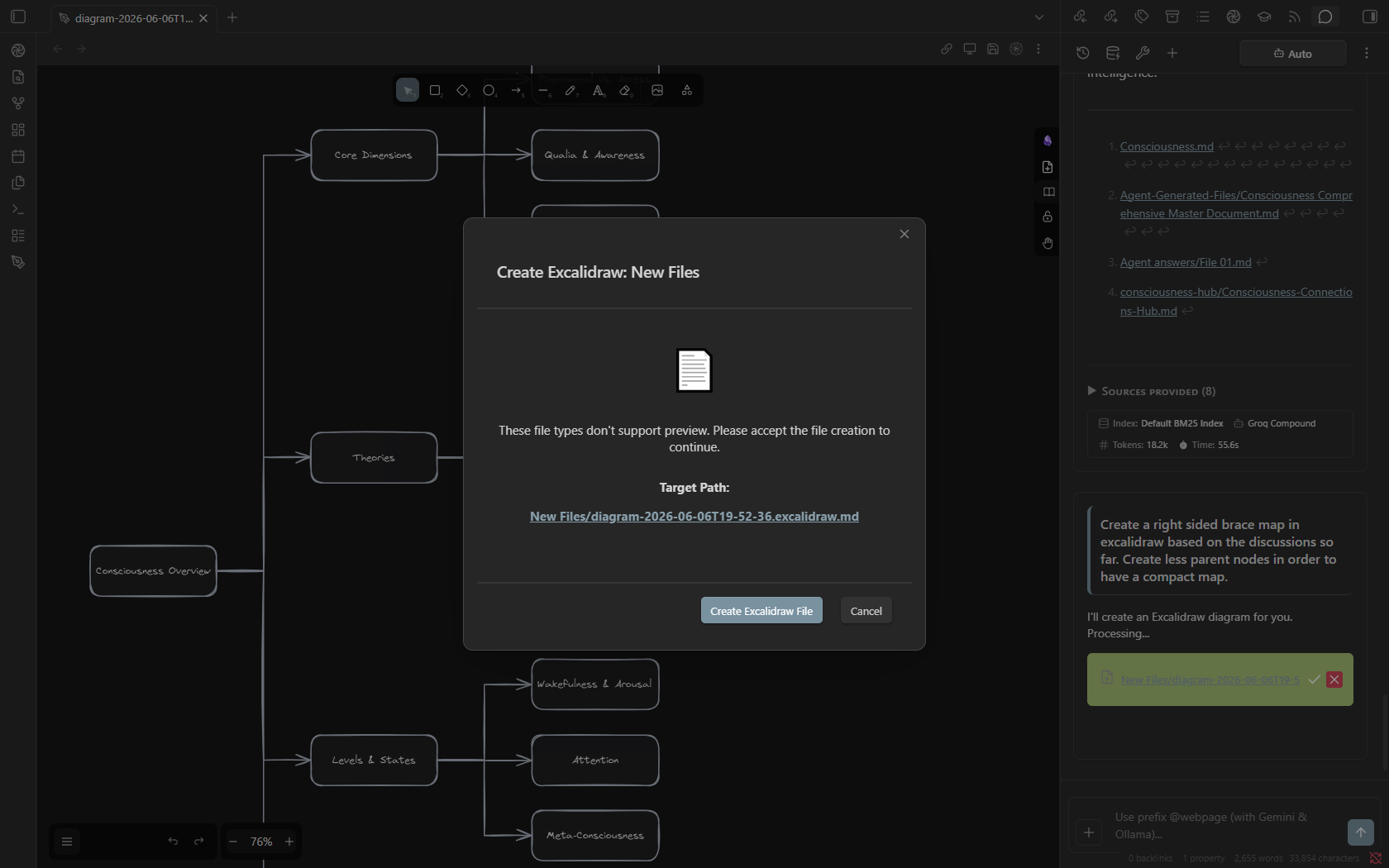
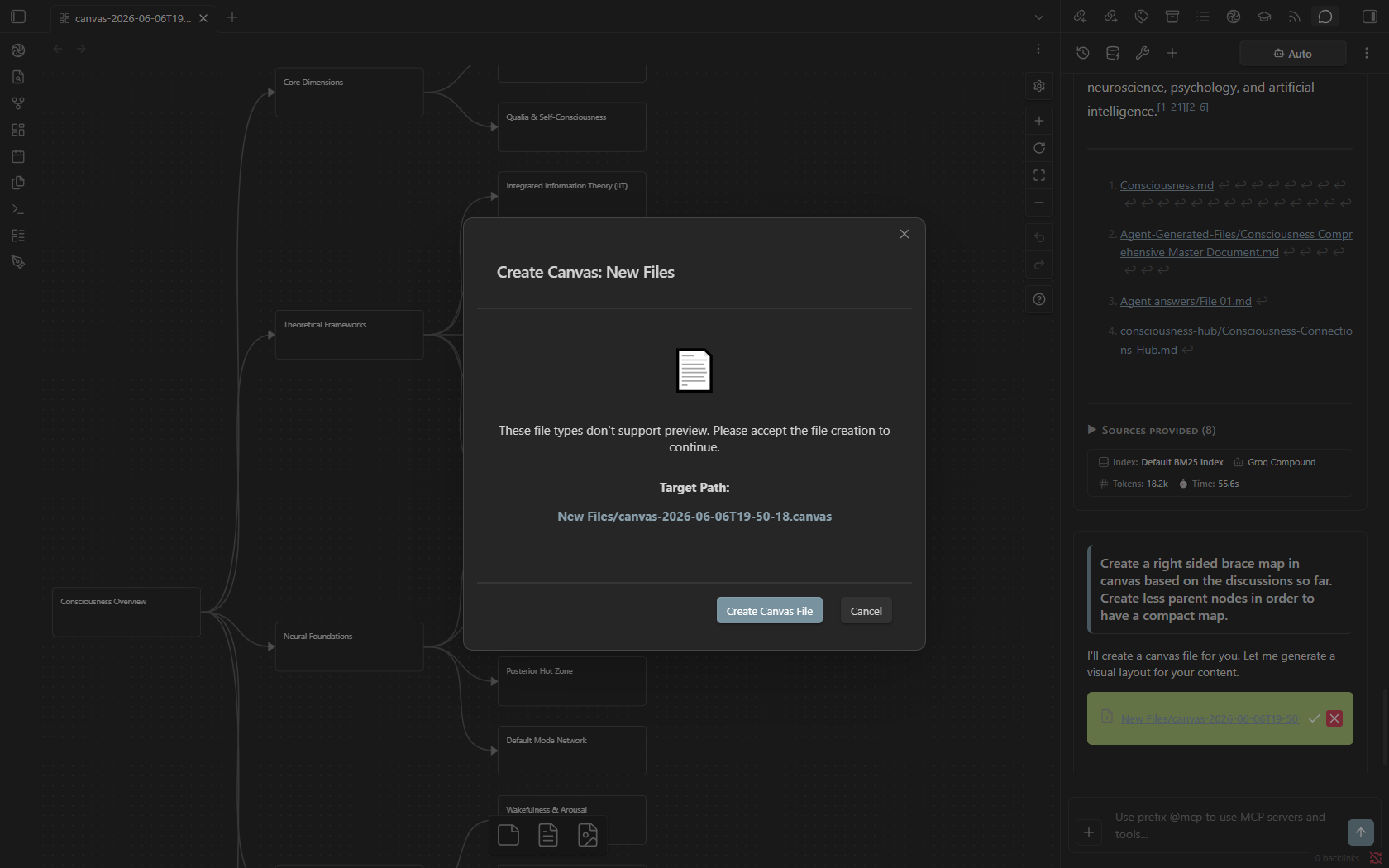
You can also leverage AI to create new Excalidraw diagrams or Canvas files directly within your vault.
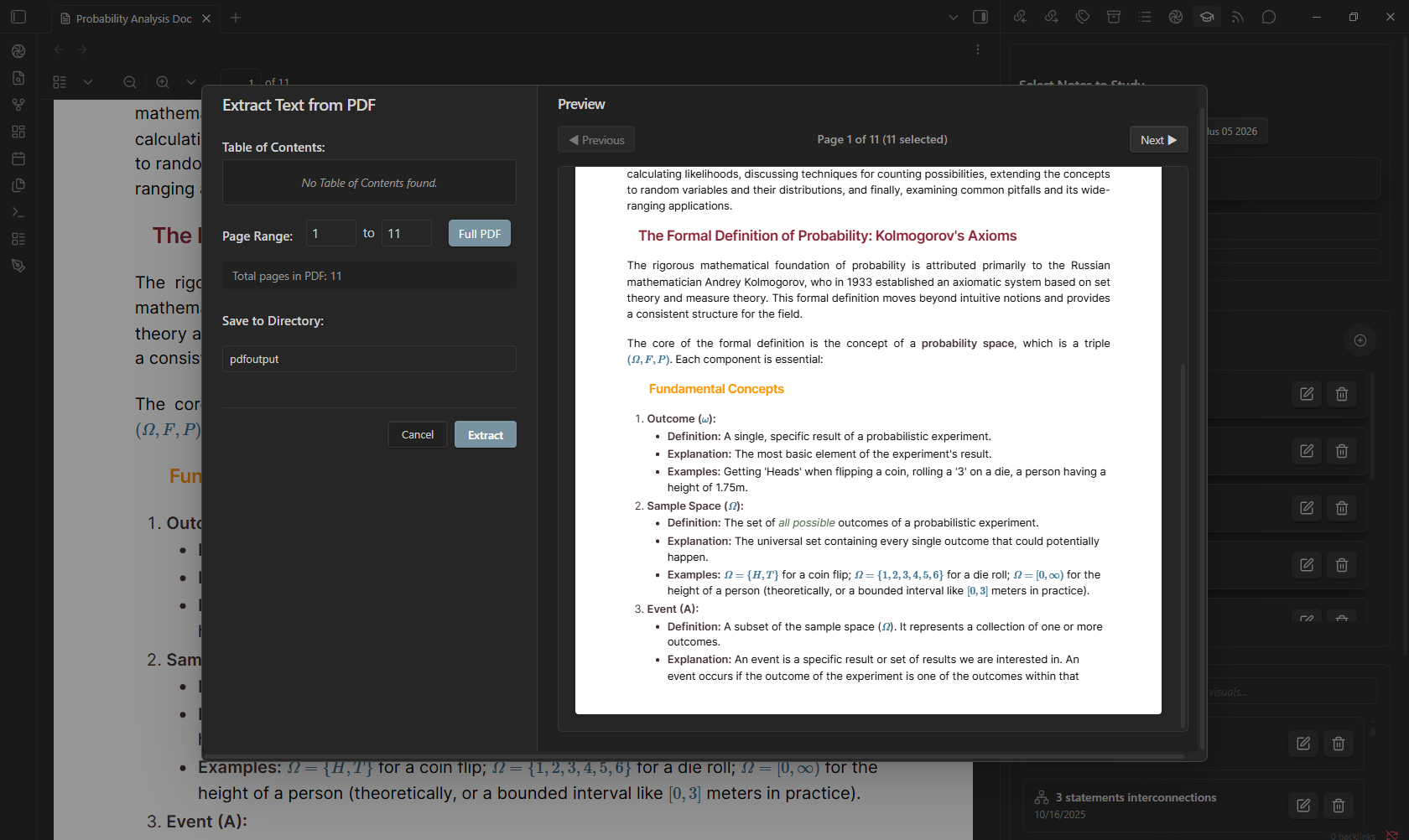
PDF Text Extraction
Extract text from any open PDF file. Choose custom page ranges and immediately save the formatted text as a clean markdown file.
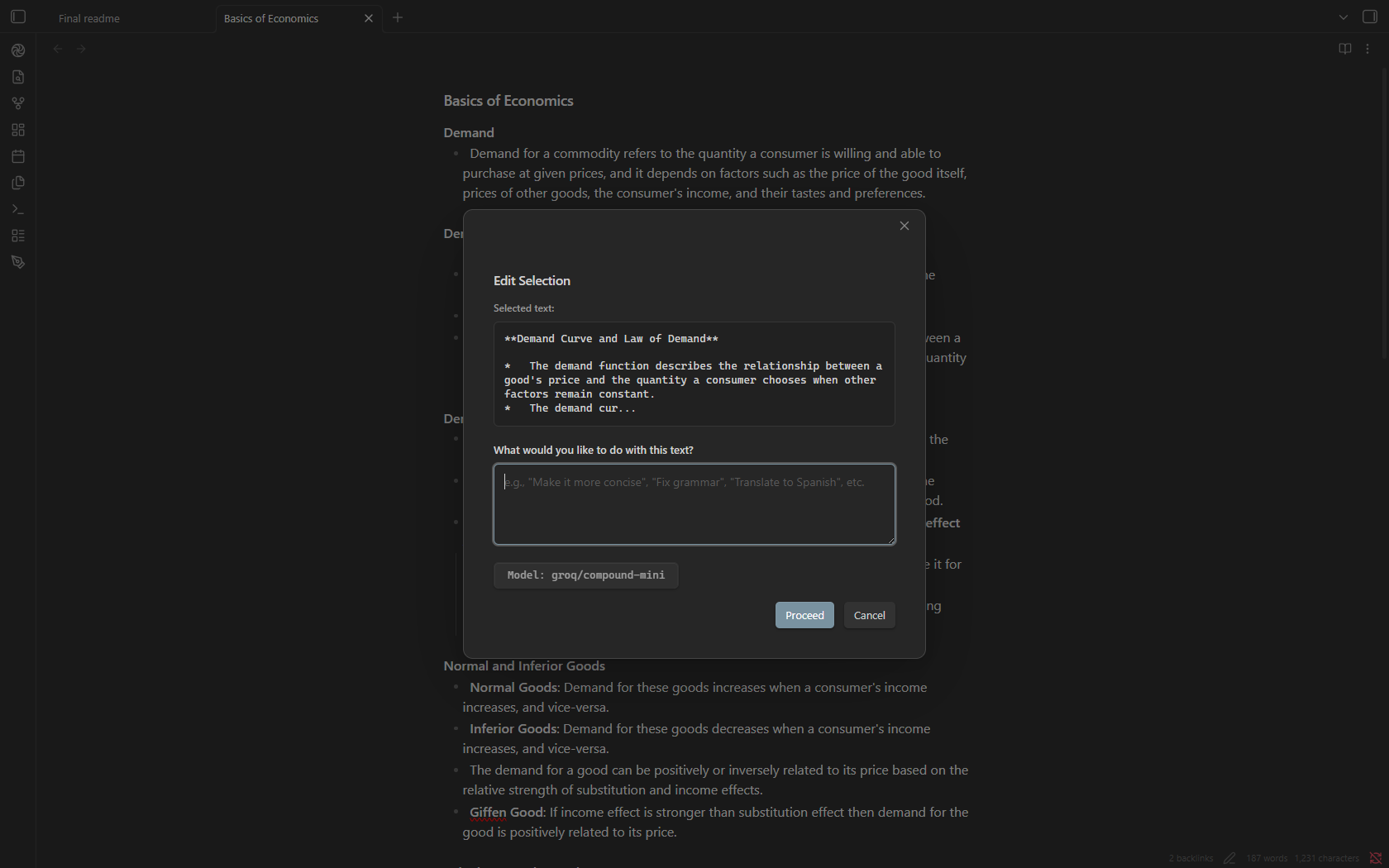
Edit Selection
Easily modify selected text within your notes. Highlight any text and use this tool to ask the AI to summarize, rephrase, translate, or perform other text manipulations.
Provider & Model Support
Nexus-LM is highly flexible, supporting both local offline models and industry-leading cloud APIs. Configure feature-specific models independently to optimize speed, cost, and context size.
| Provider | Chat | Tutor | Notebook | Embeddings | Thinking | Web Search | YouTube |
|---|---|---|---|---|---|---|---|
| Google Gemini | ✅ | ✅ | ✅ | ✅ | ✅ | ✅ (Grounded) | ✅ (Native) |
| Groq | ✅ | ✅ | ✅ | ❌ | ✅ (GPT-OSS) | ✅ | ✅ (Transcript) |
| OpenRouter | ✅ | ✅ | ✅ | ✅ | ❌ | ❌ | ✅ (Transcript) |
| Ollama (Local/Cloud) | ✅ | ✅ | ✅ | ✅ | ✅ (GPT-OSS) | ✅ | ✅ (Transcript) |
| NVIDIA NIM | ✅ | ✅ | ✅ | ✅ | ❌ | ❌ | ✅ (Transcript) |
| OpenCode Zen | ✅ | ✅ | ✅ | ❌ | ❌ | ❌ | ✅ (Transcript) |
| LM Studio (Local) | ✅ | ✅ | ✅ | ✅ | ✅ (Model-dependent) | ❌ | ✅ (Transcript) |
| Custom OpenAI-Compatible | ✅ | ✅ | ✅ | ✅ | ❌ | ❌ | ✅ (Transcript) |
LM Studio (Local Server)
Run fully local models on your own hardware. LM Studio is detected as a native provider — no API key required.
Quick Start
- Open LM Studio and load (or download) a model in the My Models screen.
- Go to Developer → Start Server (bottom panel, ▶ button). The address is shown next to the port, e.g.
http://localhost:1234. - In Nexus-LM: Settings → AI Assistant → Basic → AI provider → LM Studio.
- Click Test connection (or "Refresh models" / "Verify models" in the Custom AI models section) to load the model list.
- Select the model in the model picker and chat.
URL format: Enter the address without
/v1(e.g.http://localhost:1234). The/v1suffix is added automatically; if you already included a path, it is respected as-is.
Using LM Studio on Another Computer (LAN)
- In LM Studio: Settings → Developer → Enable "Serve on Local Network", then restart the server.
- Find the machine's IP (
ipconfigon Windows), e.g.192.168.100.6. - In Nexus-LM settings, set the server URL to
http://<that-IP>:1234and click Test connection. - If the test fails: allow LM Studio through Windows Firewall (Private networks) and make sure both devices are on the same network.
Notes
- No API key needed — the token field is optional (only required if you enable "API key required" in LM Studio Settings → Developer).
- JIT loading: LM Studio loads models on demand, so the first request to a cold model can take a while. Verification requests wait up to 45s.
- Embeddings: models like
nomic-embed-textare detected by their id and enabled for vault indexing automatically (Embeddings table in settings). - Tool calling, streaming and vision work when the loaded model supports them.
Settings Reference
Basic Configuration
- AI Provider: Toggle your primary provider.
- API Key: Secure input validation for your provider keys.
- LM Studio server URL: Address of the local LM Studio server (default
http://localhost:1234) plus an optional API token; a Test connection button fetches the available models. - Model Discovery: Plugin tries to fetch the provided models and enable the ones available as per the user API key (Verify Models).
Vault Chat Settings
- Embedding Indexes: Build and inspect vector databases for semantic search.
- BM25 Indexes: Create keyword indexes to power fast
@flashsearches. - Excluded Folders/Files: Set patterns to prevent indexing sensitive folders.
- BM25 Boosts: Fine-tune relevance by boosting matches in Titles (default: 3.0), Headings (2.0), or Tags (1.5).
Miscellaneous Options
- YouTube settings: Decide between the YouTube video processing methods (Transcripts/Gemini native).
- Chat Wallpaper: Set a custom background image with customizable opacity controls.
Security & Privacy Disclosures
- Local Indexing: All file indexing (Embeddings & BM25) happens entirely locally on your device.
- Data Transmission: Nexus-LM only transmits your note content to external APIs that you explicitly configure and authorize via your API keys. Your files are never uploaded to third-party servers.
- Local Storage Paths:
- Index files:
.Nexus-LM-data/ - Notebook cache:
.Nexus-LM-data/notebook-cache/ - Session history:
.Nexus-LM-data/notebook-chat-history/
- Index files:
Developed with 💜 for the Obsidian Community. Licensed under the MIT License.
For plugin developers
Search results and similarity scores are powered by semantic analysis of your plugin's README. If your plugin isn't appearing for searches you'd expect, try updating your README to clearly describe your plugin's purpose, features, and use cases.