by Joel Reymont
Delete every note in the current search results at once, for example all notes with a given tag.
Note Purge
Delete every note in the current search results at once, for example all notes with a given tag.
Usage
-
Search for the notes to delete, for example
tag:#archive, or click a tag in the Tags view. -
Click the result count (5 results) at the top of the search pane, then choose Delete 5 results….
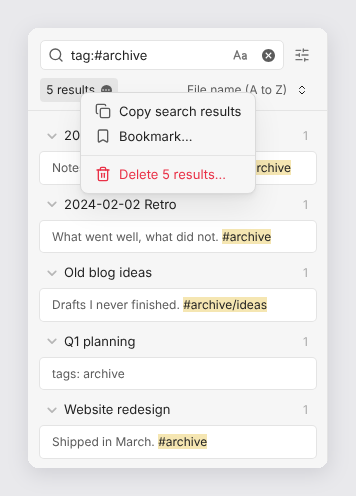
-
Check the files listed in the dialog, then select Delete 5 files. A notice confirms how many files were deleted.
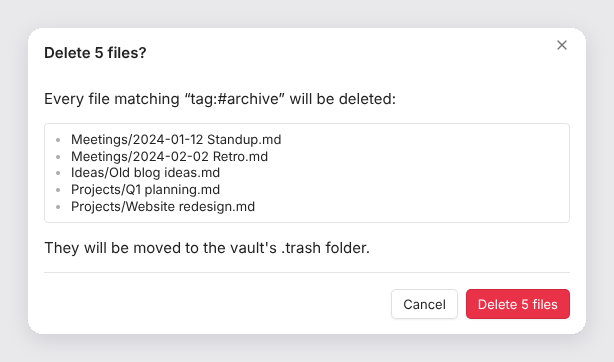
On a phone, the menu opens as a sheet at the bottom of the screen:
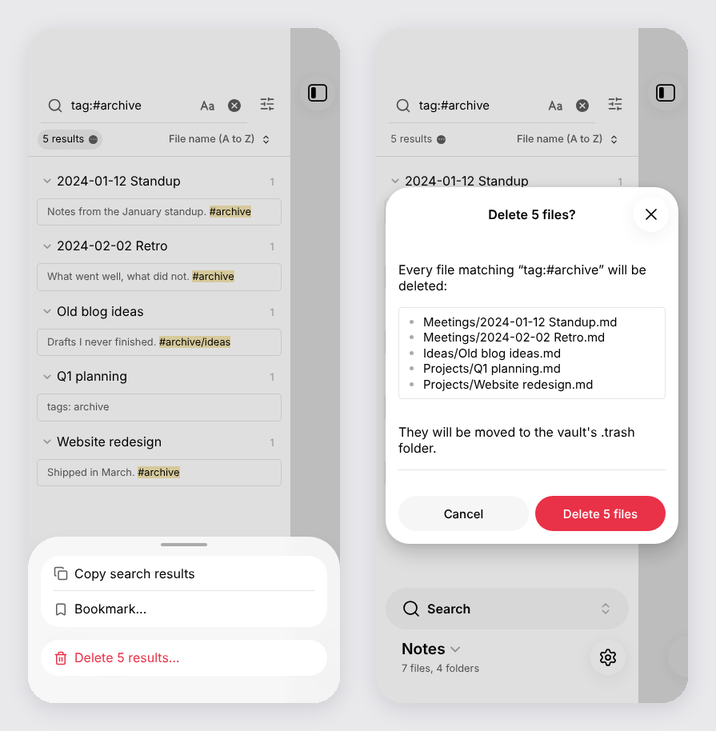
Behavior
- Exactly the files listed in the dialog are deleted. A tag search also matches
nested tags:
tag:#archiveincludes notes tagged#archive/ideas. - Files are deleted according to Settings → Files and links → Deleted
files: moved to the system trash, moved to the vault's
.trashfolder, or deleted permanently. The dialog says which, in red when it's permanent. - Attachments linked from the deleted notes are kept.
- The menu item is disabled while a search is still running, or when there are no results.
- Works on desktop and mobile, with Obsidian 1.6.6 or later.
Obsidian has no public API for the search results menu, so Note Purge uses the
internal search:results-menu event, the same one the core Bookmarks plugin
uses to add Bookmark.... If a future Obsidian version changes that event,
the Delete item stops appearing and nothing is deleted.
Installation
In Obsidian, open Settings → Community plugins → Browse, search for Note Purge, then select Install and Enable.
To install from GitHub instead, add joelreymont/obsidian-note-purge in
BRAT, or copy main.js,
manifest.json and styles.css from the
latest release
into <vault>/.obsidian/plugins/note-purge/. Release files are attested by
GitHub; check a download with
gh attestation verify main.js -R joelreymont/obsidian-note-purge.
Development
npm install
npm run build   # type-check, then bundle src/main.ts into main.js
To release, bump version in manifest.json, package.json and
versions.json, push to main, and run the Release workflow from the
Actions tab (or push a tag with the same version).
License
For plugin developers
Search results and similarity scores are powered by semantic analysis of your plugin's README. If your plugin isn't appearing for searches you'd expect, try updating your README to clearly describe your plugin's purpose, features, and use cases.