by vaalrl
Instantly share your notes via a secure, temporary, local wormhole. No cloud upload.
Note Wormhole
Instantly share your notes via a secure, temporary, local wormhole. No cloud upload.
🌐 Project page / 介紹頁面: https://vaalrl.github.io/obsidian-note-wormhole/ (English · 繁體中文)
📥 Install from Obsidian Community Plugins / 從 Obsidian 社群外掛安裝: https://community.obsidian.md/plugins/note-wormhole
Note Wormhole turns your machine into a temporary web server for a single note, and exposes it through a Cloudflare quick tunnel. Close the tab, disable the plugin, or quit the app, and the link is dead.
Features
- Ephemeral sharing — a public
https://<random>.trycloudflare.comURL tunnels straight to your computer. - No cloud upload — the note is rendered into memory and served from there. Nothing is written to a temp file, and nothing is stored on a third-party server.
- Bound to the tab — closing the note's tab, unloading the plugin, or quitting immediately tears down the tunnel and the local server.
- Anti-copy mode — optionally disable text selection, the context menu, and copy/print shortcuts for visitors.
- Live viewer count — see how many people currently have the page open.
Usage
Opening a wormhole
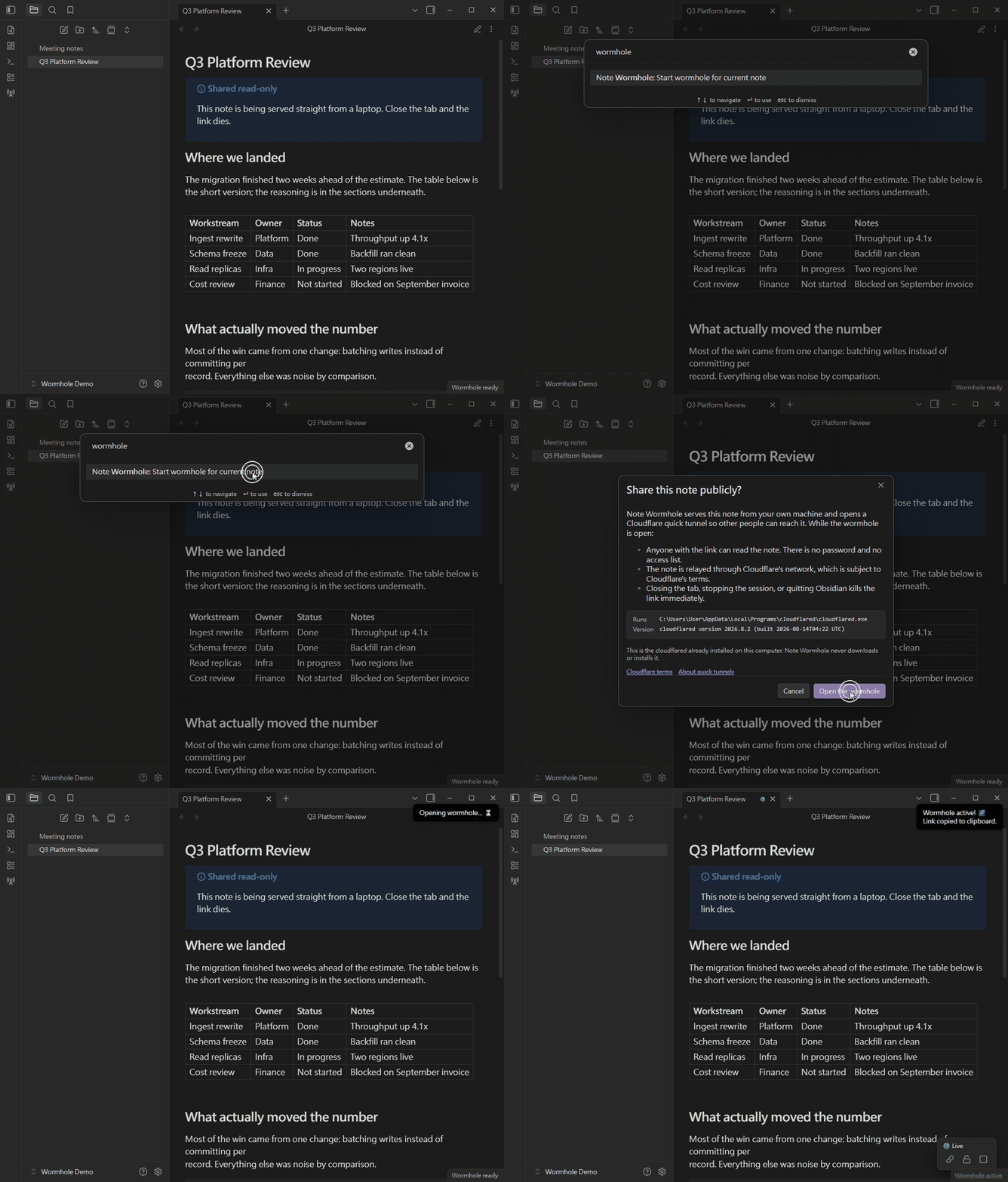
- Open the note you want to share.
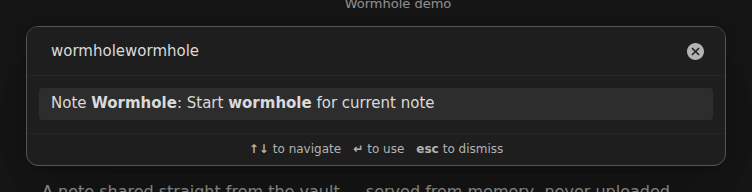
- Click the radio tower icon in the ribbon, or run the Start wormhole for current note command.
- On first use you'll be asked to confirm what sharing exposes (see Network use below). You need
cloudflaredinstalled. - The link is copied to your clipboard, and a green dot appears in the tab header.
Both commands are in the command palette:
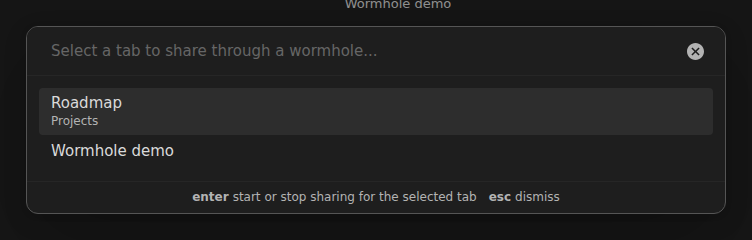
The ribbon icon opens a picker, so you can share any open tab rather than just the active one. Tabs that are already live are flagged:
Controlling a session
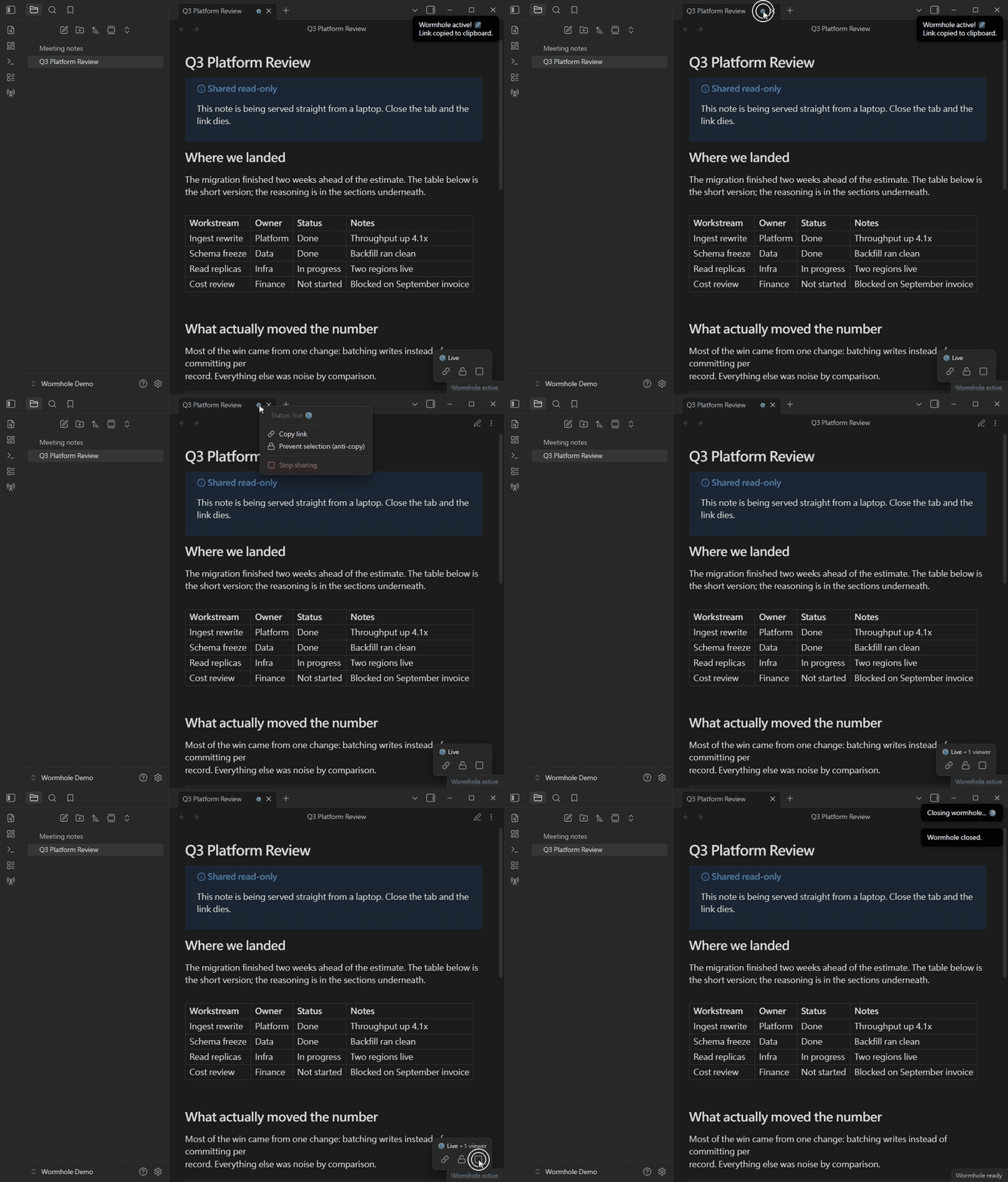
- Hover the green dot to see the viewer count.
- Click the green dot (or press Enter when it has focus) for the menu:
- Copy link — get the URL again.
- Prevent selection / Unlock selection — toggle anti-copy for this session.
- Stop sharing — collapse the wormhole.
- The floating panel in the bottom-right of the note offers the same controls.
- The status bar item shows how many wormholes are open; click it to toggle the current note.
The viewer count is live — it goes up as readers open the page, and the session ends the moment you stop it:
What the reader sees
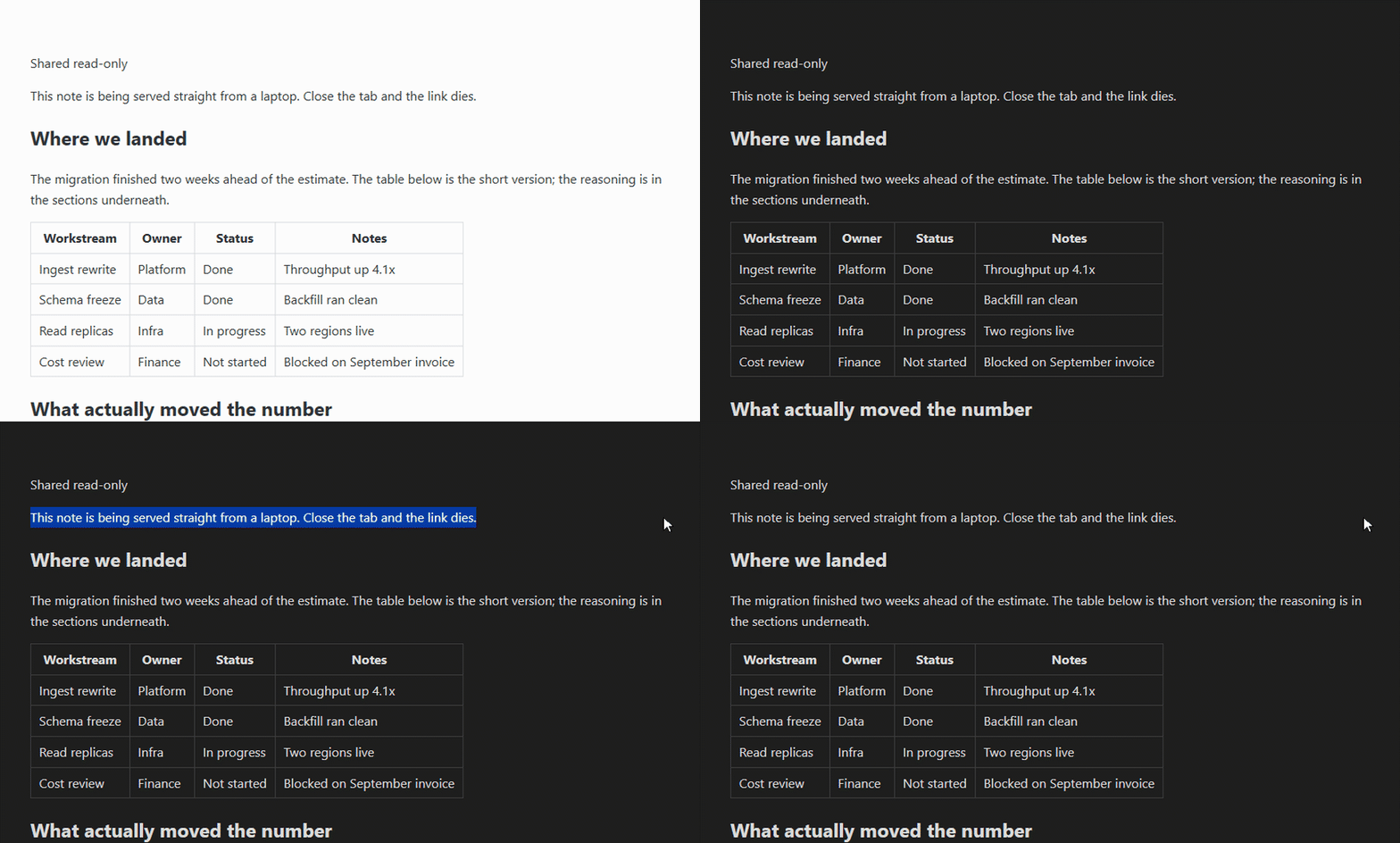
The note is re-rendered into a standalone page. The Theme mode setting decides whether visitors get light, dark, or whatever their own system prefers — and with Prevent text selection on, dragging across the page selects nothing:
Requires cloudflared
Note Wormhole opens its tunnel by running Cloudflare's cloudflared.
You install it; the plugin never downloads or installs it for you. Without it, sharing does
not work — the same arrangement as Obsidian plugins that drive pandoc, ffmpeg or git.
| Platform | Install with |
|---|---|
| Windows | winget install Cloudflare.cloudflared, or the .exe/.msi from releases |
| macOS | brew install cloudflared |
| Linux | Cloudflare's package repository, or the .deb/.rpm from releases |
Cloudflare's own installation guide covers every platform.
The plugin's settings tab tells you whether it was found, shows which copy will be run, and
gives the install command for your platform when there is none. Detection runs again on every
share, so no restart is needed after installing — and on Windows it also checks winget's install
location directly, because a running Obsidian keeps the PATH it started with.
Files it reads outside your vault
To find cloudflared, the plugin looks on your PATH and in the standard install locations for
your platform — /opt/homebrew/bin, /usr/local/bin, /usr/bin, /snap/bin, ~/.cloudflared
and ~/.local/bin on macOS and Linux, and the cloudflared folder under Program Files on
Windows. It runs cloudflared --version on a candidate to confirm it really is cloudflared
before spawning it. That is the only thing Note Wormhole reads from outside the vault, and it
writes nothing outside the vault at all.
Network use
Before installing, understand what this plugin does on the network:
| What | Where to | When |
|---|---|---|
Runs your cloudflared as a child process | — | While a wormhole is open |
| Relays note content through a Cloudflare quick tunnel | Cloudflare's edge network | While a wormhole is open |
| Serves the note over HTTP | 127.0.0.1 only, on an OS-assigned port | While a wormhole is open |
The plugin makes no other network requests. There is no telemetry, no account, and no server of ours anywhere in the path.
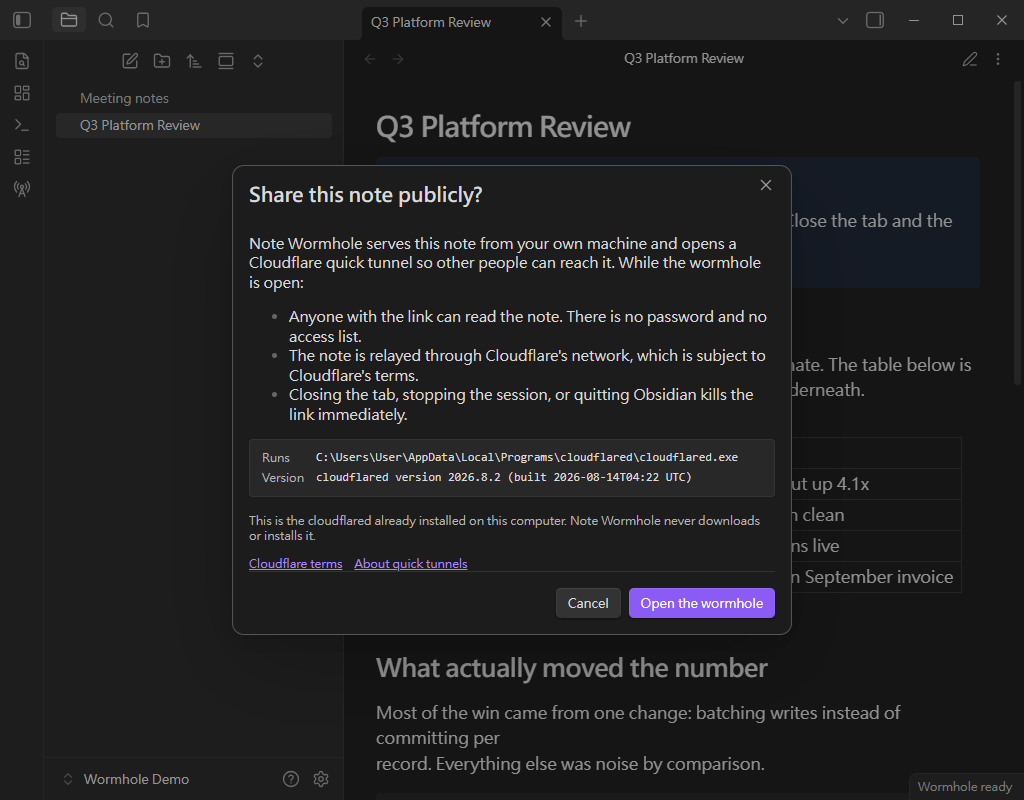
The tunnel is a Cloudflare quick tunnel: no Cloudflare account or token is required, the URL is randomly assigned, and the service is subject to Cloudflare's terms.
Before the first share, the plugin spells out what that exposes and asks you to confirm:
Security and privacy
- The local HTTP server binds to
127.0.0.1on an OS-assigned port; it is only reachable through the tunnel. - The server answers
/(the note) and/_heartbeat(viewer counting). Everything else returns 404. - The rendered HTML is held in memory only — it is never written to disk.
- Responses are sent with
no-store, a restrictiveContent-Security-Policy,X-Robots-Tag: noindex, andReferrer-Policy: no-referrer. - Ending a session destroys the tunnel and force-closes every open socket, so the URL dies immediately.
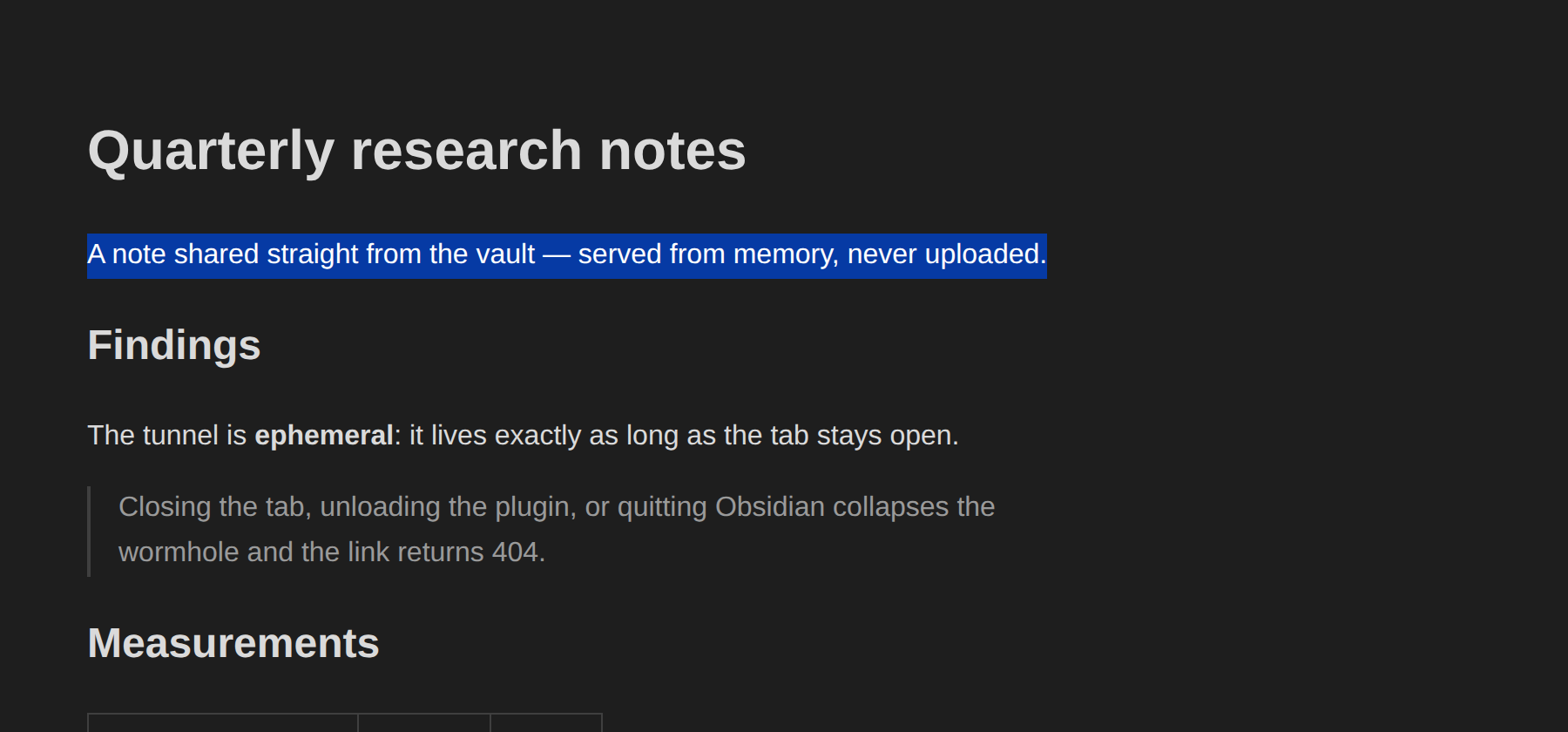
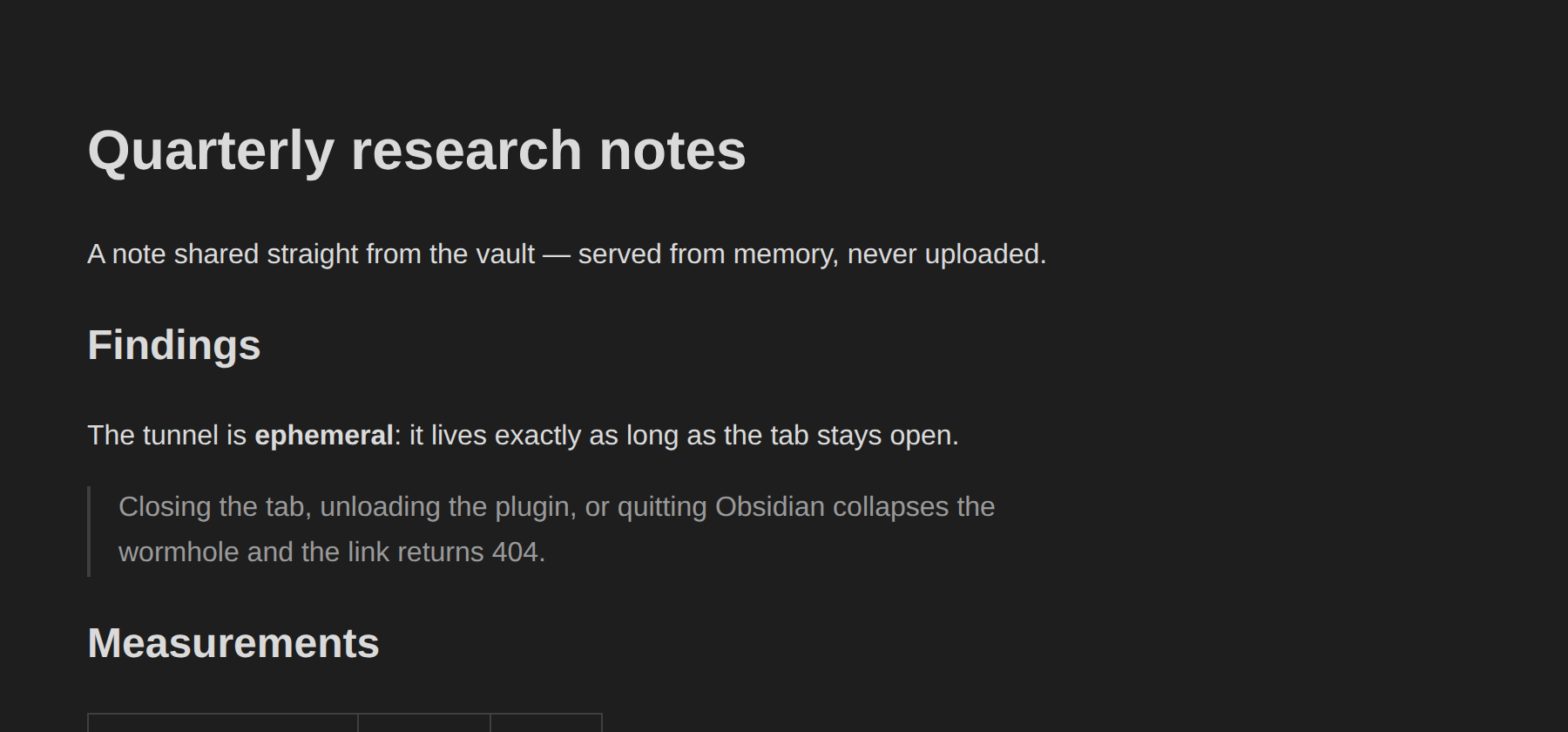
Side by side, the same drag across the same paragraph, with anti-copy off and on:
| Selection allowed | Anti-copy mode |
|---|---|
 |  |
Anti-copy mode is a deterrent, not protection. It disables selection, the context menu, and the copy/print shortcuts, but anyone who wants the text can still read the page source. Do not treat it as a security control.
Anyone with the URL can read the note while the session is open. There is no password or access list.
Requirements
- Desktop only. The plugin runs a local Node.js HTTP server and a child process, which Obsidian mobile does not support.
- Obsidian 1.5.1 or newer.
cloudflaredinstalled on your machine. The plugin does not install it.- An internet connection to establish the tunnel.
Installation
From Community Plugins
- Open Settings → Community plugins → Browse and search for "Note Wormhole" (directory listing).
- Install and enable it.
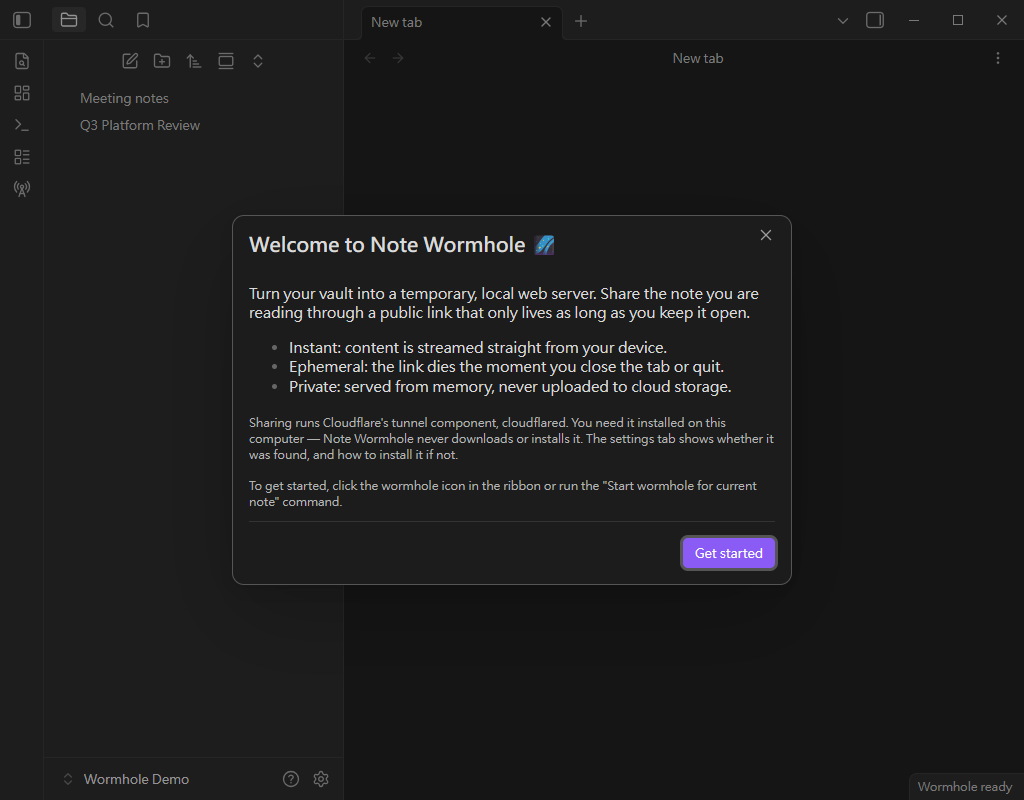
On first run you get a short introduction, once:
Manual
- Download
main.js,manifest.json, andstyles.cssfrom the latest release. - Copy them into
<your vault>/.obsidian/plugins/note-wormhole/. - Reload Obsidian and enable the plugin.
Development
npm install
npm run dev     # watch build
npm run build   # typecheck + production bundle
npm test        # install guidance, path control, tunnel URL parsing
npm run lint
The plugin has no runtime dependencies, and ships no binaries. It runs whatever cloudflared
it finds on the machine; see src/services/CloudflaredBinaryService.ts
for the detection, and src/services/cloudflaredInstall.ts
for the guidance shown when there is none.
License
MIT. See LICENSE.
For plugin developers
Search results and similarity scores are powered by semantic analysis of your plugin's README. If your plugin isn't appearing for searches you'd expect, try updating your README to clearly describe your plugin's purpose, features, and use cases.