Old Note Admonitor
approvedby tadashi-aikawa
Show warnings if the note has not been updated for over specific days.
Old Note Admonitor



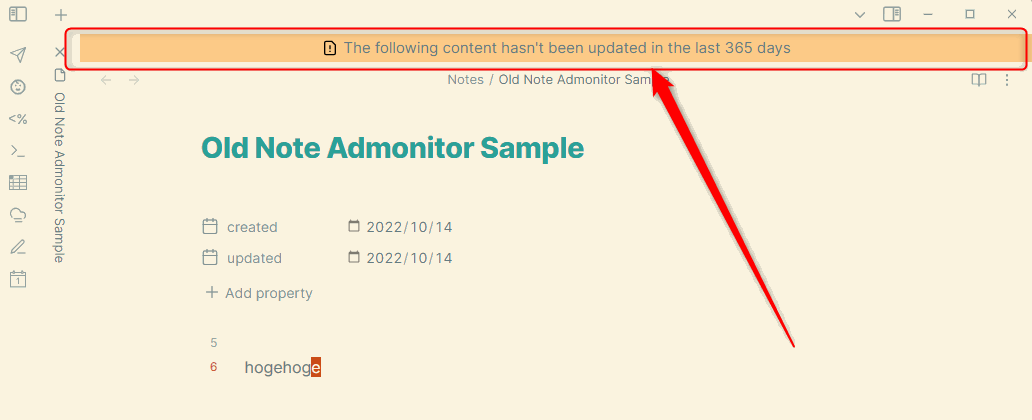
This Obsidian plugin shows admonitions if the note has not been updated for over specific days.
👥 For users
⏬ Install
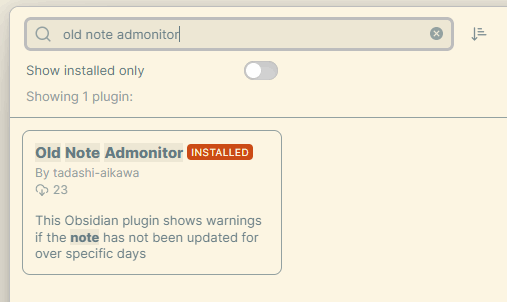
You can download via Community plugins > Browse.
⚙ Settings
Message template
If today is 2022-09-11 and the date on the note is 2022-09-01,
- It shows
10 days passed!if you set${numberOfDays} days passed! - It shows
10 days passed since 2022-09-01if you set${numberOfDays} days passed since ${date}
Default: The following content hasn't been updated in the last ${numberOfDays} days
Date to be referred
The setting is to decide what to reference the date from.
- Modified time
- Front matter
- Capture group
Default: Modified time
Modified time
File last modified date ( = TFile.stat.mtime).
Front matter

The Front matter key option can specify any key name.
Default: updated
Capture group
If you set ^// updated: (?<date>[0-9]{4}/[0-9]{2}/[0-9]{2}) to Capture group pattern, the date is extracted as follows.
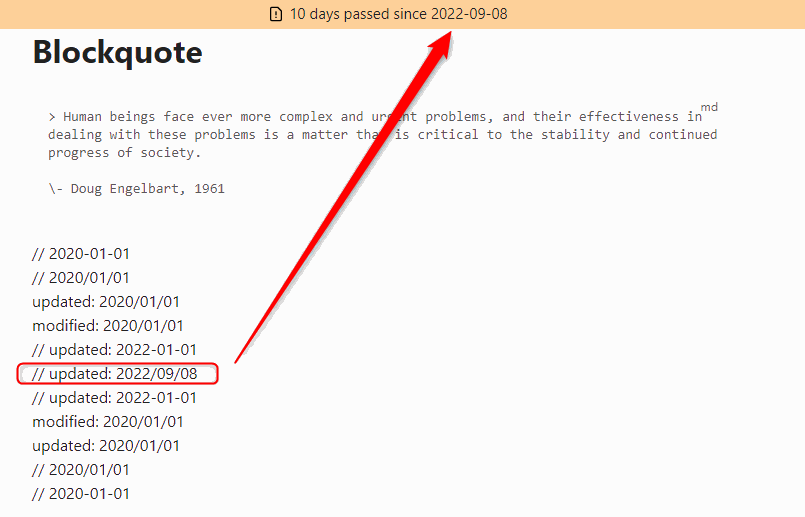
Default: ^// (?<date>[0-9]{4}/[0-9]{2}/[0-9]{2})
Min number of days to show a warning
If today is 2022-09-11 and the date on the note is 2022-09-01.
- It shows warnings if you set 10 or over
- It doesn't show warnings if you set it under 10
Default: 180
Trigger to update
On open file: Update a warning after switching an active fileOn open or save file: Update a warning after switching an active file or (auto) saving a file
Exclude prefix path patterns
If set, It doesn't show a warning in the file whose path starts with one of the patterns. It can set multi patterns by line breaks.
For example, You want to ignore the following files.
Daily Report/10/2022-10-01.mdDaily Report/10/2022-10-02.mdDaily Report/11/2022-11-05.mdDaily Report/11/2022-11-06.md
You have to set
Daily Report/
or
Daily Report/10/
Daily Report/11/
🎨 Styles
You can customize the style of admonitions by editing the following classes.
.old-note-admonitor__old-note-container.old-note-admonitor__old-note-container:before.old-note-admonitor__old-note-container__warning.old-note-admonitor__old-note-container__warning:before.old-note-admonitor__old-note-container__error.old-note-admonitor__old-note-container__error:before
For details, please show style.css.
🖥️ For developers
- Requirements
Development
task init
task dev
Release
task release VERSION=1.2.3
For plugin developers
Search results and similarity scores are powered by semantic analysis of your plugin's README. If your plugin isn't appearing for searches you'd expect, try updating your README to clearly describe your plugin's purpose, features, and use cases.