Pandoc Plugin
approvedby oliverbalfour
Commands to export to Pandoc-supported formats like DOCX, ePub and PDF.
Obsidian Pandoc Plugin
This is a Pandoc export plugin for Obsidian (https://obsidian.md).
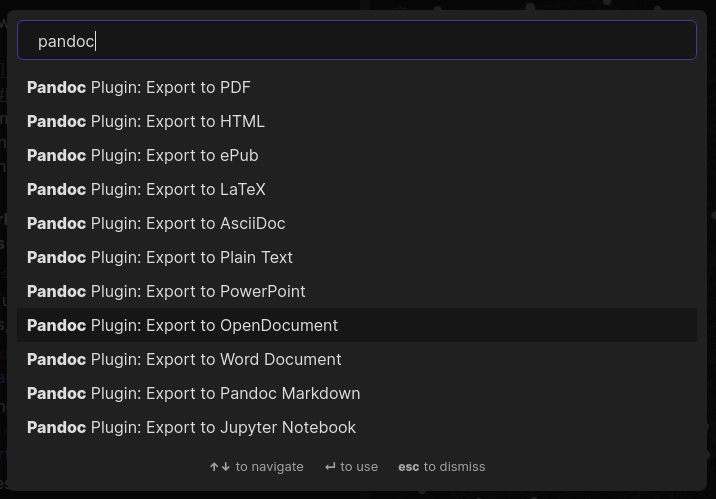
It adds command palette options to export your notes to a variety of formats including Word Documents, PDFs, ePub books, HTML websites, PowerPoints and LaTeX among (many) others. This is all thanks to Pandoc.
This lets you write presentations, draft books, make webpages, and write assignments all in Markdown, and export to whichever format you fancy, all without leaving Obsidian.
Note: this plugin is in beta, and there are often minor formatting issues. Make sure to proof-read the output!
Installation
Installation instructions are on the wiki, use the above link
Developer setup instructions are in development.md
Basic usage
- Press Ctrl+P/Cmd+P to show the command palette
- Search "Pandoc"
- Choose your export format
- If all goes well, it will say it was successful
- If you exported a file called
Pandoc.mdas a Word Document, in your file explorer there will be aPandoc.docxfile in the same folder
Documentation
For plugin developers
Search results and similarity scores are powered by semantic analysis of your plugin's README. If your plugin isn't appearing for searches you'd expect, try updating your README to clearly describe your plugin's purpose, features, and use cases.