Reminder
approvedby uphy
Manage Markdown TODOs with reminder.
Obsidian Reminder Plugin
Reminder plugin for Obsidian. This plugin adds feature to manage markdown TODOs with reminder.
Features
Set Reminders
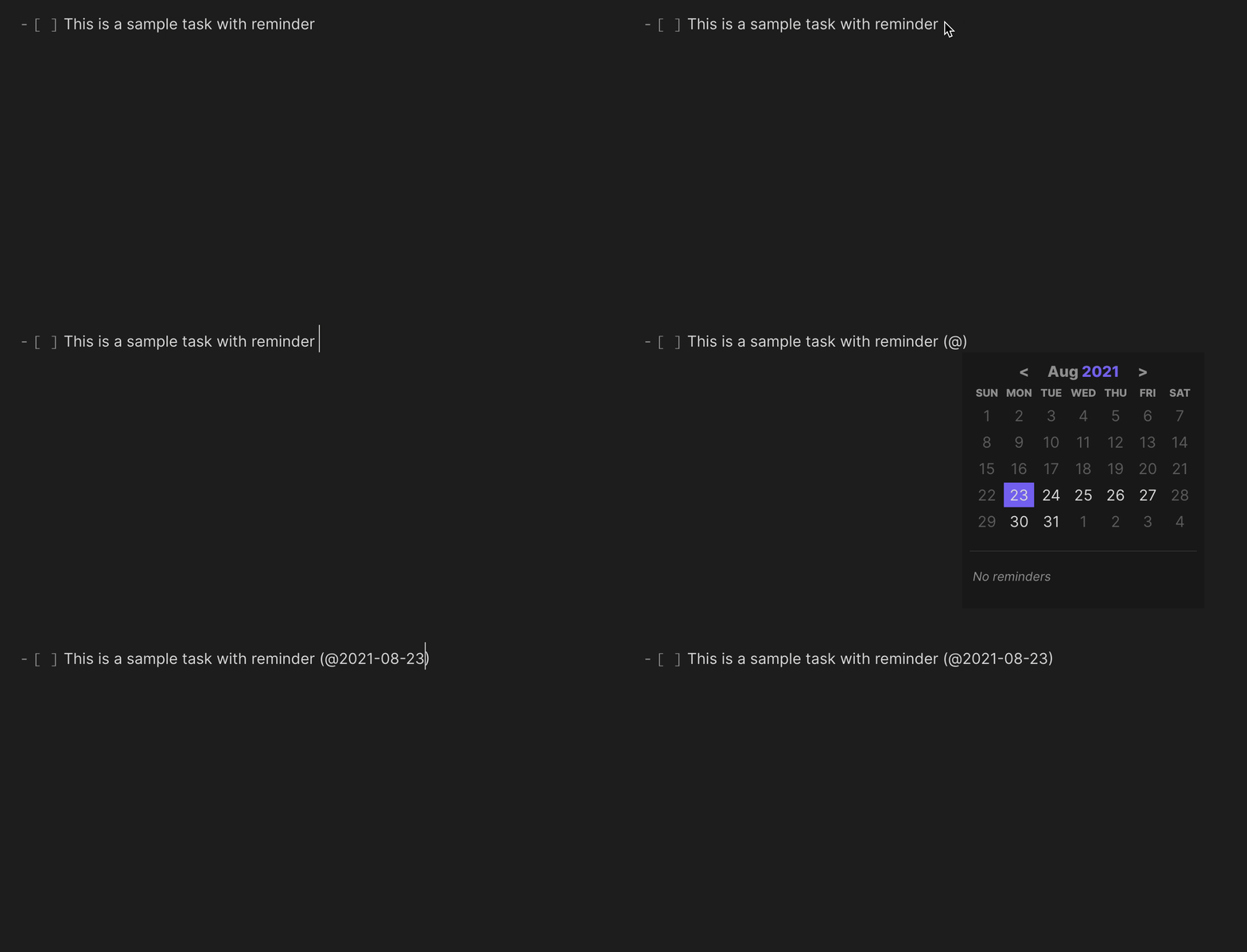
You can set reminders for TODO list items with the following format.
- [ ] This is a sample task with reminder (@2021-08-14)
- [ ] Also you can specify time (@2021-08-14 09:37)
- [x] You will not be notified about the reminders you have already checked. (@2021-08-14)
List Reminders
You can view the list of reminders contained in all files.
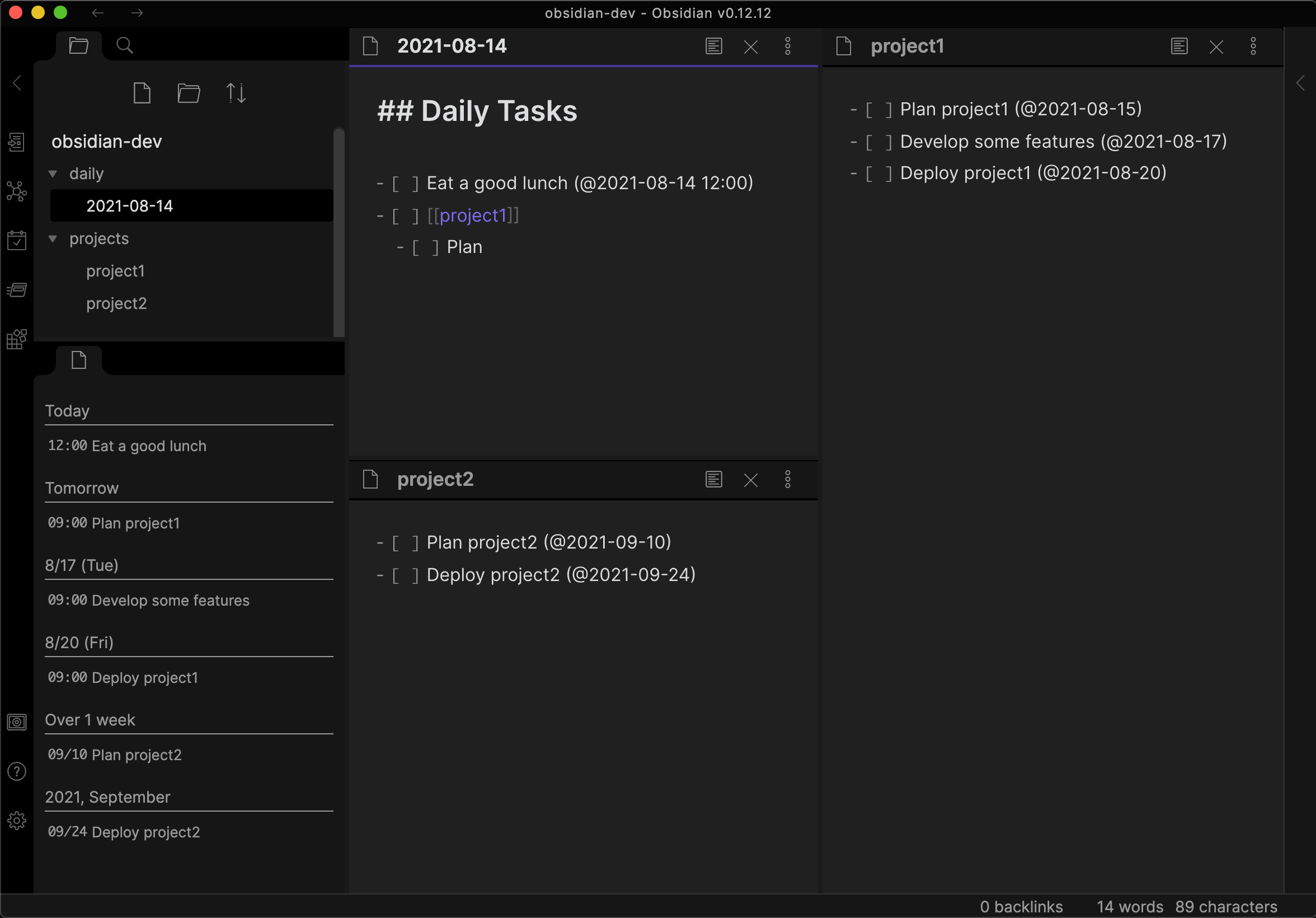
If you click the reminder list item, the source markdown file will be appeared.
Reminder Notification
Reminder will be notified on Obsidian when the time comes.
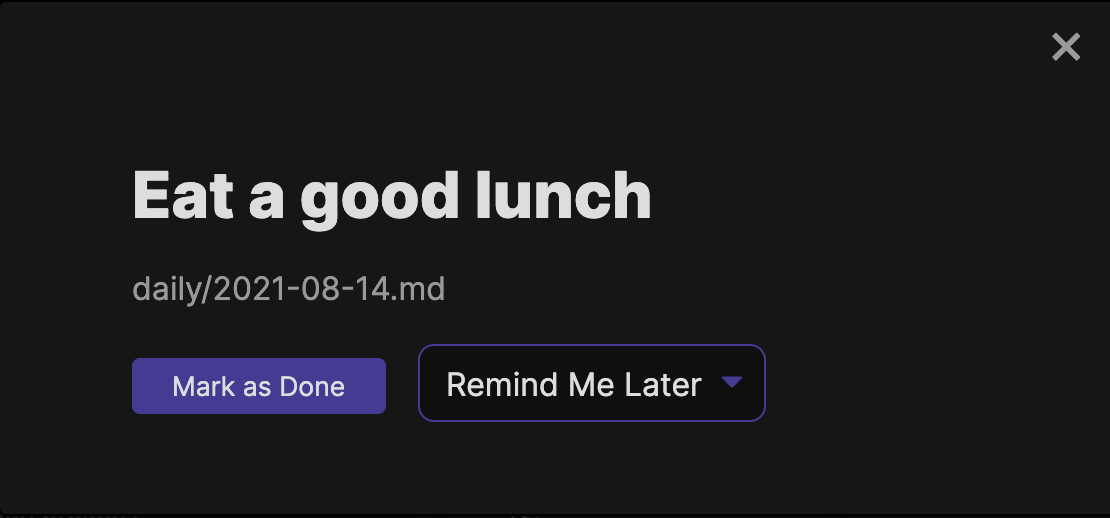
If you click Mark as Done, your check list item will be checked.
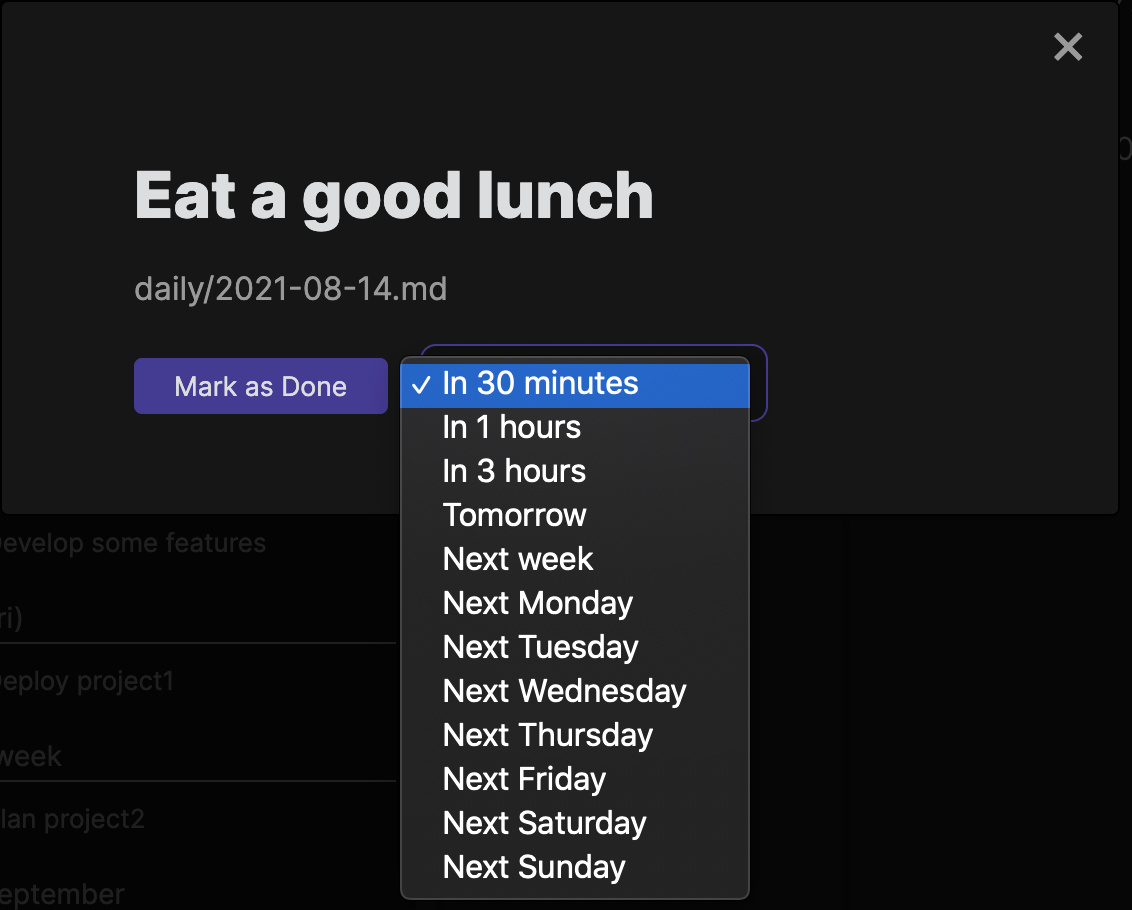
Alternatively, you can postpone the reminder by selecting Remind Me Later.
Interoperability with other plugins
In addition to original format @YYYY-MM-DD, this plugin also supports following plugin formats.
- Obsidian Tasks (e.g.
📅 2021-05-02) - Kanban (e.g.
@{YYYY-MM-DD})
If you use the Natural Language Dates plugin, see the guide for how to avoid the @ autocompletion conflict.
Guide
https://uphy.github.io/obsidian-reminder/
FAQ
- Notification in mobile (Android/iOS)
- System notification in mobile device is not available because Obsidian doesn't provide the feature.
Development
Requires mise (which provides the pinned Node.js version), or Node.js 22 with plain npm.
mise run main:init      # install dependencies
mise run dev            # watch build; rebuilds on every save
mise run main:test      # run the test suite
mise run main:lint:fix  # eslint --fix + tsc --noEmit + svelte-check
To try your changes in a real vault, symlink this repository into the vault's plugin directory and install the hot-reload plugin:
ln -s /path/to/obsidian-reminder /path/to/vault/.obsidian/plugins/obsidian-reminder-plugin
With mise run dev running, every save rebuilds the plugin and hot-reload reloads it in Obsidian automatically. See CLAUDE.md for an overview of the codebase and the release flow.
Support

For plugin developers
Search results and similarity scores are powered by semantic analysis of your plugin's README. If your plugin isn't appearing for searches you'd expect, try updating your README to clearly describe your plugin's purpose, features, and use cases.