Spaced Repetition
approvedby st3v3nmw
Fight the forgetting curve by reviewing flashcards & entire notes.
★ 2,553 stars↓ 599,624 downloadsUpdated 3mo agoMIT
Obsidian Spaced Repetition Plugin





Fight the forgetting curve by reviewing flashcards & notes using the FSRS or the SM-2 spaced repetition algorithms.
- For more information on how to use the plugin, check either the TL;DR on this page or the documentation.
- Raise an issue if you have a feature request or a bug report.
- Visit the discussions section for Q&A help, feedback, and general discussion.
- The plugin has been translated into Arabic, Chinese, Czech, Dutch, French, German, Italian, Korean, Japanese, Polish, Portuguese, Spanish, Russian, Turkish, and Ukrainian by the Obsidian community 😄.
- To help translate this plugin to your language, check the translation guide here.
Features⚡
Reviewing Flashcards🗃️
- Getting started (Using Obsidian's hierarchical tags or folder structure)
- Creating Flashcards
- Single-line style (
Question::Answer) - Single-line reversed style (
Question:::Answer) - Multi-line style (Separated by
?) - Multi-line reversed style (Separated by
??) - Cloze cards (
==highlight==your cloze deletions!,**bolded text**,{{text in curly braces}}, or use custom cloze patterns) - Rich text support in flashcards (inherited from Obsidian)
- Images, Audio, & Video
- LaTeX
- Code syntax highlighting
- Footnotes
- Single-line style (
- Organize Decks (Using Obsidian's hierarchical tags or folder structure)
- Card context - automatic titles based on headings (i.e.
Note title > Heading 1 > Subheading)
Reviewing Notes📄
Statistics📈
Usage TL;DR🚀
Creating Decks
- Add the tag
#flashcardsin a note, where you want to write your cards - If you want to have your cards in a specific sub deck, then add your sub deck name to the tag like so:
#flashcards/YOUR_SUB_DECK_NAME - Write your card in the note which where you've added your tag
Creating Cards
1. Decide what card type you need:
- Single line -> Card format:
Question::Answer - Single line reversable -> Card format:
Question:::Answer - Multi line -> Card format:
Question ? Answer - Multi line reversable -> Card format:
Question
??
Answer
2. Write your card (In one of those formats) in a note that you have tagged as a deck
Reviewing Cards
1.1. Open the list of all decks with either of two commands(ctrl+p):
- Review Flashcards from all notes -> Here the algorithm decides based on your past reviews, which cards are due to review
- Select a deck to cram -> All decks and all cards are reviewable and the algorithm is fully ignored
1.2. Or open the list of all decks within your currently opened note(ctrl+p):
- Review flashcards in this note -> Here the algorithm decides based on your past reviews, which cards from this note are due to review
- Cram flashcards in this note -> All decks and all cards from this note are reviewable and the algorithm is fully ignored
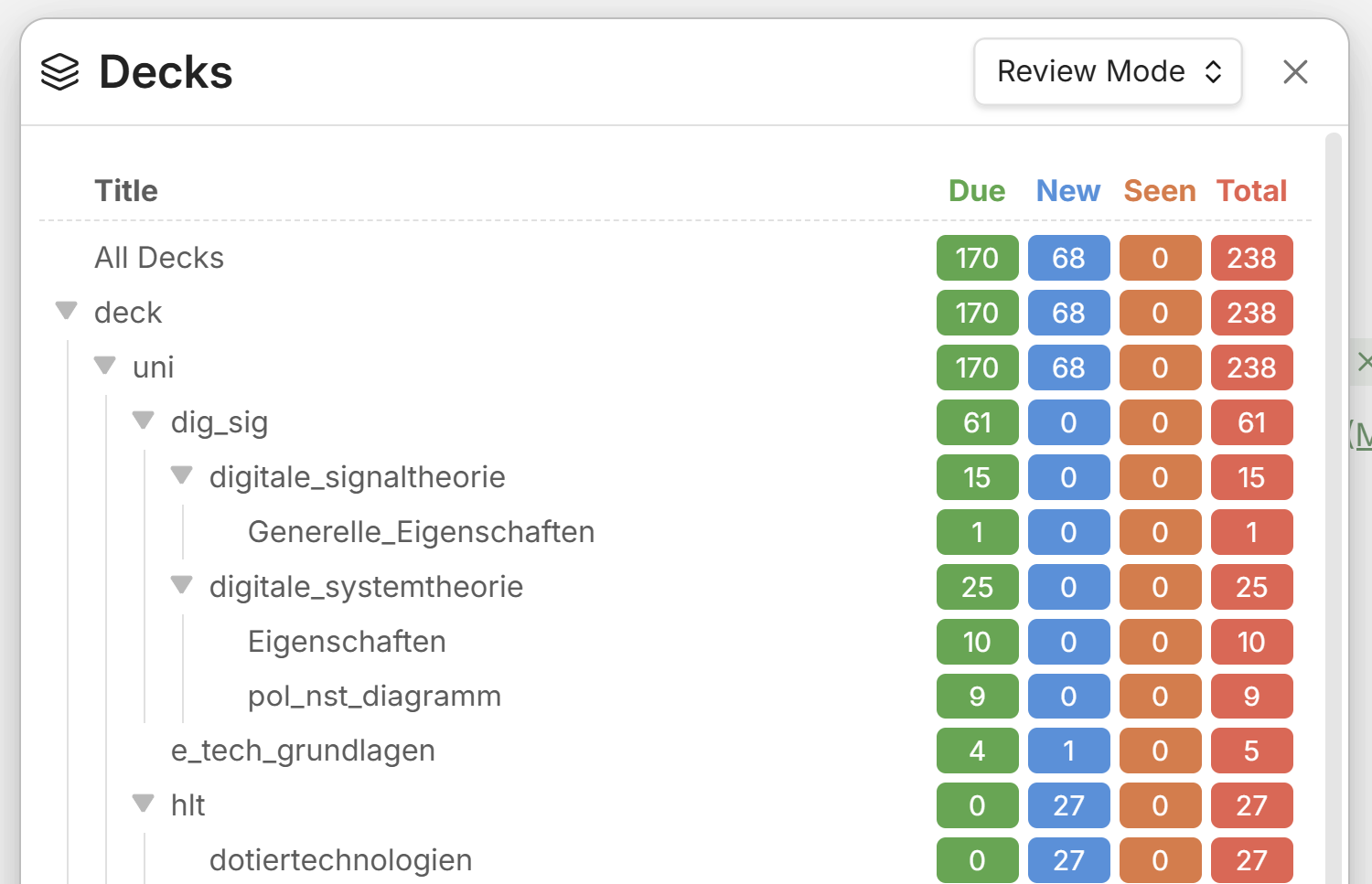
2. Select a deck via the list and click on the deck name
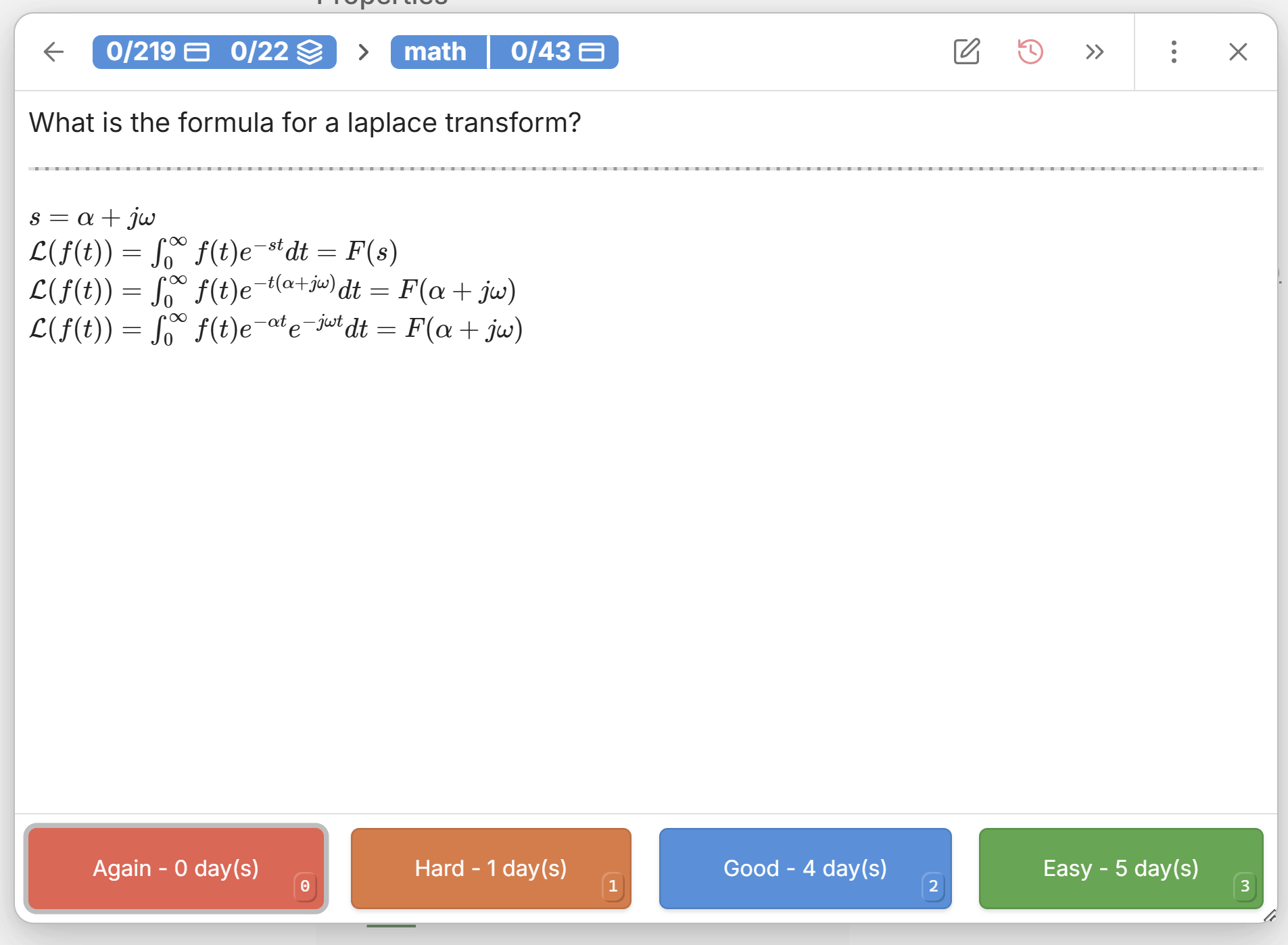
3. Rate your ability to remember the answer to the current question
- This tells the algorithm what you know well and what you don't
Creating & reviewing whole notes
Sometimes it makes more sense to recall a whole note, when it isn't just pure facts which you have to learn. This is where marking a note for review comes in handy.
- Just like with decks add the tag
#reviewto your note to mark them as reviewable - To see which notes are due for review open the note review queue via the command(ctrl+p): Open Notes Review Queue in sidebar
- There you can open up the notes for review, just as if you would open them up in your file explorer, only that they are sorted her by when they are due for review
- Once you have recalled/reviewed your note you can rate your recall ability by executing the command(ctrl+p, or just via the 3 dots next to the note): Review note as YOUR_RATING - The algorithm will take your rating into account to calculate a new due date, when you have to review it again
Links & Resources🔗
Support Development💻
| Stephen Mwangi (Owner) | Kyle Klus (Maintainer) |
|---|---|

|

|
For plugin developers
Search results and similarity scores are powered by semantic analysis of your plugin's README. If your plugin isn't appearing for searches you'd expect, try updating your README to clearly describe your plugin's purpose, features, and use cases.