Yaml Manager
approvedby lijyze
Keep you away from directly operating YAML frontmatter.
Obsidian Yaml Manager
Keey you away from directly operating yaml front matter, so you won't make mistake.
Demo
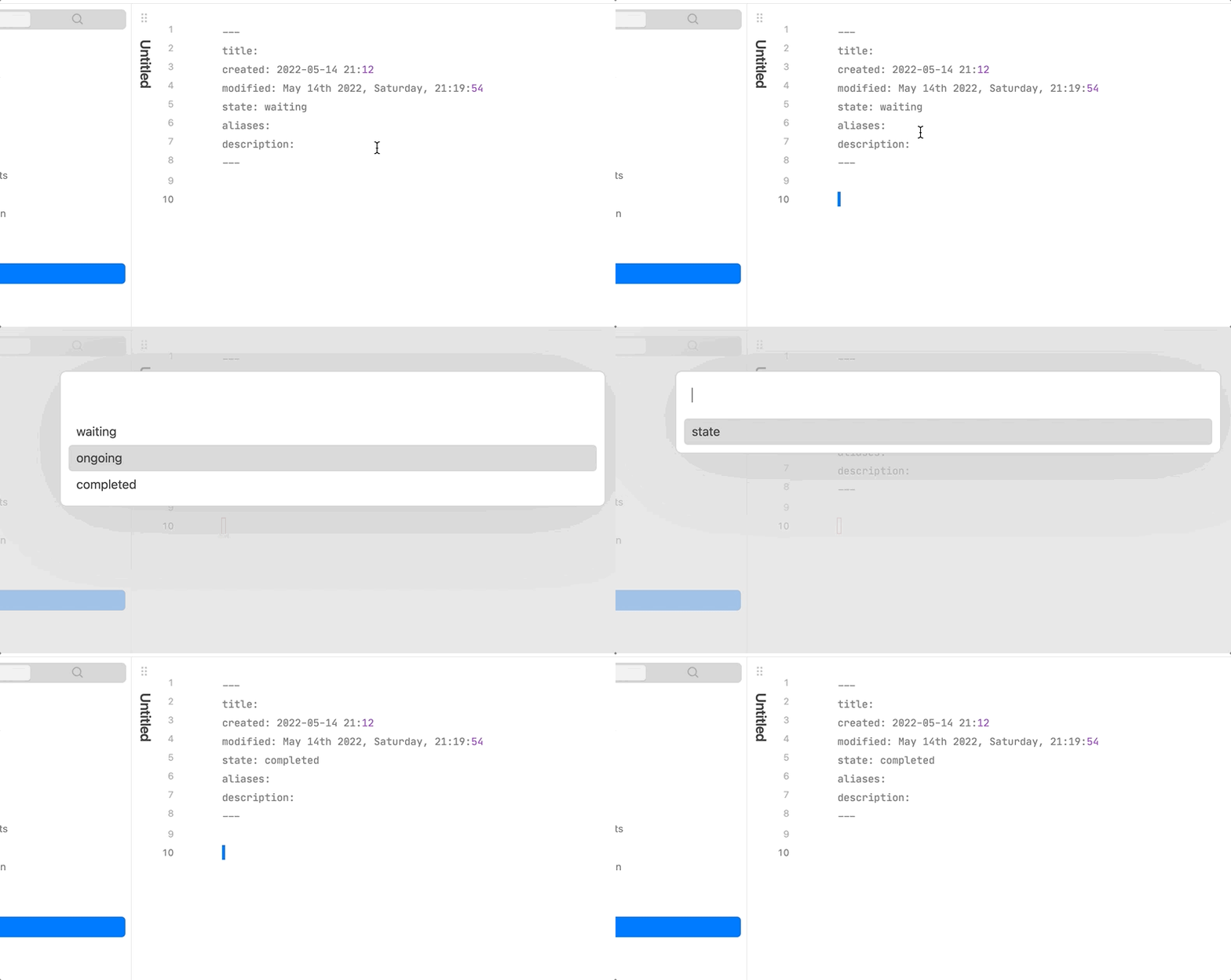
Usage
- Update single field
- select
Yaml Manager: key-value updatein command palette to updatekey-valuefield. - select
Yaml Manager: key-array insertorYaml Manager: key-array removeto insert item tokey-arrayfield or remove item fromkey-arrayfield. - Select field name and field value in order.
- select
- Bulk update
- select
Yaml Manager: bulk updatein command palette, you will understand the rest.
- select
These command only available in edit mode!!!
You can assign hotkeys to these commands for conviences;
Notice
This plugin only switch value of field which is placed in yaml front matter, if no front matter was founded, it will create one then insert the key-value pair just selected into it.
Working on
- Make it support more data structure, such as key-object(still no clue and not sure if it's necessary).
Manually installing the plugin
- Copy over
main.js,styles.css,manifest.jsonto your vaultVaultFolder/.obsidian/plugins/obsidian-state-switcher/.
Release
1.3.0
The formation of yaml array is customizable(- item or [item])!
1.2.0
Now you can update multiple fields in one time!
1.1.0
You may need to reset hotkey to call this plugin if you have set ever.
- Key-array structure supported
- Add return option to sub menu
Donating

For plugin developers
Search results and similarity scores are powered by semantic analysis of your plugin's README. If your plugin isn't appearing for searches you'd expect, try updating your README to clearly describe your plugin's purpose, features, and use cases.