Theme Toggler
approvedby larsmagnus
Toggle light or dark mode separately for each tab.
Obsidian Theme Toggler


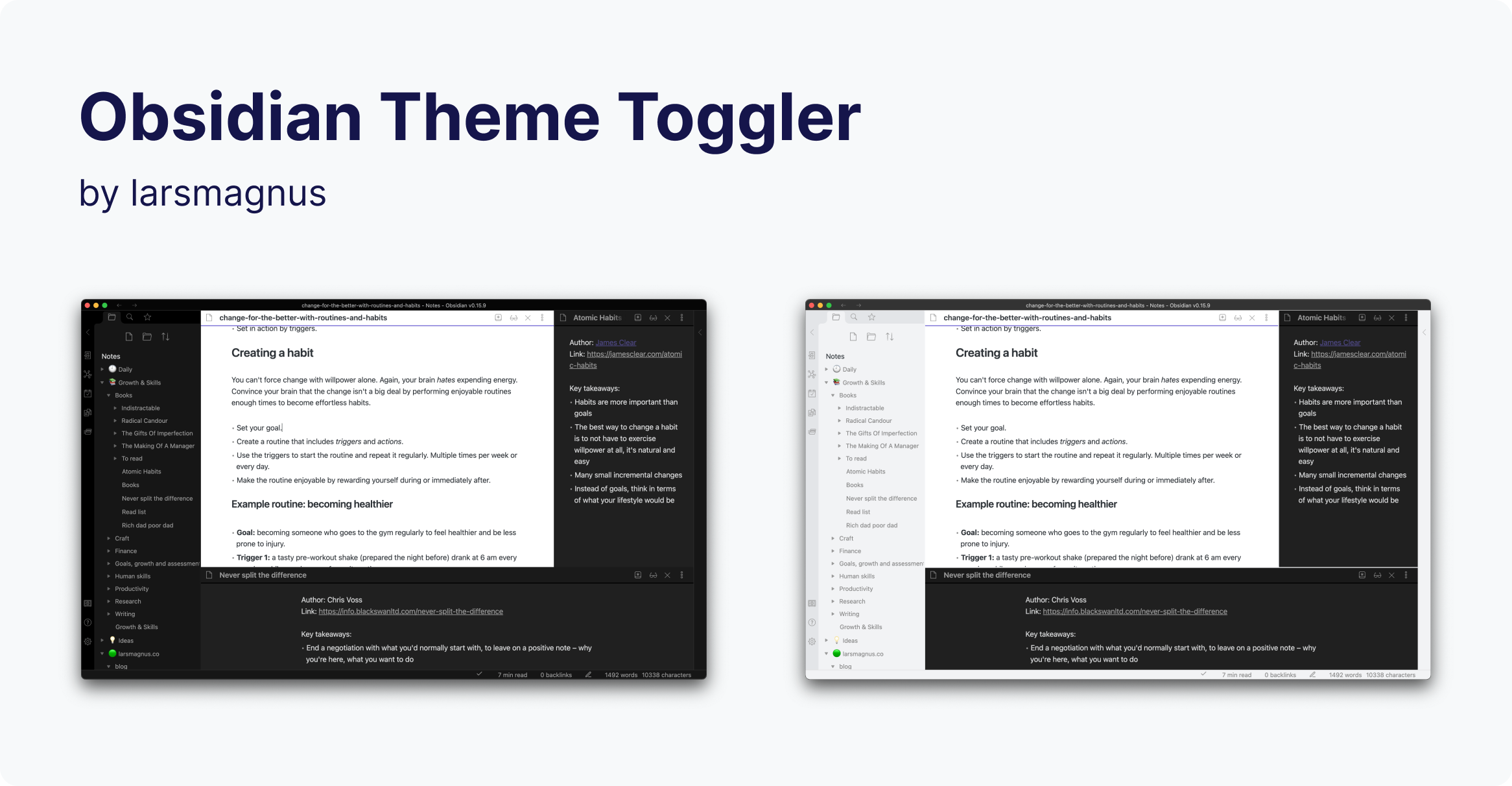
Toggle the theme individually for each of Obsidian's panels.
What the plugin does
It adds a theme toggle button to each pane in your workspace, allowing you to set the theme on a per-panel basis. In addition, it adds three commands for toggling the theme. You can explicitly determine whether to toggle the theme, change it to dark, or change it to light.
Commands
- Theme Toggler: Toggle theme in the active pane
- Theme Toggler: Activate dark mode in the active pane
- Theme Toggler: Activate light mode in the active pane
Support
If you find this plugin useful and would like to support its development, you can sponsor me on GitHub sponsors, buy me a coffee, or ko-fi.



Disclaimer
This plugin is provided as is, and is designed for my personal use of Obsidian on macOS. As such it is not thoroughly tested across all operating systems and use cases. It is designed to work the best with the "Default Obsidian" theme.
This plugin modifies some parts of the Obsidian interface, so it may break with future updates. It may also be incompatible with other plugins, bits of custom CSS you have, or the theme you are using.
For plugin developers
Search results and similarity scores are powered by semantic analysis of your plugin's README. If your plugin isn't appearing for searches you'd expect, try updating your README to clearly describe your plugin's purpose, features, and use cases.