Open in GitHub
approvedby hacker-c
Open the current project or file in github.com.
★ 7 stars↓ 576 downloadsUpdated 1y ago0BSD
Open in GitHub Plugin For Obsidian
This is an Obsidian plugin designed to open projects or files directly in GitHub via your browser. Learn more about Obsidian at https://obsidian.md.
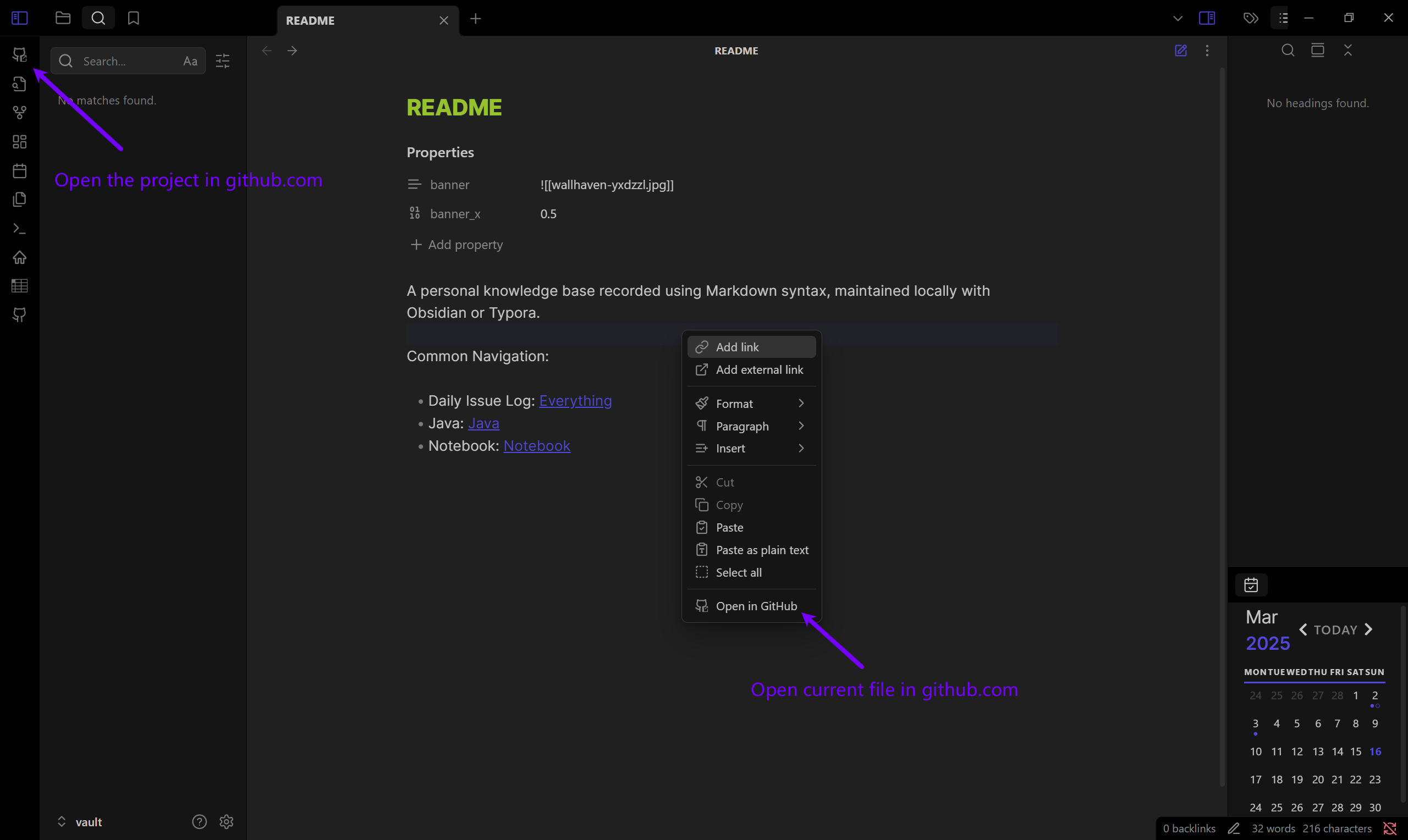
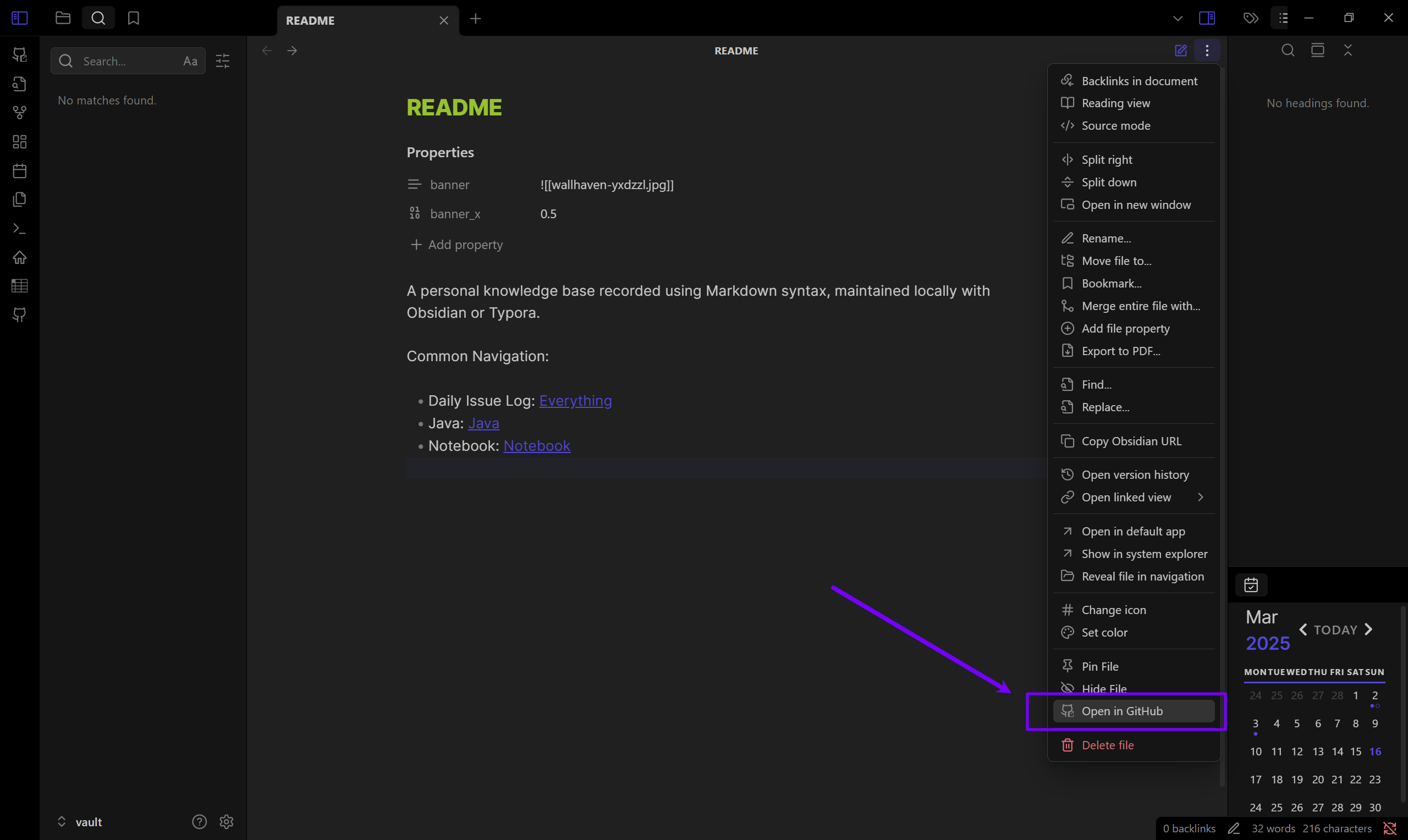
Installation
- Download Release Files:
- main.js
- manifest.json
- Copy Files to Plugin Folder:
Paste the downloaded files into your vault’s plugin folder:
VaultFolder/.obsidian/plugins/open-in-github - Enable the Plugin: Restart Obsidian, go to Settings > Community plugins and enable the plugin.
Development
Clone this repo to VaultFolder/.obsidian/plugins/ and excute the commands below, then open your Obsidian App.
pnpm i
pnpm dev
Documentation:
For plugin developers
Search results and similarity scores are powered by semantic analysis of your plugin's README. If your plugin isn't appearing for searches you'd expect, try updating your README to clearly describe your plugin's purpose, features, and use cases.