Password Audit
approvedby 0xprashanthsec
A plugin to audit passwords for strength and breaches, and generate secure passwords.
🔒 Password Audit Plugin
A powerful Obsidian plugin designed to analyze password strength, check for security breaches, and generate secure passwords with ease.
✨ Features
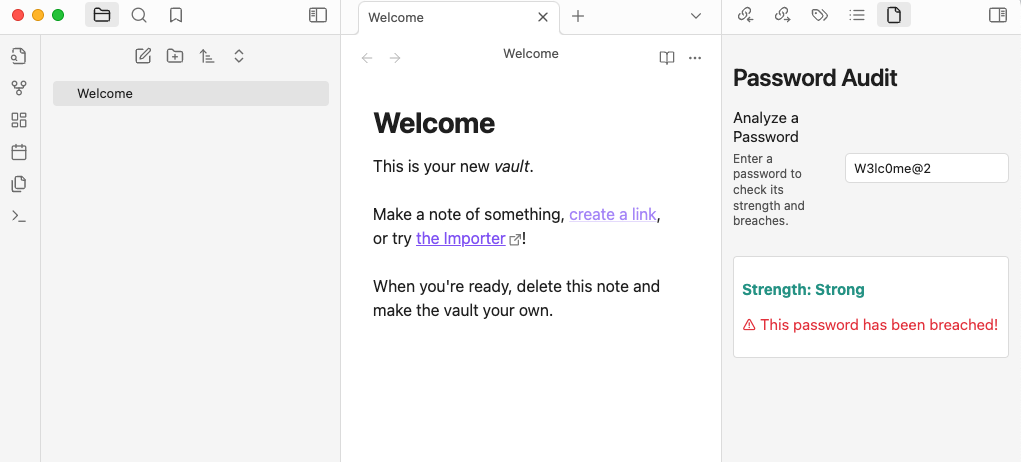
- 🔑 Password Strength Analysis: Get detailed feedback on the strength of any password.
- 🌐 Breached Password Check: Verify if a password has been compromised in known data breaches using Have I Been Pwned.
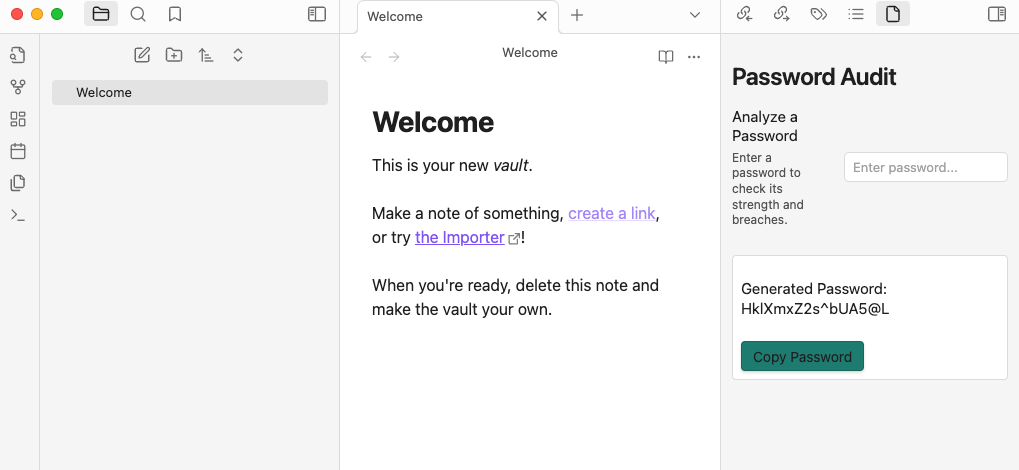
- 🔐 Secure Password Generation: Easily generate strong, secure passwords with customizable lengths.
- 📋 Clipboard Support: Copy generated passwords to the clipboard with just one click.
📥 Installation
- Open Settings in Obsidian.
- Navigate to Community Plugins.
- Click Browse and search for
Password Audit Plugin. - Install the plugin and enable it.
🛠️ Usage
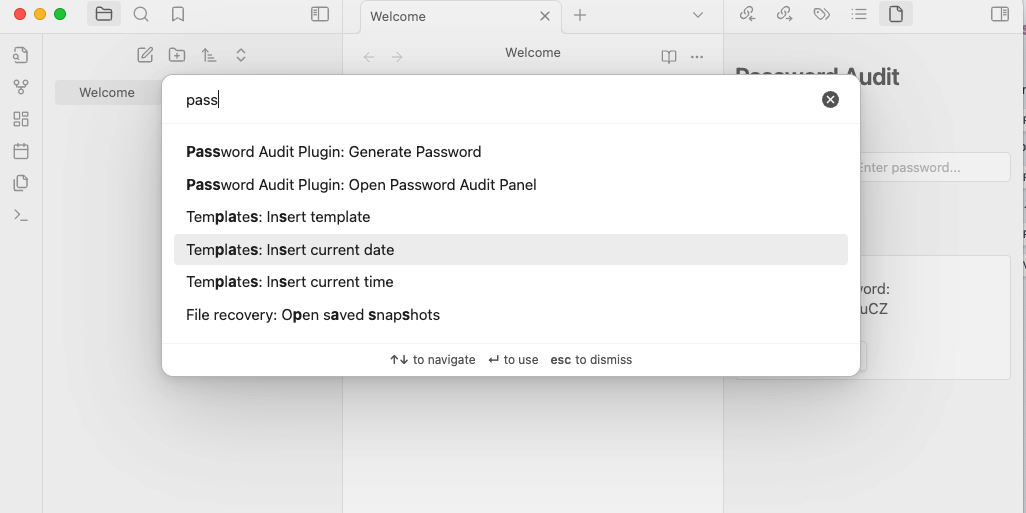
- Open the Password Audit panel via the command palette (
Ctrl+PorCmd+P) and select "Open Password Audit Panel". - Analyze a Password:
- Enter a password into the text box to check its strength and verify if it has been breached.
- Generate a Password:
- Use the
Generate Secure Passwordcommand to create a strong password. - Click Copy Password to copy the generated password to your clipboard.
- Use the
📸 Screenshots
Access the Plugin
Password Strength Analysis
Generate Secure Passwords
💻 Development Setup
If you'd like to contribute or test the plugin locally, follow these steps:
- Clone the repository:
git clone https://github.com/pulisettis/Password-Audit-Plugin.git
cd Password-Audit-Plugin
- Install Dependencies
npm install
- Build the Plugin
npm run build
- Copy the compiled files to your
.obsidian/pluginsfolder to test it locally.
🤝 Contributing
Contributions are welcome! If you have ideas for improvement or new features, feel free to fork the repository, make your changes, and submit a pull request. Let's make this plugin even better!
📢 Disclaimer
⚠️ Important: Obsidian is not designed for securely storing sensitive information like passwords. Use this plugin only for auditing and generating passwords, not for storing them. Always use a dedicated password manager for secure storage.
🌟 Stay Connected
For plugin developers
Search results and similarity scores are powered by semantic analysis of your plugin's README. If your plugin isn't appearing for searches you'd expect, try updating your README to clearly describe your plugin's purpose, features, and use cases.